182049 Viking Installation Manual.pdf - 第64页
semi automatic MACHI NE PERF ORM ANCE MACHI NE CAP ABILITY 7.2 Installatio n Manual Chapt er Issue 1 O ct 01 4. Select Filters. 5. Select Select Filter Group . 6. Highlight sqy1.qcf file and se le ct Open .
semi automatic
MACHINE PERFORMANCE
MACHINE CAPABILITY
Chapter Issue 1 Oct 01 Installation Manual 7.1
CHAPTER 7 MACHINE PERFORMANCE
MACHINE CAPABILITY
Load the product file named 265test1 from the hard disk and with a DEK
alignment board loaded ensure that the following parameters are correct:
• Screen - Calibration/Dry Align
• Squeegee - Length to suit board /ProFlow - Empty Transfer Head
• Front & Rear Print Speed - 25mm/sec (squeegees) / 70mm/sec (ProFlow)
• Front & Rear Pressure - 5kg (squeegees) / 3kg (ProFlow)
• ProFlow Paste Pressure - 2.2 bar
• Separation Speed - 1mm/sec.
• Under Board Clearance - 20mm
• Paste Dispense - 0
• Under Screen Rate - 0
• SPC Data Output Rate - Every Cycle
• SPC Data Mode - Disk
• SPC Format - Windows
• SPC Align Inspect Mode - Post Print
Use nine magnetic tooling pins to fully support the board, apply small amount
of paste or suitable lubricant (enough to lubricate squeegees). Using SPC
Mode, record >100 full machine cycles and setup QC-Cal program as follows:
1. Open Explorer from the Windows Start button. If squeegees are fitted
ensure the filter files sqy1.qcf and sqy2.qcf are present in the directory
structure C:\Prolink\QcCalc\Filters.
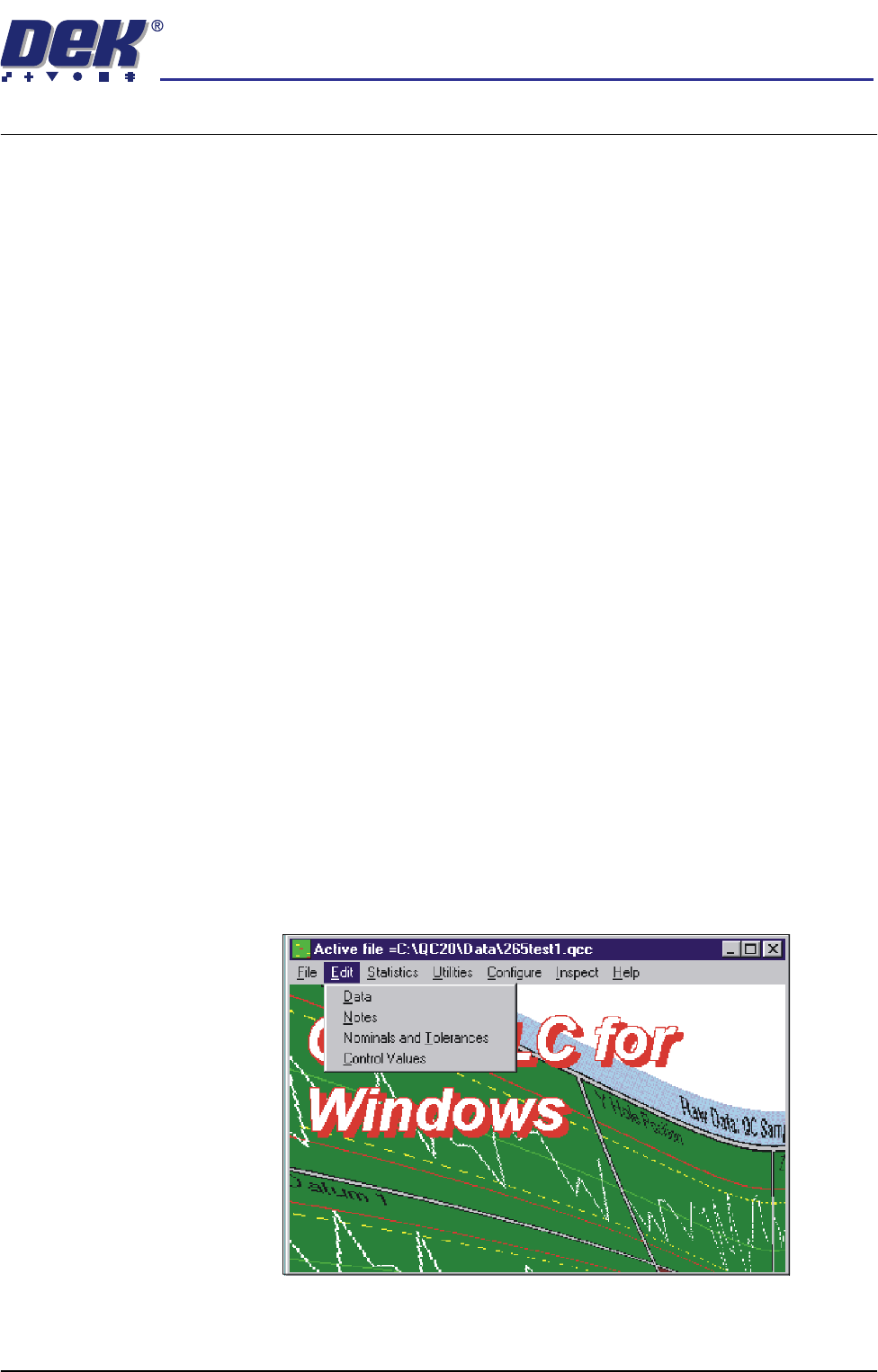
2. Start the QC-Cal program.
3. Select Edit, Data.
semi automatic
MACHINE PERFORMANCE
MACHINE CAPABILITY
7.2 Installation Manual Chapter Issue 1 Oct 01
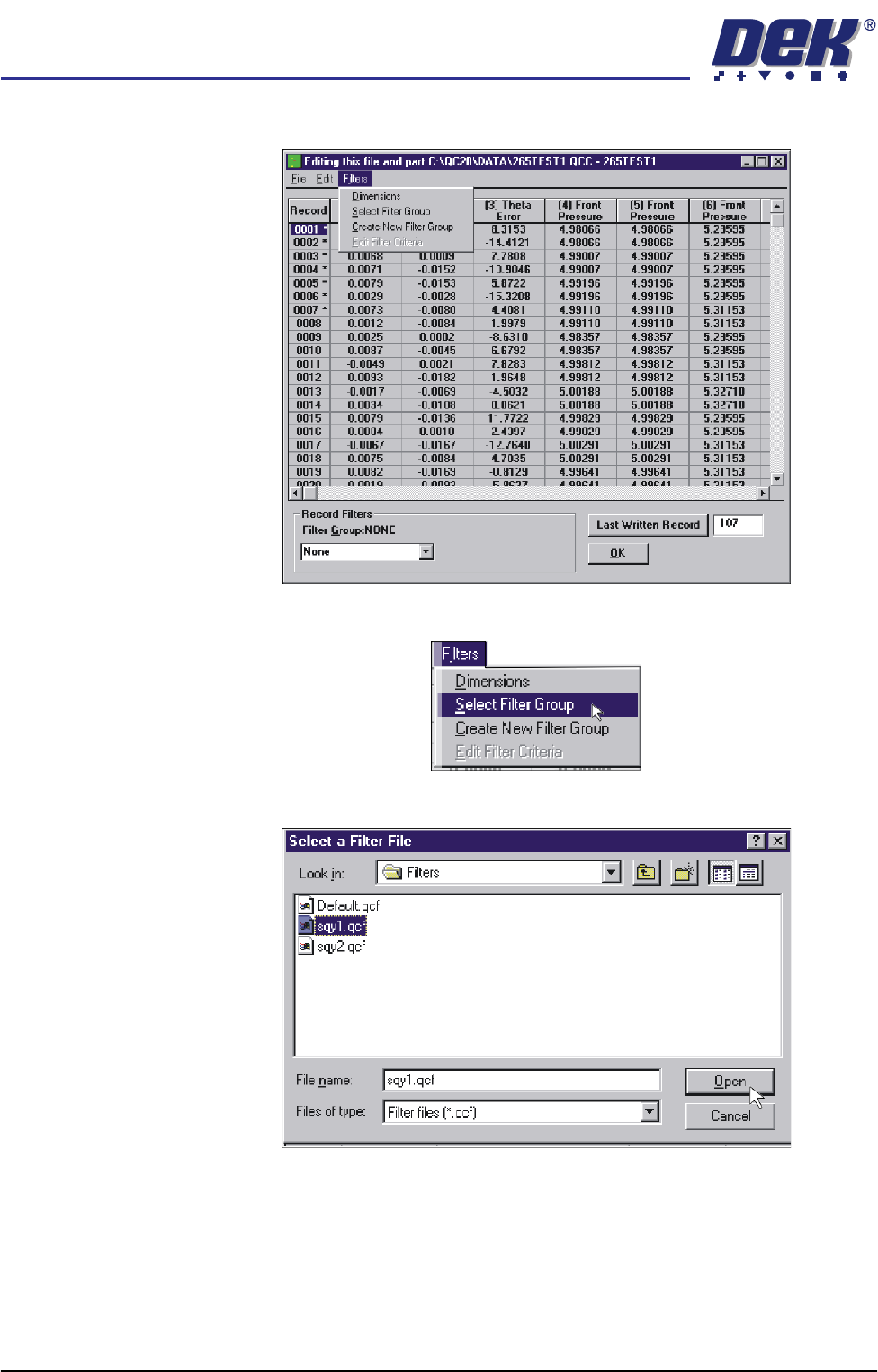
4. Select Filters.
5. Select Select Filter Group.
6. Highlight sqy1.qcf file and select Open.
semi automatic
MACHINE PERFORMANCE
MACHINE CAPABILITY
Chapter Issue 1 Oct 01 Installation Manual 7.3
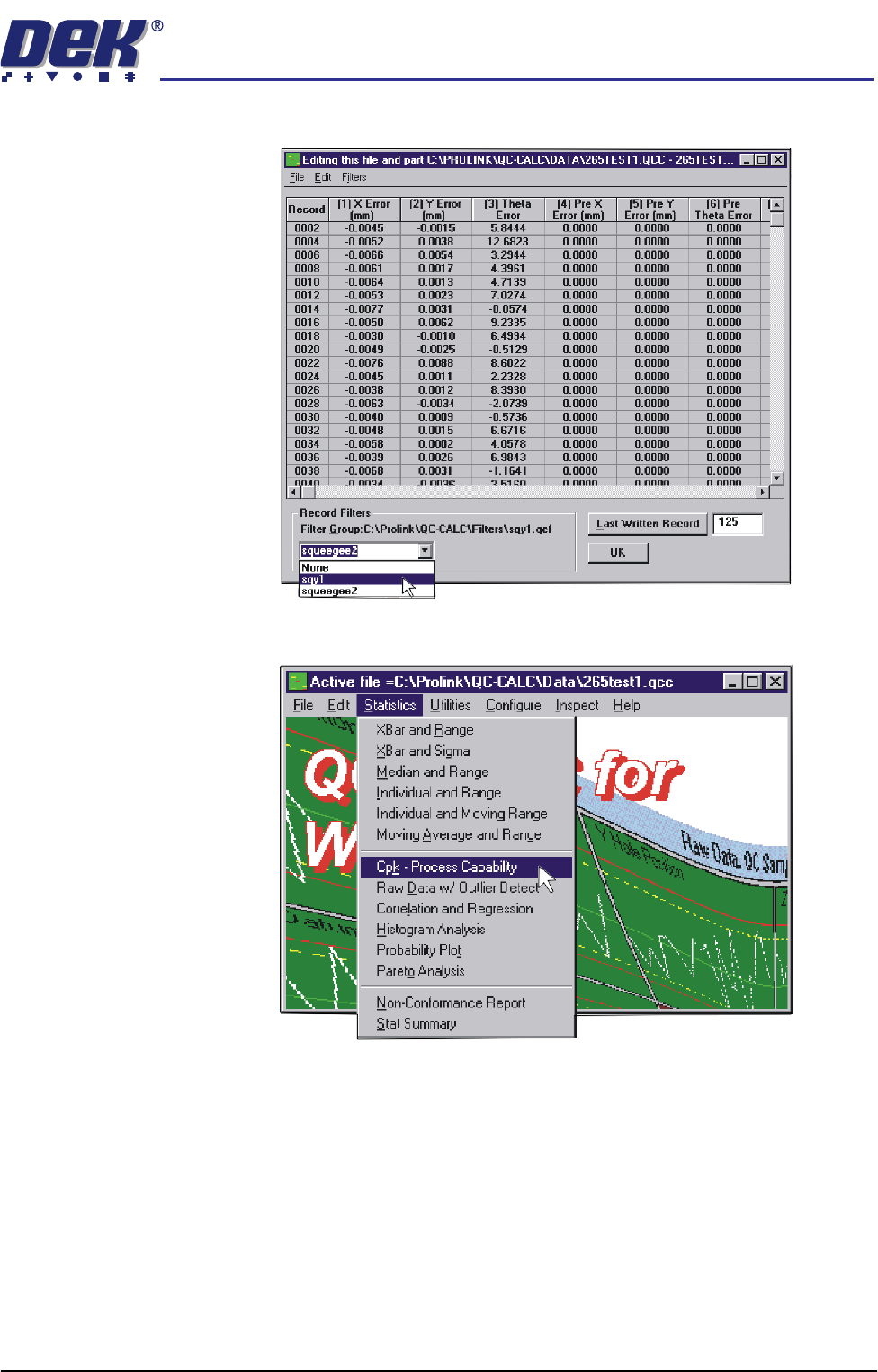
7. In the Record Filters Box, select sqy1 file and select O.K.
8. Select Statistics, Cpk - Process Capability.