182049 Viking Installation Manual.pdf - 第65页
semi automatic MACHIN E PER FORMAN CE MACHI N E CAPAB ILITY Chapter Issue 1 Oct 01 Instal lation Manual 7.3 7. In the Record Filters Box, select sqy1 file and select O.K . 8. Select Statis tics , Cpk - Pr ocess Capabil i…
semi automatic
MACHINE PERFORMANCE
MACHINE CAPABILITY
7.2 Installation Manual Chapter Issue 1 Oct 01
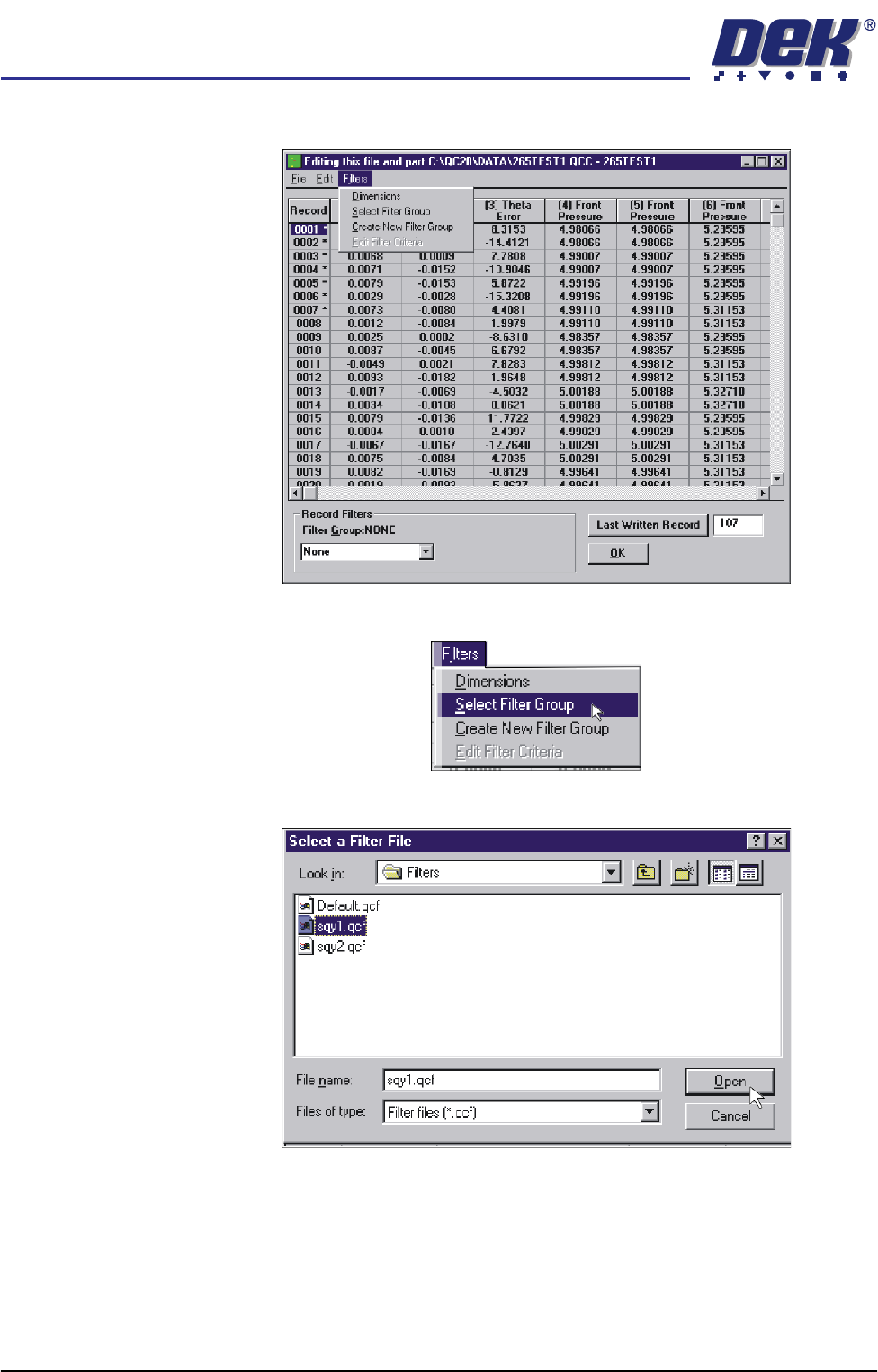
4. Select Filters.
5. Select Select Filter Group.
6. Highlight sqy1.qcf file and select Open.
semi automatic
MACHINE PERFORMANCE
MACHINE CAPABILITY
Chapter Issue 1 Oct 01 Installation Manual 7.3
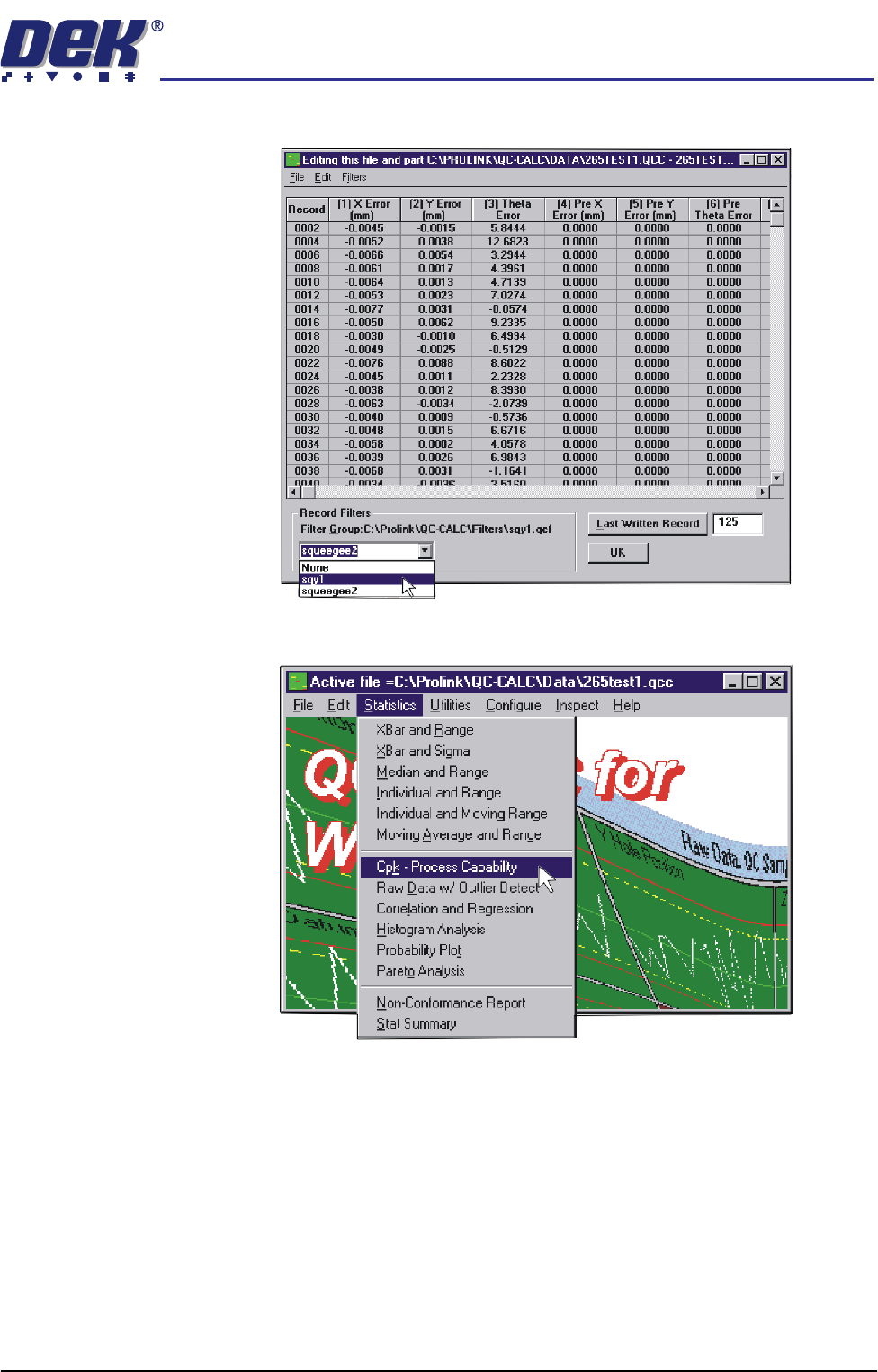
7. In the Record Filters Box, select sqy1 file and select O.K.
8. Select Statistics, Cpk - Process Capability.
semi automatic
MACHINE PERFORMANCE
MACHINE CAPABILITY
7.4 Installation Manual Chapter Issue 1 Oct 01
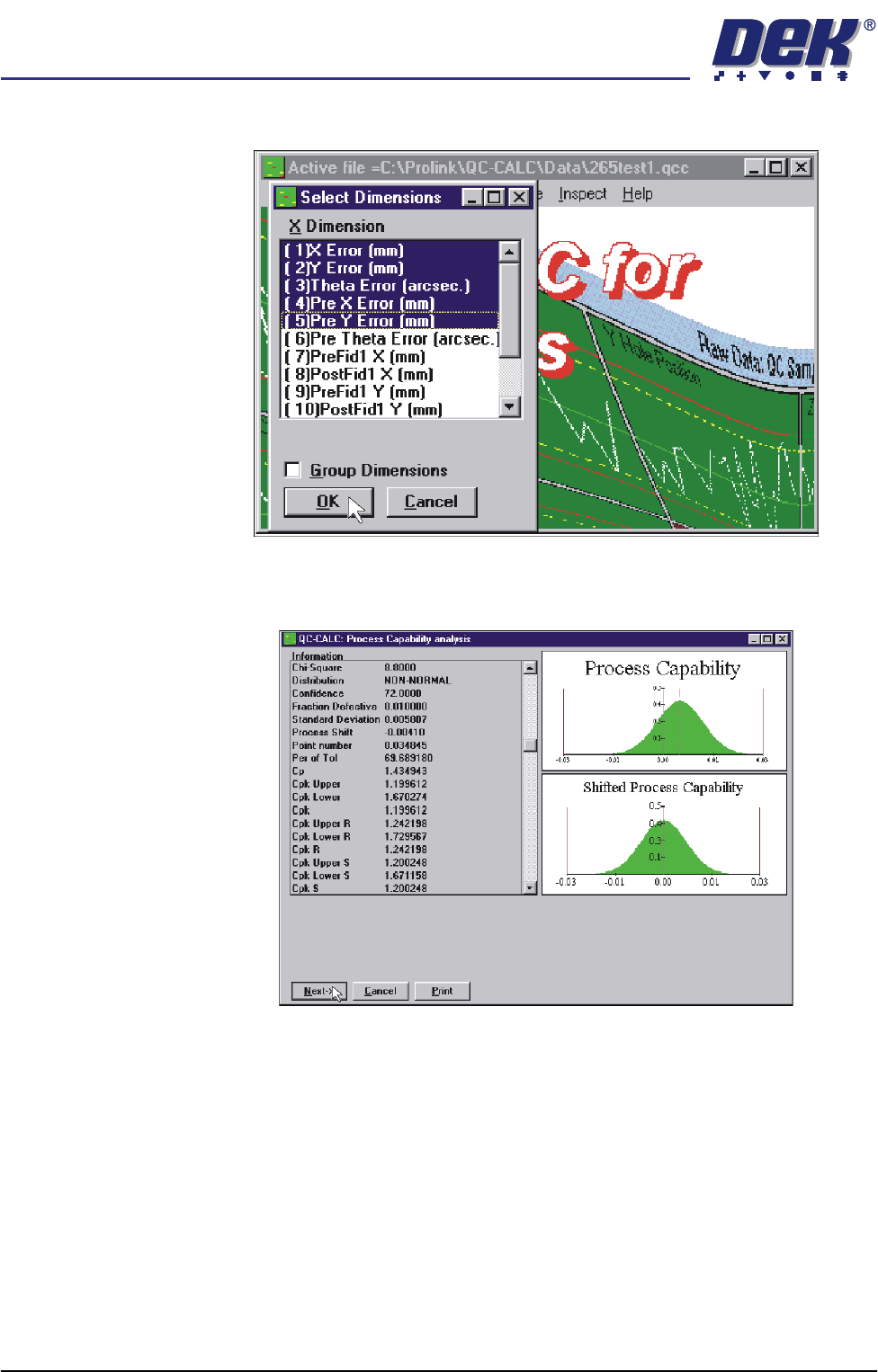
9. Highlight the required dimensions to output and select O.K.
10. View the Cp/Cpk values for the dimension illustrated ensuring the values are
within the specification. Select Next to view the further dimensions.
11. Repeat Steps 4 - 10 for filter group sqy2.qcf.