182049 Viking Installation Manual.pdf - 第66页
semi automatic MACHI NE PERF ORM ANCE MACHI NE CAP ABILITY 7.4 Installatio n Manual Chapt er Issue 1 O ct 01 9. Highlight the required di m ensio ns to output and sele ct O.K . 10. View th e Cp/Cpk values for the dimensi…
semi automatic
MACHINE PERFORMANCE
MACHINE CAPABILITY
Chapter Issue 1 Oct 01 Installation Manual 7.3
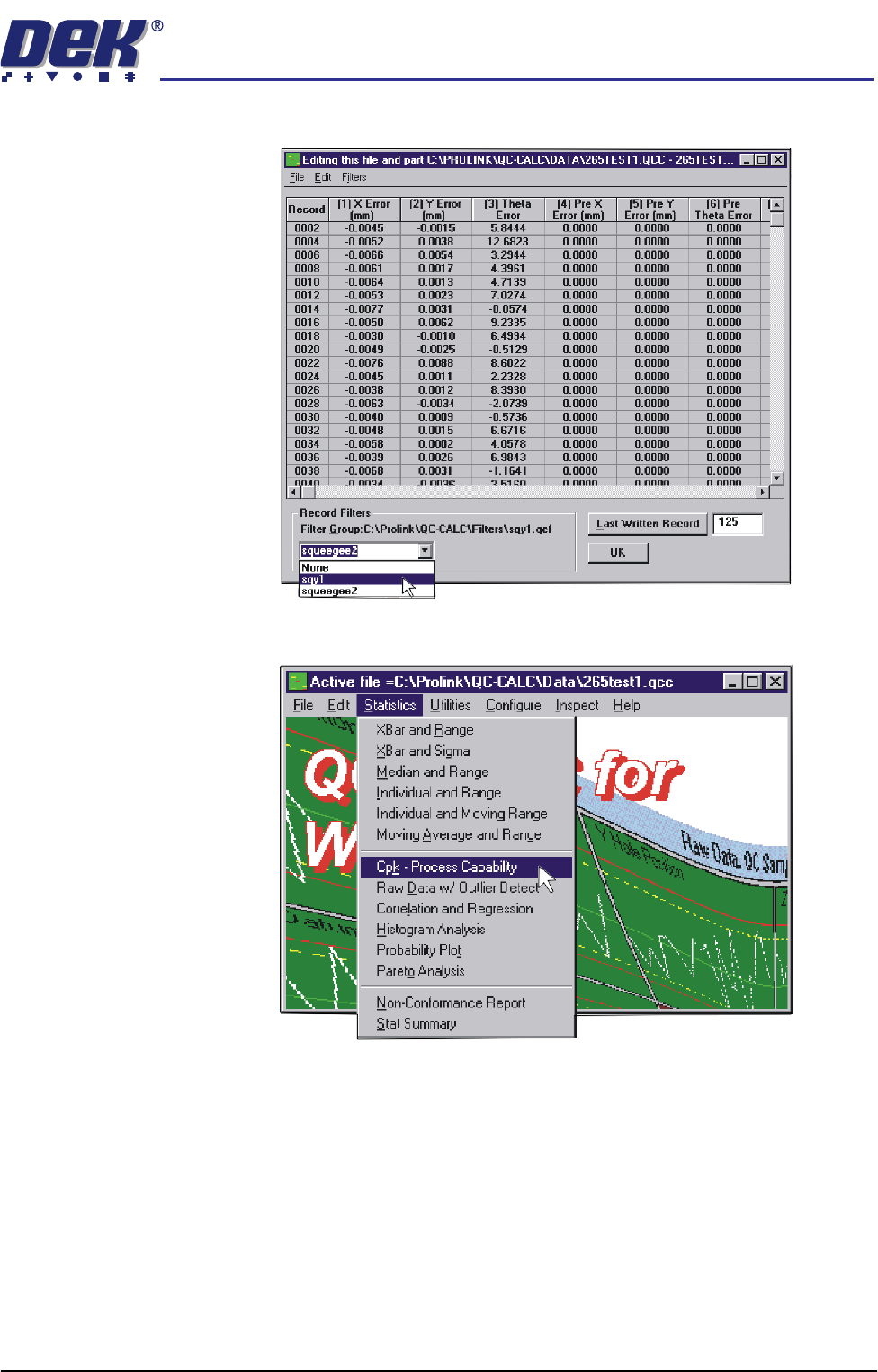
7. In the Record Filters Box, select sqy1 file and select O.K.
8. Select Statistics, Cpk - Process Capability.
semi automatic
MACHINE PERFORMANCE
MACHINE CAPABILITY
7.4 Installation Manual Chapter Issue 1 Oct 01
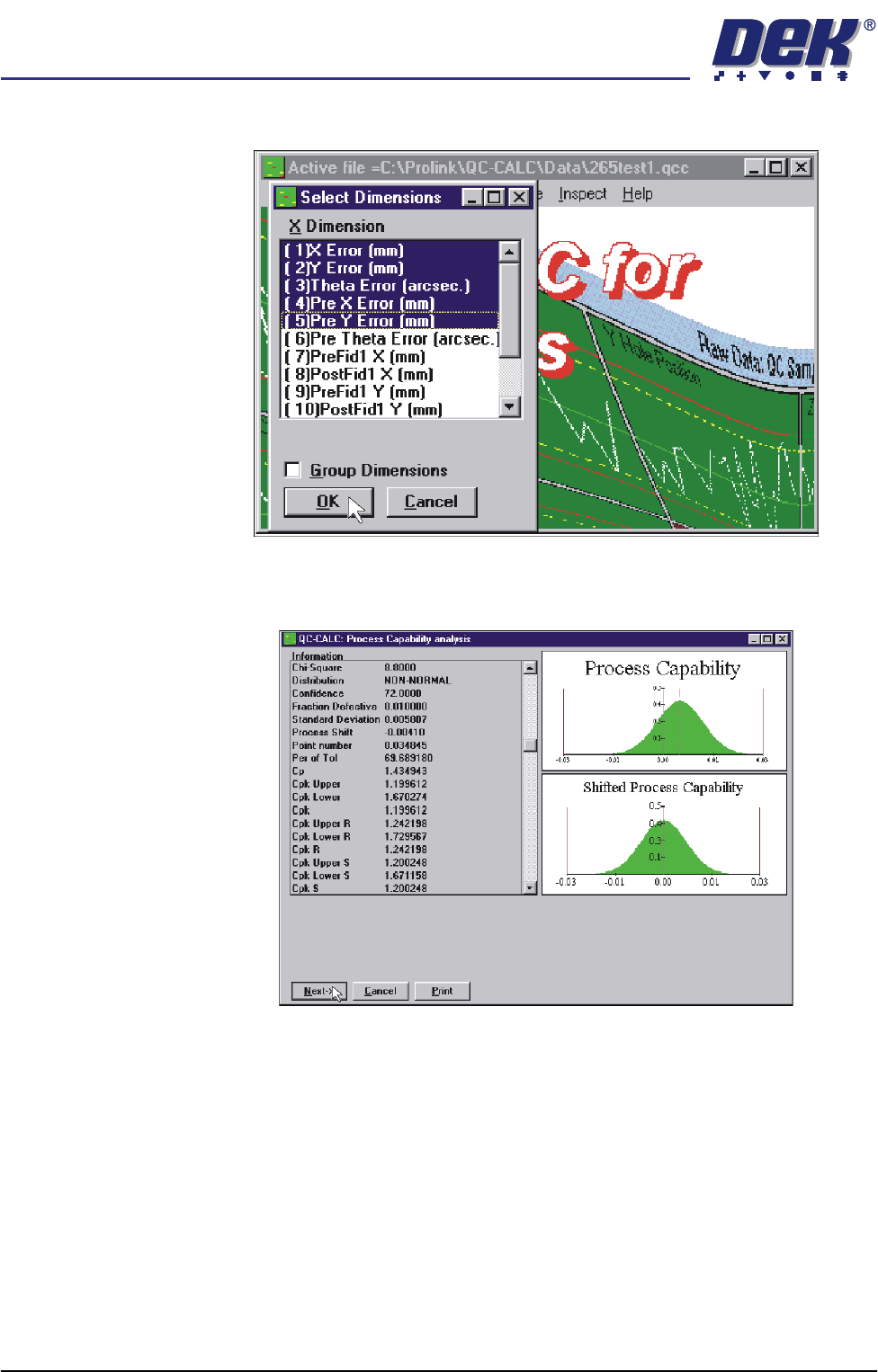
9. Highlight the required dimensions to output and select O.K.
10. View the Cp/Cpk values for the dimension illustrated ensuring the values are
within the specification. Select Next to view the further dimensions.
11. Repeat Steps 4 - 10 for filter group sqy2.qcf.
semi automatic
MACHINE PERFORMANCE
MACHINE CAPABILITY
Chapter Issue 1 Oct 01 Installation Manual 7.5
12. Record the following information in Section 18 of the Installation Checklist:
NOTE
On occasions no Cp/Cpk values are displayed for pressure and speeds due to
the small size of the error. Front Pressure and Rear Pressure are not recorded
for ProFlow only machines.
Virus Check
To perform an anti-virus check using a laptop computer carry out the following:
1. On the DEK machine, terminate the DEK program.
2. Connect the laptop computer to the DEK machine using a Point to Point
network cable.
3. Log in locally on the laptop computer.
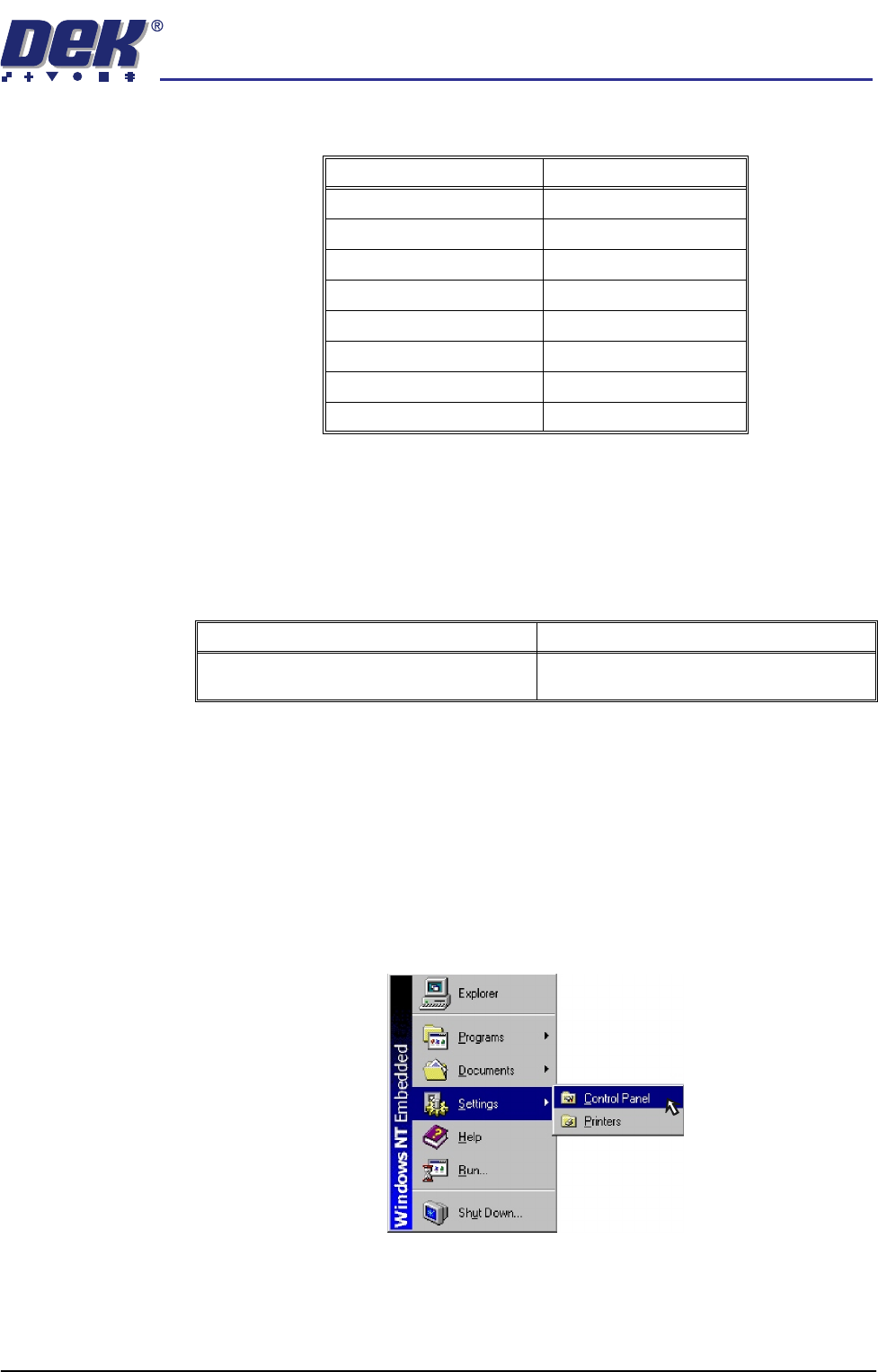
4. On the DEK machine, using the mouse, click on the Start button on the
taskbar. The Start Menu is displayed.
5. Select Settings and Control Panel.
Detail Specification
X Alignment (Front) ≥Cp/Cpk 1.33
X Alignment (Rear) ≥Cp/Cpk 1.33
Y Alignment (Front) ≥Cp/Cpk 1.33
Y Alignment (Rear) ≥Cp/Cpk 1.33
θ Alignment (Front) ≥Cp/Cpk 1.33
θ Alignment (Rear) ≥Cp/Cpk 1.33
Front Print Speed (See Note) ≥Cp/Cpk 1.33
Rear Print Speed (See Note) ≥Cp/Cpk 1.33
Detail Complete
Perform anti-virus check using the latest ver-
sion of virus checking software.