182049 Viking Installation Manual.pdf - 第68页
semi automatic MACHI NE PERF ORM ANCE MACHI NE CAP ABILITY 7.6 Installatio n Manual Chapt er Issue 1 O ct 01 6. Double click on the Netw ork i con. 7. Select Protocols , click on the TCP/I P Protocol and select Propertie…
semi automatic
MACHINE PERFORMANCE
MACHINE CAPABILITY
Chapter Issue 1 Oct 01 Installation Manual 7.5
12. Record the following information in Section 18 of the Installation Checklist:
NOTE
On occasions no Cp/Cpk values are displayed for pressure and speeds due to
the small size of the error. Front Pressure and Rear Pressure are not recorded
for ProFlow only machines.
Virus Check
To perform an anti-virus check using a laptop computer carry out the following:
1. On the DEK machine, terminate the DEK program.
2. Connect the laptop computer to the DEK machine using a Point to Point
network cable.
3. Log in locally on the laptop computer.
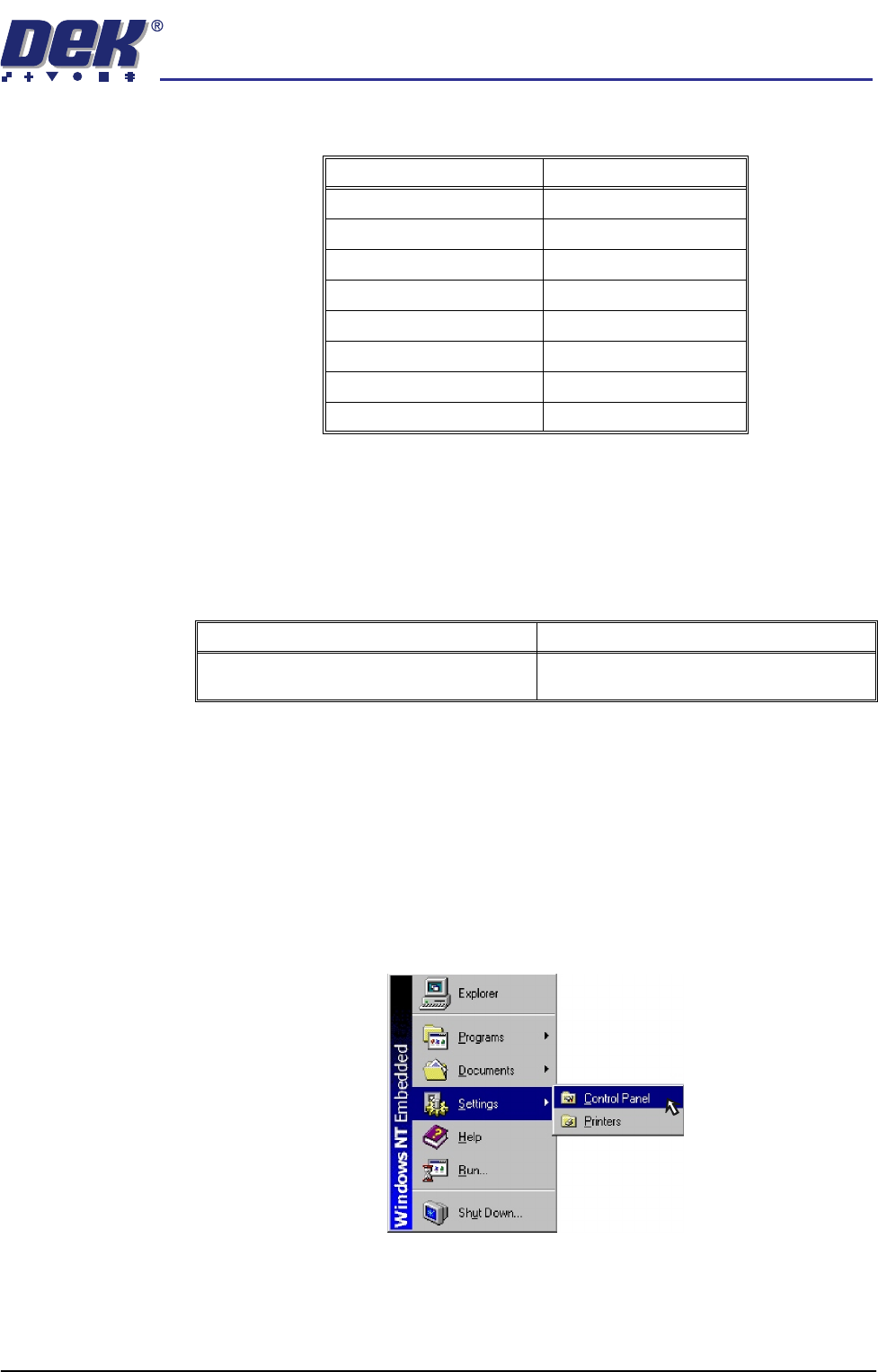
4. On the DEK machine, using the mouse, click on the Start button on the
taskbar. The Start Menu is displayed.
5. Select Settings and Control Panel.
Detail Specification
X Alignment (Front) ≥Cp/Cpk 1.33
X Alignment (Rear) ≥Cp/Cpk 1.33
Y Alignment (Front) ≥Cp/Cpk 1.33
Y Alignment (Rear) ≥Cp/Cpk 1.33
θ Alignment (Front) ≥Cp/Cpk 1.33
θ Alignment (Rear) ≥Cp/Cpk 1.33
Front Print Speed (See Note) ≥Cp/Cpk 1.33
Rear Print Speed (See Note) ≥Cp/Cpk 1.33
Detail Complete
Perform anti-virus check using the latest ver-
sion of virus checking software.
semi automatic
MACHINE PERFORMANCE
MACHINE CAPABILITY
7.6 Installation Manual Chapter Issue 1 Oct 01
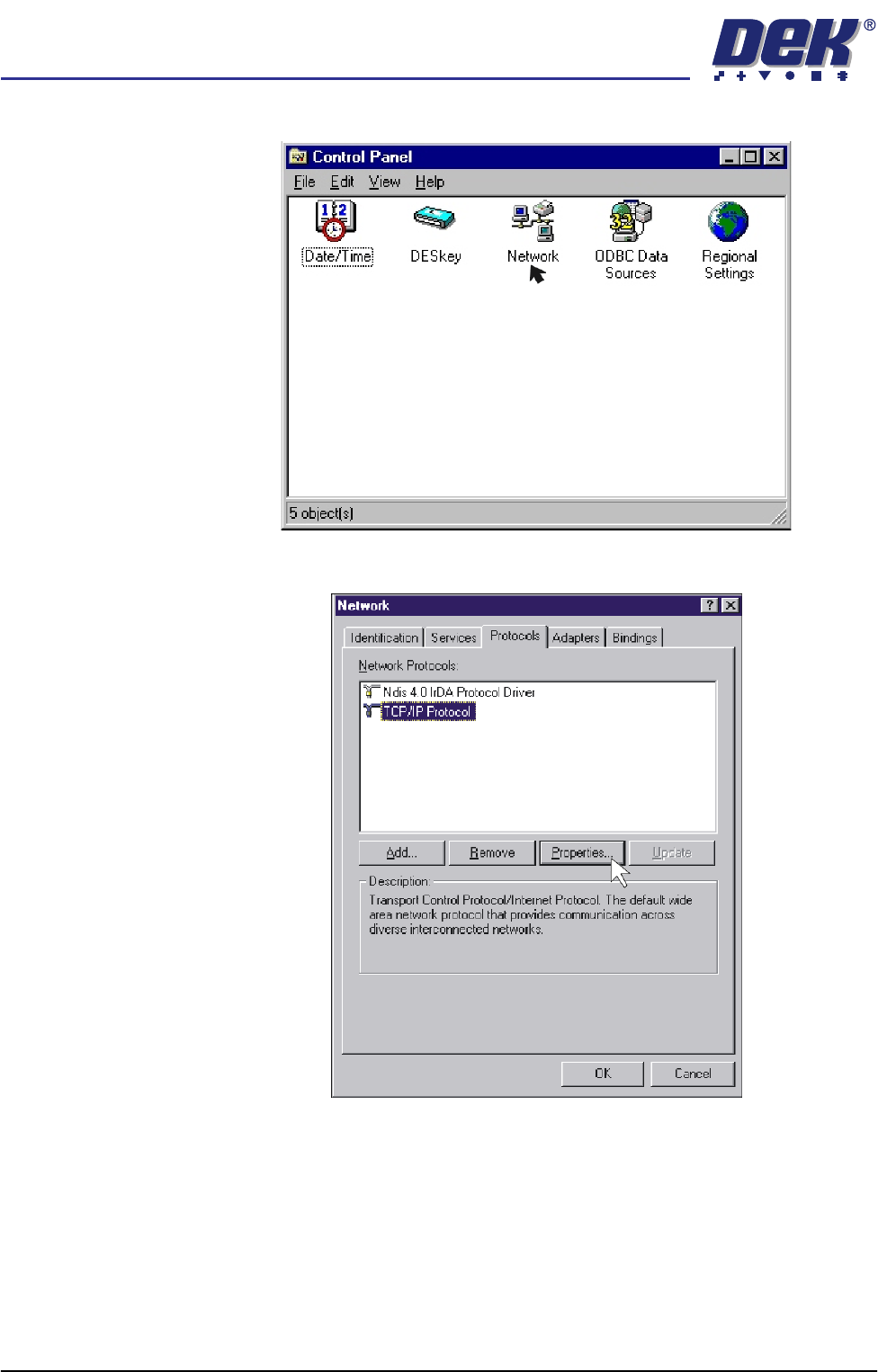
6. Double click on the Network icon.
7. Select Protocols, click on the TCP/IP Protocol and select Properties.
semi automatic
MACHINE PERFORMANCE
MACHINE CAPABILITY
Chapter Issue 1 Oct 01 Installation Manual 7.7
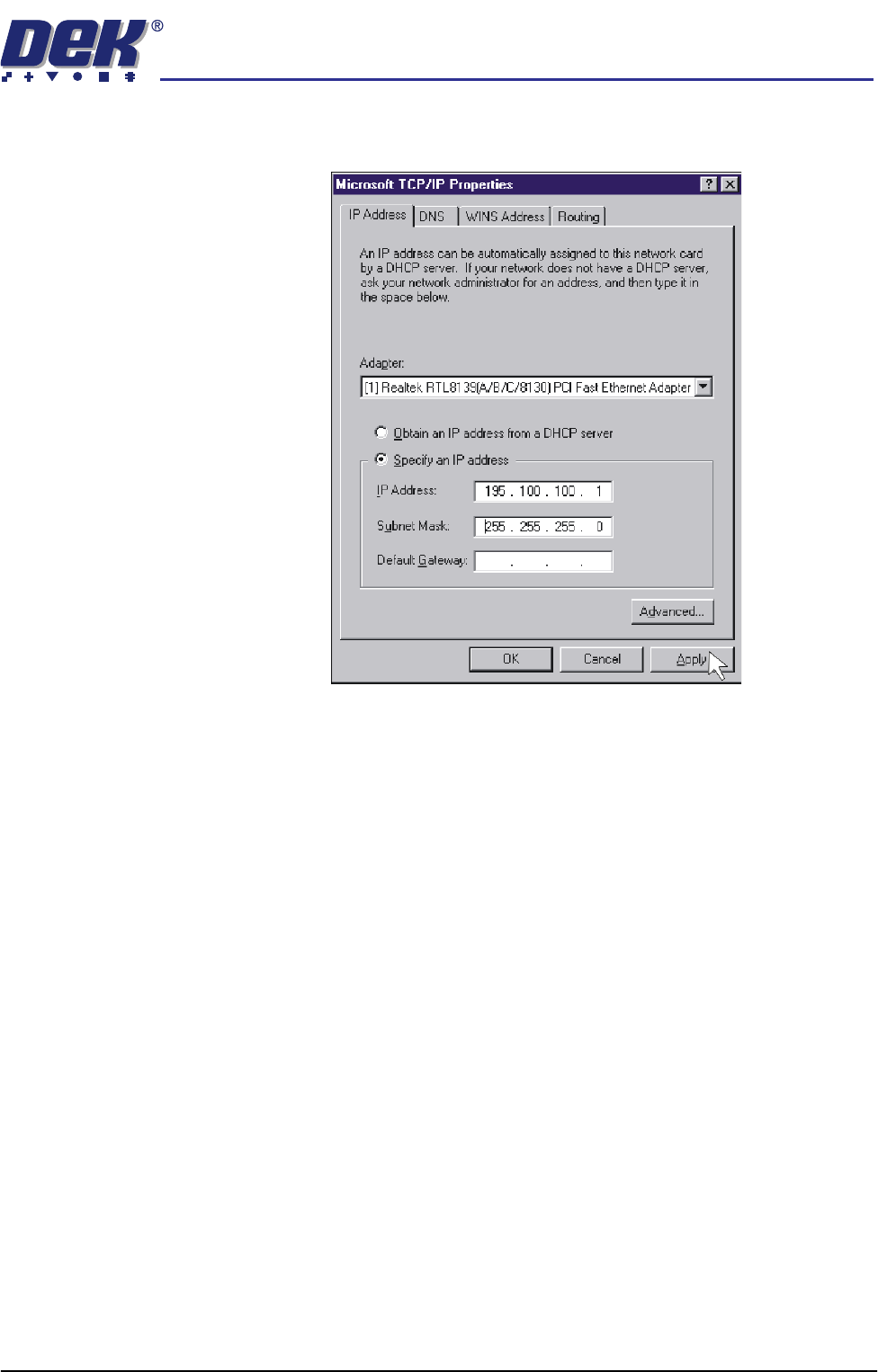
8. Click on Specify an IP address radio button. Set the IP address to
195.100.100.1 and a Subnet Mask of 255.255.255.0. Click on Apply.
9. Using the procedure above, ensure the laptop computer IP address is set to
195.100.100.10.
NOTE
Record the original settings on the laptop before changing the IP address.
10. On the DEK machine, double click on the My Computer icon on the
desktop.