182049 Viking Installation Manual.pdf - 第70页
semi automatic MACHI NE PERF ORM ANCE MACHI NE CAP ABILITY 7.8 Installatio n Manual Chapt er Issue 1 O ct 01 1 1. Right mouse cli ck on C Drive and l eft mouse cl ick on Sharing . 12. Select New S hare .
semi automatic
MACHINE PERFORMANCE
MACHINE CAPABILITY
Chapter Issue 1 Oct 01 Installation Manual 7.7
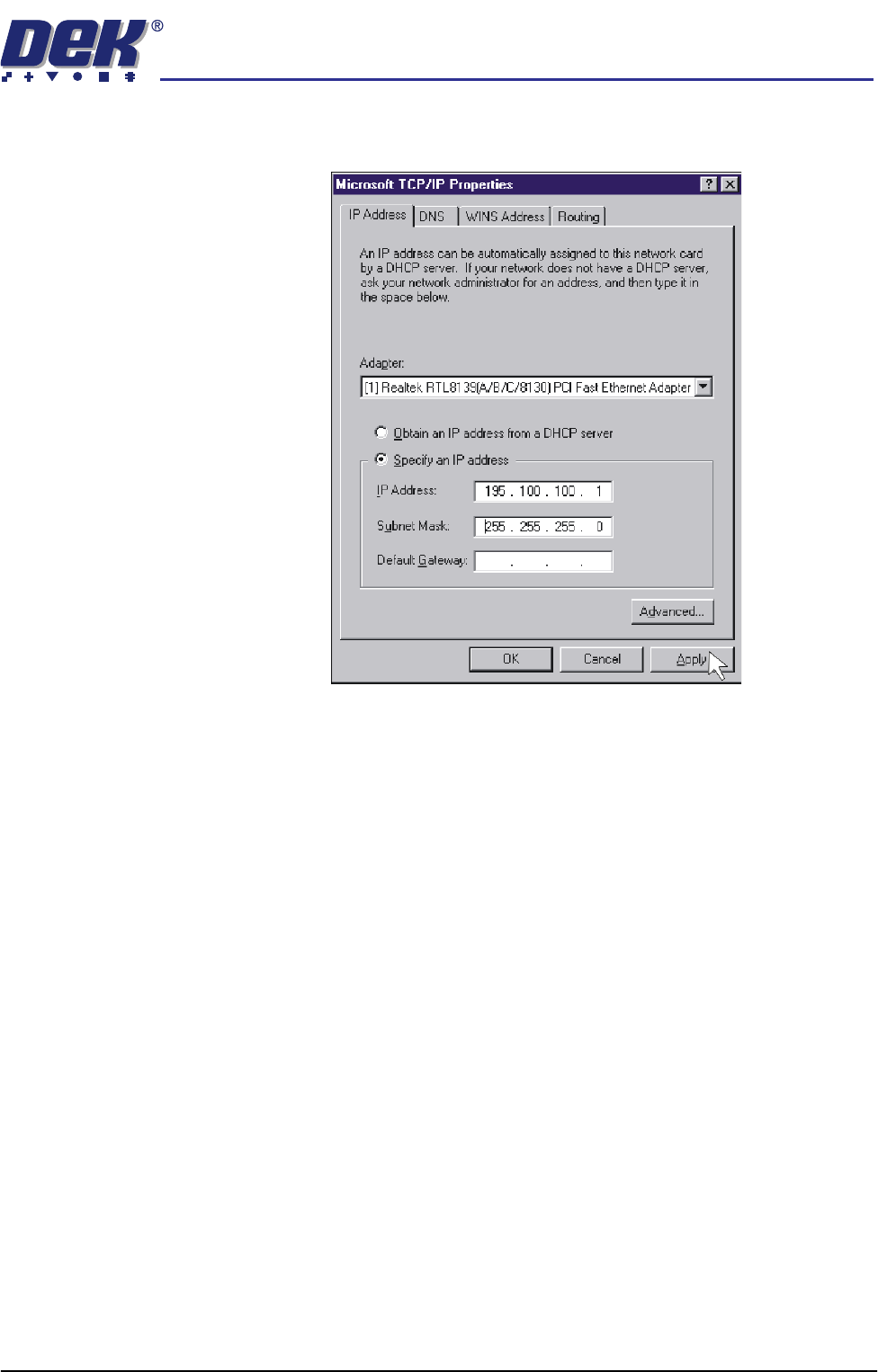
8. Click on Specify an IP address radio button. Set the IP address to
195.100.100.1 and a Subnet Mask of 255.255.255.0. Click on Apply.
9. Using the procedure above, ensure the laptop computer IP address is set to
195.100.100.10.
NOTE
Record the original settings on the laptop before changing the IP address.
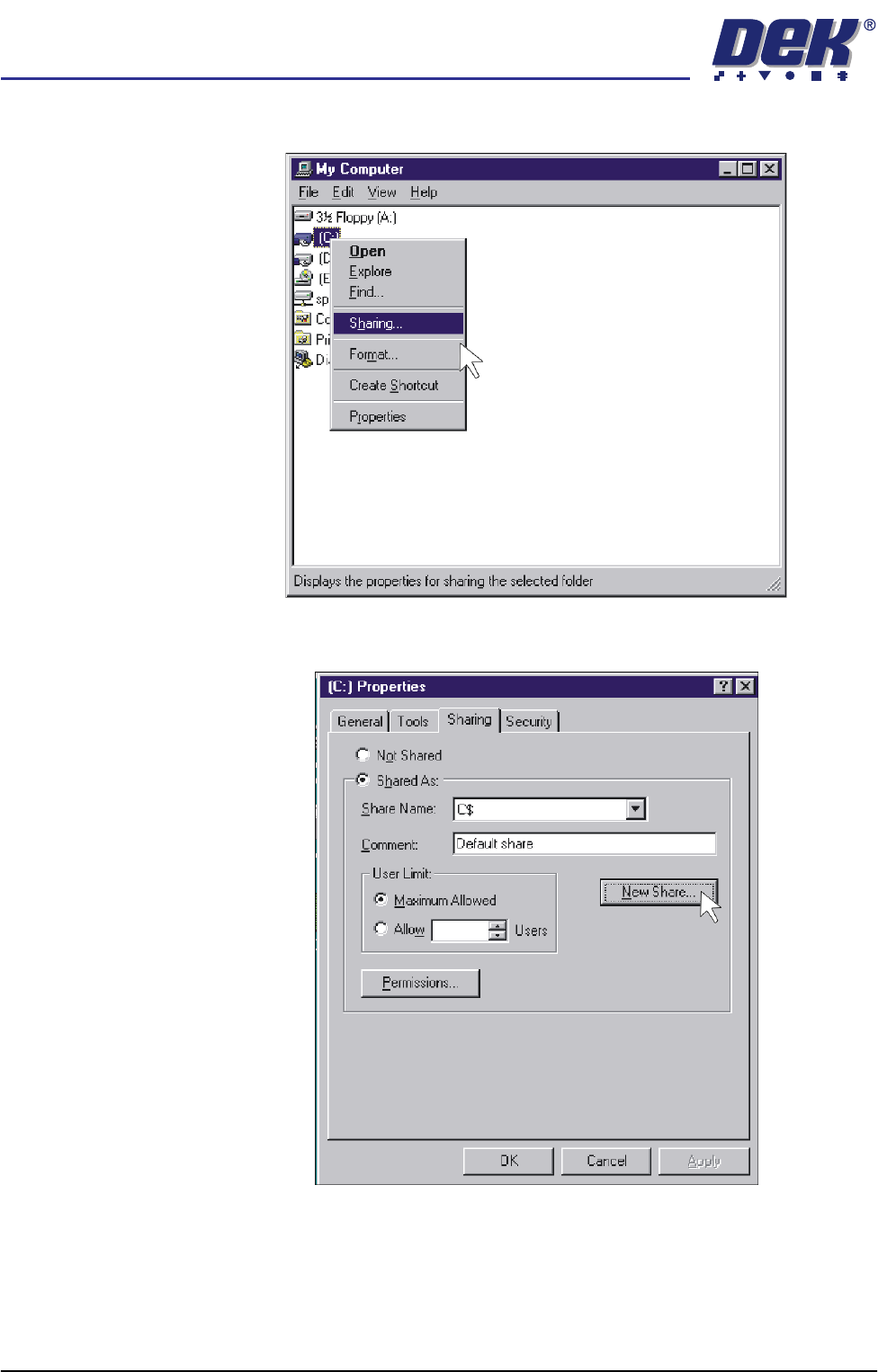
10. On the DEK machine, double click on the My Computer icon on the
desktop.
semi automatic
MACHINE PERFORMANCE
MACHINE CAPABILITY
7.8 Installation Manual Chapter Issue 1 Oct 01
11. Right mouse click on C Drive and left mouse click on Sharing.
12. Select New Share.
semi automatic
MACHINE PERFORMANCE
MACHINE CAPABILITY
Chapter Issue 1 Oct 01 Installation Manual 7.9
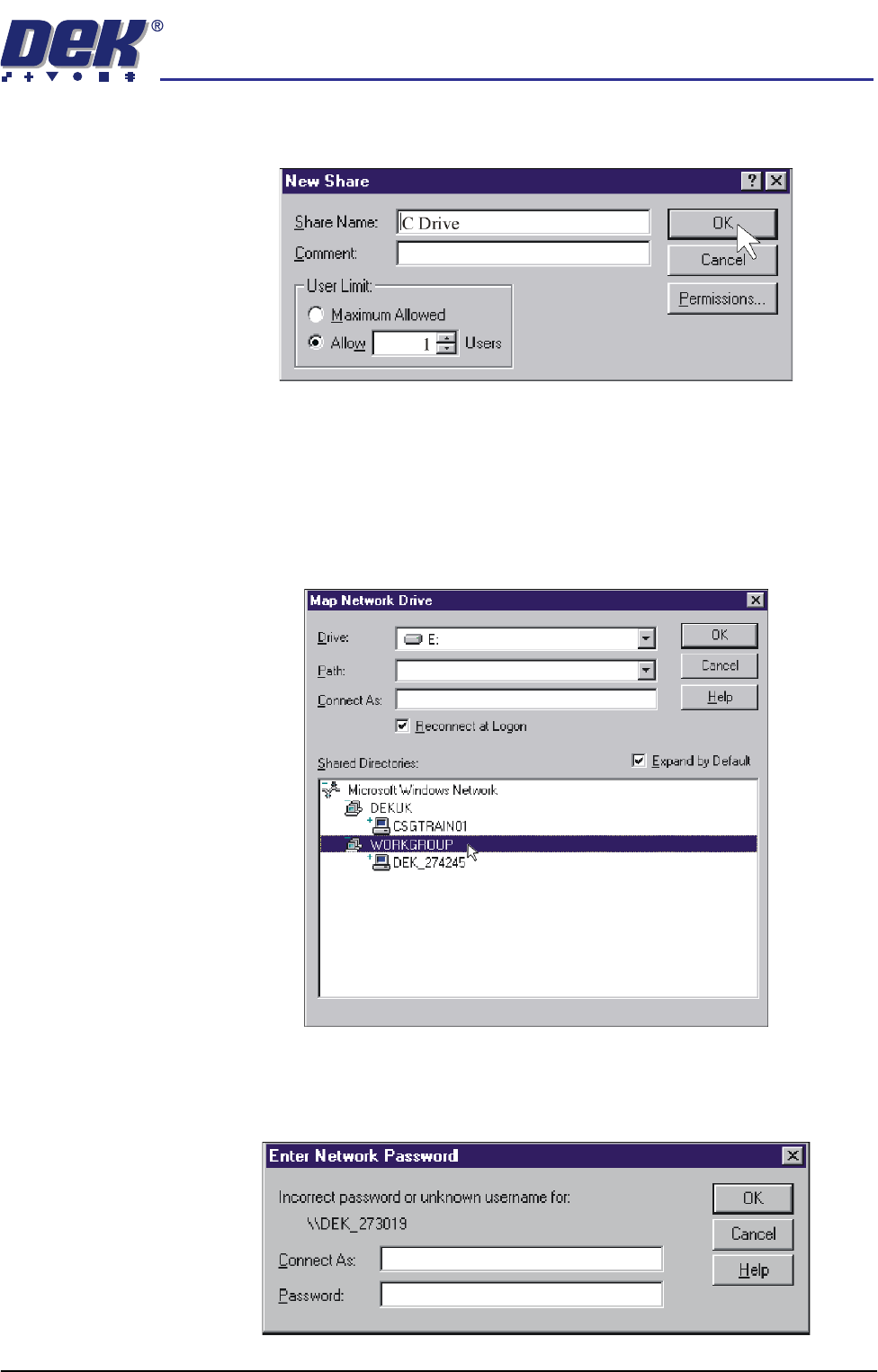
13. Insert C Drive in the Share Name box. Click on the Allow radio button and
set the number of users to 1.
14. Repeat Steps 11 - 13 for D drive.
15. Shutdown and restart the DEK machine and terminate the DEK program.
16. On the laptop computer, right mouse click on the Network Neighbourhood
icon on the desktop.
17. Select Map Network Drive.
18. Scroll down Shared Directories and double click on Workgroup.
19. Double click on the relevant DEK machine serial number.
20. Enter user name and password (use administrator for both) and select
O.K.