182049 Viking Installation Manual.pdf - 第71页
semi automatic MACHIN E PER FORMAN CE MACHI N E CAPAB ILITY Chapter Issue 1 Oct 01 Instal lation Manual 7.9 13. Insert C Dr ive in the Share Name box. Click on the Allow radi o button and set the number of users to 1. 14…
semi automatic
MACHINE PERFORMANCE
MACHINE CAPABILITY
7.8 Installation Manual Chapter Issue 1 Oct 01
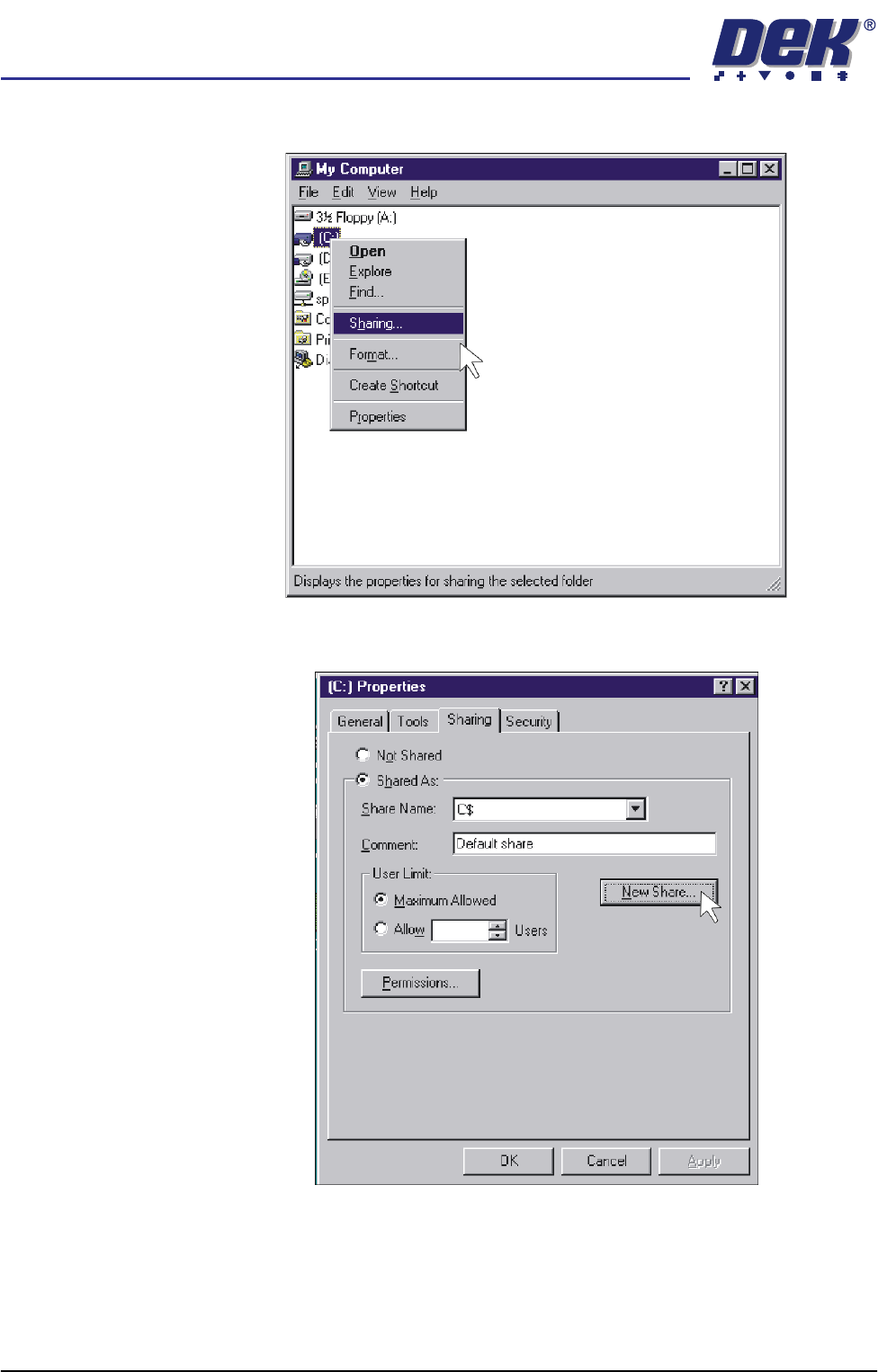
11. Right mouse click on C Drive and left mouse click on Sharing.
12. Select New Share.
semi automatic
MACHINE PERFORMANCE
MACHINE CAPABILITY
Chapter Issue 1 Oct 01 Installation Manual 7.9
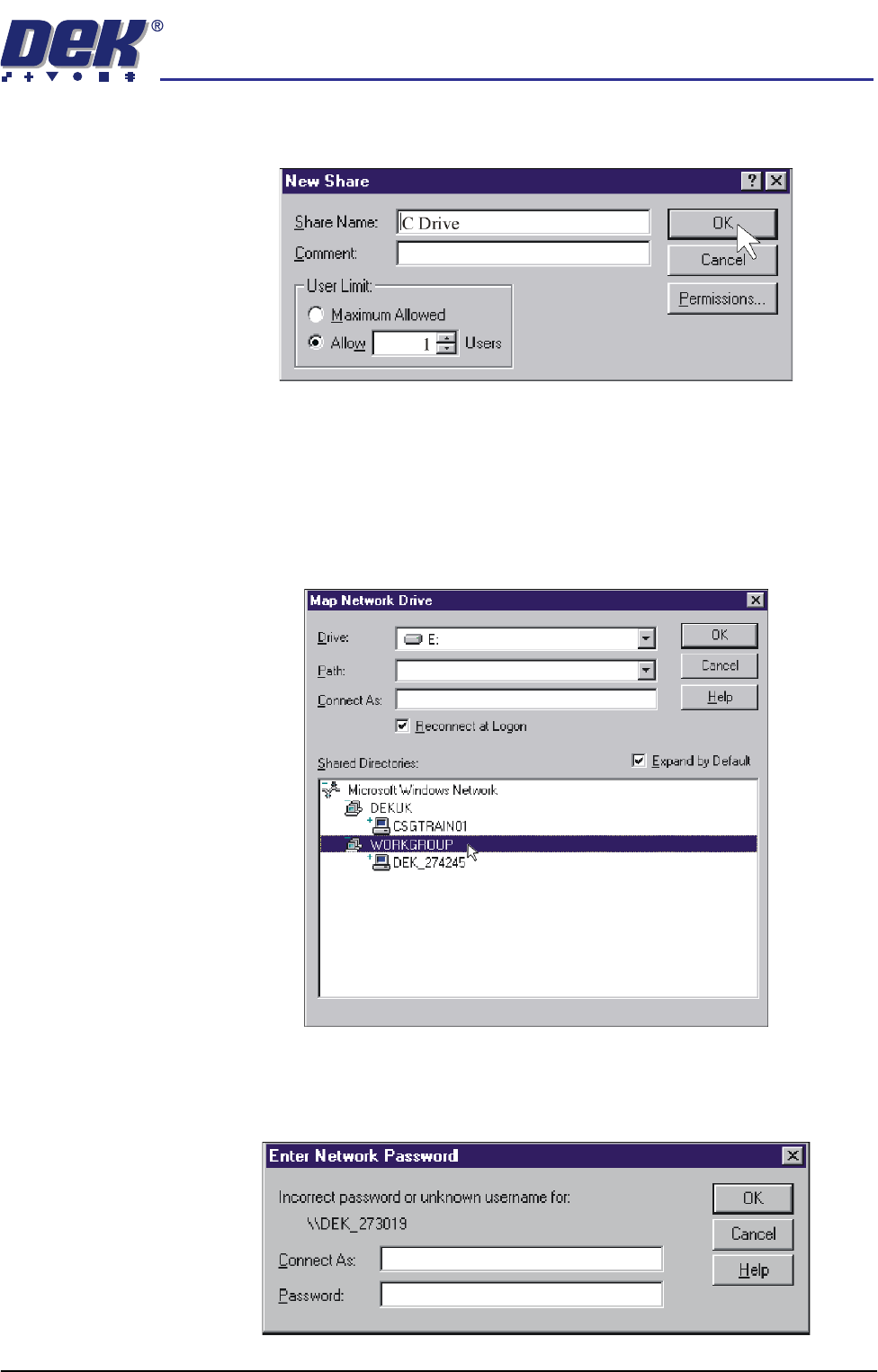
13. Insert C Drive in the Share Name box. Click on the Allow radio button and
set the number of users to 1.
14. Repeat Steps 11 - 13 for D drive.
15. Shutdown and restart the DEK machine and terminate the DEK program.
16. On the laptop computer, right mouse click on the Network Neighbourhood
icon on the desktop.
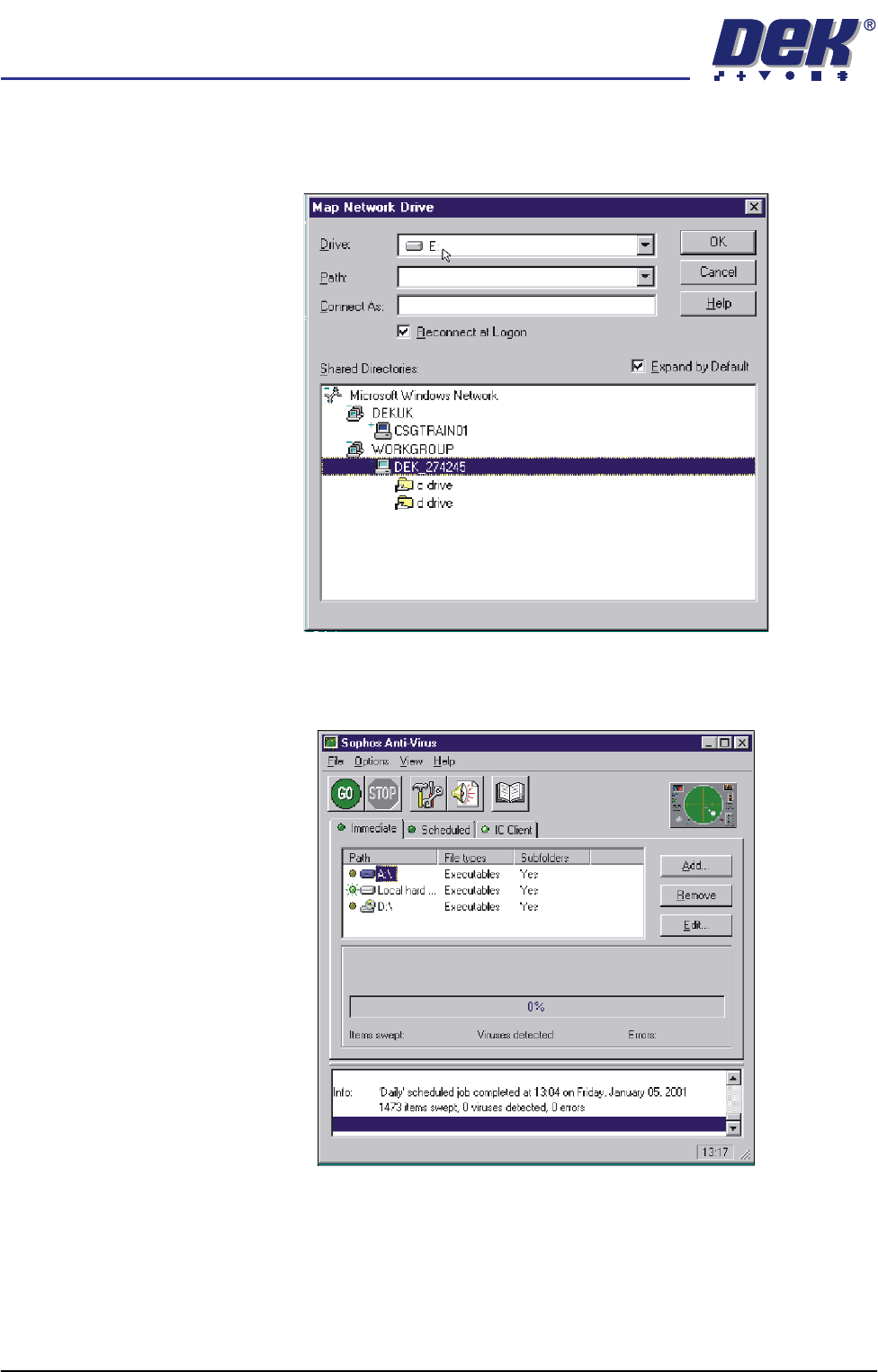
17. Select Map Network Drive.
18. Scroll down Shared Directories and double click on Workgroup.
19. Double click on the relevant DEK machine serial number.
20. Enter user name and password (use administrator for both) and select
O.K.
semi automatic
MACHINE PERFORMANCE
MACHINE CAPABILITY
7.10 Installation Manual Chapter Issue 1 Oct 01
21. Map the C drive on the DEK machine to a spare drive letter on the laptop.
Highlight C drive and select O.K. A window opens showing what is in the
drive you have selected, close this window.
22. Repeat Steps 16 - 21 for the D drive on the DEK machine.
23. On the laptop, start the Sophos Anti-Virus program.