182049 Viking Installation Manual.pdf - 第73页
semi automatic MACHIN E PER FORMAN CE MACHI N E CAPAB ILITY Chapter Issue 1 Oct 01 Instal lation Manual 7. 1 1 24. Select Add . 25. Click on All radio button i n File T ypes and sele ct Browse . 26. Highlight req uired d…
semi automatic
MACHINE PERFORMANCE
MACHINE CAPABILITY
7.10 Installation Manual Chapter Issue 1 Oct 01
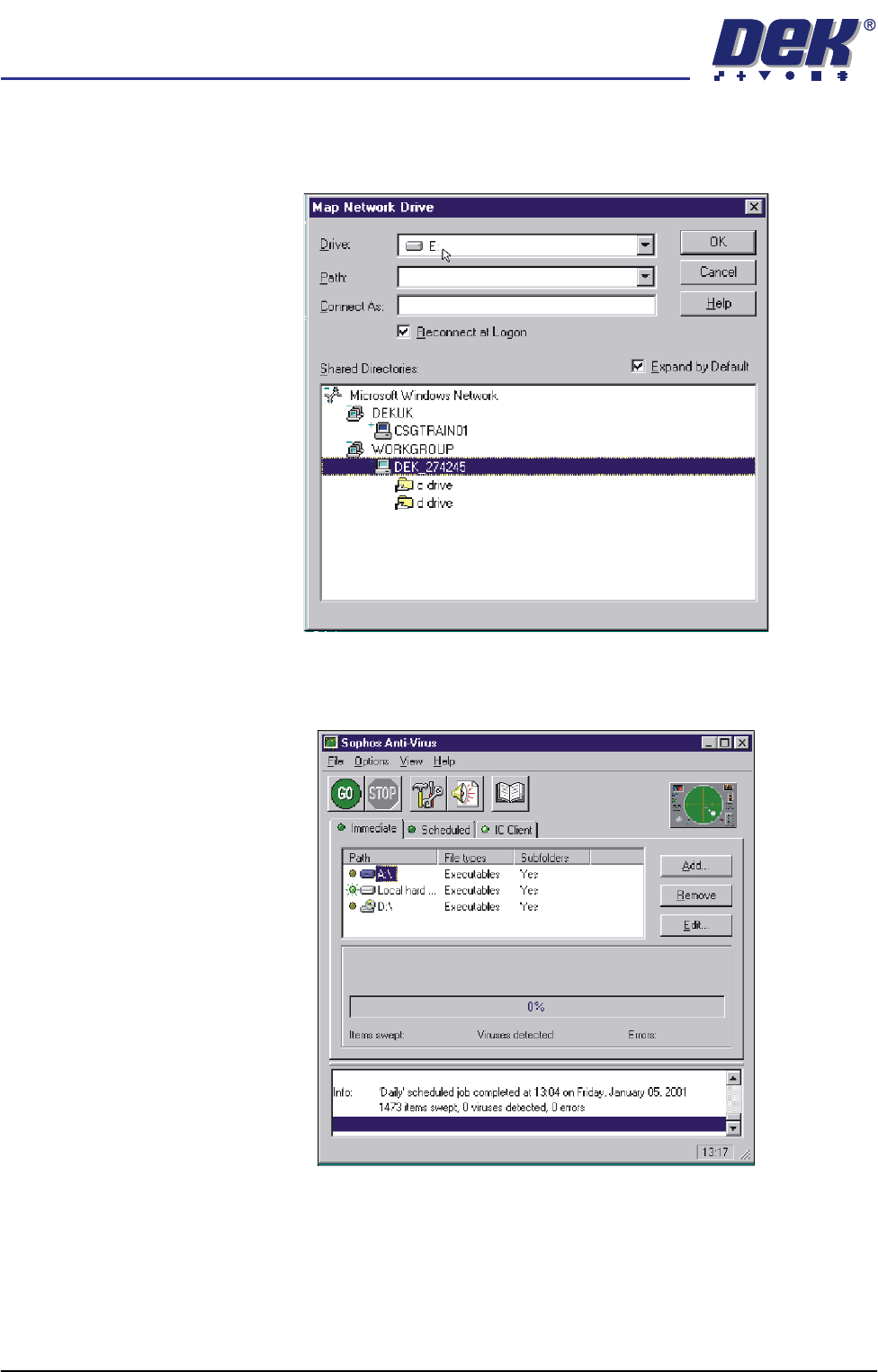
21. Map the C drive on the DEK machine to a spare drive letter on the laptop.
Highlight C drive and select O.K. A window opens showing what is in the
drive you have selected, close this window.
22. Repeat Steps 16 - 21 for the D drive on the DEK machine.
23. On the laptop, start the Sophos Anti-Virus program.
semi automatic
MACHINE PERFORMANCE
MACHINE CAPABILITY
Chapter Issue 1 Oct 01 Installation Manual 7.11
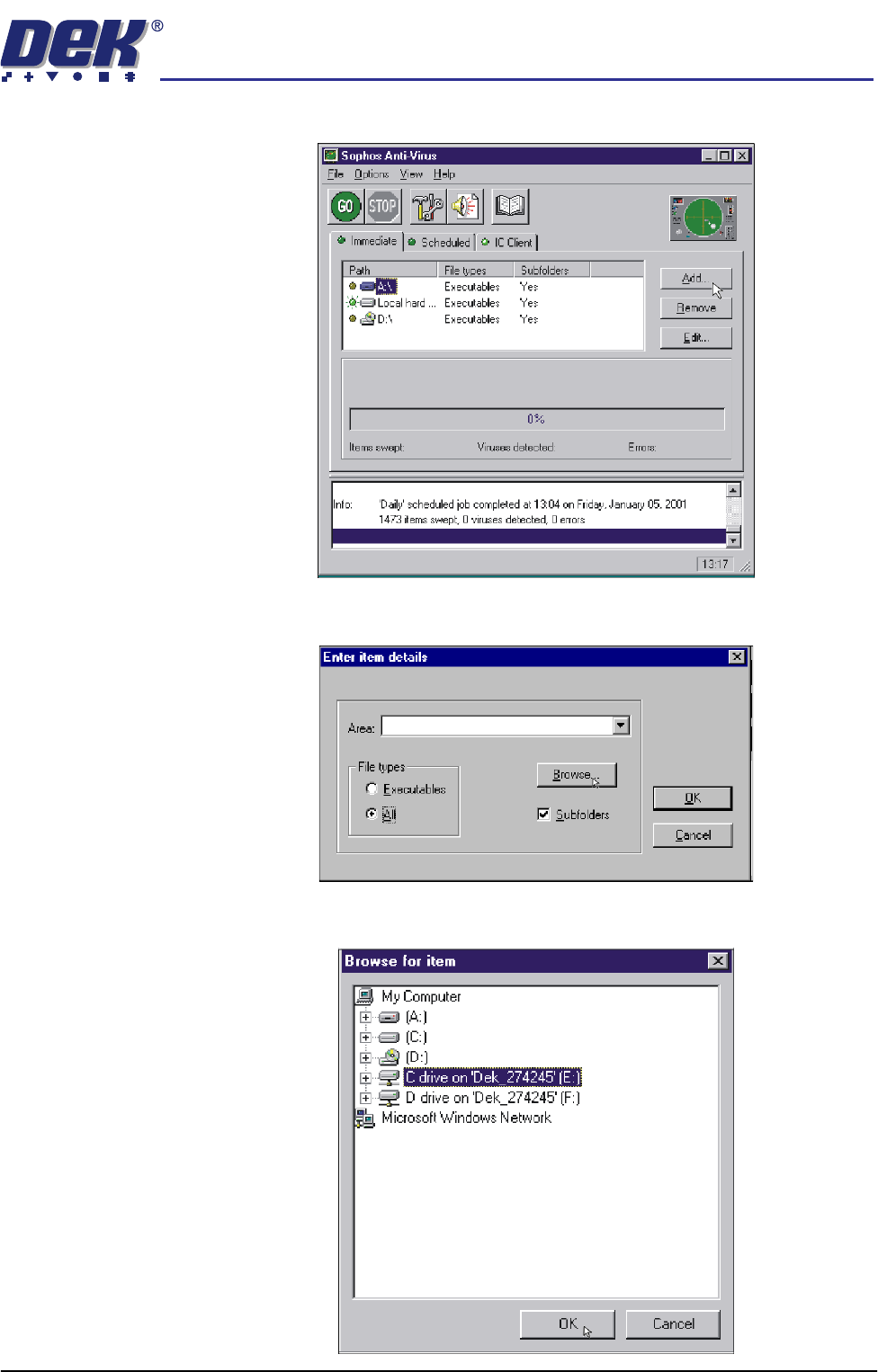
24. Select Add.
25. Click on All radio button in File Types and select Browse.
26. Highlight required drives to be swept and select O.K.
semi automatic
MACHINE PERFORMANCE
MACHINE CAPABILITY
7.12 Installation Manual Chapter Issue 1 Oct 01
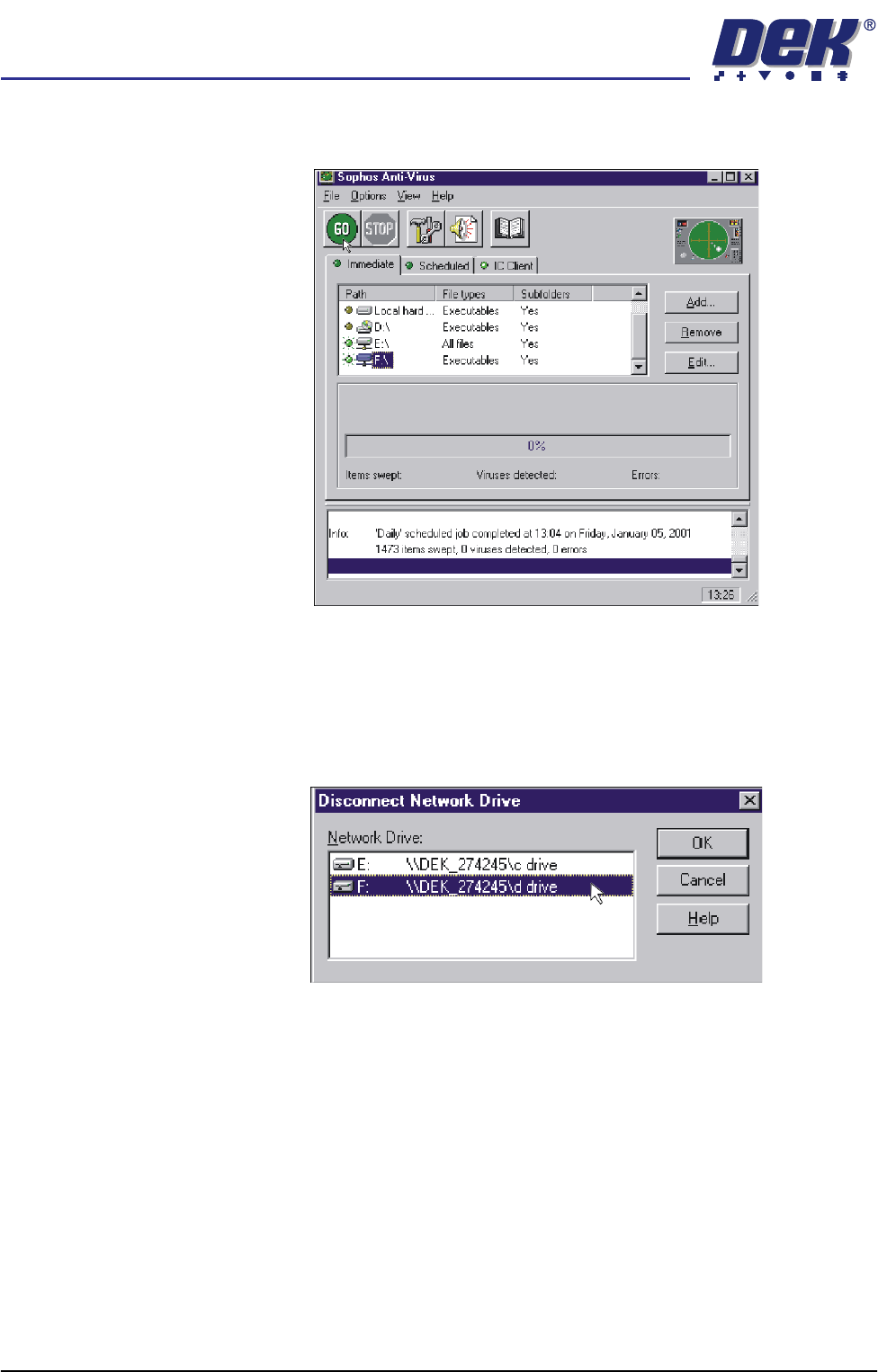
27. Ensure a green light is lit by the two drives to be swept. Select GO, the
program now runs.
28. On completion, highlight both drives of the DEK machine and select
Remove. Terminate the Sophos program.
29. On the laptop, double click on the Explorer icon on the desktop.
30. Select Tools, Disconnect Network Drive.
31. Highlight the DEK machine hard drives and select O.K.
32. Revert the laptop to the settings noted in Step 9.
33. Shutdown the laptop and remove the cable between the computer and the
DEK machine.