182049 Viking Installation Manual.pdf - 第75页
semi automatic INST ALLATION DOC UMENTATIO N GENE RAL Chapter Issue 1 Oct 02 Instal lation Manual 8.1 CHAPTER 8 INST ALLA TION DOCUMENT A TION GENERAL This chapt er has been designed to docu m ent the inst allation of a …
semi automatic
MACHINE PERFORMANCE
MACHINE CAPABILITY
7.12 Installation Manual Chapter Issue 1 Oct 01
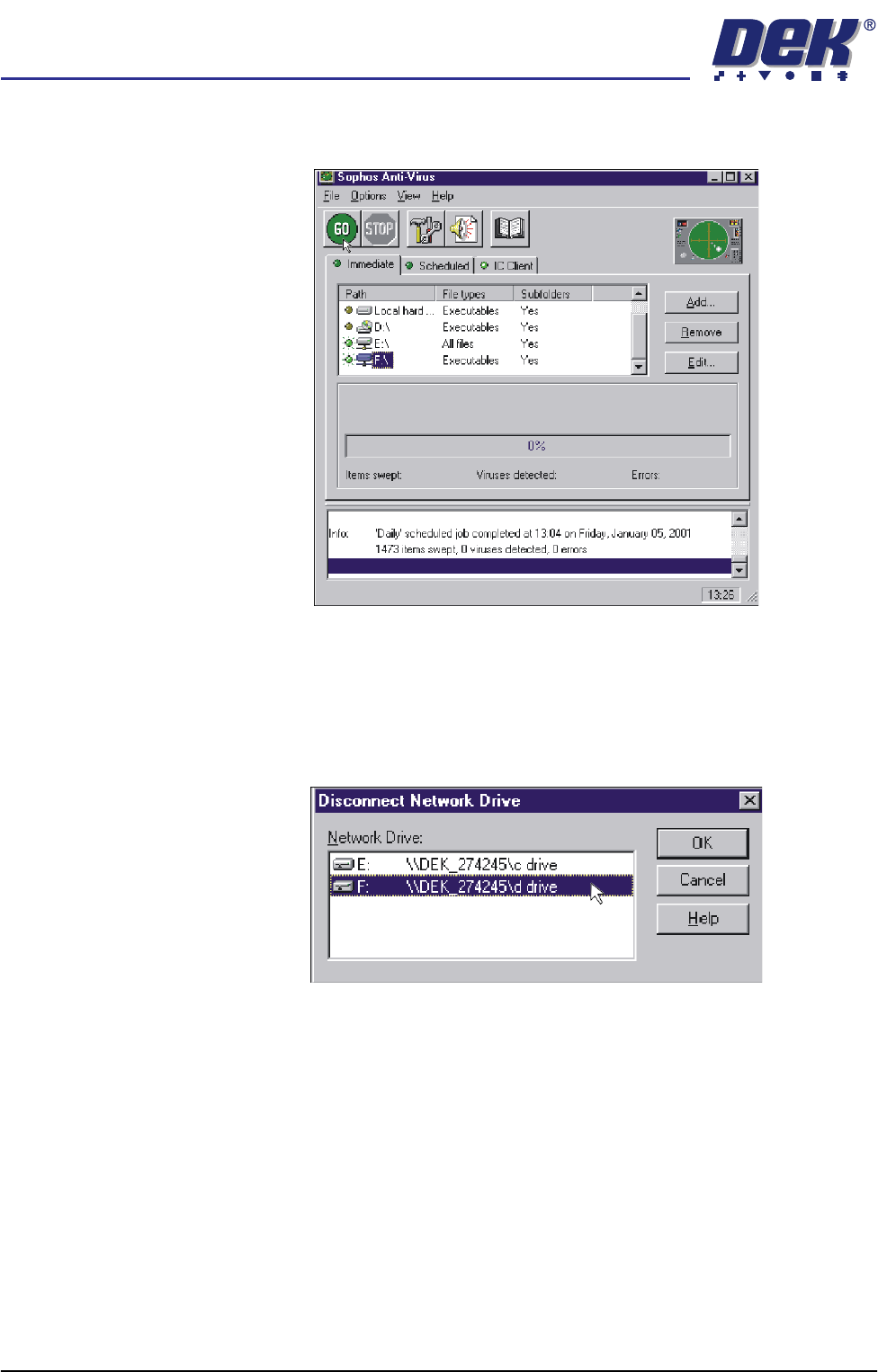
27. Ensure a green light is lit by the two drives to be swept. Select GO, the
program now runs.
28. On completion, highlight both drives of the DEK machine and select
Remove. Terminate the Sophos program.
29. On the laptop, double click on the Explorer icon on the desktop.
30. Select Tools, Disconnect Network Drive.
31. Highlight the DEK machine hard drives and select O.K.
32. Revert the laptop to the settings noted in Step 9.
33. Shutdown the laptop and remove the cable between the computer and the
DEK machine.

semi automatic
INSTALLATION DOCUMENTATION
GENERAL
Chapter Issue 1 Oct 02 Installation Manual 8.1
CHAPTER 8 INSTALLATION DOCUMENTATION
GENERAL
This chapter has been designed to document the installation of a machine at a
customer site. The chapter is divided into two parts:
• Installation Checklist
• Installation Acceptance Document
Installation
Checklist
The installation checklist is a guide to the installing engineer and documents the
installation procedure. The checklist is sequential and each stage of the
procedure should be ticked once completed.
Installation
Acceptance
Document
The Installation Acceptance document provides documentary evidence to DEK
Printing Machines that the Customer has received a satisfactory product. The
document also enables DEK Customer Support Group to provide effective
support to the customer by having his machine details close to hand in the event
of a query.
DEK Delivery
Question
The DEK Delivery Questionnaire form is supplied with the machine. The
installation engineer must make the customer aware of the existence of the DEK
Delivery Questionnaire.
Copies When the installation procedure has been completed, and the customer has
signed the Installation Acceptance Document, the Customer should take a
photocopy of the Installation Checklist and Installation Acceptance Document
and give the photocopies to the installation engineer for dispatch either hard-
copy or by fax to:
Customer Support Supervisor
DEK Printing Machines Ltd.
11 Albany Road
Granby Industrial Estate
Weymouth
Dorset
DT4 9TH
England
Fax: +44 1305 208382
semi automatic
INSTALLATION DOCUMENTATION
INSTALLATION CHECKLIST
8.2 Installation Manual Chapter Issue 1 Oct 02
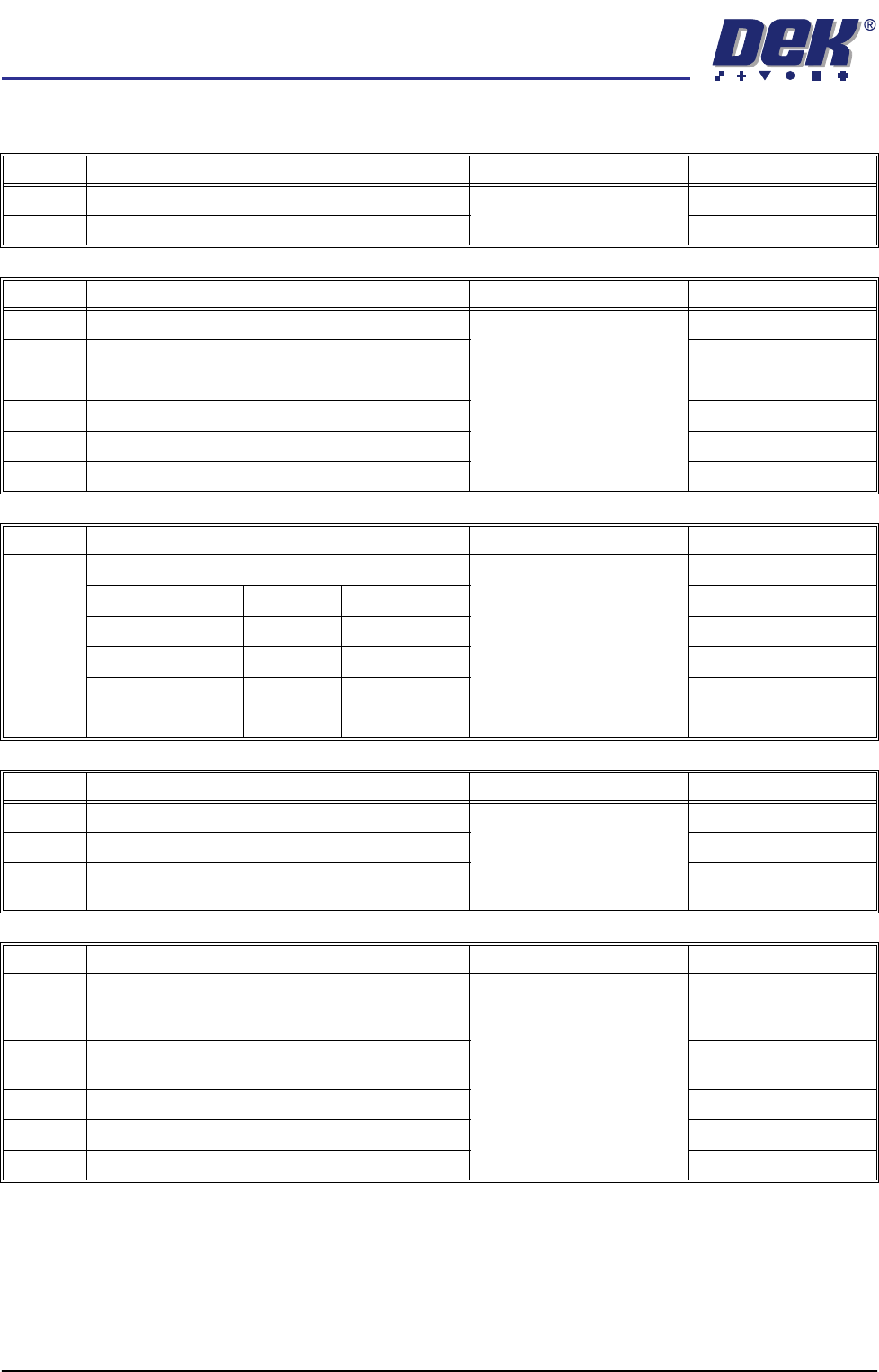
INSTALLATION CHECKLIST
No. GENERAL REFERENCE Completed
1 Check Machine for Transit Damage Chapter 4
2 Check Accessories are Correct to Work Order
No. MACHINE PREPARATION REFERENCE Completed
3 Transport to Final Destination Chapter 5
4 Remove Transit Brackets
5 Fit Machine Components
6 Vacuum Filtration Unit Voltage Check (if fitted)
7 Carry out Pre Installation Checks
8 Set Machine Height and Level
No. MACHINE PREPARATION REFERENCE Completed
9 Check Shock Watches: Chapter 5
Triggered: Un-Triggered:
Machine PC
Machine Controller
Chase
Camera
No. SERVICES REFERENCE Completed
10 Measure Customer Factory Electrical Supply Chapter 6
11 Ensure transformer tapped correctly
12 Check Documentation and Machine Ser No. Plate
Matches Supply
No. POWER UP SEQUENCE REFERENCE Completed
13 Run Chkdsk (If any bad sectors are found, the log
file must be returned to the DEK UK Customer
Support Helpdesk)
Chapter 6
14 Check Correct Operation of E Stop Loop compo-
nents
15 Carry out Screen Clean Function Check (if fitted)
16 Carry out Paste Dispenser Function Check (if fitted)
17 Carry out New Product Set Up