YSM10_Mainte_E.pdf - 第117页
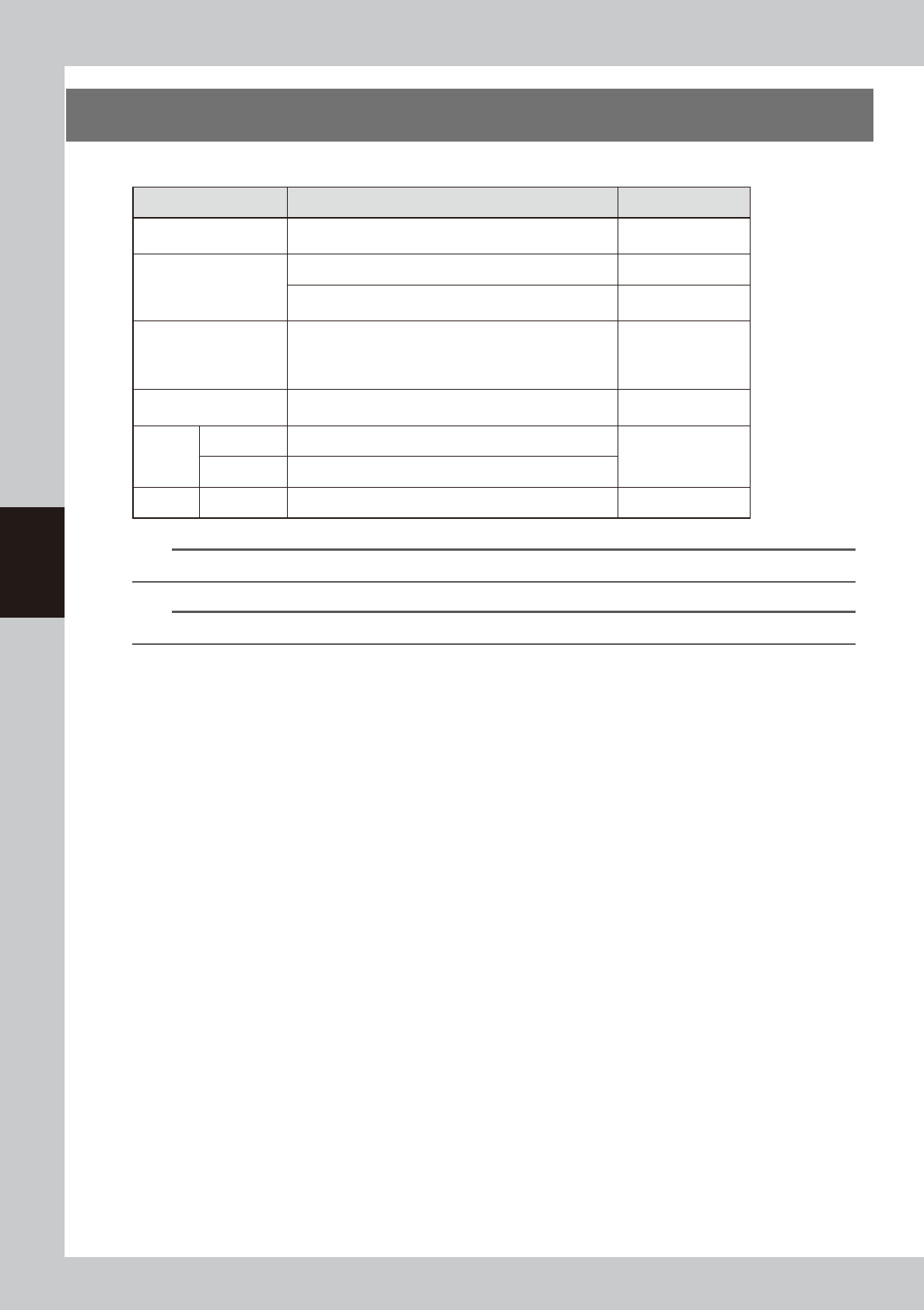
4-8 4 Maintenance of options 4. Maintenance of sA TS15 The following describes the maintenance items of sA TS15. Unit name Checkpoints Inspection period Pallet Check that pallet is not warped or deformed before placing t…
4-7
4
Maintenance of options
5
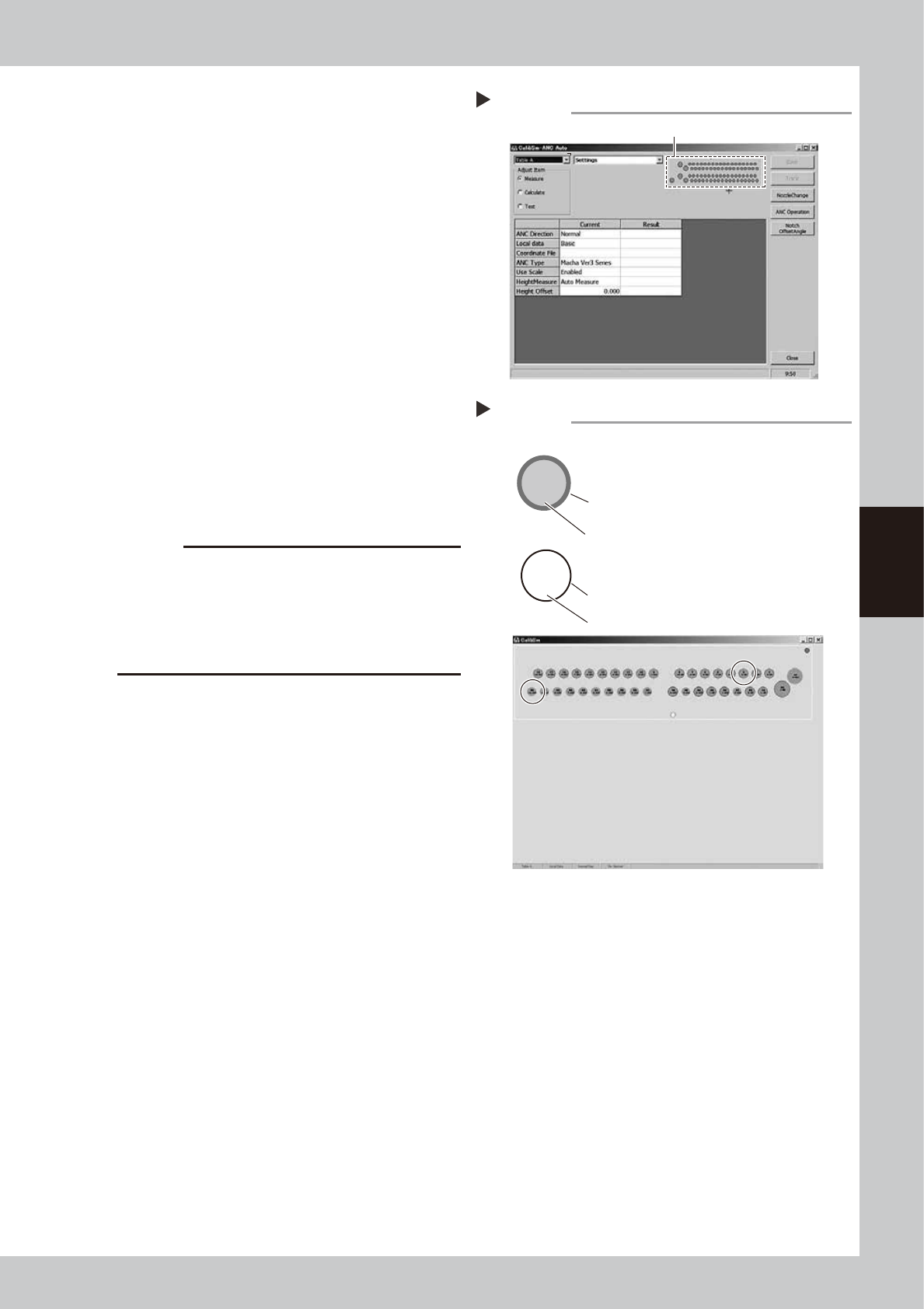
Open the ANC Auto screen.
Click the ANC illustration on the right of the
screen.
54403-KMG-00
6
Check the ANC sensor operation.
1. Check that the nozzle storage status
shown on the screen is same as the
actual nozzle storage status referring to
the "example of nozzle storage position/
sensor status".
2. Remove the nozzle by hand and check
that no nozzle is displayed at the target
storage position.
54404-KMG-00
7
Clean the ANC.
If the nozzle detection status is different from
the actual nozzle presence status, remove
the nozzle and visually check the inside. If
any dust or chip is found, remove it and
clean the inside of the nozzle using the
vacuum assembly.
c
CAUTION
If the nozzle detection status inside the ANC does not
become stable for a reason other than clear reason,
such as dust, etc., or if the nozzle cannot be detected,
contact your distributor. The disassembly and cleaning
performed by the customer are not covered by the
warranty.
8
Close the ANC shutter.
Press the [Nozzle Stn Shutter] button to close
the ANC shutter.
Opening the ANC Auto screen
Step 5
Click the ANC illustration.
10-302
36
5-SP
3
Checking the ANC sensor operation
Step 6
302 nozzle to be used for head 10
Storage position: No. 36
Colored frame (red/blue/yellow/green, etc.):
Nozzle is already registered.
Special nozzle to be used for head 5
Storage position: No. 3
Black frame: Nozzle is not registered.
Gray out: Nozzle is present currently.
White: Nozzle is not present currently.
Example of nozzle storage position/sensor status
4-8
4
Maintenance of options
4. Maintenance of sATS15
The following describes the maintenance items of sATS15.
Unit name Checkpoints Inspection period
Pallet
Check that pallet is not warped or deformed before placing
trays. Do not use if warped or deformed.
Daily
Rack
Check that pallets are correctly stored in each rack. Daily
Check that there is no deformation, wear on guides, and
looseness and backlash of pallet retainer door.
Monthly
Sensor
Check that the pallet can be set and pulled out correctly
without abnormal noise and errors. When an error occurs,
check the error messages and check if each sensor works
correctly.
Daily
Guide rail
Check the wear on the guide rail. If foreign objects or dust
are found, remove them.
Monthly
AZ-axis
Ball screw Clean and apply grease to the ball screw.
Monthly
Ball guide Clean and apply grease to the ball guide.
AH-axis Guide Clean and apply grease to the guide. Six-month
n
NOTE
Use only the greases (grease name: NSL) specified by YAMAHA.
n
NOTE
Lubrication points including the machine side are described in "Chapter 5 Lubrication points".
4-9
4
Maintenance of options
4.1 Daily inspection
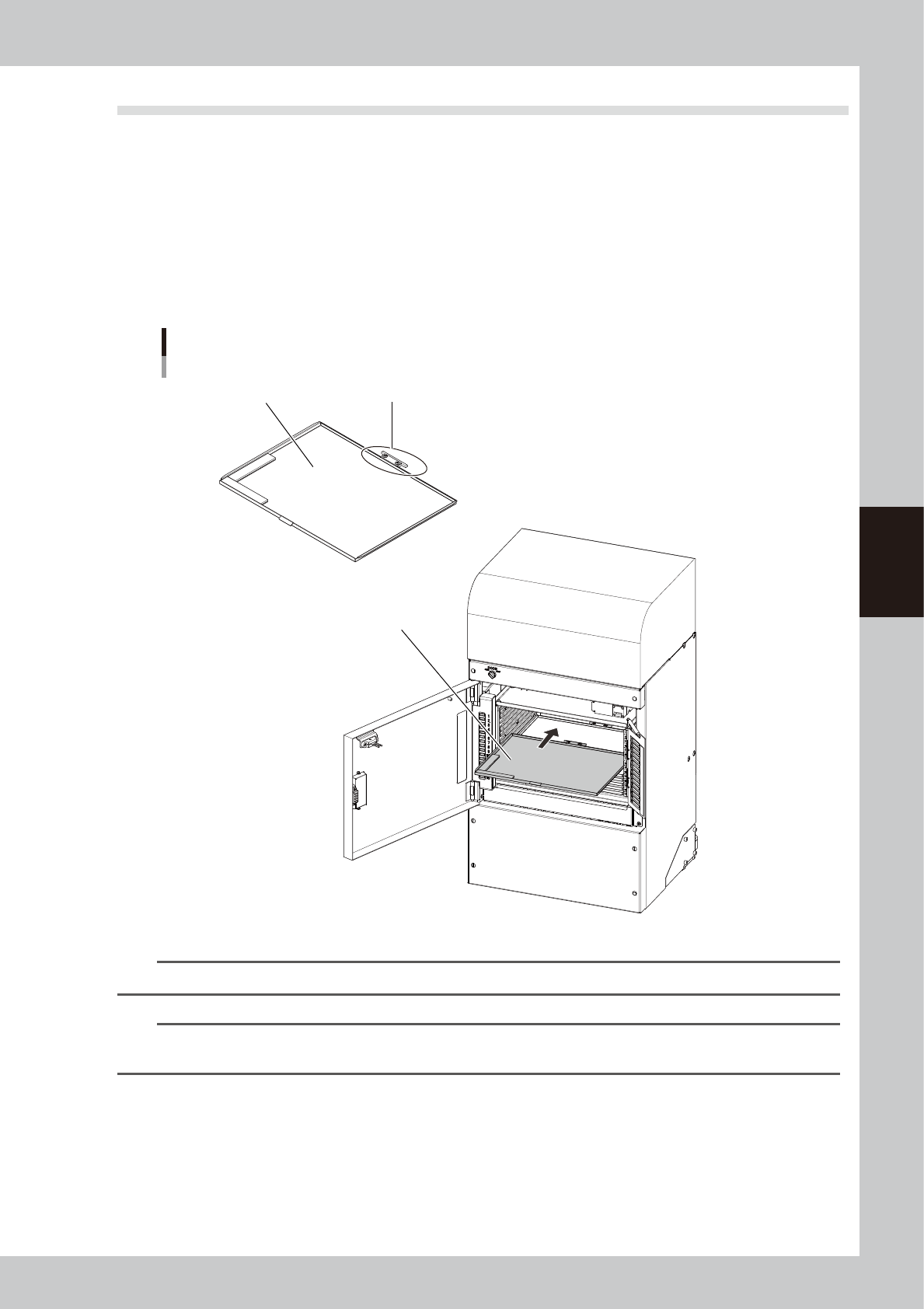
4.1.1 Checking the pallet and the setting conditions
Check the pallet and the setting when replacing tray components everyday.
n
Checkpoints
• The pallet is not bending.
• The drawing of the pallet is not worn out or damaged.
• The pallet is inserted into the rack correctly.
• The pallet can be set and pulled out correctly without abnormal noise and errors during the actual production.
sATS15
Daily inspection points
Drawing of pallet is not worn out or damaged.Pallet is not bending.
Pallet is inserted into
rack correctly.
53405-KMG-00
n
NOTE
If deformation is found in the pallet, stop using it and replace it with other pallet.
n
NOTE
If an operation failure of sATS15 occurs, check the displayed error messages and the sensor status referring to "Sensor
list" described on the next page.