00191021-02.pdf - 第22页
0 Introduction to the User Interface of the Test Program User’s M anual Test Program SITEST 0.2 Components of the User Interface Software Version 403.xx Edition 12/97 0 - 18

User’s Manual Test Program SITEST 0 Introduction to the User Interface of the Test Program
Software Version 403.xx Edition 12/97 0.2 Components of the User Interface
0 - 17
Scrolling a window’s contents continuously:
●
Using the left mouse button, click on the scroll arrow for the desired direction in the scroll bar and
hold down the mouse button until the desired position is reached.
The corresponding portion of the window’s contents is now displayed.
Scrolling a window’s contents using the scroll box:
●
With the mouse cursor point to the scroll box and press and hold down the left mouse button.
●
Slowly drag the mouse cursor in the desired direction.
This causes the scroll box in the scroll bar and hence the window’s contents to be moved.
●
Release the mouse button once the desired portion of the window’s contents is in view.

0 Introduction to the User Interface of the Test Program User’s Manual Test Program SITEST
0.2 Components of the User Interface Software Version 403.xx Edition 12/97
0 - 18
User’s Manual Test Program SITEST 0 Introduction to the User Interface of the Test Program
Software Version 403.xx Edition 12/97 0.3 User Interface - Displays
0 - 19
0.3 User Interface - Displays
0.3.1 Main Views of SIPLACE 80S-20 and SIPLACE 80F
4
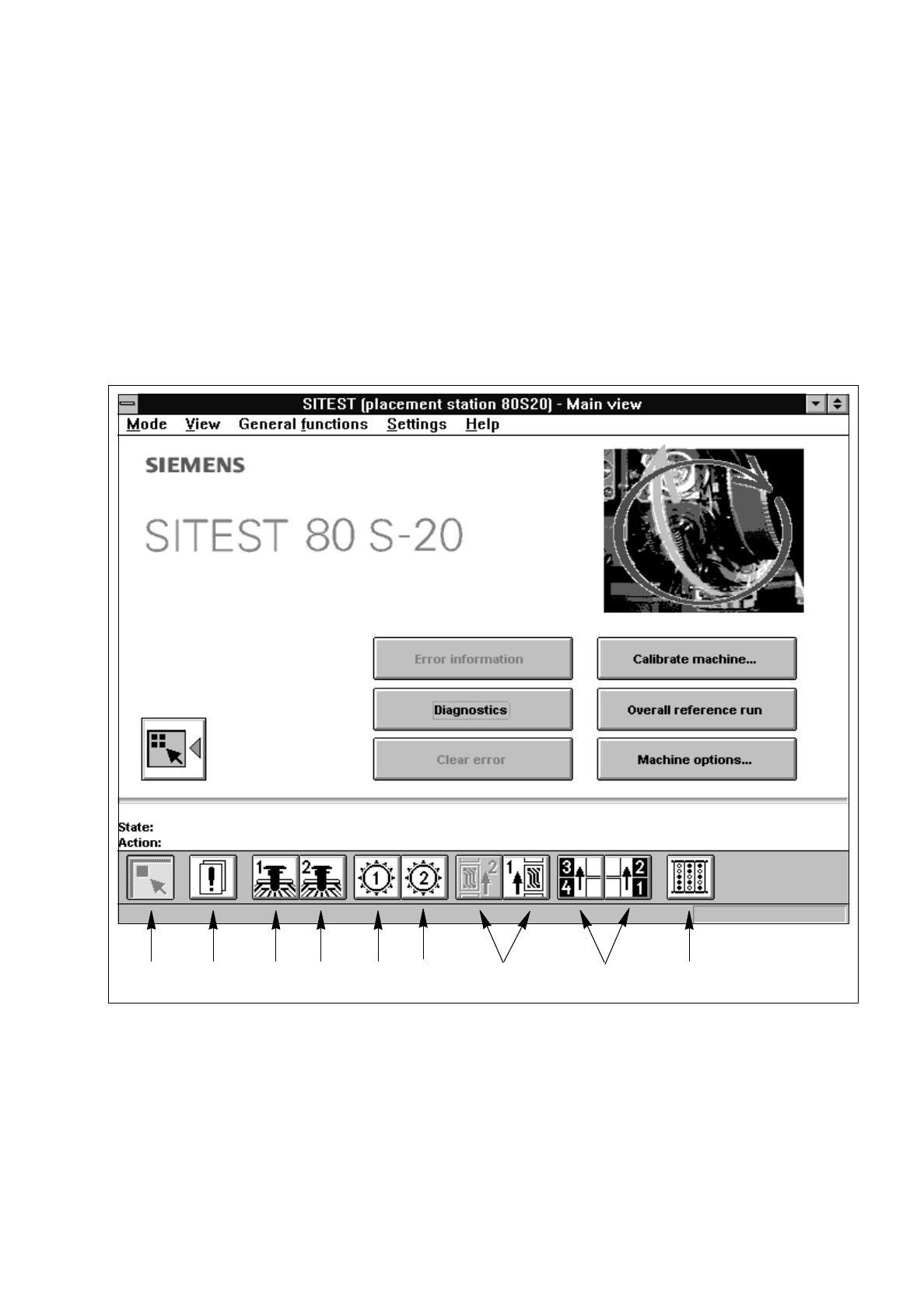
Each icon on the toolbar in the main view (see Fig. 0.3.1 and Fig. 0.3.2) can be used to switch the user inter-
face to a different display. The functions required to perform the various activities can be triggered or set by
means of the buttons, radio buttons and check boxes available in the respective displays.
An explanation of the individual display screens is contained in the respective sections.
Fig. 0.3.1 Main View SIPLACE 80S-20
Legend pertaining to
Fig. 0.3.1
➀
Main view
➅
Revolver head 2
➁
Errors
➆
PCB conveyors 2 and 1
➂
Gantry 1
➇
Left and right component tables
➃
Gantry 2
➈
Inputs/outputs
➄
Revolver head 1
➀➁➂➃➄➅ ➆ ➇➈