00191021-02.pdf - 第57页
User’s Manual Test Program S ITEST 1 General Functions Software Version 403.xx Edition 12/97 1.9 In-/Output Functions 1 - 21 1.9 In-/Outpu t Functions The fun ction s desc ribed i n the foll owing se rve to sele ctiv ely…

1 General Functions User’s Manual Test Program SITEST
1.8 Saving WPC Machine Data Software Version 403.xx Edition 12/97
1 - 20
User’s Manual Test Program SITEST 1 General Functions
Software Version 403.xx Edition 12/97 1.9 In-/Output Functions
1 - 21
1.9 In-/Output Functions
The functions described in the following serve to selectively interrogate and activate individual bits of the input
and output cards of the SIPLACE machines and the wafflepack changer (only input card).
1.9.1 Inputs SIPLACE 80S-20/80F
4
and Inputs WPC SIPLACE 80F
4
●
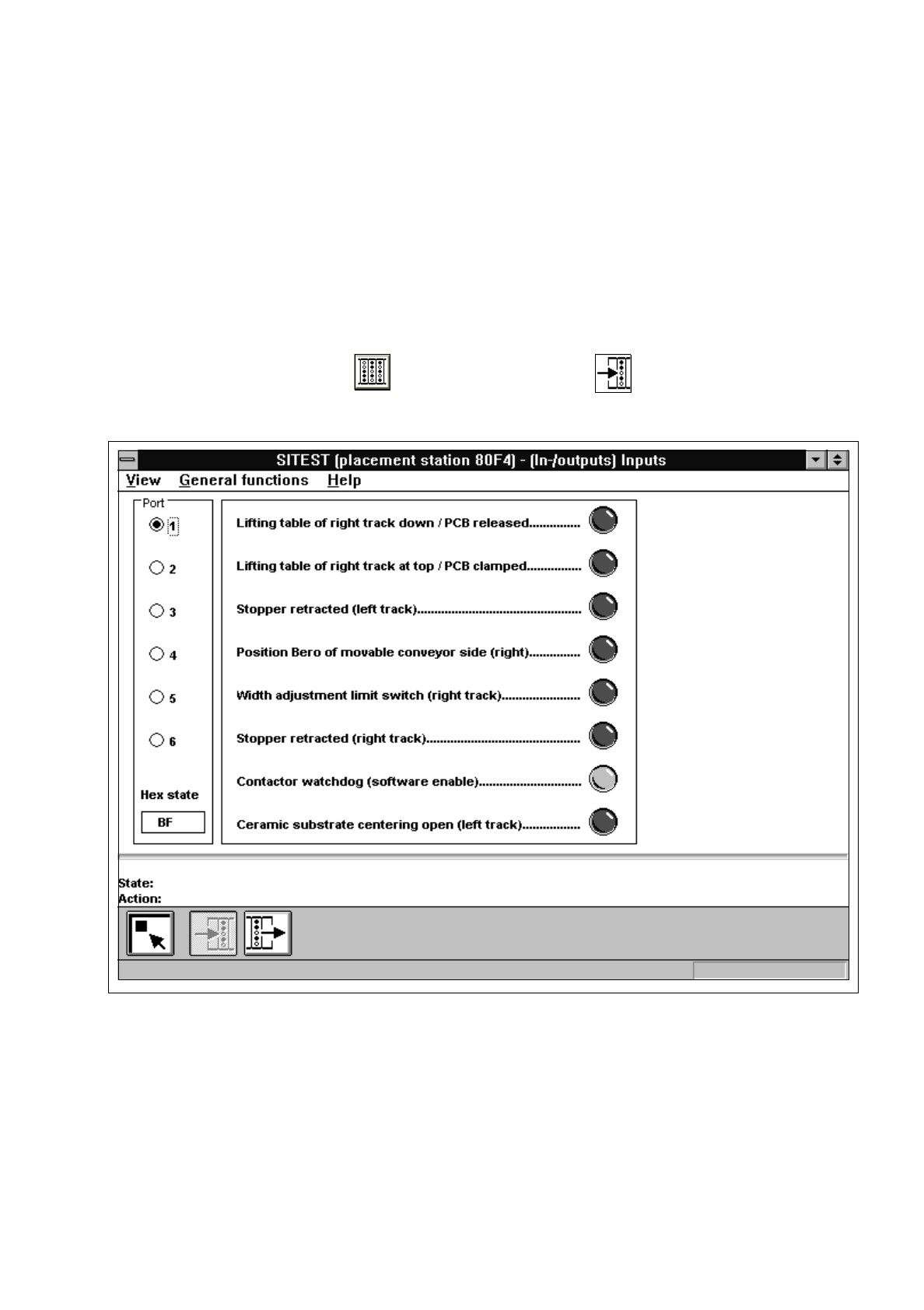
In the main view click on the icon and then (if required) the icon to reach the "Inputs" display
(see Fig. 1.9.1).
Fig. 1.9.1 "Inputs" Display
1 General Functions User’s Manual Test Program SITEST
1.9 In-/Output Functions Software Version 403.xx Edition 12/97
1 - 22
●
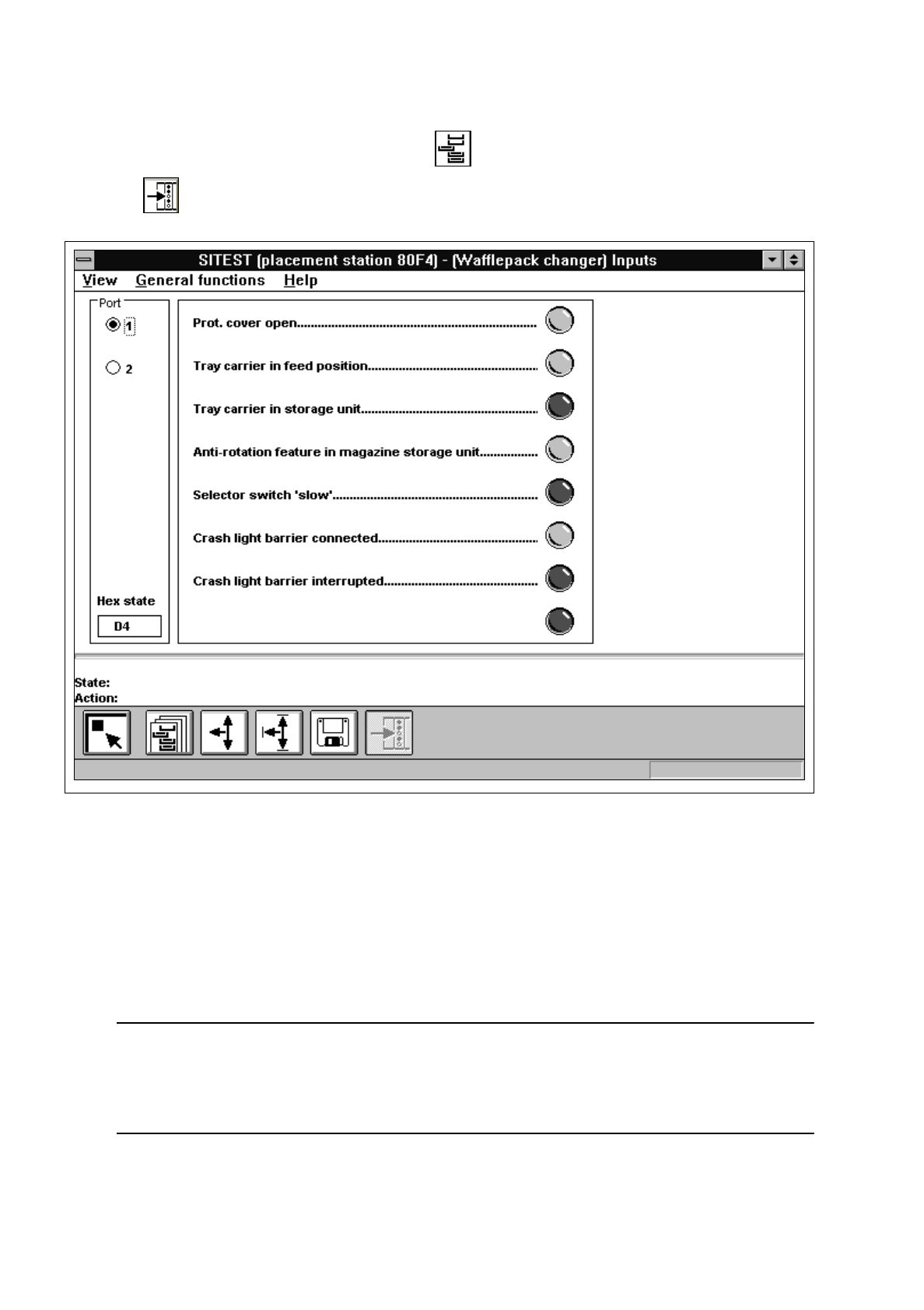
In the main view "SIPLACE 80F
4
" click on the icon and then (if required)
the icon to switch to the "WPC / Inputs" display.
Fig. 1.9.2 "WPC / Inputs"
●
If you wish to inform yourself of the state of the bits of a given input port group, activate the correspond-
ing radio button associated with the desired port by clicking on it.
The function of each bit contained in the selected port is displayed next to the "Port" field.
Next to each function the symbol of an LED is displayed whose color changes from gray to red once the
state(s) of the individual bit(s) has (have) been read and displayed in the "Hex state" field.
NOTE
The uppermost LED symbol applies to bit "0", the lowermost to bit "7".
If the LED symbol is displayed in red, the state of the bit is "1" (active).
If the LED symbol is displayed in gray, the state of the bit is "0" (inactive).