00191021-02.pdf - 第96页
2 Functions for the A djustment of the Machine User’s Manual Test Program S ITEST 2.6 Component Table Functions Software Version 403.xx Edition 12/97 2 - 32 ● Select the fu nction y ou wish to te st for t he co mponen t …
User’s Manual Test Program SITEST 2 Functions for the Adjustment of the Machine
Software Version 403.xx Edition 12/97 2.6 Component Table Functions
2 - 31
2.6 Component Table Functions
●
If you wish to test the functions of the component table, click - in the main view - on the icon for
"Table left" or on the icon for "Table right" and subsequently (if required) on the icon to
switch to the "Table functions" display.
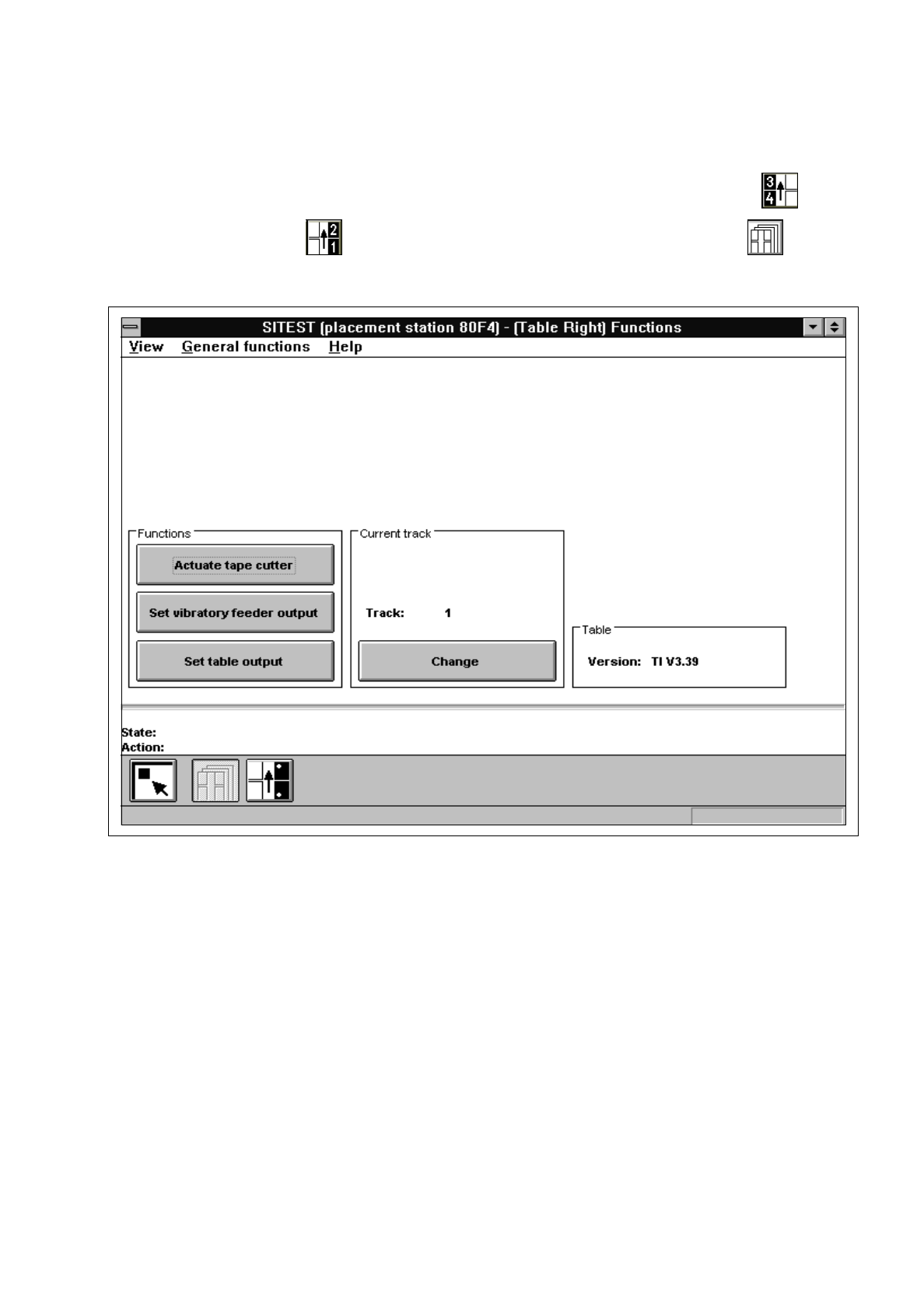
Fig. 2.6.1 "Table functions" Display
The following functions are available in this display:
–
Actuate tape cutter to actuate the tape cutting unit
–
Set vibratory feeder output to activate the linear feeder
–
Set table output to set the output
–
Change to enter the track number
●
Click on the
Change
button in the "Current track" field.
The "Track" input box opens.
●
If you wish to test, for example, a specific linear feeder, enter the number of the track on which the
feeder is set up and confirm your entry by clicking on
Accept
.

2 Functions for the Adjustment of the Machine User’s Manual Test Program SITEST
2.6 Component Table Functions Software Version 403.xx Edition 12/97
2 - 32
●
Select the function you wish to test for the component that is set up on the track entered or that can be
addressed via the address of this track, e.g.
Set vibratory feeder output
for the linear feeder that is
set up on the track entered.
A dialog box opens, and the selected function will continue to be executed until you click on the
Cancel
button in the dialog box.
NOTE
The toolbar in the "Table functions" display contains the icon. It is used to switch to the "Pick-up position
track 1 and track 120" display. The latter contains all functions required for calibrating the pick-up position (see
chapt. 3, section 3.13).
User’s Manual Test Program SITEST 2 Functions for the Adjustment of the Machine
Software Version 403.xx Edition 12/97 2.7 Wafflepack Changer Functions
2 - 33
2.7 Wafflepack Changer Functions
●
If you wish to test the wafflepack changer functions, click - in the main view - on the icon to switch
to the "Wafflepack Changer" display (see Fig. 0.3.10) and subsequently (if required) on the icon
to switch to the "Wafflepack Changer functions" display.
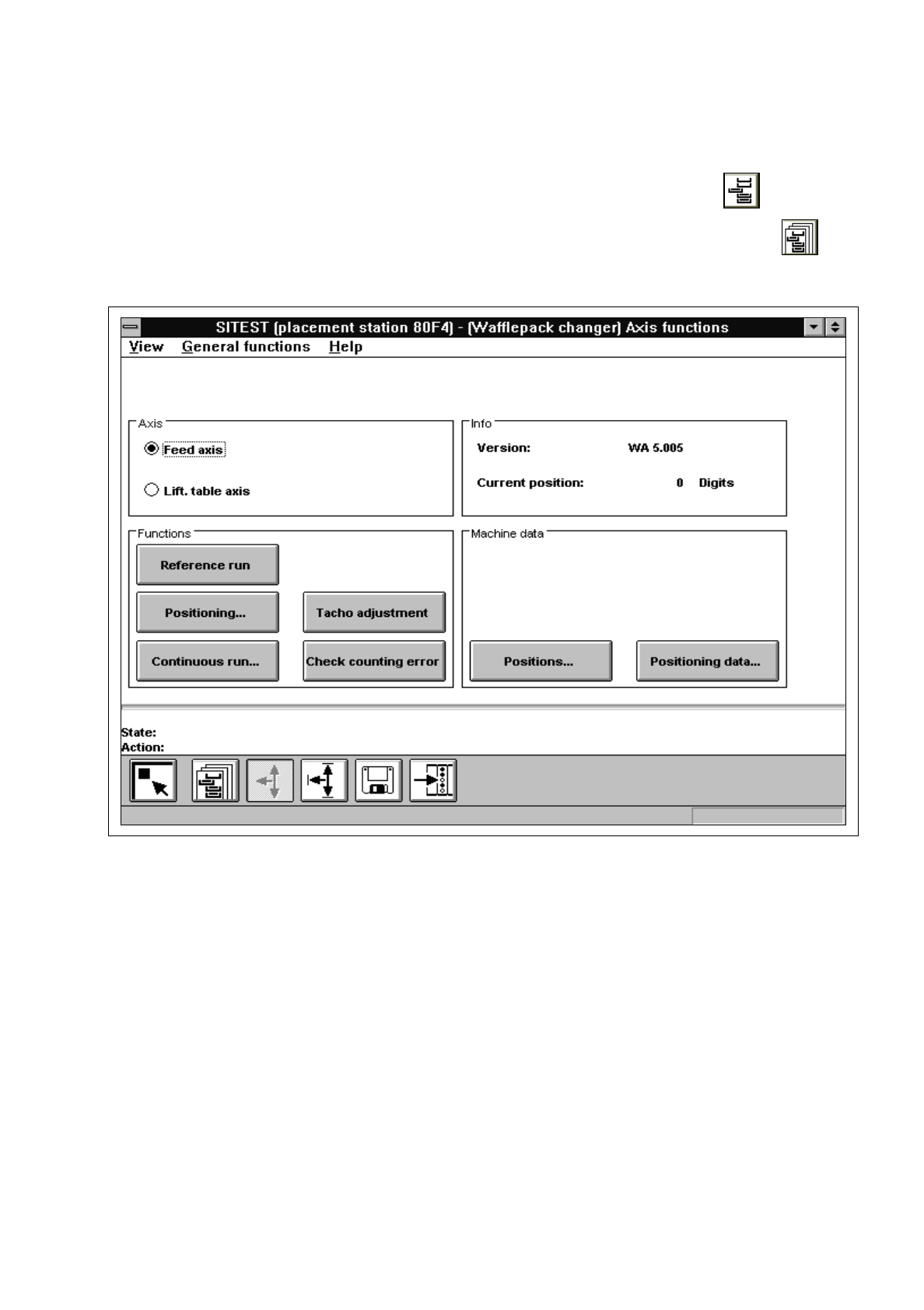
Fig. 2.7.1 "Wafflepack Changer functions" Display
The following functions are available in this display:
–
Go to refill position to move the "elevator" of the WPC to the refill position
–
Quit refill position to align wafflepack trays
–
Display configuration... to display the allocation of the WPC storage levels
–
WPC reference run to perform a reference run of the lifting and feed axes
–
Transport position to move the WPC "elevator" (for the transport of the WPC)
to the safe position
–
Change tray carrier... to exchange the tray carrier on the selected level
–
Speed to display for all levels and the lifting axis the percentage of
the current acceleration as compared to the max.
acceleration
–
Continuous run... to start the continuous run for selected levels