YC8_Ope_E.pdf - 第83页
2-33 2 asic operation 4.2.2 Setting a pitch from an external setup power station T he following describes the procedure for setting a tape feed pitch using the external setup power station. n NOTE See the "SS FEED…
2-32
2
asic operation
4
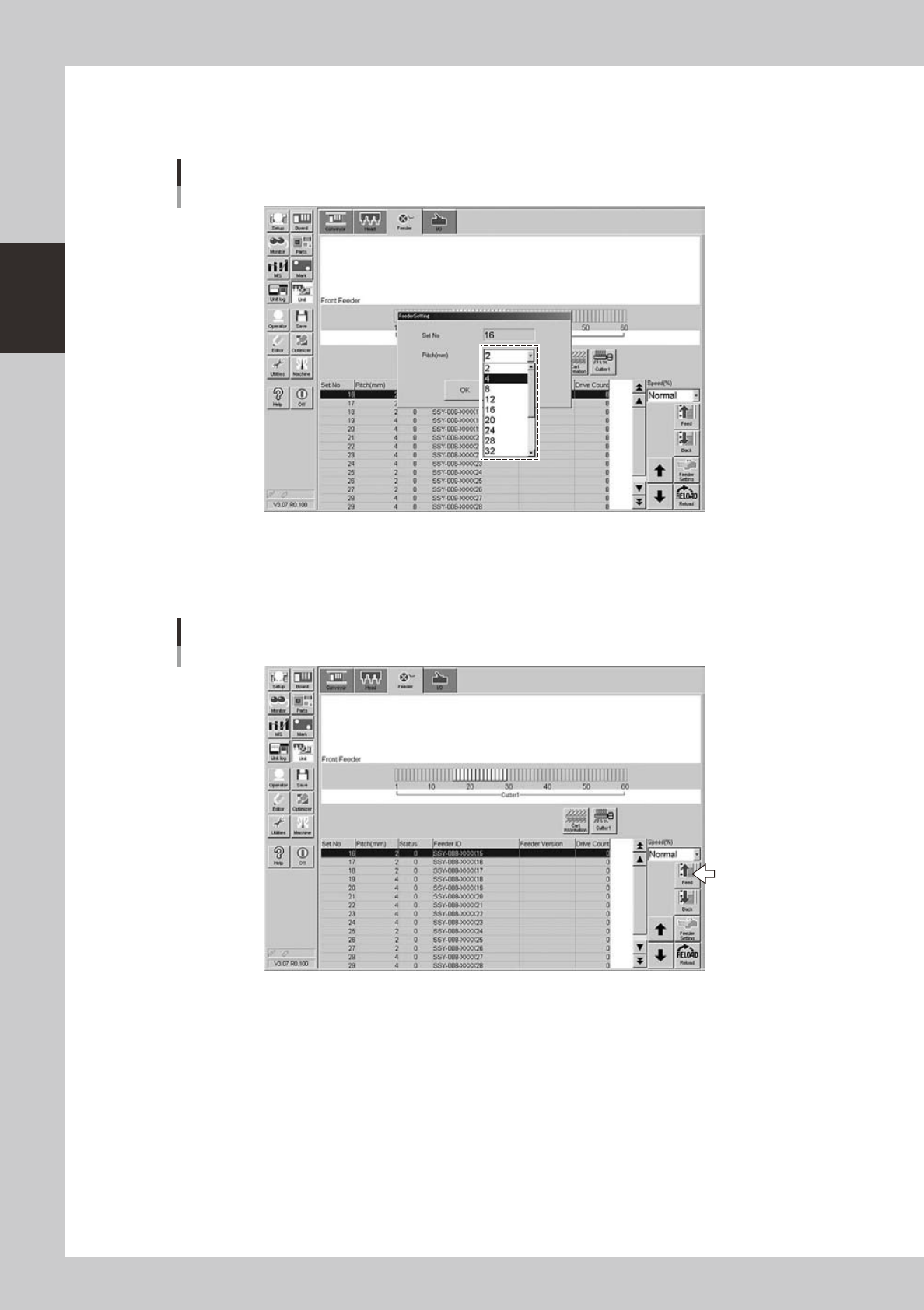
Set the tape feed pitch.
From the "Feed Pitch" drop-down list, select the feed pitch that matches the components in the feeder,
and then press the [OK] button.
Setting the tape feed pitch
24218-N8-00
5
Check the tape feed operation.
Press the [Feed] button on the lower right of the screen to check that the tape is fed at the pitch you
set.
Checking the feed pitch
24219-N8-00
2-33
2
asic operation
4.2.2 Setting a pitch from an external setup power station
The following describes the procedure for setting a tape feed pitch using the external setup power station.
n
NOTE
See the "SS FEEDER" user's manual for details on the external setup power station.
1
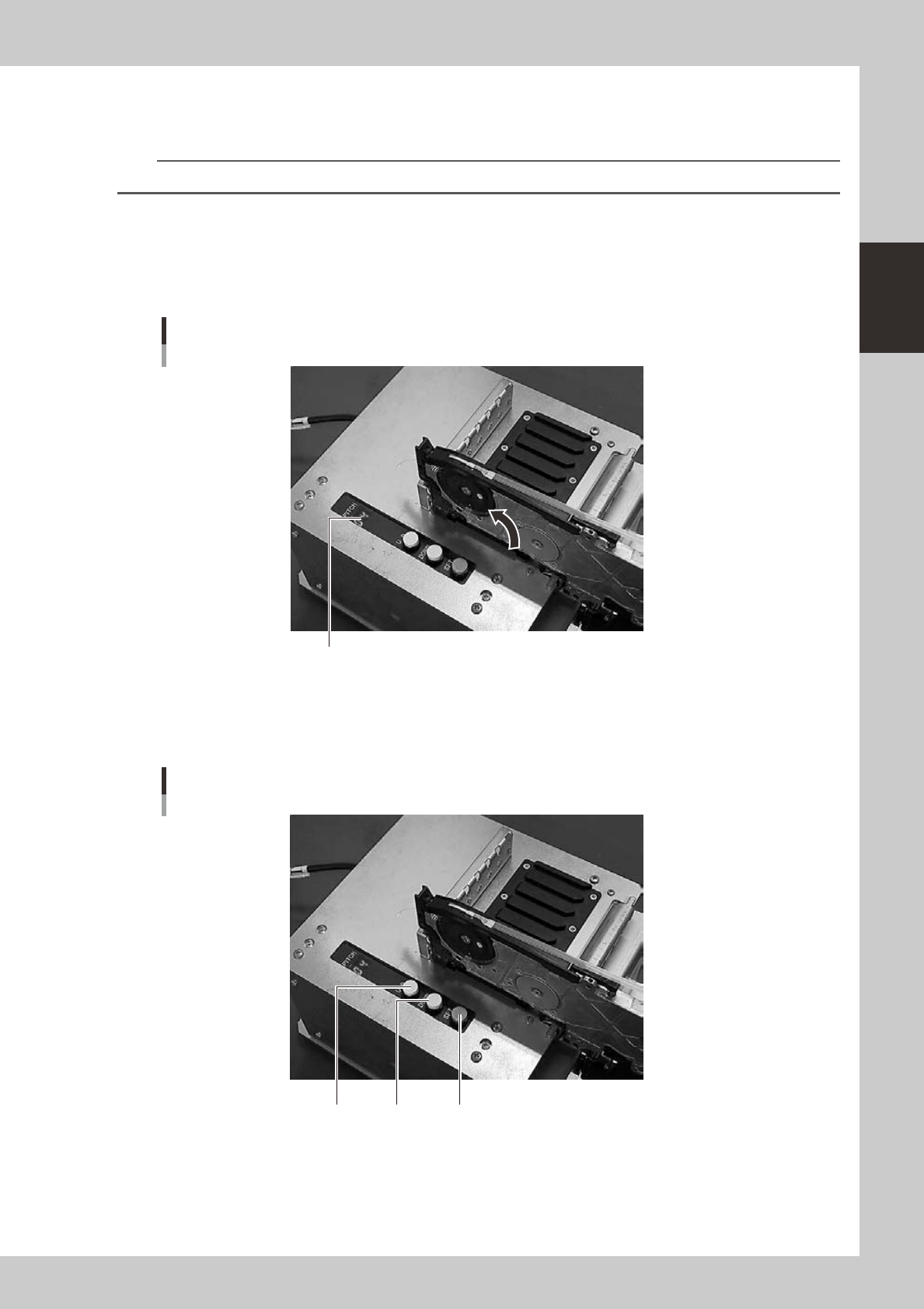
Set a feeder on the external setup power station.
Install the feeder on the guide rail at the left end of the external setup power station.
2
Check the tape feed pitch of the feeder.
The tape feed pitch is indicated on the display as shown below.
Checking the tape feed pitch
Display
23214-N8-00
3
Set the tape feed pitch.
Press the [UP] or [DOWN] button to set the feed pitch that matches the components in the feeder, and
then press the [SET] button to determine the setting.
Setting the tape feed pitch
[SET][UP] [DOWN]
23215-N8-00
2-34
2
asic operation
4
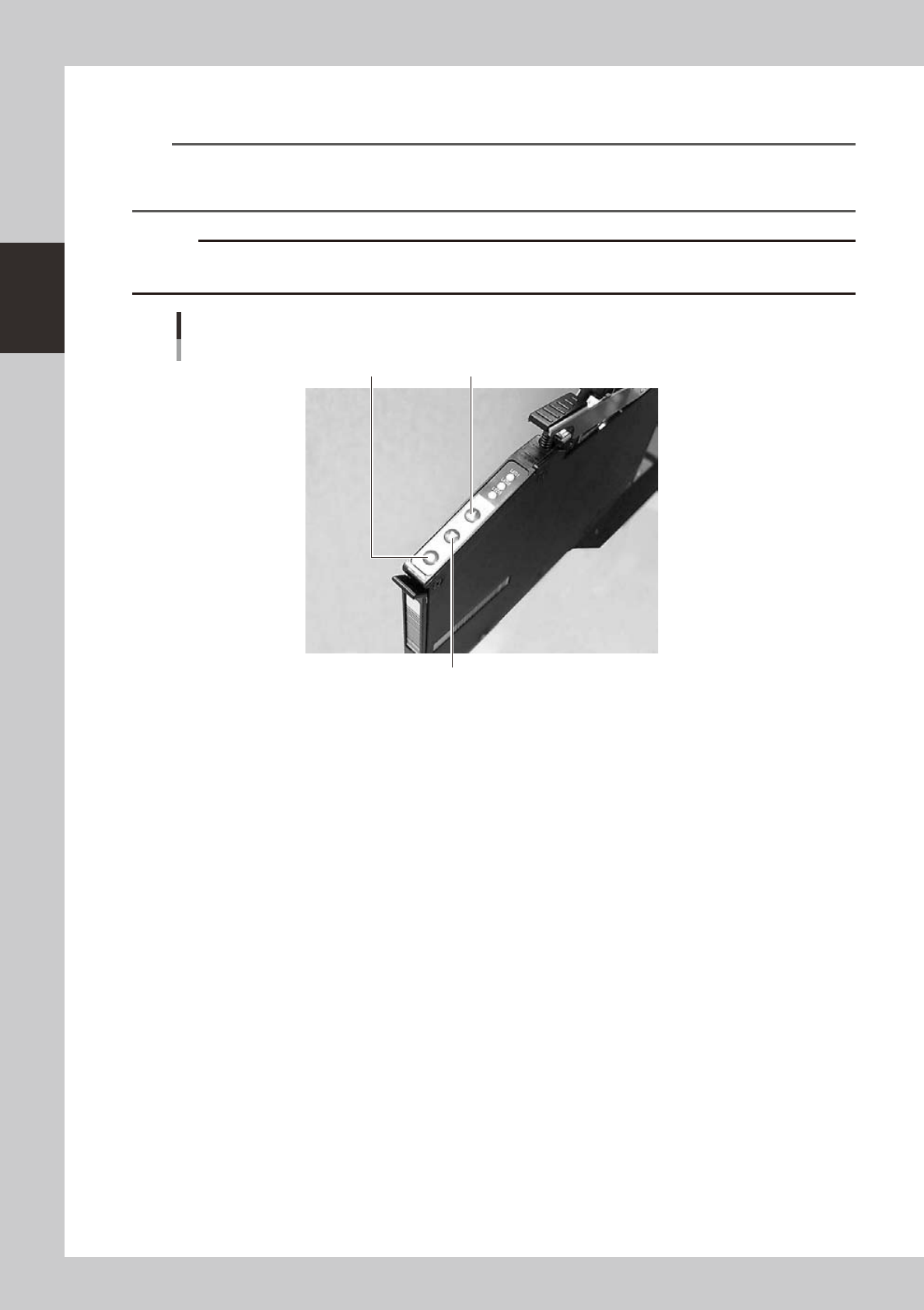
Check the tape feed operation.
Press the [FEED] button on the feeder body to check that the tape is fed at the correct pitch.
TIP
• The feed pitch will always be 2 mm each time the [FEED] or [BACK] button on the feeder body is pressed,
regardless of the pitch setting. Holding down either of these buttons feeds the tape continuously.
• Use the [FUNC]+[FEED] buttons to feed the tape at the feed pitch that was set.
c
advance the carrier tape.
Checking the feed pitch
[BACK] button
[FEED] button[FUNC] button
23216-N8-00