YC8_Ope_E.pdf - 第92页
Chapter 3 Star ting and ending production Contents 1. Starting production 3- 1 1.1 Resuming operation from the stopped point 3- 6 1.1.1 Loading the saved data 3- 7 1.1.2 Editing mount flags 3- 7 2. Ending production and …
2-41
2
asic operation
5.2 Operation check
n
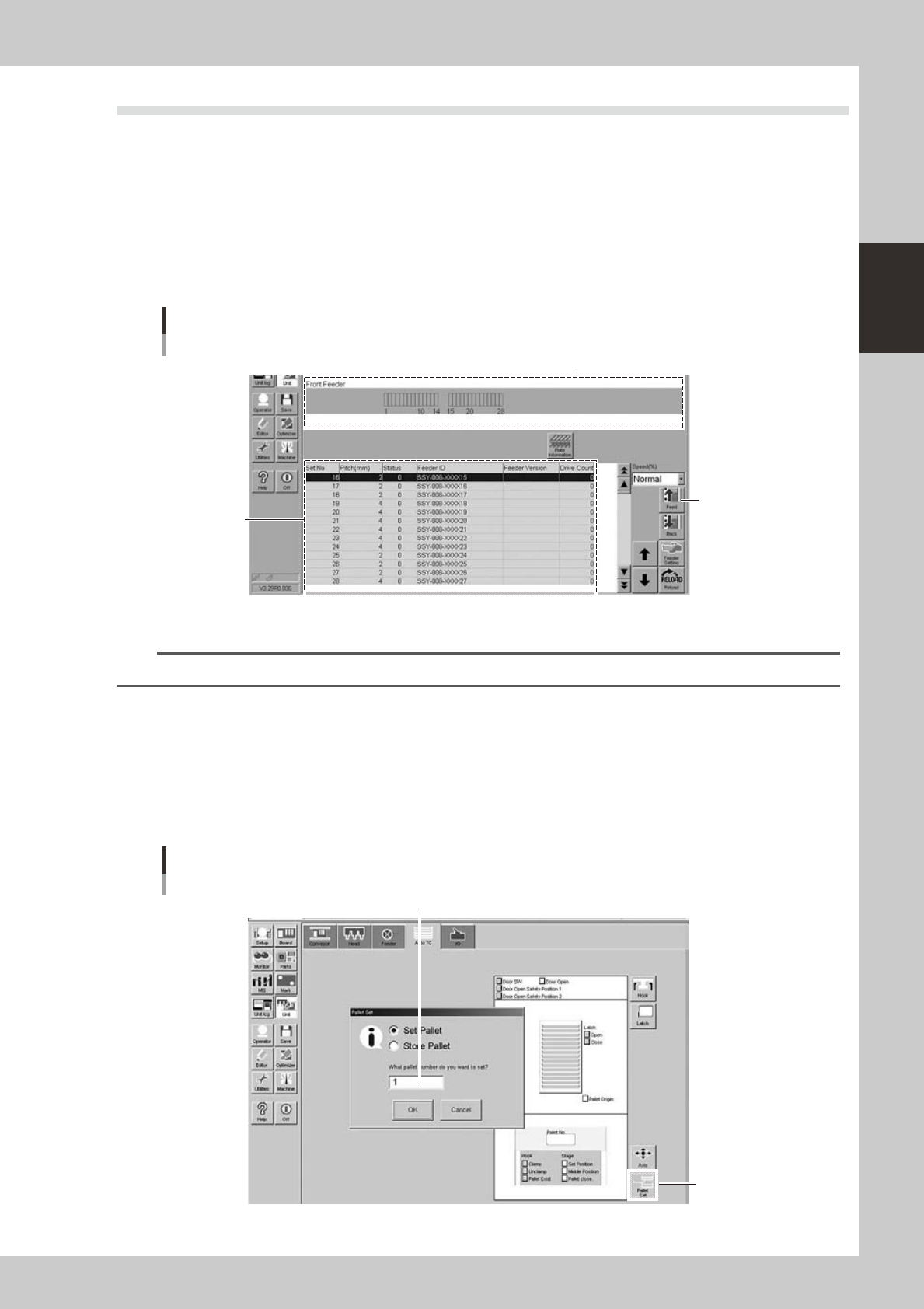
Checking the feeder operation
1
Open the feeder screen.
Press the [Unit] button and then select the [Feeder] tab to open the feeder screen.
2
Select the feeder and check the operation.
1. From the feeder layout diagram or feeder list, select the feeder to check the operation.
2. Press the [Feed] button on the lower right of the screen to check whether tape is fed correctly.
Feeder screen
Selecting the feeder
Feeder list
Feeder layout diagram
[Feed] button
24227-N8-00
n
NOTE
When a feeder with a pitch of 4mm or more is installed, check the top component and its position.
n
Checking the tray changer operation
1
Open the tray changer screen.
Press the [Unit] button and then select the [Auto TC] tab to open the tray changer screen.
2
Extract a pallet from the tray changer.
Press the [Pallet Set] button to check whether a pallet is correctly extracted from the tray changer.
Tray changer screen
Selecting a pallet
[Pallet Set]
button
Enter a pallet number
24228-N8-00

Chapter 3 Starting and ending production
Contents
1. Starting production 3-1
1.1 Resuming operation from the stopped point 3-6
1.1.1 Loading the saved data 3-7
1.1.2 Editing mount flags 3-7
2. Ending production and turning power off 3-8
0
3.1 Production 3-10
2
4
6
3.5 Alignment 3-18
3.6 Retry 3-19
0
1
2
3.10 Pick Rate Warning 3-24
3-1
3
Starting and ending production
1. Starting production
This section describes how to select the board data which is already registered and perform component
mounting.
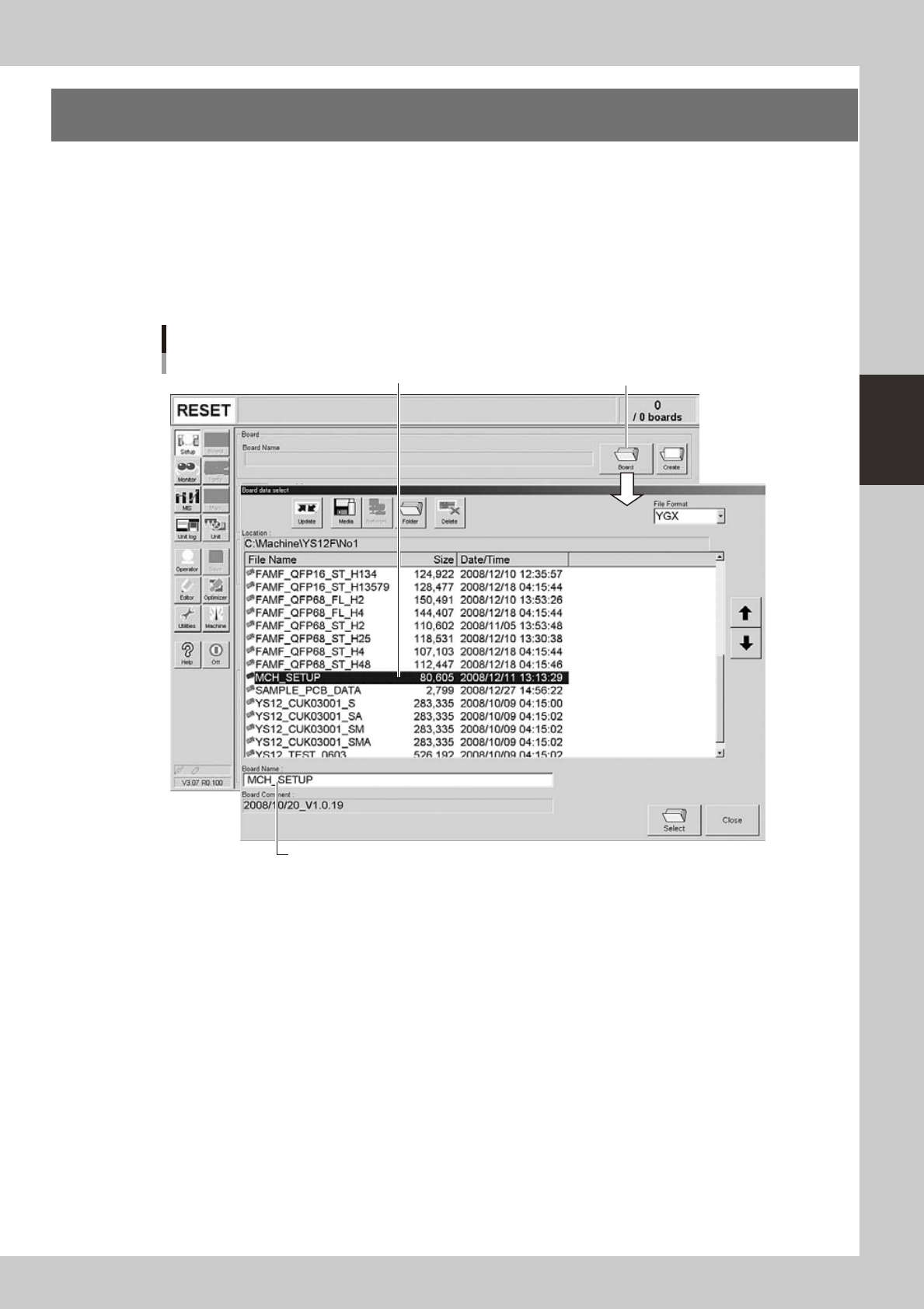
1
Select the board data.
1. When the board data is not yet selected, press the [Board] button on the Setup screen.
A list of registered board data appears.
2. Line up the cursor with the board data to use for production and press the [Select] button.
The machine loads the seleted board data.
Selecting the board data
Select board data from list.
Press [Board] button.
Selected board name is displayed.
24300-N8-00