YC8_Ope_E.pdf - 第94页
3-2 3 Starting and ending pr oduction 2 Set up the conv ey or unit. Open the [Unit] - [Conveyor] tab screen, an d adjust the conveyor width and push-up pins according to the board. For further details, re fer to "3.…
3-1
3
Starting and ending production
1. Starting production
This section describes how to select the board data which is already registered and perform component
mounting.
1
Select the board data.
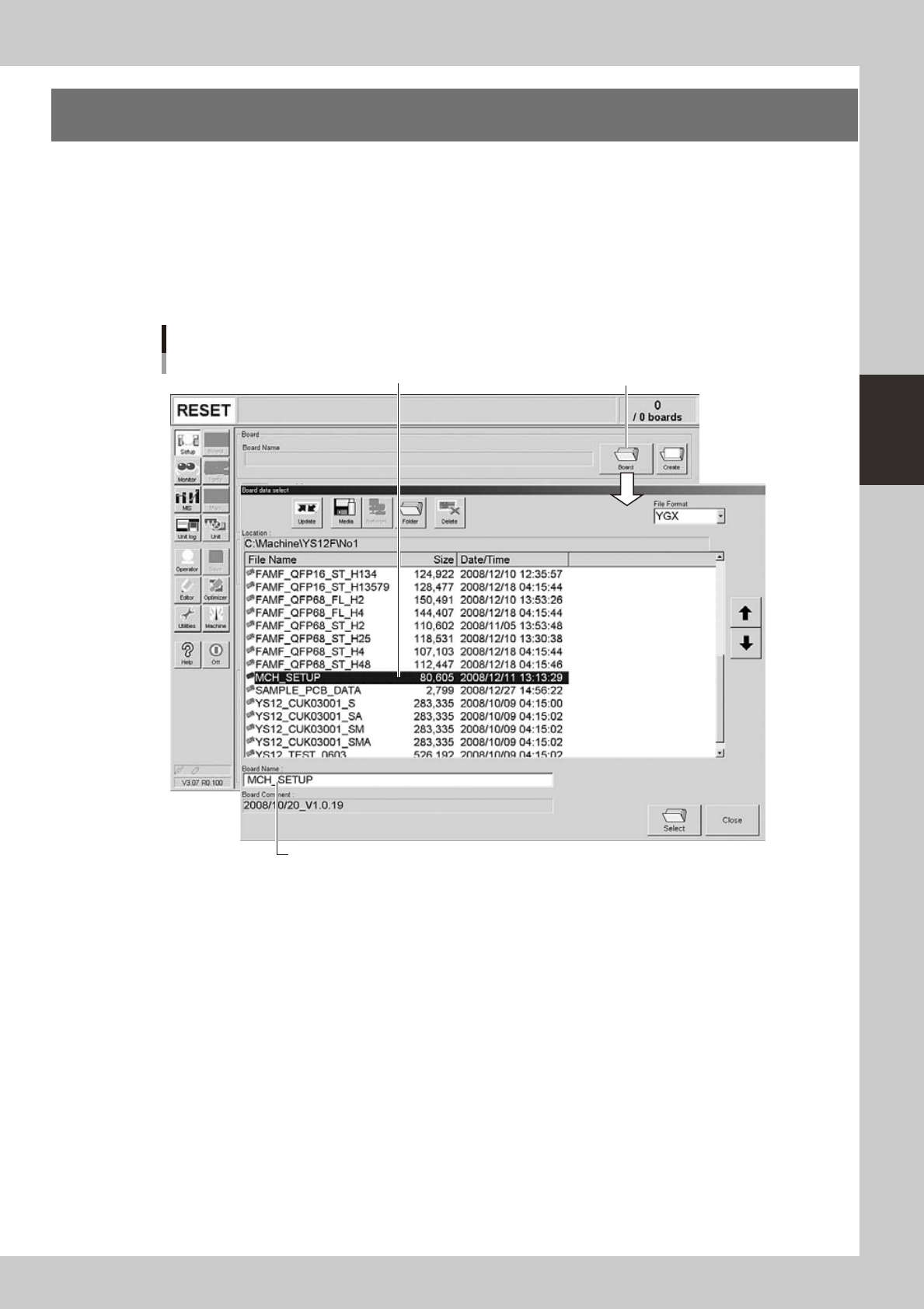
1. When the board data is not yet selected, press the [Board] button on the Setup screen.
A list of registered board data appears.
2. Line up the cursor with the board data to use for production and press the [Select] button.
The machine loads the seleted board data.
Selecting the board data
Select board data from list.
Press [Board] button.
Selected board name is displayed.
24300-N8-00
3-2
3
Starting and ending production
2
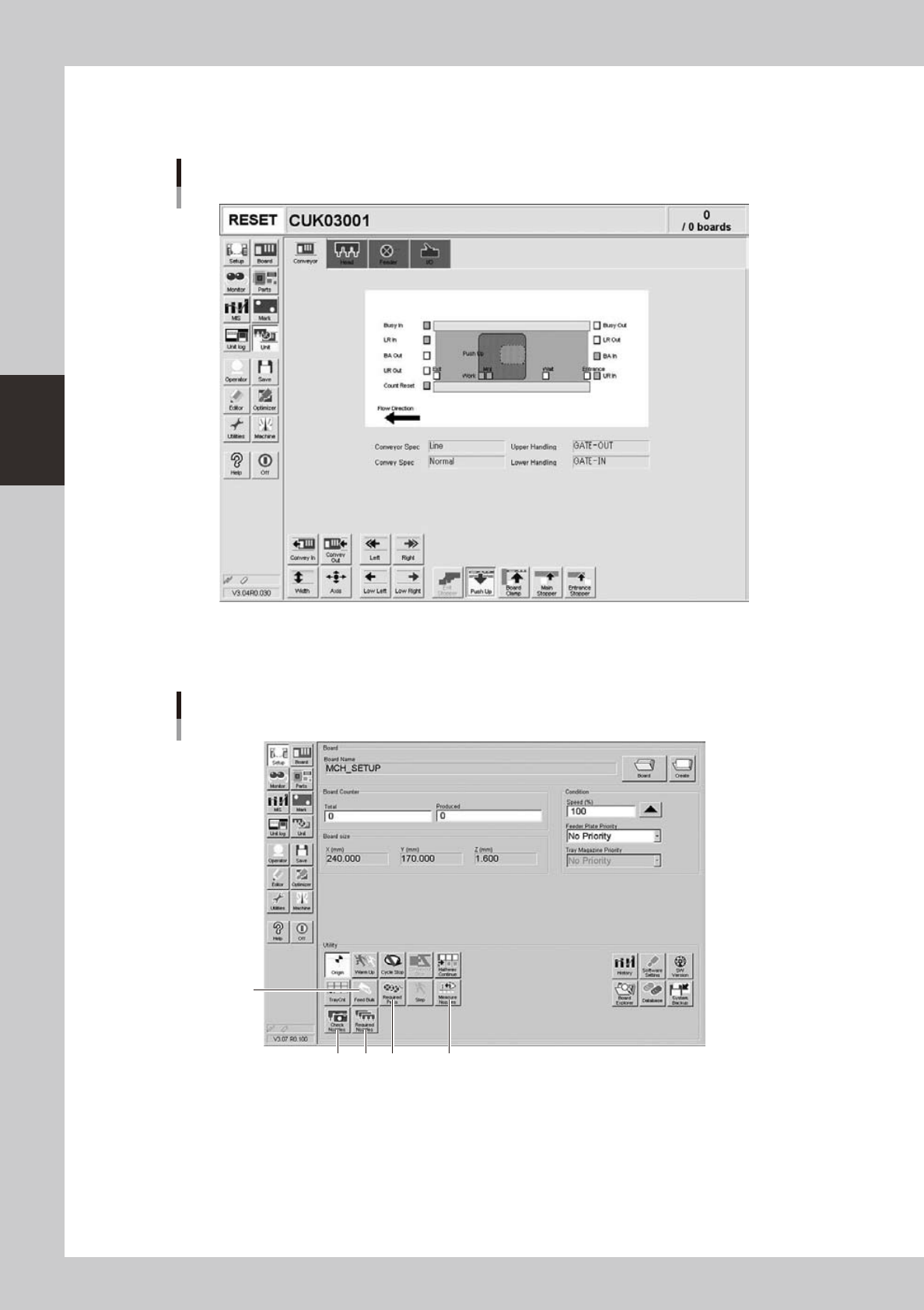
Set up the conveyor unit.
Open the [Unit] - [Conveyor] tab screen, and adjust the conveyor width and push-up pins according to
the board. For further details, refer to "3.4 Adjusting the convey unit setup" in Chapter 2.
[Unit] − [Conveyor] screen
24301-N8-00
3
Check the other setup items.
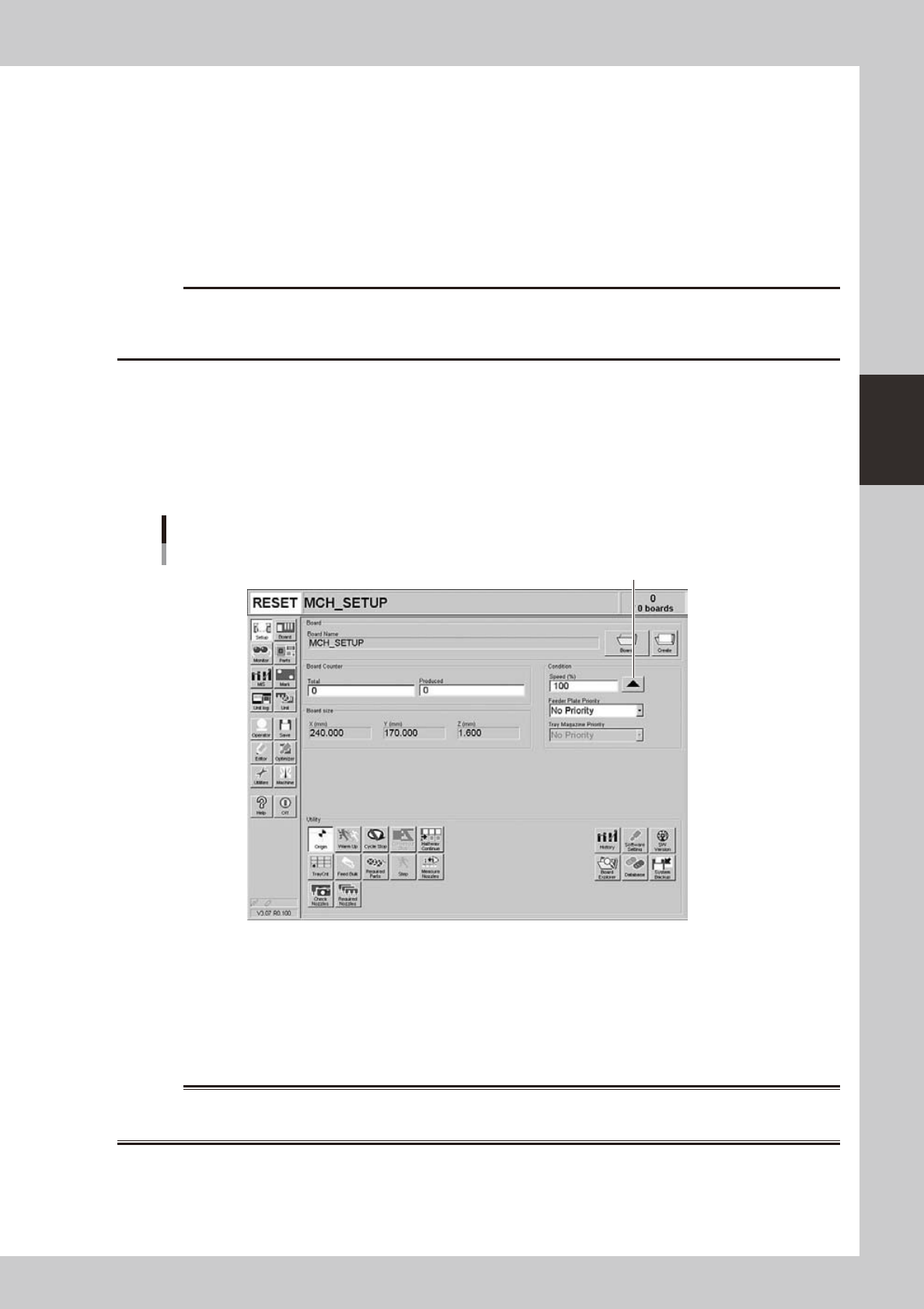
Return to the [Setup] screen, and press the following buttons to check or change the setting data.
3
124
Setup screen
5
24302-N8-00
1. [Required Parts] button
Displays the designated feeder set positions and components to be mounted. Check whether the necessary feeders are
installed in the correct feeder set positions on the feeder plate.
3-3
3
Starting and ending production
2. [Required Nozzles] button
Displays a list of nozzle types that should be attached to each head. When the machine has no nozzle station or uses a
head not designed for auto nozzle change. Check that the correct nozzle is attached to each head by referring to the
displayed list.
3. [Feed Bulk] button
Cannot be used with this machine.
4. [Check Nozzles] button
Checks the nozzle tip condition with the vision camera. If an error occurs with this check, clean the nozzle.
c
5. [Measure Nozzles] button
This button is available when the machine has an optional side-view camera. Pressing this button measures the shapes of
all nozzles by recognizing them with the side-view camera.
4
Set the operation speed.
The currently set operation speed is displayed in the "Speed" box. Press the UP arrow button to change
te operation speed.
Set the operation speed.
Setting the operation speed
24303-N8-00
5
Start operation.
1. Release the emergency stop button, and press the [READY] button on the operation panel.
2. Check that the surroundings are safe, and then press the [START] button on the operation panel.
3. When the entrance sensor detects a board, the conveyor belt will start rotation. The board will be
transferred to the work position, and component mounting will start.
w
WARNING