YG300_Mainte_E - 第60页
3-22 3 Periodic maintenance items n F i d u c i a l m a r k r e c o g n i t i o n c a m e r a s Fi d u c i a l m a r k r e c o g n i t i o n c a m e r a s ( m o v i n g c a m e ra s ) a r e m o u n t e d o n t h e l e …
3-21
3
Periodic maintenance items
2.10 Cleaning the camera lens and lighting unit
The camera lens and lighting unit may become dirty due to dust and dirt. We recommend periodic cleaning as
explained below. To ensure safety, make sure that the machine power switch is off or the emergency button is
pressed before starting work.
c
CAUTION
Do not apply strong force or shock to the camera unit and lighting unit during cleaning. Optical axis adjustment might
become unreliable.
n
Multi-view camera
The multi-view camera lens and lighting unit are enclosed inside the transparent cover. It is unlikely that you need to
clean these parts. If the transparent cover is dirty, clean it as explained in section 5, "Cleaning the camera transparent
cover", in Chapter 2.
n
Side-view camera
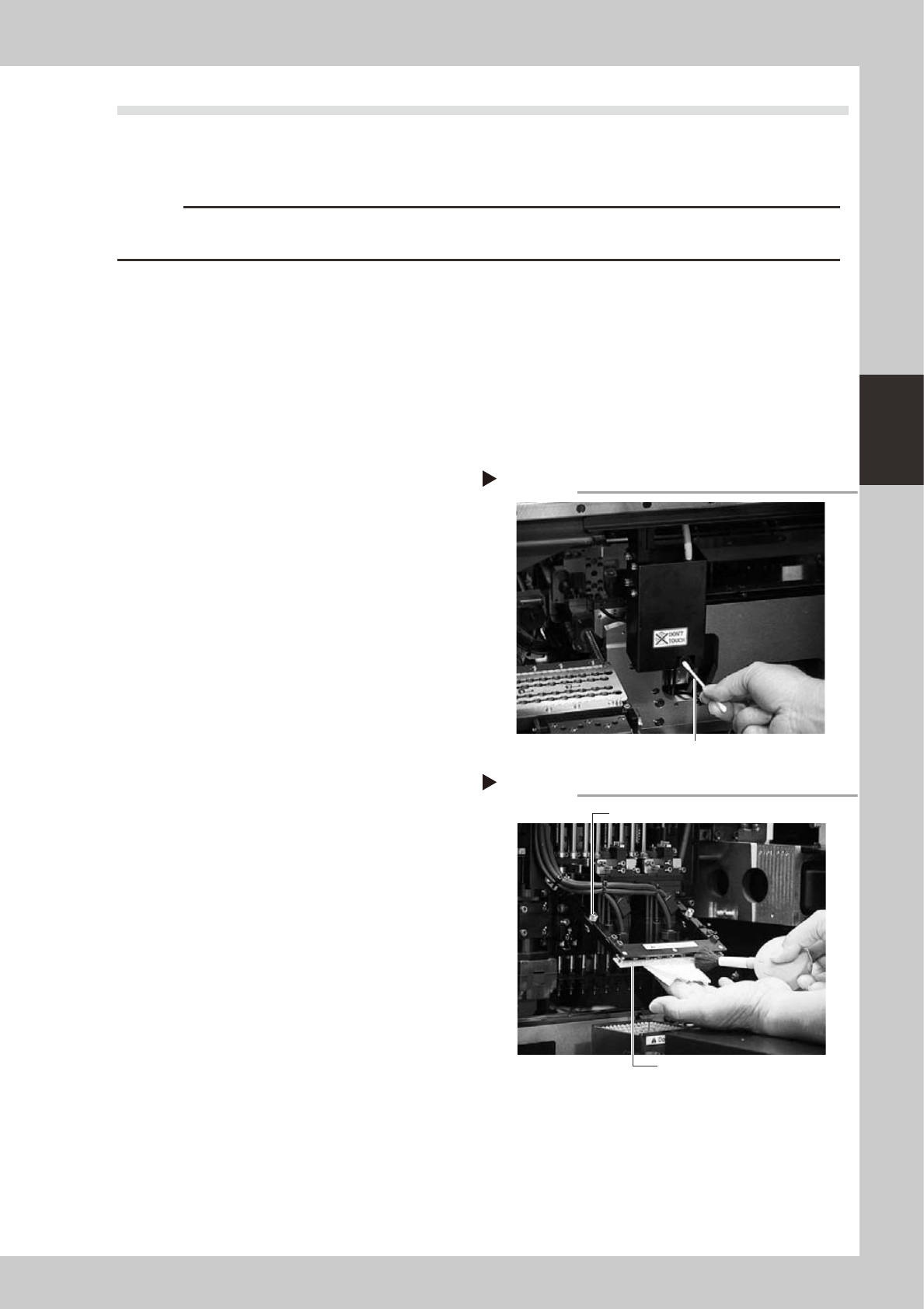
Clean the surface of the side-view camera lens and light diffuser plate as explained below.
1
Remove dust on the lens with a
blower brush.
2
Wipe the lens with a cotton swab.
Apply a few drops of lens cleaner to a
cotton swab and wipe the surface of the
lens.
53336-F1-00
3
Wipe the light diffuser plate with a
cleaning cloth.
1. Loosen the bolts holding the light diffuser
plate with a flat-blade screwdriver.
2. Remove dust on the light diffuser plate
with a blower brush, then apply a few
drops of lens cleaner to a cleaning cloth
and wipe the light diffuser plate.
53337-F1-00
4
Reattach the light diffuser plate.
Attach the light diffuser plate back to the
original position and secure it by tightening
the bolts with the flat-blade screwdriver.
Wiping the lens
Step 2
Cotton swab moistened with lens cleaner
Wiping the light diffuser plate
Step 3
Light diffuser plate
Bolt securing the light diffuser plate
3-22
3
Periodic maintenance items
n
Fiducial mark recognition cameras
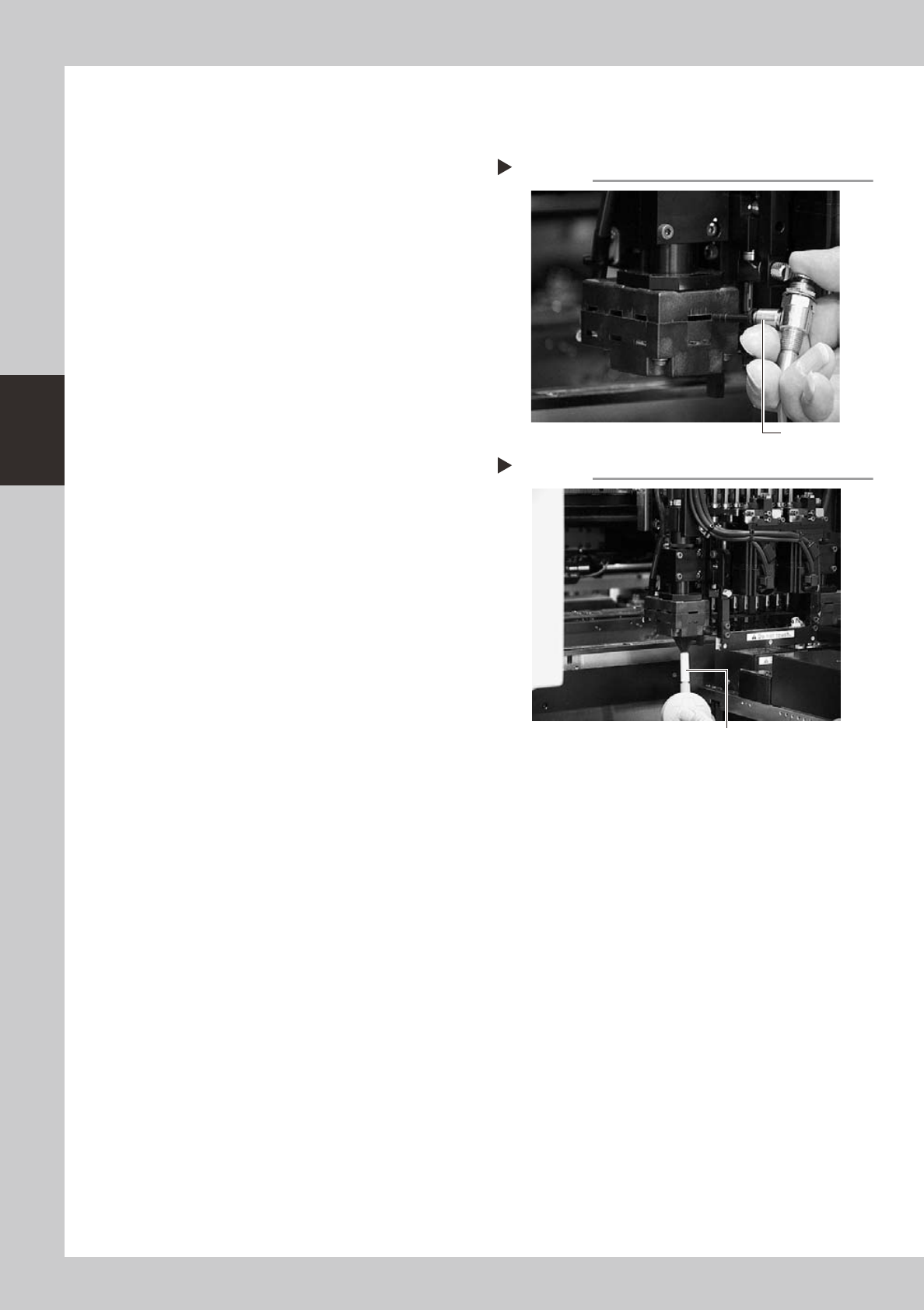
Fiducial mark recognition cameras (moving cameras) are mounted on the left and right of each head unit. Clean the
lighting units for these cameras as explained below.
1
Remove dust from the inside of the
lighting unit.
Using the air blow gun, gently blow air
through the slits in the lighting unit.
53338-F1-00
2
Remove dust on the diffuser plate.
Use the blower brush to remove dust from
the diffuser plate.
53339-F1-00
3
Wipe the lens with a cleaning cloth.
Apply a few drops of lens cleaner to a
lint-free cleaning cloth and wipe the diffuser
plate on the bottom of the lighting unit.
Cleaning the inside of the lighting unit
Step 1
Air blow gun
Cleaning the light diffuser plate
Step 2
Blower brush
3-23
3
Periodic maintenance items
3. 3-month, 6-month or one-year inspection
3.1 Cleaning and replacing the ejector filter
Although depending on the air supply conditions and operating time, ejectors should be inspected once every
6 months. Use an air blow gun to remove dust buildups when small. We recommend replacing the air filter if
heavy dust deposits are found.
e
1
Press the emergency stop button.
The machine should be in emergency stop
to ensure safety during work.
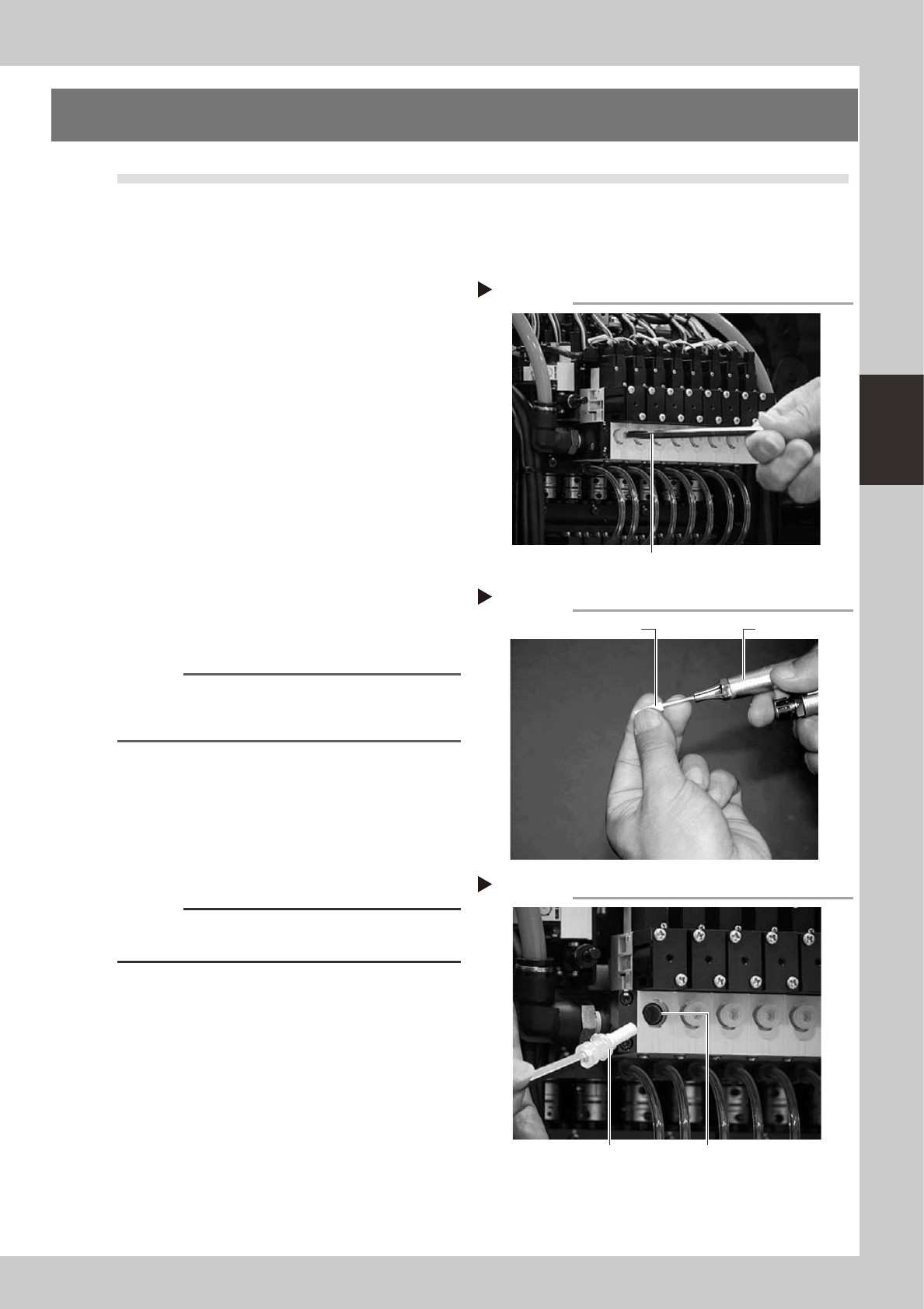
2
Remove the filter cap.
Loosen the filter cap with the M5 hex wrench
and remove it by hand.
53340-F1-00
3
Clean the filter.
Use tweezers to take the filter out of the
ejector. When there is only a little dust in the
filter, use an air blow gun to blow it away
and return the filter back to the original
position.
53341-F1-00
4
Replace the filter as necessary.
If there are heavy dust deposits in the filter
or the filter has discolored replace with a
new filter (K46-M8527-C0X).
n
NOTE
As a general guide, filters should be replaced once
every 6 months, although this depends on the actual
operating time.
5
Reattach the filter cap.
1. Fit the filter into the filter cap and insert it
into the ejector.
2. Turn the filter cap to the right until it locks
and clicks.
53342-F1-00
c
CAUTION
Before inserting the filter, check that the O-ring is
placed in the ejector.
Removing the filter cap
Step 2
Hex wrench (M5)
Cleaning the filter
Step 3
Air blow gun
Filter
Inserting the filter
Step 5
Filter fitted into the cap O-ring