YG300_Mainte_E - 第70页
4-5 4 How to replace consumable parts 5 . R e p l a c i n g t h e b l o w s t a t i o n f i l t e r s T o r e p l a c e t h e b l o w s t a t i o n f i l t e r s , f o l l o w t h e s t e p s b e l o w. A b l o w s t a t…
4-4
4
How to replace consumable parts
4. Replacing the feeder valves
1
Turn off the machine power switch.
Quit the application software (VGOS) and
turn off the machine power switch by turning
it to the left.
2
Shut off the air supply.
Open the lower left cover on the front of the
machine and turn the air supply/shutoff
switch to the right to cut off the air supply.
3
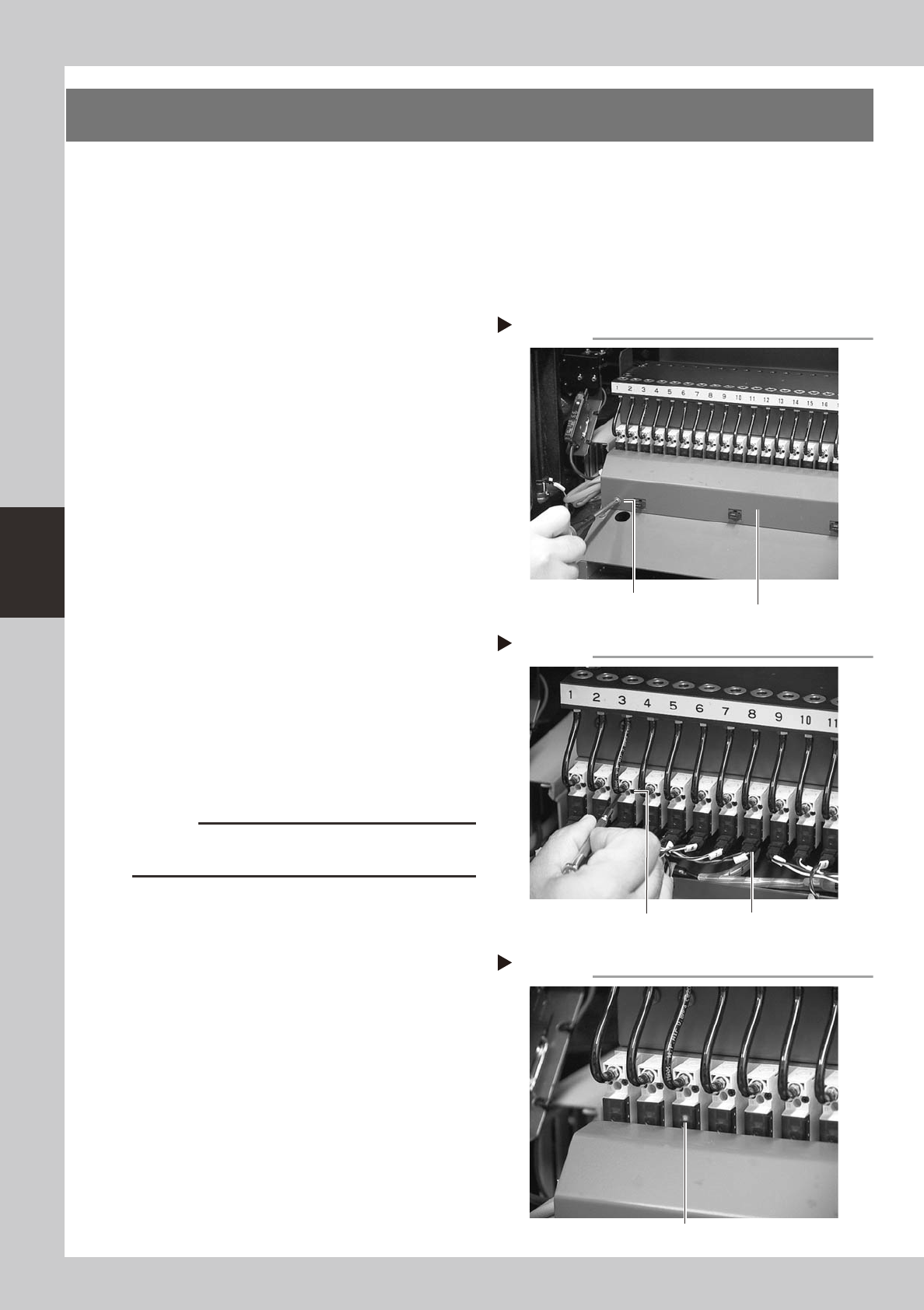
Remove the wire harness cover.
Use a Phillips screwdriver to loosen and
remove the screws that secure the wire
harness cover to the machine body.
53407-F1-00
4
Remove the feeder valve.
1. Detach the connector from the feeder
valve to be replaced.
2. Use a precision screwdriver to loosen the
two screws and remove the feeder valve.
53408-F1-00
5
Remove the air hose.
Remove the air hose for the feeder valve to
be replaced. Cutting the air hose makes it
easier to remove the air hose.
(New air hoses are included in the feeder
valve kit that comes with the machine.)
6
Attach a new feeder valve and the
wire harness cover.
Install the new feeder valve and wire
harness cover in the reverse order of steps 3
and 4.
c
CAUTION
Do not forget to fit the gasket in place. Use caution not
to fit the gasket inside-out or to pinch it.
7
Connect an air hose.
Connect a new air hose to the new feeder
valve.
8
Check the ejector operation.
1. Supply air to the machine and turn on
the machine power switch.
2. Install a feeder at the new feeder valve
position.
3. Open the [Unit]-[Feeder] tab screen and
turn the feeder on and off, to check the
feeder valve and LED operations.
53409-F1-00
Removing the wire harness cover
Step 3
Wire harness cover
Remove the screws
at both ends.
Removing the feeder valve
Step 4
Valve connector
Loosen these
two screws.
Checking the feeder valve operation
Step 8
LED lamp
4-5
4
How to replace consumable parts
5. Replacing the blow station filters
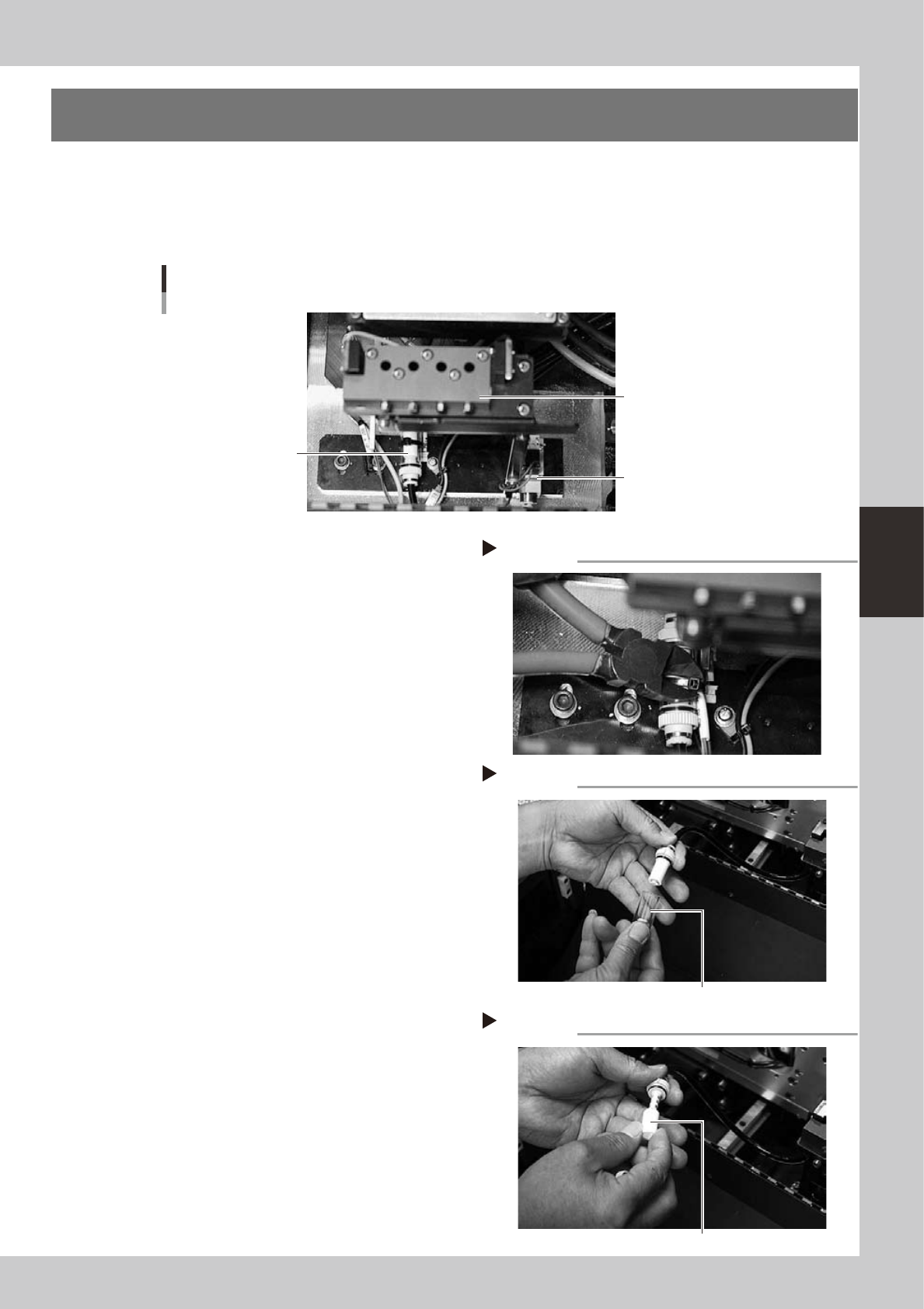
To replace the blow station filters, follow the steps below.
A blow station small filter is located under the blow station for each table.
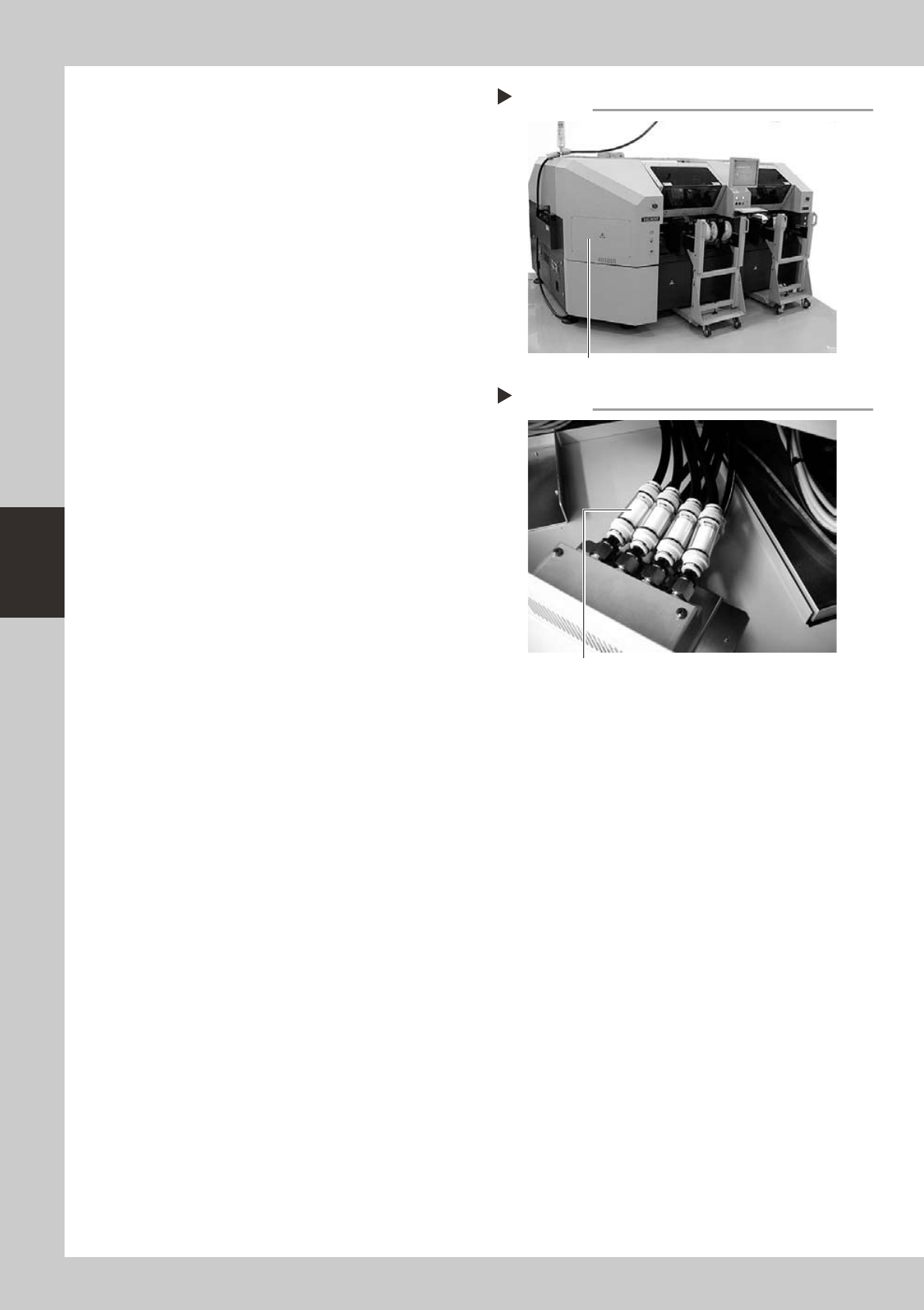
Blow station large filters are installed in 2 locations: inside the front left cover and inside the rear right cover.
n
Blow station filter (small)
Blow station
Blow station
Filter unit
(blow station small filter)
Blow station valve
53413-F1-00
1
Cut off the cable tie.
Cut off the cable tie securing the filter unit.
53414-F1-00
2
Disconnect the air hose.
Disconnect the air hose on the valve side.
3
Remove the filter cover.
Rotate the filter cap through 90° and
remove the filter cover.
53415-F1-00
4
Replace the filter.
Replace the dirty filter with a new one.
53416-F1-00
5
Install the filter.
Install the filter in the reverse order of the
removal procedure.
Cutting off the cable tie
Step 1
Removing the filter cover
Step 3
Filter cover
Replacing the filter
Step 4
Filter
4-6
4
How to replace consumable parts
n
Blow station filter (large)
1
Remove the cover.
Remove the four screws securing the cover
and remove the cover.
53417-F1-00
2
Replace the filter.
Use the same procedure as in steps 2 to 5
described previously in "Blow station filter"
(small).
53418-F1-00
3
Reattach the cover.
Tighten the four screws to secure the cover.
Removing the cover
Step 1
Remove this cover.
Replacing the filters
Step 2
Blow station large filters