CP14 Head Part Exchange - Replacing the DP Drive en.pdf - 第5页
E-by SIPLACE CP14 Return the Nozzles a nd Switch Off the Mac hine Part Exchange 1/3 CAUTION! Refer to safety inst ructions in user manual before working on the machine. ESD guidelines are to be followed Tool: Wear Part: …

E-by SIPLACE CP14 Return the Nozzles and Switch Off the Machine
Part Exchange
1/3
CAUTION! Refer to safety instructions in user manual before working on the machine.
ESD guidelines are to be followed
Tool: Wear Part: Consumables:
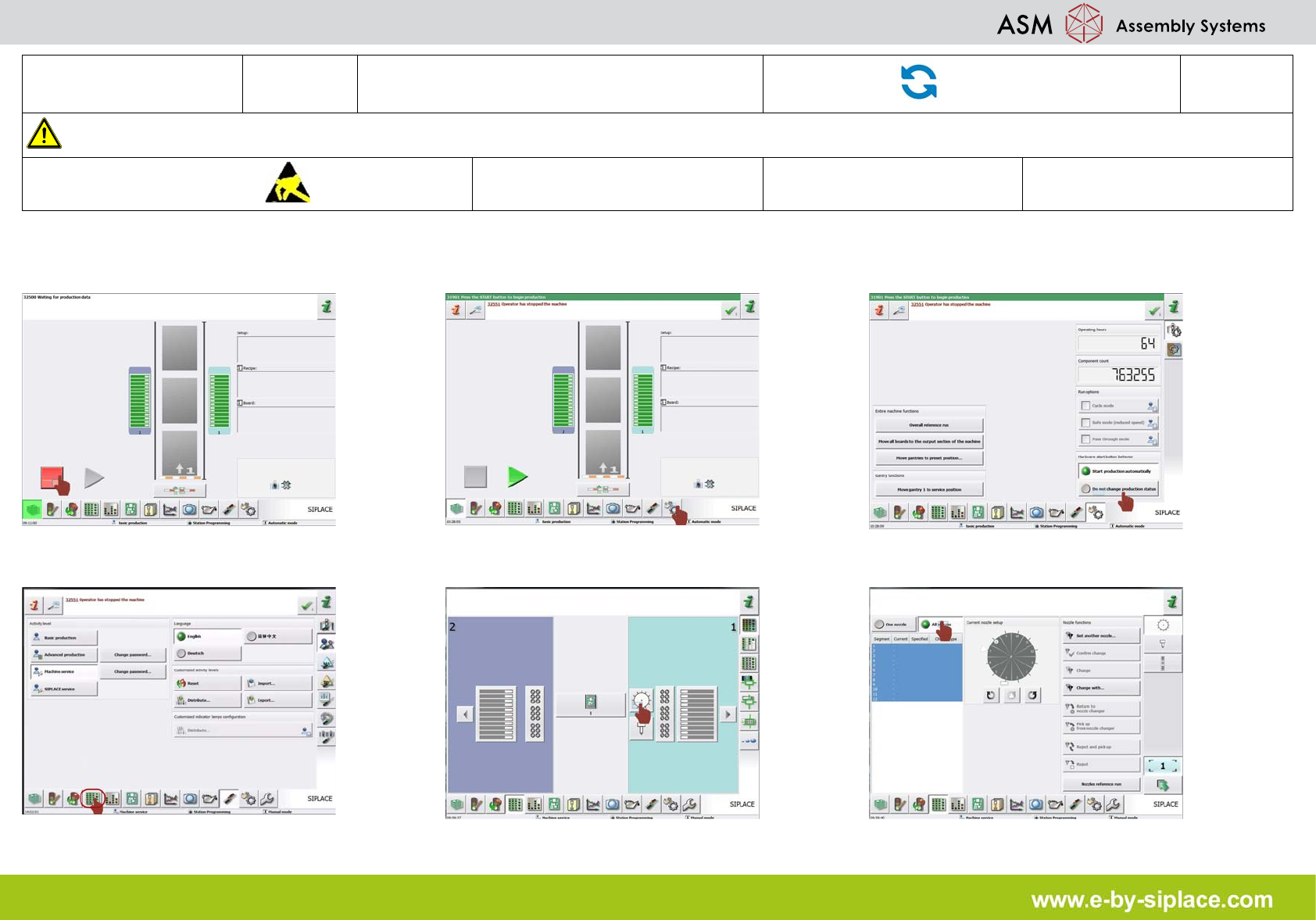
1. Click on "stop production" icon. 2. Click on "check sensors and function" icon. 3. Click on "do not change production status"
icon.
4. Click on "display setup and nozzles" icon. 5. Click on the "CP14 head" icon. 6. Click on "all nozzles" icon.
E-by SIPLACE CP14 Return the Nozzles and Switch Off the Machine
Part Exchange
2/3
CAUTION! Refer to safety instructions in user manual before working on the machine.
ESD guidelines are to be followed
Tool: Wear Part: Consumables:
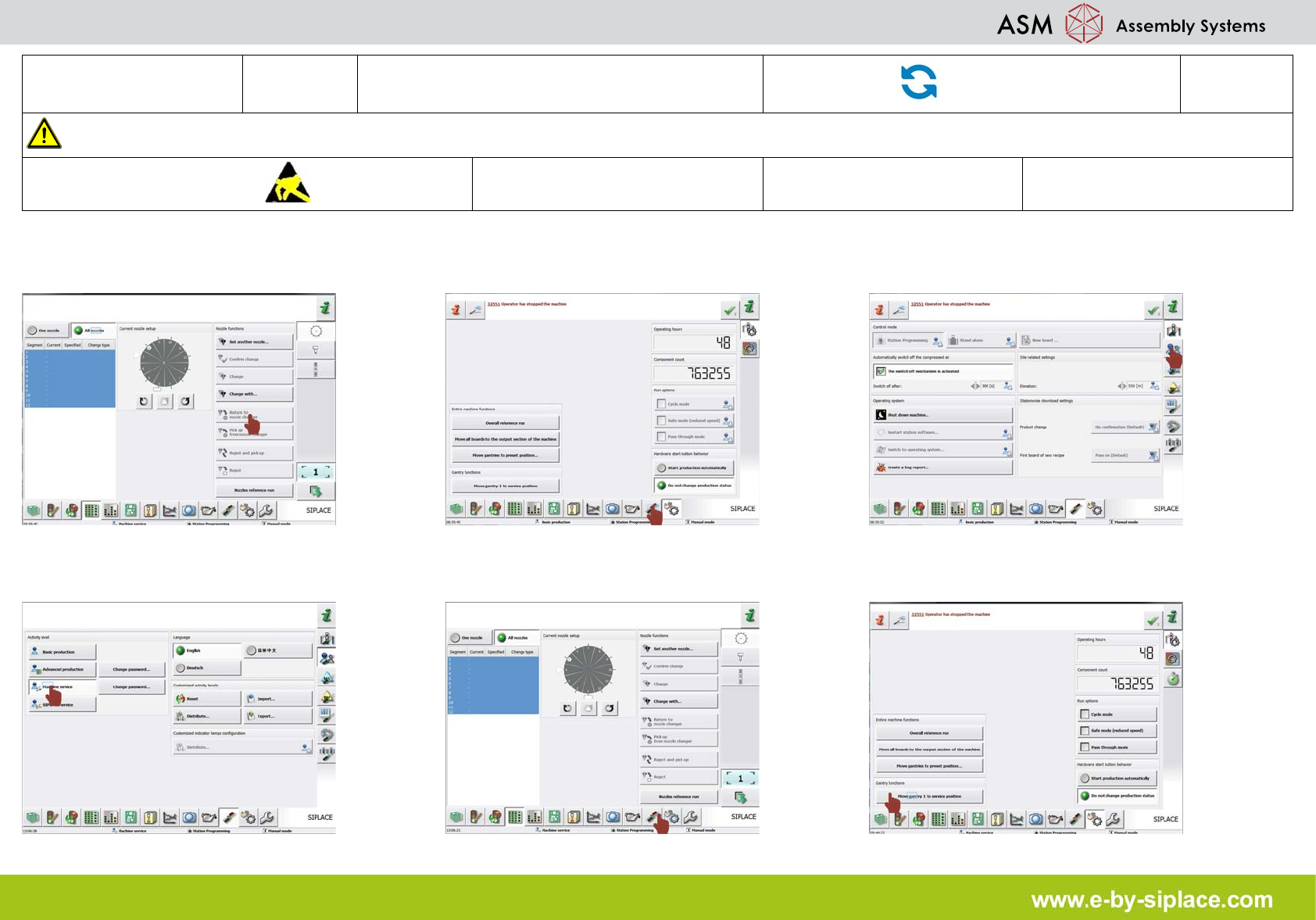
7. Click on "return to nozzle changer" icon. 8. Click on "setting options conveyor interface
and shut down" icon.
9. Click on "check and set user settings" icon.
10. Click on "machine service" icon. 11. Click on "machine sensors and functions"
icon.
12. Click on "move gantry 1 to service posi-
tion" icon.