3OM-1286-007_w.pdf - 第309页
6-76 AJQEDT -ID Fig. 3F63-3 "Nozzle Data" T ab Sheet Fig. 3F63-4 "Nozzle Data" T ab Sheet [Display] Button When selected, this button displays only the nozzle types for which "V isible" is s…
6-75
AJQEDT-ID
0606-005
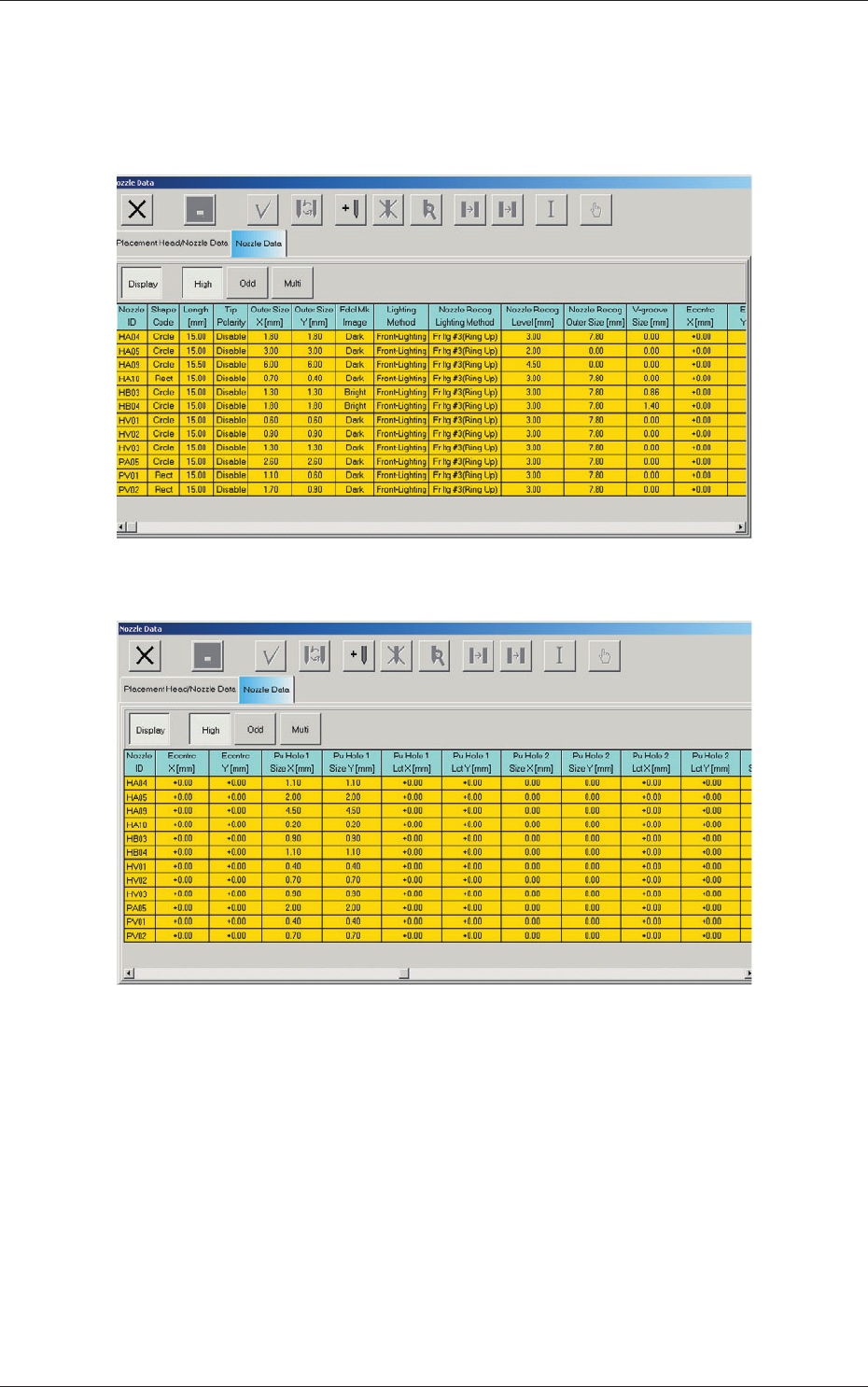
3.2 Nozzle Data
When the "Nozzle Data" tab is pressed in the "Nozzle Data" window, the
following tab sheet appears inside the window.
Fig. 3F63-1 "Nozzle Data" Tab Sheet
Fig. 3F63-2 "Nozzle Data" Tab Sheet
3.2 Nozzle Data
6-76
AJQEDT-ID
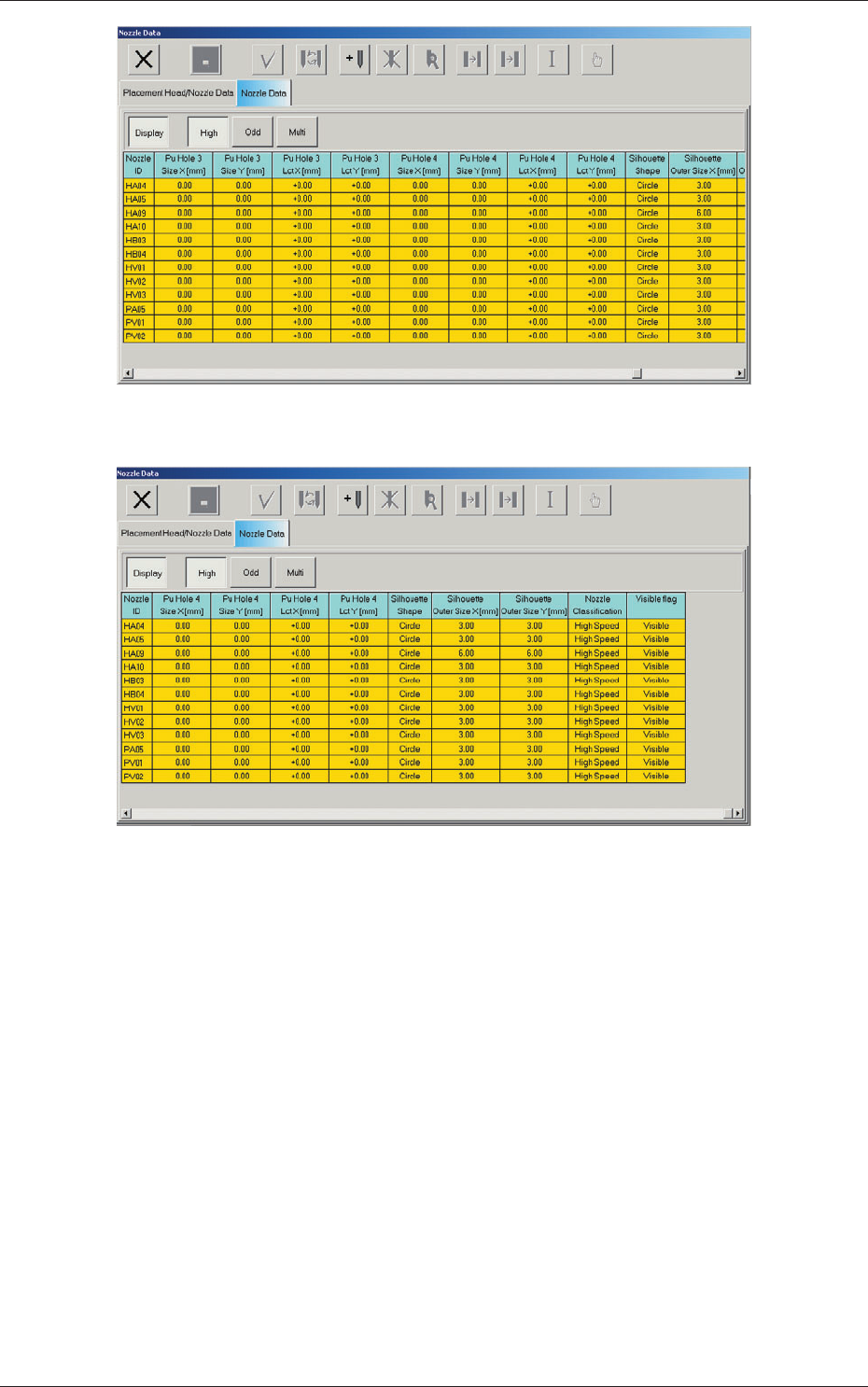
Fig. 3F63-3 "Nozzle Data" Tab Sheet
Fig. 3F63-4 "Nozzle Data" Tab Sheet
[Display] Button
When selected, this button displays only the nozzle types for which
"V
isible" is set in the "Visible flag" text boxes.
When the [Display] button is pressed to cancel the display, a list of
nozzles appears, enabling you to check only the nozzle types for which
"Unvisible" is set in the "Visible flag" text boxes.
[High] Button
When selected, this button displays only the nozzles for high-speed
components.
[Odd] Button
When selected, this button displays only the nozzles for middle-size
odd-shaped components.
0606-005
3.2 Nozzle Data
6-77
AJQEDT-ID
[Multi] Button
When selected, this button displays only the multifunctional nozzles.
Note
By pressing each title button in the nozzle data, the listed nozzles can be
re-arranged in the ascending or descending order (nozzle IDs, lengths,
etc.).
Nozzle ID
Shown are the nozzle IDs (names).
Shape Code
Set a nozzle shape in each text box. "Circle" or "Rect" can be selected.
Note
In the case of a rectangular nozzle, the pre-rotational pick-up control
(control based on the parameter set in the "Pickup angle [deg]" text box in
the "Component Library" edit window) may be required depending on the
packaged posture of a component.
Reference
Refer to the instruction manual of the component library for details.
Length [mm]
Set the nozzle length in this text box.
Tip Polarity
Set the polarity of the nozzle tip (shape).
Enable
:
Special Nozzle with Polarity (Asymmetrical)
Disable :
Round Nozzle or the like without Polarity
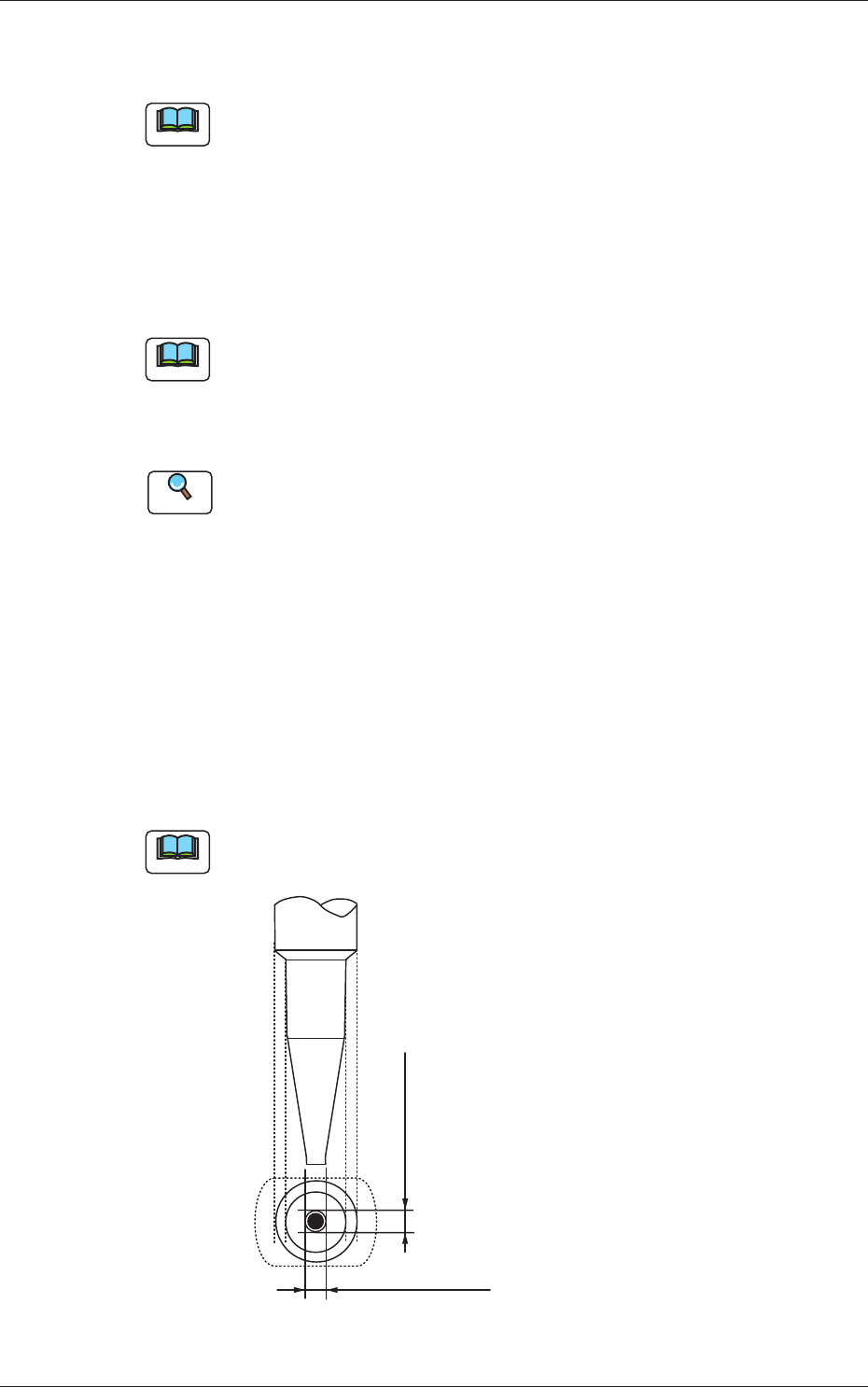
Outline X (Horizontal) and Y (Vertical) [mm]
Set the outer dimensions of the nozzle tip section.
Note
In the case of "Circle", set the same dimensions for "X" and "Y".
In the case of "Rect", set Dimensions X and Y.
Outside Dimension X
Set the dimensions of the nozzle end.
Outside Dimension Y
Fig. 3F66
0606-005
3.2 Nozzle Data