Cleaning SIPLACE Vision camera systems.pdf - 第2页
ASMP T GmbH & Co KG Rupert - Mayer - St raße 48 81379 Munich, Germany Subject to c hange without notice TI2024 - 03E09.doc 09.04.2025 Page 2 - 18 ENABLING THE DIGIT AL WORLD 3. Tes t the ca mer a for soi ling 3.1 Pri…
ASMPT GmbH & Co KG
Rupert-Mayer-Straße 48
81379 Munich, Germany
Subject to change without notice
TI2024-03E09.doc
09.04.2025
Page 1 - 18
ENABLING THE DIGITAL WORLD
Title of Info Cleaning SIPLACE Vision camera systems
Document No.: TI2024-03E09 Created on: 05/03/2024
Referring to: Update! Replaces the TI2014-10E09 Contact: Technical Hotline ASMPT
Author: Berger, Andreas Phone: -
Department: ASMPT SMT CRM CS SM O E Email: -
Machine type / category: X-Series | SIPLACE CA | D-Series | SX-Series | E by SIPLACE | DX-Series | X-Series S | TX-Series |
TXV2 Series
Short description: Description of the ways to clean SIPLACE Vision camera systems
Service strategy: None
Setup strategy: None
1. Error / problem
• Errors arise during nozzle scanning, even though the nozzle has already been checked to ensure
that it is clean.
• It is advisable to perform cleaning during camera verification (FCCS) as it is otherwise difficult to
achieve the necessary illumination.
• Increased component rejection rate, particularly with low-contrast components.
2. Cause
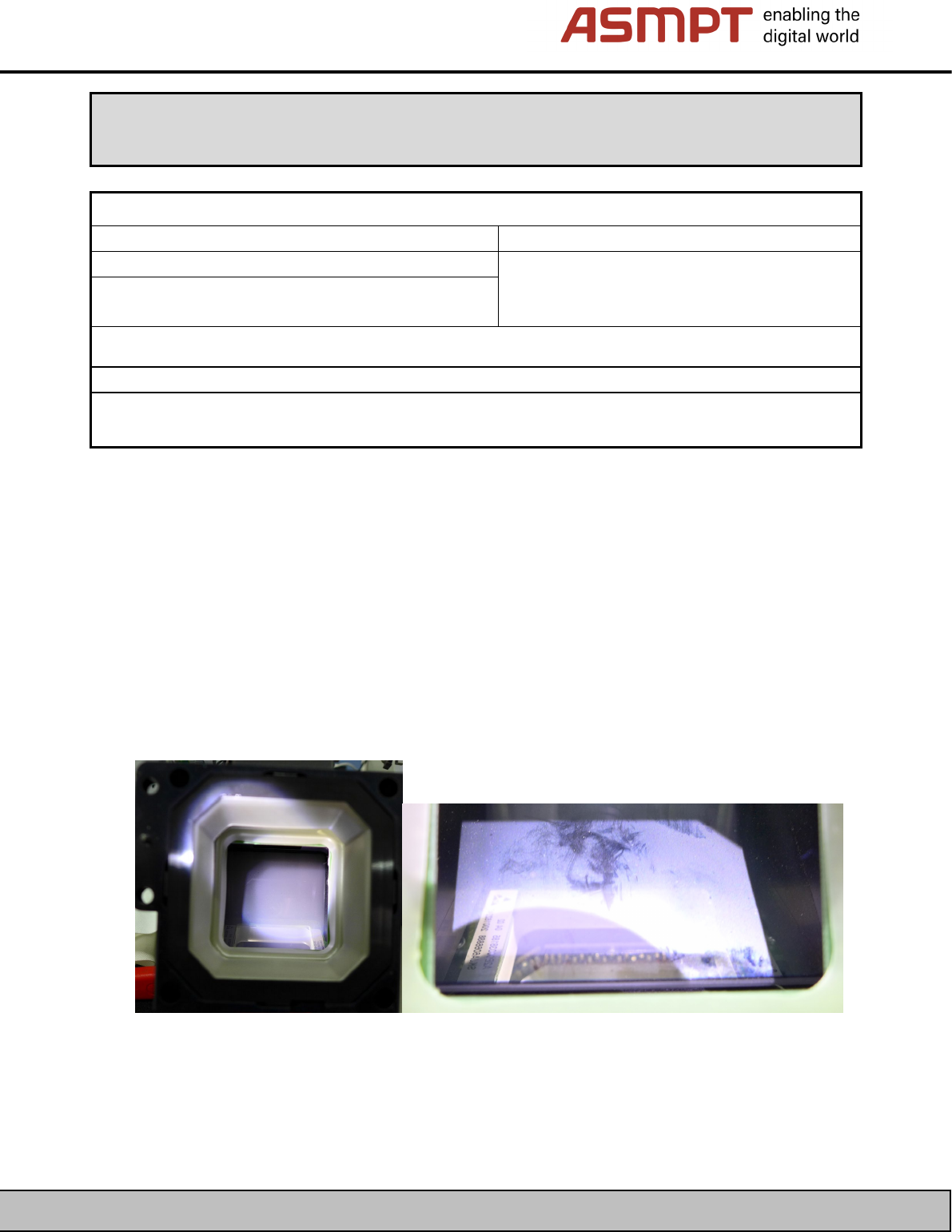
If one or more of the errors listed above occur, this can be caused by a dirty camera.
Figure 1: Examples of soiled cameras
Technical Information
ASMPT GmbH & Co KG
Rupert-Mayer-Straße 48
81379 Munich, Germany
Subject to change without notice
TI2024-03E09.doc
09.04.2025
Page 2 - 18
ENABLING THE DIGITAL WORLD
3. Test the camera for soiling
3.1 Prior to station software 712.1
You can use the nozzle scan function to determine how dirty a component camera is.
An individual nozzle scan can be performed using an xx04 ceramic nozzle, for example.
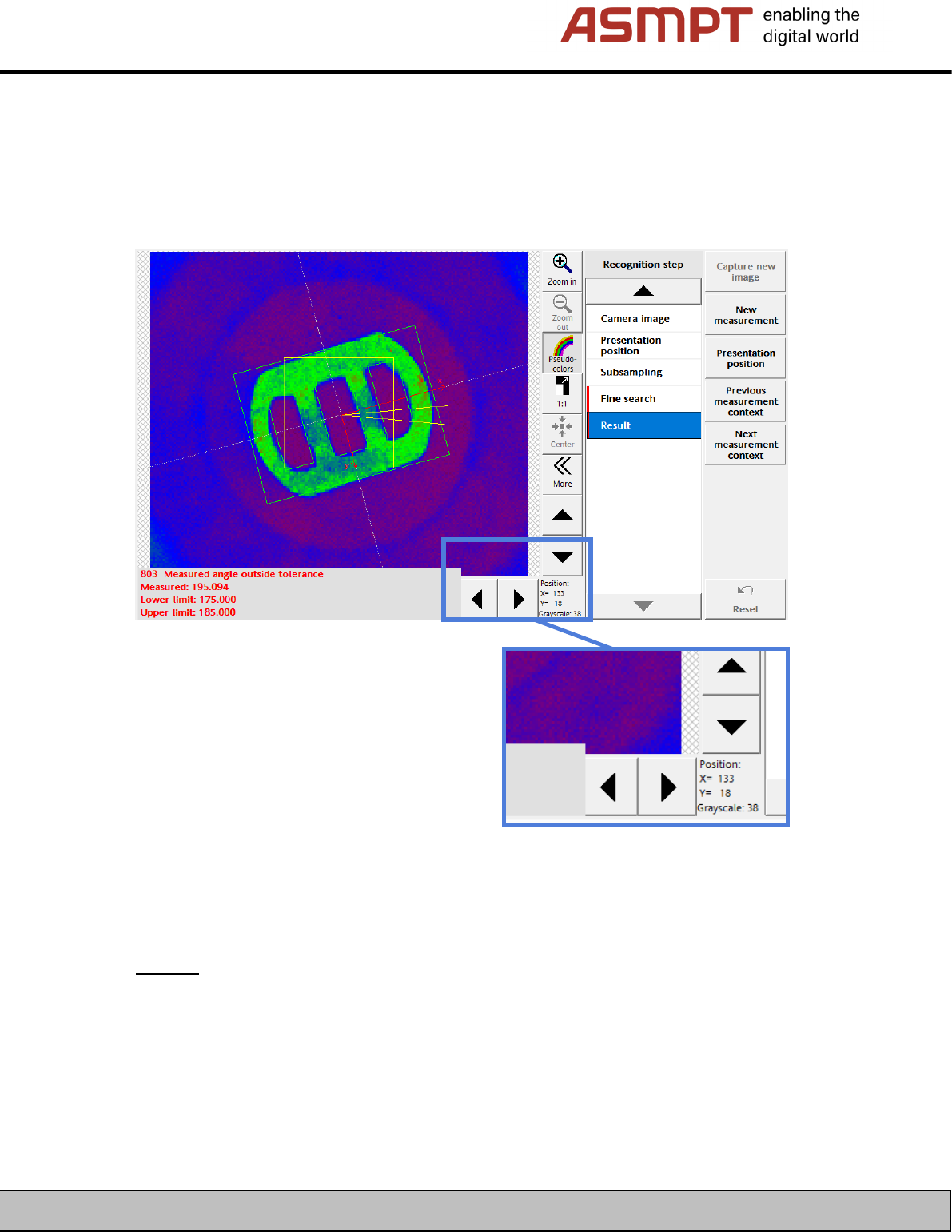
Figure 2: Nozzle scan, example of a clean camera!
Check the grayscale value of the background in the results of the
nozzle scan as in the example above.
Limits:
Background brightness (grayscale value) < 60Gv => No cleaning required (Figure 2)
Background brightness (
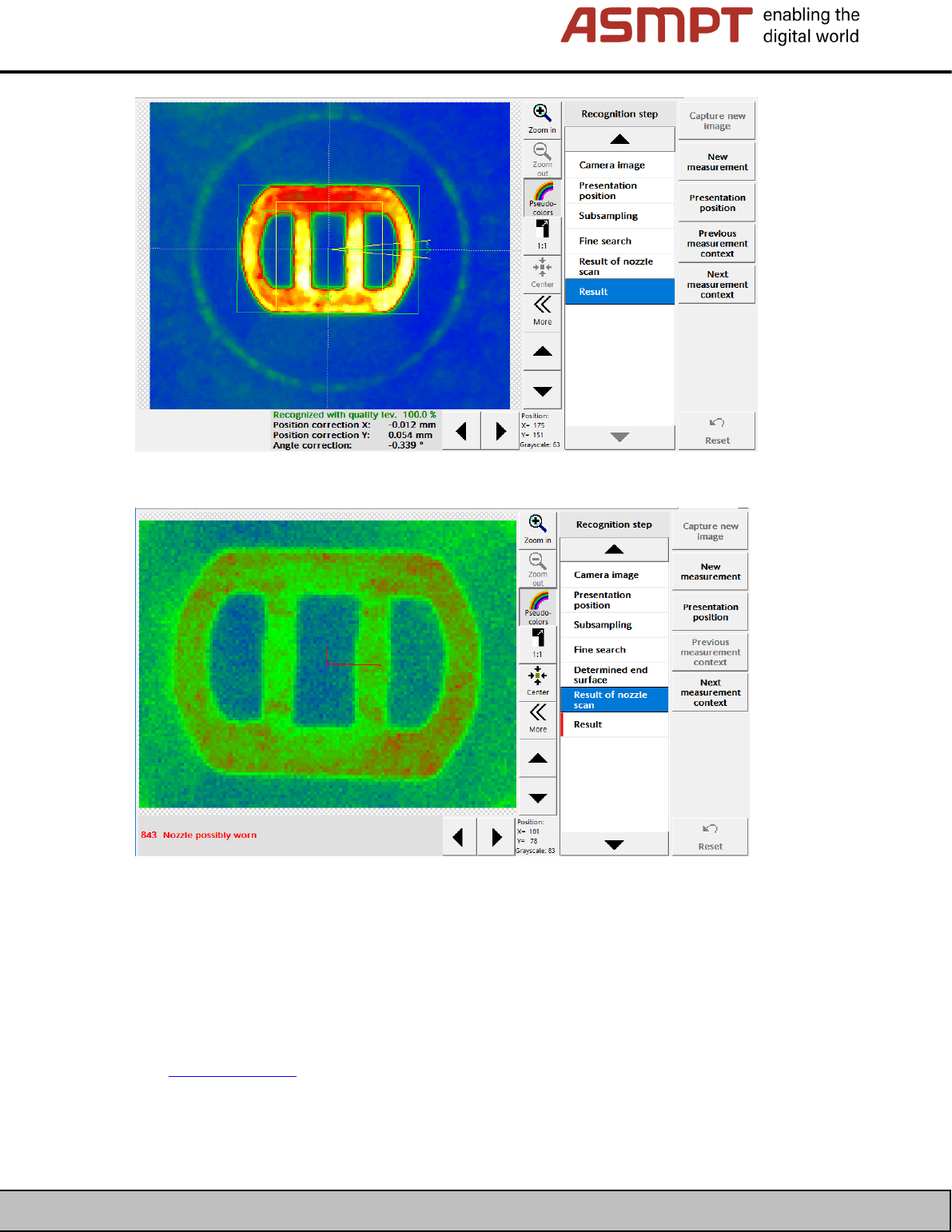
grayscale value) > 60Gv => Cleaning recommended, before FCCS (Figure 3).
Background brightness (
grayscale value) > 100Gv => Cleaning required. Background is light green in
the pseudocolor display (Figure 4)
ASMPT GmbH & Co KG
Rupert-Mayer-Straße 48
81379 Munich, Germany
Subject to change without notice
TI2024-03E09.doc
09.04.2025
Page 3 - 18
ENABLING THE DIGITAL WORLD
Figure 3: Nozzle scan, example of a slightly soiled camera!
Figure 4: Nozzle scan, example of a heavily soiled camera!
3.2 As of station software 712.1
The new function “Check for camera soiling” has been introduced in Version 712.1 of the station
software. This requires additional measurement tools.
See TI2019-02E06.pdf