CP-643E-08.pdf - 第3页
U s i n g t h e P a r t s L i s t 2 / 2 基本的な使用方法 B a s i c o p e r a t i o n BACK T OP パーツリスト使用方法 2 / 2 T OP 2 . P l a c i n g h e a d , d r u m ( W P H ) 1 . N o z z l e s ( W P H ) クリック C l i c k ⑪ クリックして 目的のページヘ C l i…
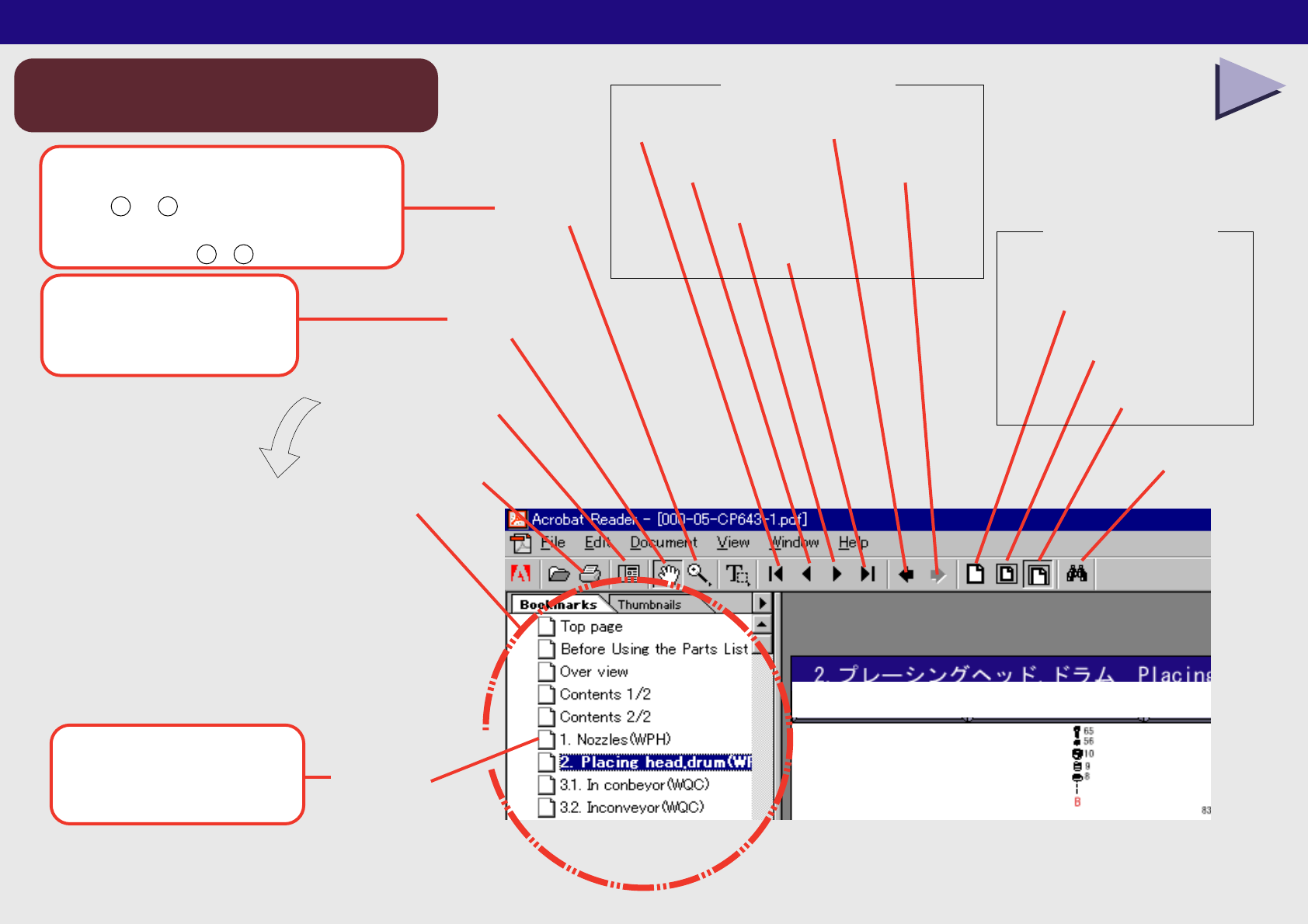
最終ページ
次ページ
前ページ
先頭ページ
手のひらツール
拡大ツール
Last Page
前の画面
Go to Previous View
次の画面
Go to Next View
検索
Find
Next Page
Previous Page
First Page
Zoom in Tool
印刷
Print
Hand Tool
パレットの表示/非表示
しおり
Bookmarks
Show/Hide Navigation Pane
パレット
Navigation Pane
幅に合わせる
Fit Width
全体表示
Fit in Window
実際の大きさ
Actual Size
ウインドウ操作
ページ操作
Using the Parts List 1/2
パーツリスト使用方法 1/2
A:
Using the Parts List
B:
Acrobat Reader Operation
C:
Used to enlarge or reduce the view. Hold down [Shift] and [Z], and press ei
ther [+] or [-] to change.
D:
Used to click the links and scroll the document.
E:
Click to display the contents of each link.
F:
Page navigation tools
G:
H:
Basic operation
I:
Click to display the machine overview.
J:
Click to display the component unit
K:
Click
L:
Select the required area.
M:
Check the part number.
N:
Select one.
O:
Click
P:
The page list displays.
Q:
Click to jump to the required page.
R:
The part information displays.
以上で、宜しくお願いします。
アクロバットの使い方
Acrobat Reader Operation
Page navigation tools
Window tools
ボタンをクリックする時と
画面を移動する時に使います。
クリックすると各ユニット図へ
ジャンプします。
画面を拡大縮小する時に使います。
[Shift] + [Z] で + と − が切り替わります。
Used to enlarge or reduce the view.
Hold down [Shift] and [Z], and press
either + or - to change.
Used to click the links
and scroll the document.
Click to display
the contents of each link.
NEXT
Using the Parts List 2/2
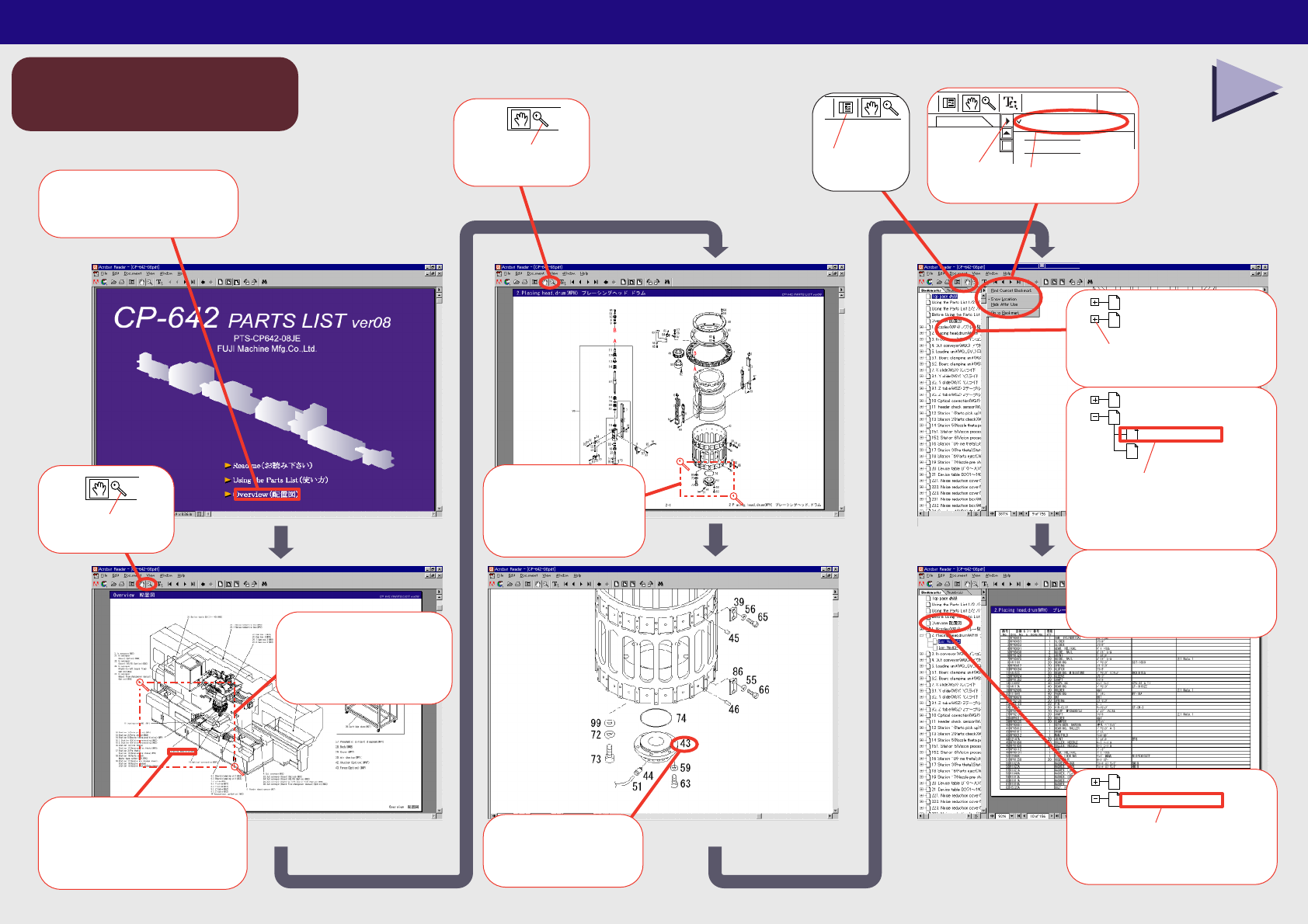
基本的な使用方法
Basic operation
BACK TOP
パーツリスト使用方法 2/2
TOP
2.Placing head,drum(WPH)
1. Nozzles(WPH)
クリック
Click
⑪
クリックして
目的のページヘ
Click to jump to
the required page.
2.Placing head,drum(WPH)
1. Nozzles(WPH)
List No.1-56
List No.57-98
⑫
クリック
Click
⑤
目的の部品附近を
ドラッグ
Select the
required area.
⑥
クリックして
ユニット図へ
Click to display
the component unit
④
目的のユニット附近を
ドラッグ
Select the
required area
③
クリック
Click
②
クリックして配置図へ
Click to jump to
the Overview
①
Find Current Bookmark
Click
⑩
Bookmarks
クリック
Click
⑨
クリック
部品の情報が表示されます。
The part
information
displays.
⑬
部品の情報が表示されます。
◆The part information displays.
クリックして配置図ヘ
Click to jump to
the Overview.
Overview 配置図
Before Using the Parts List
⑭
Find Current Bookmark
クリック
Click
⑧
部品番号を確認
Check the
part number.
⑦
Before Using The Parts List
1. Specify a part number, code number, quantity, part name and rating when ordering parts.
2. This parts manual is subject to change without notice.
3. There are cases where there are no numbers in the left hand column of the parts list. This is not because they
were omittedor the list is incomplete but because the parts to which the numbers applied were eliminated due
to a design change. In such cases the parts have also been removed from the figures.
4. Only the part types are described for nuts, bolts and washers. The quantity column is left blank.
5. A redesigned part (the last digit of the part number is incremented) is compatible with a part before the
redesign. However,the original part is not always compatible with the revised part,e.i.,ABC1231 is compatible
with ABC1230,but ABC1230 is not always compatible with ABC1231.
6. The characters in the “Materials” field of the list are abbreviations for the following materials.
FE: Iron CO: Copper OT: Other
AL: Aluminum PL: Plastic
7. Standard torque levels should be applied when tightening bolts during maintenance. For those areas requiring
non-standard levels of torque or adhesive, the torque levels and glue maker and name are detailed on those
pages indicated with a spanner mark in the bottom left hand corner.
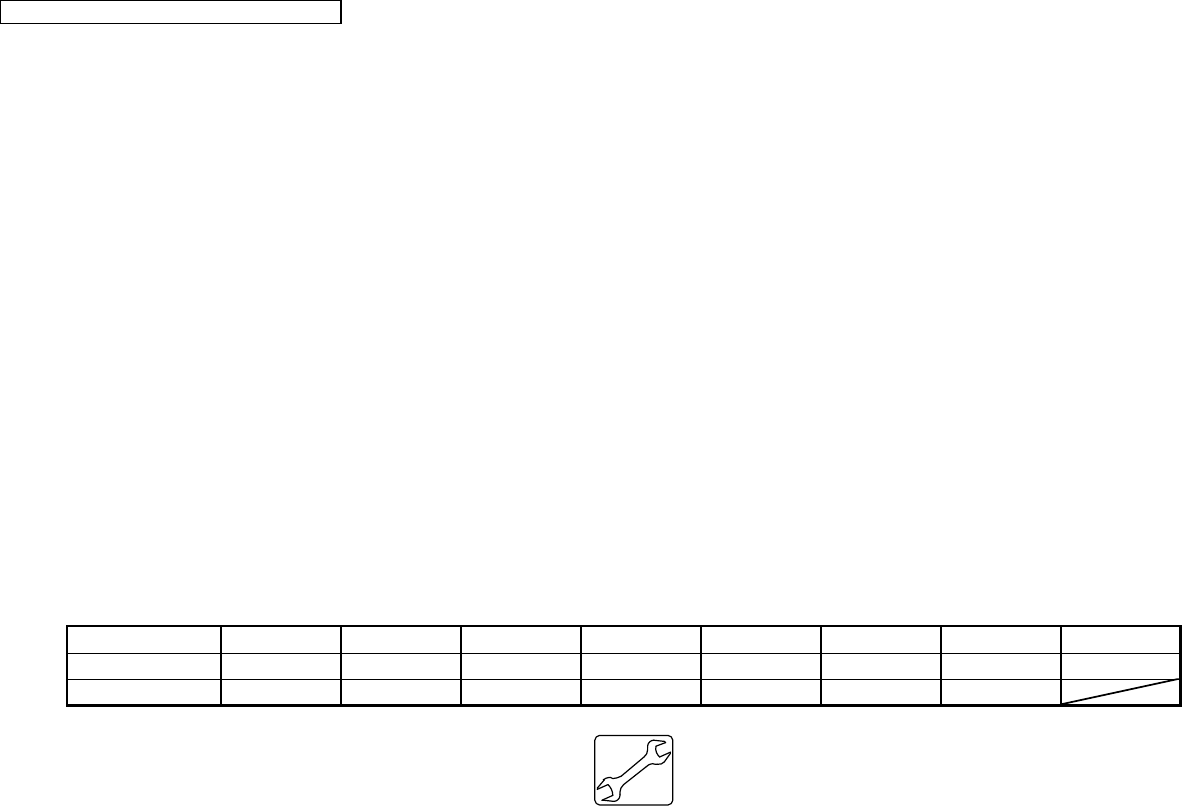
(N・m)
Standard Torque Chart
M3 M4 M5 M6 M8 M10 M12 M16
FE 1.96 3.92 7.84 12.74 32.34 64.68 117.6 264.6
AL
1.47 3.23 5.88 9.31 18.62 37.24 42.14
・ 1Kgf・㎝≒0.098N・m
・ 1Kgf・㎝≒9.8N・㎝
・ 1N・m≒10.2Kgf・㎝
SPANNER MARK
Blueprints created : APR 2002
08JE released : JUL 2002