work instructions for can over lan installations.pdf - 第9页
5. Connect the 03119166-0102 Cable, LAN to PC f. CAN over LAN from Box PC 03102044-0102 (Control Computer Assembly (E-Series)) LAN 2 to 03108598- 0102 CAN Interface CINX Module. 03119097-0201 Cable, power f. CAN over LAN…
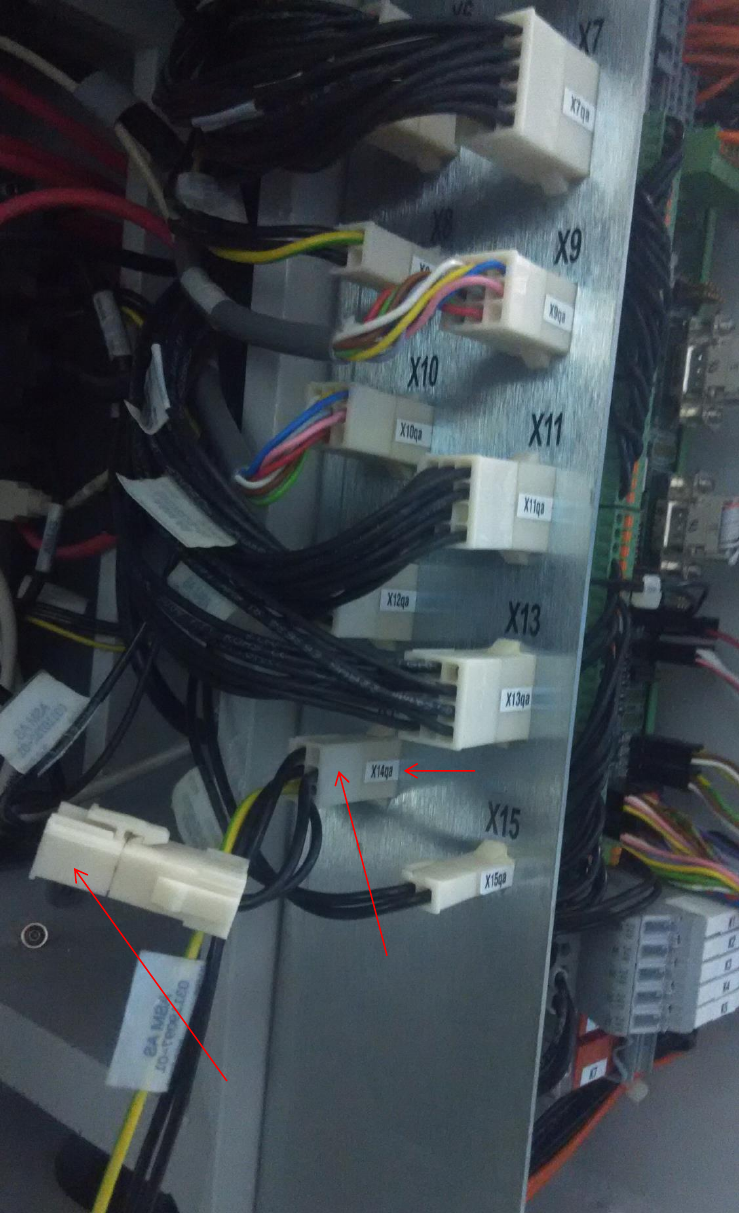
4. Adaptor cable 03119097-0201 (Cable, power f. CAN over LAN) must be installed from
03108598-0102 CAN Interface CINX Module and 03101221-01 IO Distributor Brd in
connector X14qa. Cable harness 03110732-01 is connected to the adaptor cable in
connector –X14qax.
03101221-01
IO Distributor Board
X14qa connector
03119097-0201
Cable, power f. CAN over LAN
03110732-01
Cable, vacuum pump (two loop)
X14qaX connector
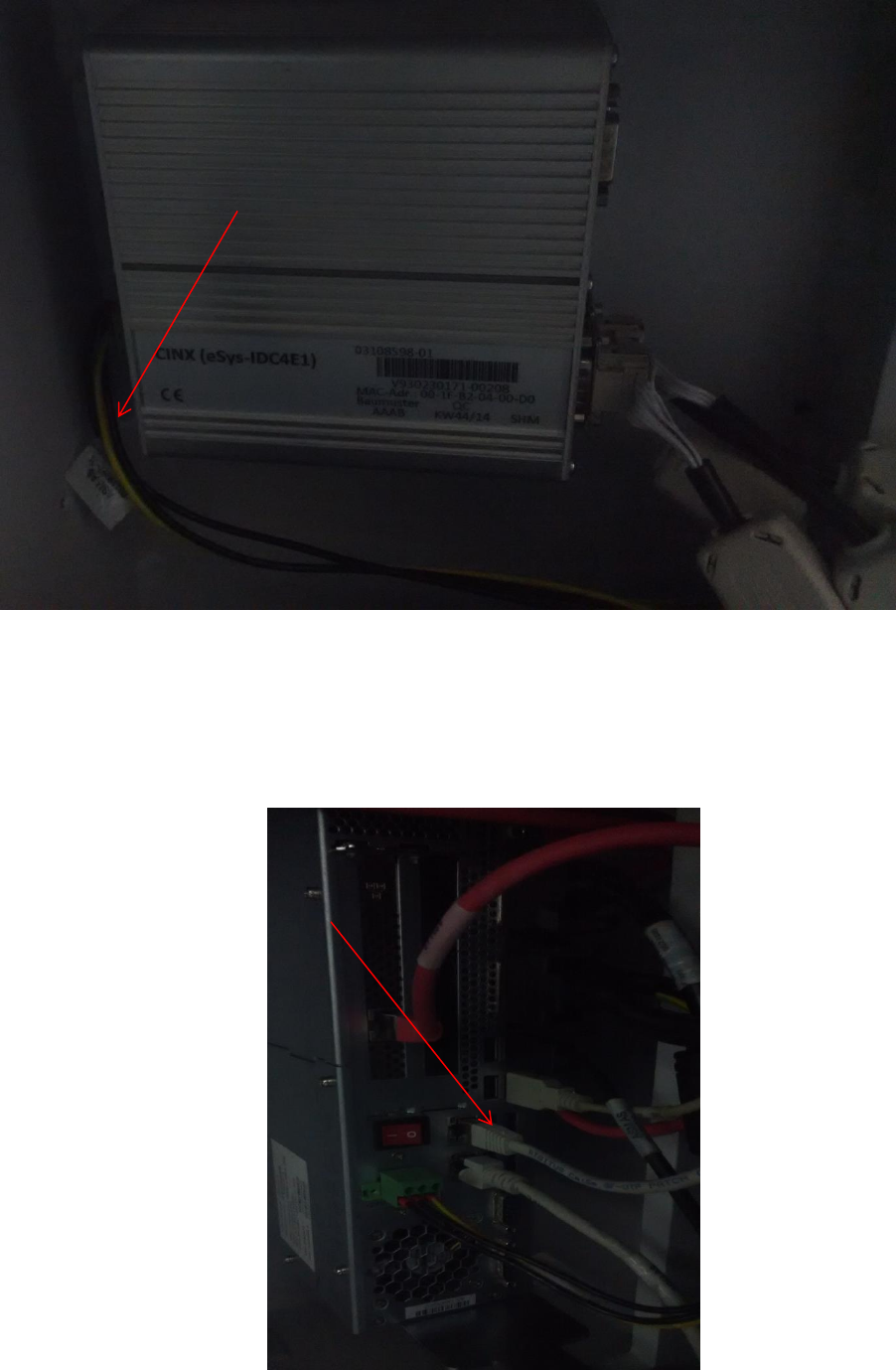
5. Connect the 03119166-0102 Cable, LAN to PC f. CAN over LAN from Box PC 03102044-0102
(Control Computer Assembly (E-Series)) LAN 2 to 03108598-0102 CAN Interface CINX
Module.
03119097-0201
Cable, power f. CAN over LAN
In Can Interface CINX Module
03119097-0201
Cable, power f. CAN over LAN
In Box PC side
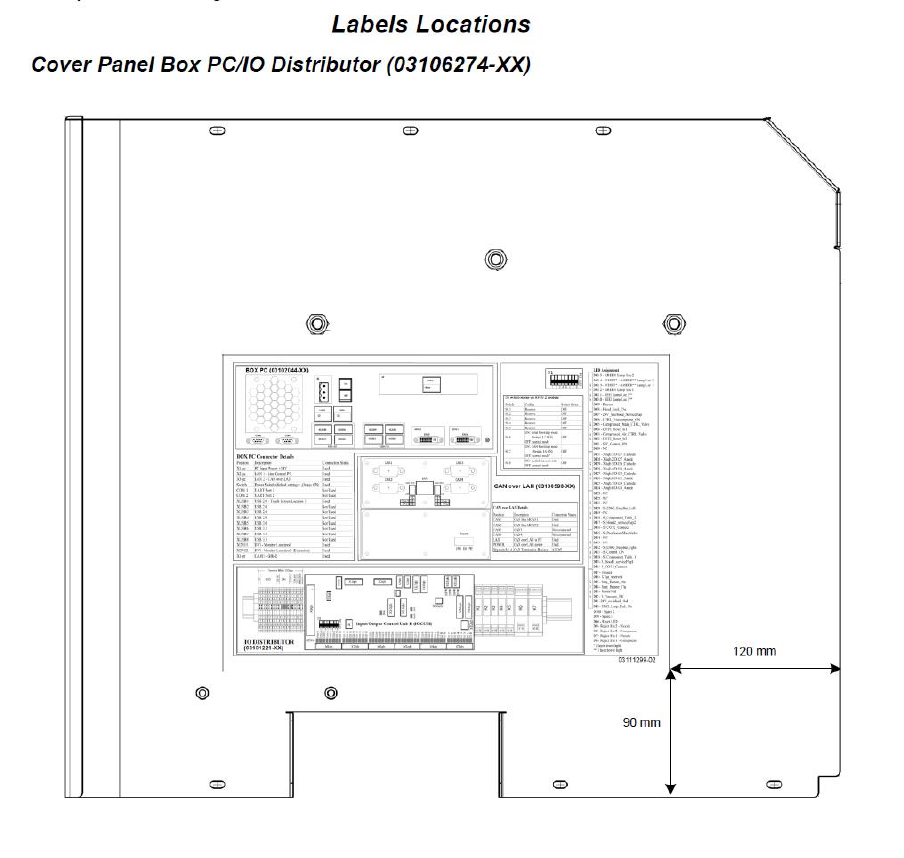
6. Replace the machine label 03111299-01 (FS01) Machine label- box PC and CAN I/O module
to 03111299-02 (FS02) Machine label-BoxPC, IOCU2 n CAN over AN in Cover Panel Box PC/IO
Distributor (03106274-XX).
7. You may refer to 90011772-0104 Document, service, E-series EPLAN wiring diagram for the
Can over LAN.