00197197-02-IM SetupCenter 5.1.pdf - 第51页
Installation Setup Center Software Installation Installation Manual SIPLACE Setup Center 5.1 51 Step 5 ► The Choose Destination Location dialog box prompts you to enter the name of the folder in whic h SIPLACE Setup Cent…
Installation
Software Installation Setup Center
50 Installation Manual SIPLACE Setup Center 5.1
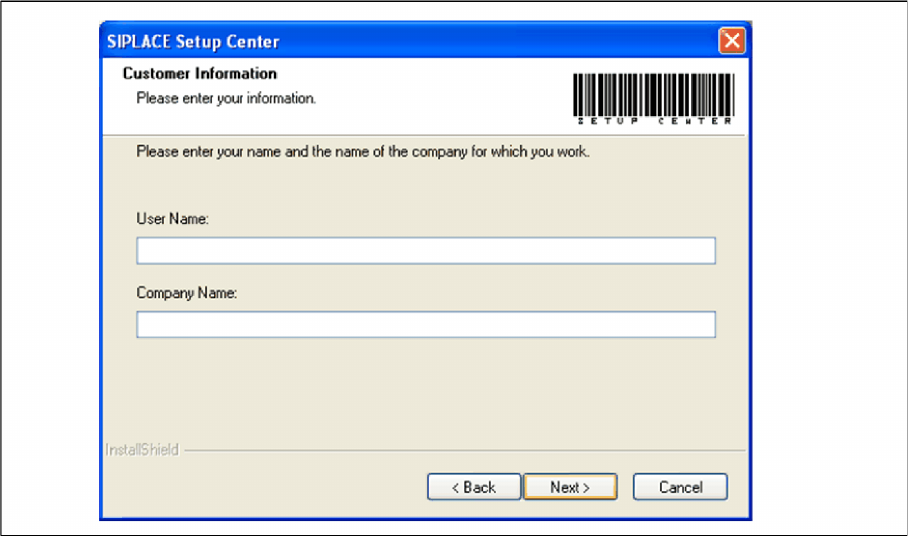
Step 4
► Enter your User Name and Company Name in the Customer Information dialog box. Both boxes
must be filled in before the installation process can be continued.
"Customer Information" dialog box
► Click Next.
Installation
Setup Center Software Installation
Installation Manual SIPLACE Setup Center 5.1 51
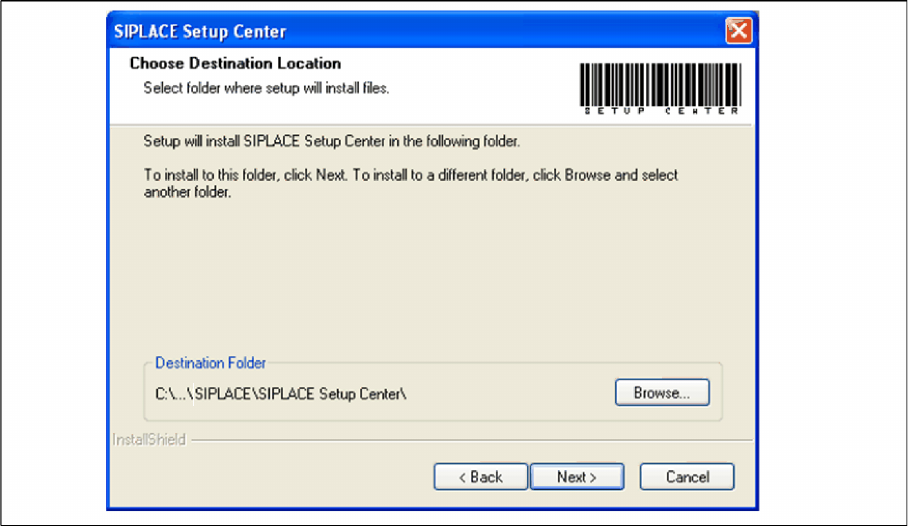
Step 5
► The Choose Destination Location dialog box prompts you to enter the name of the folder in which
SIPLACE Setup Center should be installed. The system suggests a default destination folder for you.
► However, you can click the Browse button to open a dialog box in which you can enter or select the
path you want to use. If the folder you specify does not exist, it is created after having accepted a
confirmation dialog.
"Choose Destination Location" dialog box
► Click Next.
Installation
Software Installation Setup Center
52 Installation Manual SIPLACE Setup Center 5.1
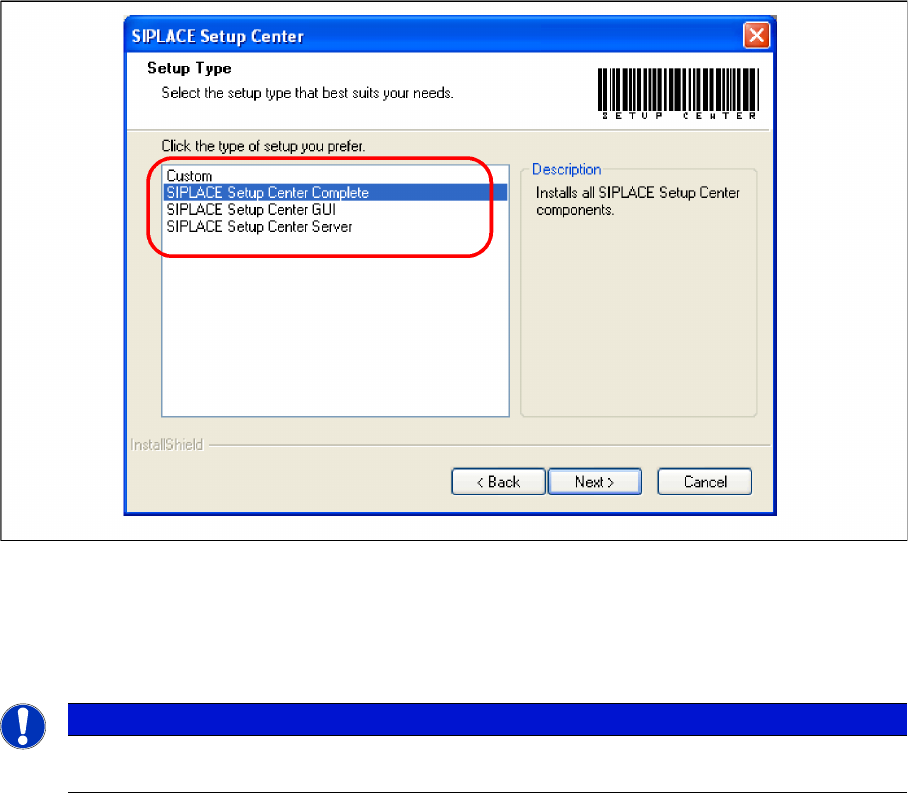
Step 6
► The Setup Type dialog box displays the SIPLACE Setup Center components you could choose for
installation.
"Setup Type" dialog box
► Select the setup type you want to install in the Setup Type dialog box.
► Click Next.
► If you select a type, a short description of the setup type in question appears in the Description box.
4.3.1.2 Individual Setup Types and Next Steps
Setup Type – SIPLACE Setup Center Complete
This setup type contains all SIPLACE Setup Center components for operating the system on a single
computer. It is used to install a Setup Center stand alone system.
The Setup detects weather SQL Server has already been installed.
Select this type to install all SIPLACE Setup Center system components (GUI, Database) on one com
-
pute. However, it is possible to integrate further clients on other computers.
NOTICE
After choosing a setup type which includes a database installation, the setup program immedi
-
ately checks if SQL server is installed on the computer.