ASM_SIPLACE_SetupCenter_DB_EN_V6.pdf - 第2页
This brochure contains only ge neral descriptions and/ or fea tures which ma y not appl y to a specific pro duct or may change as a result of new produc t developments . Specific features are only binding if they were ex…
RELIABLE SETUP VERIFICATION
SIPLACE Setup Center is a
software tool for reliable setup
verification.
With SIPLACE Setup Center, users
can make sure that all
components have been set up
correctly. It also opens the door to
track-and-trace capabilities. Setup
errors and material bottlenecks
can be recognized at an early
stage in the production process.
This prevents line stops and
saves time and money.
SIPLACE Software
SIPLACE Setup Center
but the SIPLACE Setup Center makes it easy to
recognize errors of this type. SIPLACE Setup
Center is a setup verification system that can be
seamlessly integrated into SIPLACE Pro, the
industry's leading programming and line control
system.
In SMT production, many factors affect the quality
and productivity of the placement process, An error-
free setup is one of them. Even when components
have similar package shapes, their electrical
characteristics may differ significantly. The vision
system may not be able to tell them apart,
This brochure contains only general descriptions and/or features which may not apply to a specific product or may change as a result of new product developments.
Specific features are only binding if they were expressly specified in the respective contract.
A10011-ASM-G47 Edition 6-07/2016
ASM Assembly Systems GmbH & Co. KG
Rupert-Mayer-Str. 44
81379 Munich, Germany
Tel: +49 89 20800-27819
Fax: +49 89 20800-36692
smt-solutions.de@asmpt.com
www.asm-smt.com
SIPLACE Setup Center
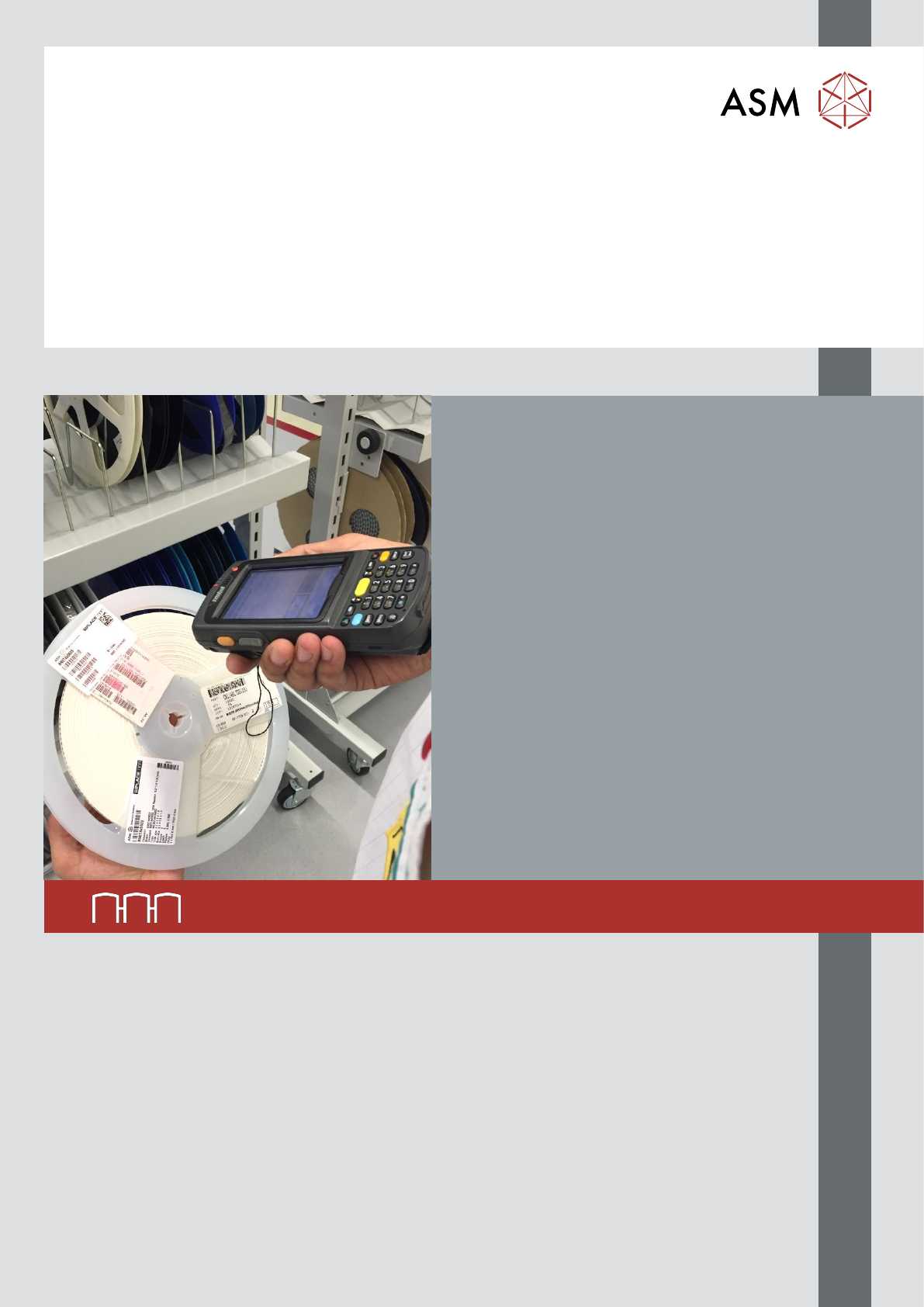
Using the SIPLACE Setup Center manual scanner,
the operator reads each reel's barcode and uses it
along with the feeder’s ID and the placement data
in SIPLACE Pro to verify that the setup is correct.
Since this prevents the installation of wrong
components, you avoid a reduction in productivity,
an increase in scrap and repair costs, and – in a
worst-case scenario – expensive product recalls.
Via the graphical interface the operator can check
the current setup and its verification status.
SIPLACE Setup Center makes setups faster and
more reliable. The wireless barcode scanner is
easy to operate and can be pointed anywhere.
In addition, SIPLACE Setup Center makes it
possible to monitor the fill levels of your feeders.
Since the station software issues an alert when a
feeder is about to run empty, line stops caused by
missing components are minimized.
In addition to verifying the setup, SIPLACE Setup
Center can also record and document relevant
material data such as the source of the
components. Even the fill levels of component reels
can be recorded and entered into a central
database for further use in the production process.
And in connection with unique package IDs, the
system can ensure track-and-trace capabilities
down to the individual packaging unit (such as
reels).
The scanner is capable of reading a wide range of
barcode formats, and new formats can be easily
added.
Your benefits:
Flexible barcode configuration for a wide range
of label formats on the packaging unit
Wireless scanners for quick and easy barcode
reading SIPLACE Setup Center supports the
simultaneous use of multiple scanners
Fill level indicators indicate low feeders early and
issue warnings, thus maximizing the availability
of the entire line
The SIPLACE Setup Center database stores
component locations and quantities as well as
their unique package IDs
TECHNICAL DATA
SIPLACE Setup Center comprises
the following components and
subsystems
• Setup Center GUI (client)
• Setup Center database (server)
• Datalogic 1D/2D wireless scanner or
Zebra PDA WLAN scanner
• Multiple Setup Center GUIs (for example, one per line or one for each setup
preparation area) can be linked to a single central Setup Center database. Depending
on your needs, multiple wireless scanners can be connected to the system
Barcode types supported 1D codes: all standard linear codes and linear GS1 DataBar
TM
codes
2D codes: Aztec, Data Matrix, MaxiCode, QR, PFD