001_Explanation of [SPEC DISKE].PDF.pdf - 第2页
001 = Explanation of [SPEC DISK (Ver. 1.05)] Service Information 3. CAUTION 2 3.1. [Spec.Disk] is necessary for the machine whose software version is after v.1.01. 3. 3.2. When the [Spec.Disk] is installed, it does not c…
001 = Explanation of [SPEC DISK (Ver. 1.05)]
Service Information
MACHINE TYPE: YV100,YVL88,YV100D NUMBER: 001
CLASSIFICATION: General DATE: November 6, 1996
SUBJECT: Explanation of [SPEC DISK (Ver. 1.05)]
2. Version up of [VIOS S/W Utility]
1. Release of the [SPEC DISK]
1
We have changed Y-axis ball-screw of YV100, YVL88 and YV100D since
June of 1996. Machines which we sent before that time need to be
installed the [SPEC DISK] when version up.
We also changed [VIOS S/W Utility] for the installation of [SPEC DISK].
When you install the [SPEC DISK], you need version up of
[VIOS S/W Utility] in advance.
The pitch of Y-axis ball-screw is different between the old type and the new.
The pitch of the old type is 20.0mm, and that of the new one is 10.0mm.
1. Select "8 VIOS Special Command", and press [ENTER] key.
2. Select "1 Installation of [VIOS S/W Utility]", and press [ENTER] key.
3. Installation of the [VIOS S/W Utility]
1. Select "2 Version Up of VIOS Soft", and press [ENTER] key. Then follow
the direction and install [SYSTEM 1~3].
4. Installation of the [SPEC DISK]
3. Then, follow the direction to install.
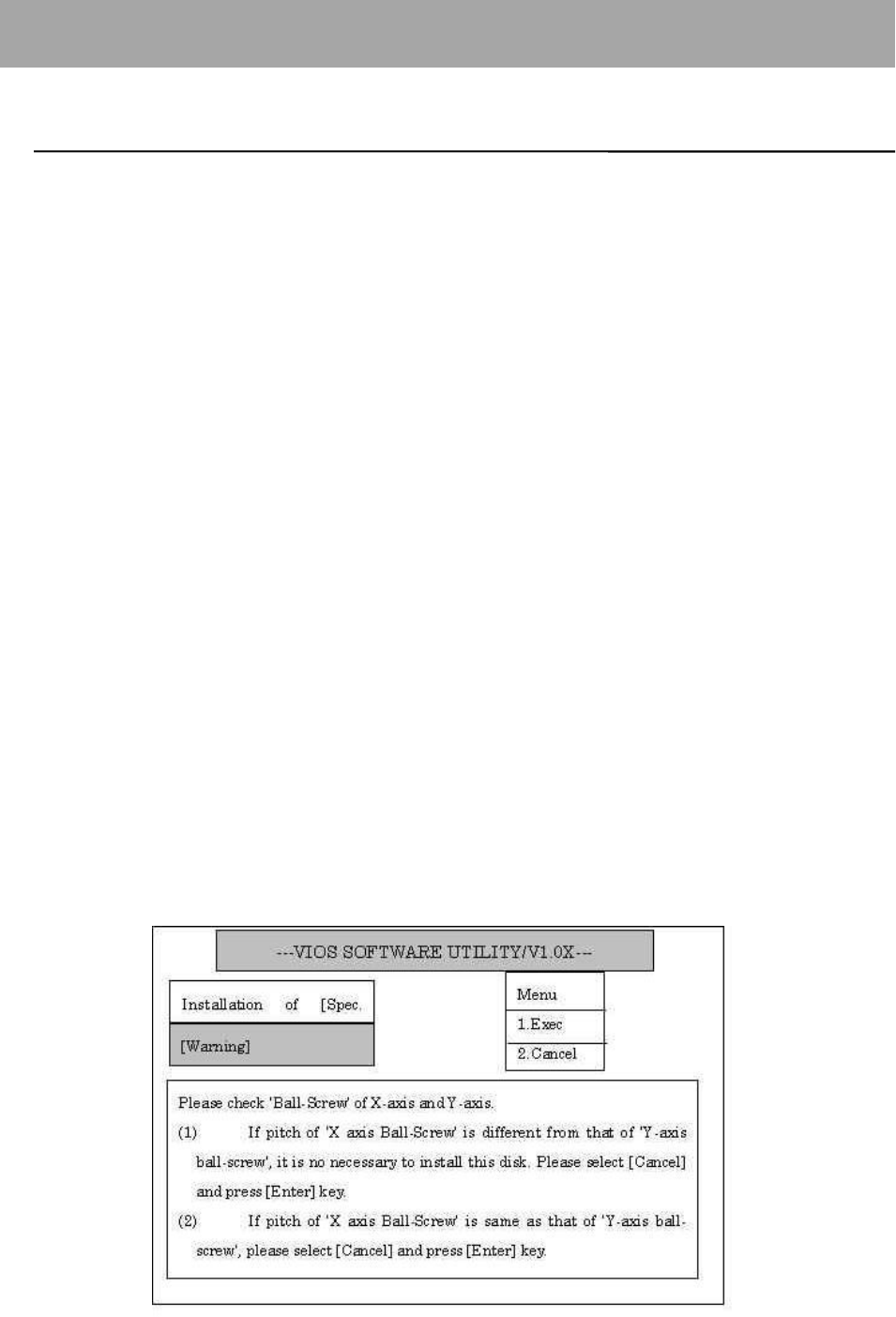
2. When the message below is displayed, follow the direction and select
"1.EXEC" or "2.CANSEL".

001 = Explanation of [SPEC DISK (Ver. 1.05)]
Service Information
3. CAUTION
2
3.1. [Spec.Disk] is necessary for the machine whose software version is after v.1.01. 3.
3.2. When the [Spec.Disk] is installed, it does not check the machine type.
Thus, be sure not to install wrong disk.
3.3. The VIOS software utility is introduced all machines after v.1.02.