Infinity EX Screens and Screen Images.pdf - 第2页
INFINITY EX SCRE ENS AN D SCRE EN IM AGES SCREEN FRA ME ADAPT ORS 26.2 Technical Reference Manu al Chapter Issue 1 Mar 01 SCRE EN F RAM E AD APT ORS Screens types other than those accomm odated by pre-set widths are f it…
INFINITY
EX
SCREENS AND SCREEN IMAGES
INTRODUCTION
Chapter Issue 1 Mar 01 Technical Reference Manual 26.1
CHAPTER 26 SCREENS AND SCREEN IMAGES
INTRODUCTION To allow consistent accurate printing it is necessary to fit, position and maintain
screen frames correctly.
The machine is designed to print using several different types of screen frame
and image position. The different screen types are accommodated by pre-set
chase rail widths and by the use of various screen frame adaptors.
A critical factor in effective printing is accurate image positioning within the
screen frame.
This chapter gives details of different screen types, screen image positioning and
screen fiducial maintenance.
Screen Types The standard screen type is:
• DEK 265 - 29″ x 29″ (736.6mm x 736.6mm)
• DEK 249\260
• 12" x 12" (12" x 17")
• 15" x 15"
• 17" x 17" (17" x 12")
• 20" x 20"
• Haraeras
•Sanyo
• DEK 255
• Panasonic
• Fuji
Pre-set Widths The machine has six adjustable pre-set widths (see Screen Change Chapter for
adjustment procedure). The machine can accept frame widths other than the pre-
sets with the use of screen frame adaptors and spacers. The following table lists
the pre-set widths of the machine:
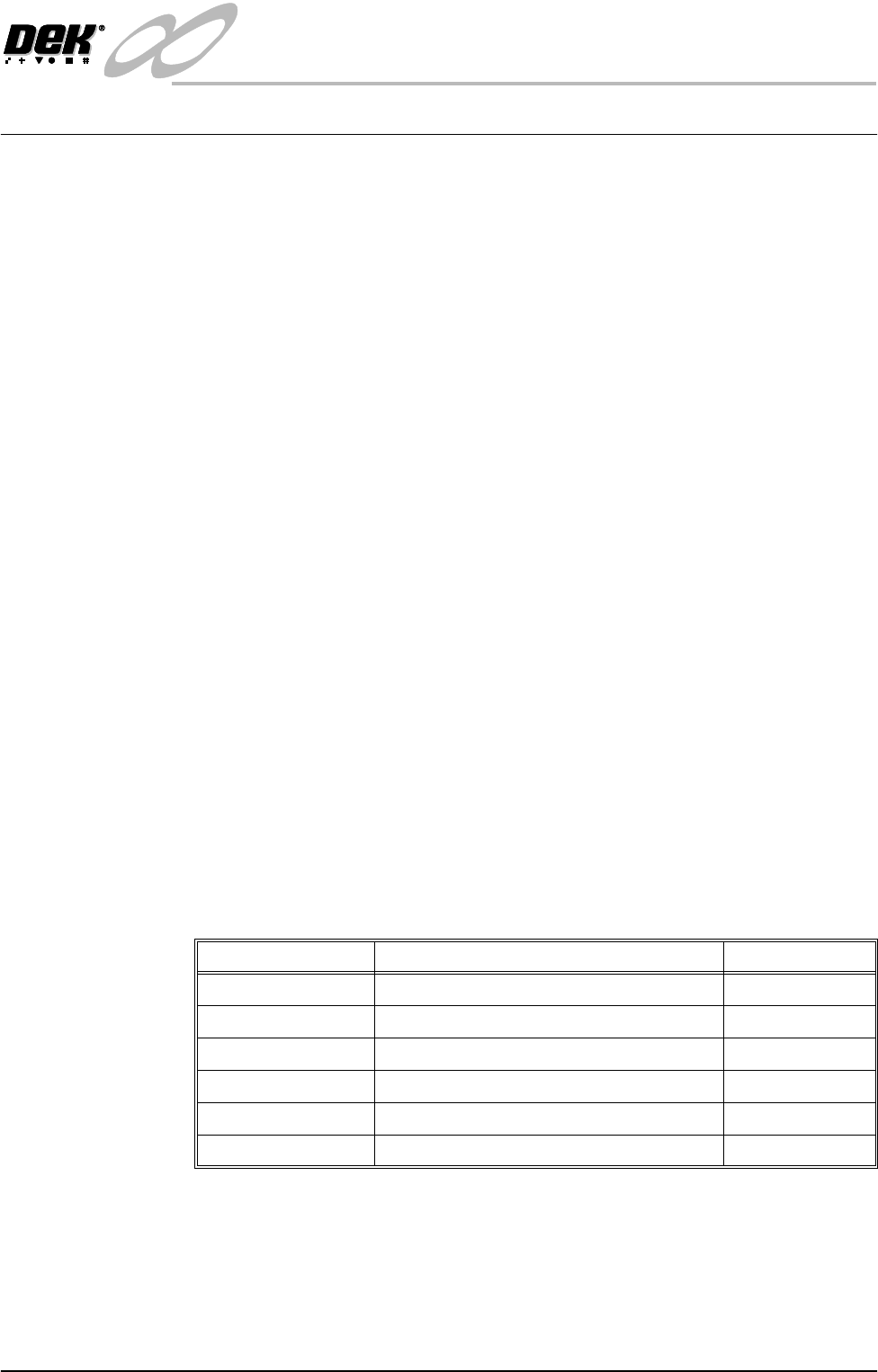
Guide Rail Positions Screen Type/Size Chase Width
1DEK 265 739mm
2 DEK 255 / HURTZ 700mm 703mm
3 ABBFRAME / HURTZ 680 / EKRA 683mm
4 SANYO / MINAMI /EKRA 652mm
5 PANASONIC 603mm
6 DEK 260 / UT2 / FUJI 4000 / HURTZ 580 586mm
INFINITY
EX
SCREENS AND SCREEN IMAGES
SCREEN FRAME ADAPTORS
26.2 Technical Reference Manual Chapter Issue 1 Mar 01
SCREEN FRAME ADAPTORS
Screens types other than those accommodated by pre-set widths are fitted into
screen frame adaptors to ensure that the screen image is accurately positioned in
the machine for consistent printing. The types of adaptors available include
dedicated frame adaptors and universal frame adaptors.
An adaptor is available for the following screen frames:
Dedicated Screen
Frame Adaptor
Certain screen frame types (see table above) require dedicated adaptors. These
adaptors have a fixed shape, made specifically for the screen frame type.
Universal Screen
Adaptor
The screens requiring the universal screen adaptor listed in the previous table are
located in the adaptor using one of the four width positions available.
When fitting a centre justified image into a universal frame adaptor, the screen
frame must be positioned exactly centrally inside the adaptor.
NOTE
The universal adaptor only accommodates frames up to one inch thick.
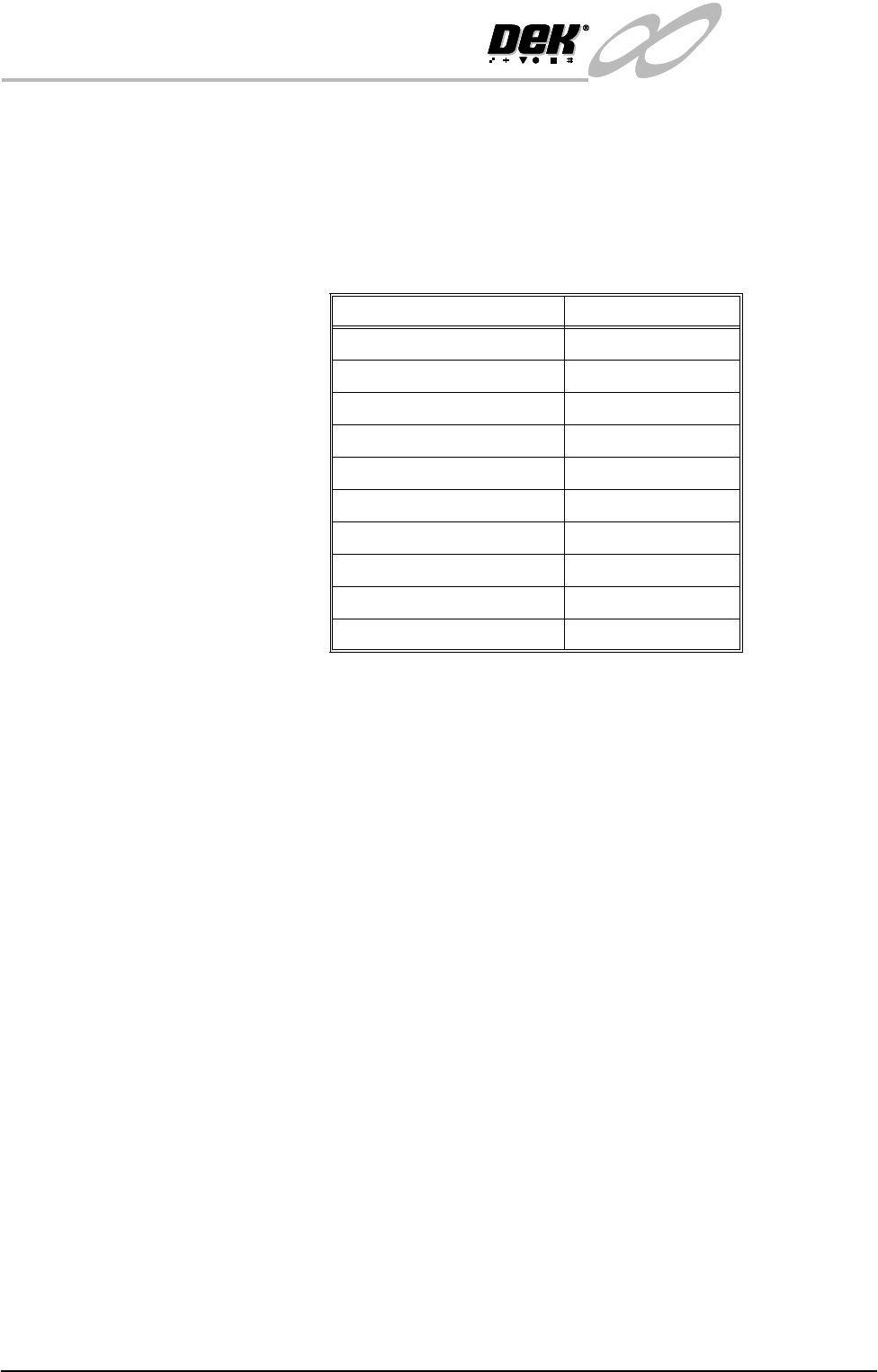
Screen Adaptor Type
12" x 12" (12" x 17") Universal
15" x 15" Universal
17" x 17" (17" x 12") Universal
20" X 20" Universal
DEK249\260 Universal
Haraeras Dedicated
Sanyo Dedicated
DEK 255 Dedicated
Panasonic Dedicated
Fuji Dedicated
INFINITY
EX
SCREENS AND SCREEN IMAGES
SCREEN FRAME ADAPTORS
Chapter Issue 1 Mar 01 Technical Reference Manual 26.3
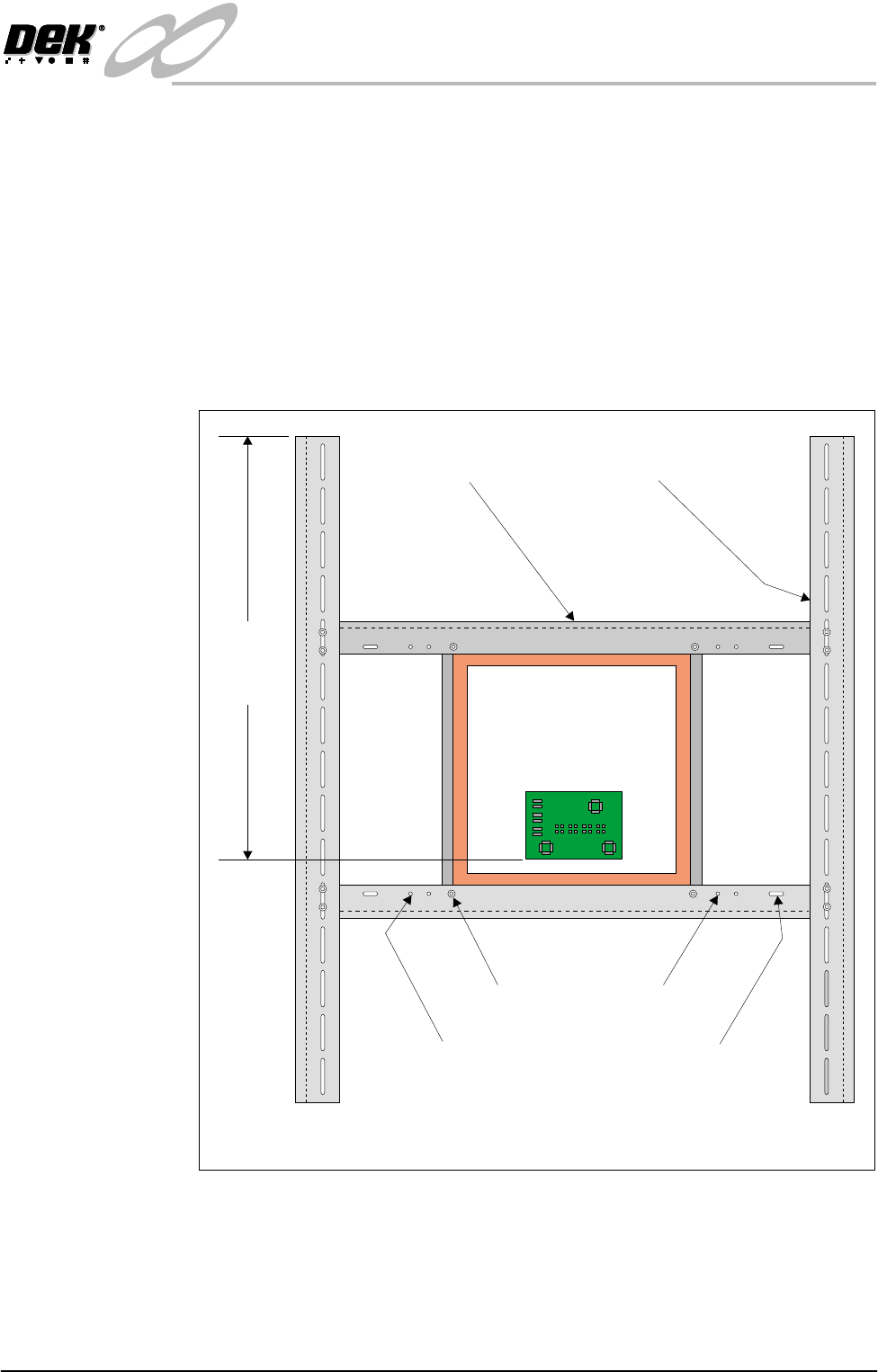
Adaptor Assembly To assemble the frame adaptor and position the screen in the adaptor proceed as
follows:
1. Position the screen on the centre rails locating the correct fixing holes. The
screen fits under the centre rails.
2. Secure the screen to the rails using the 4 cap screws.
3. Position the screen and centre rails on the side rails, adjust to achieve the
dimension of 622mm. The centre rails fit under the side rails.
4. Secure the centre rails to the side rails using the 8 cap screws.
5. Check the dimension of 622mm, adjust if necessary.
Figure 26-1 Universal Screen Adaptor
12x12(12x17)
Centre Rail
17x17(17x12) 20x20
DEK 240\260
15x15
Side Rail
Plan View on Adaptor Showing Frame Fixing Positions
622.0mm
+/- 1.0mm
(See Note)