00195044-15_UM_VisionTeachStation_DE EN.pdf - 第148页
7 Software Vision Teach Station User Manual 7.2 Software upgrade 10/2015 Edition 148 Click Y es to confirm the prompt that appears. 7 Fig. 7.2 - 4 Message about old files from the previous installation is ignored Res…
Vision Teach Station User Manual 7 Software
10/2015 Edition 7.2 Software upgrade
147
7
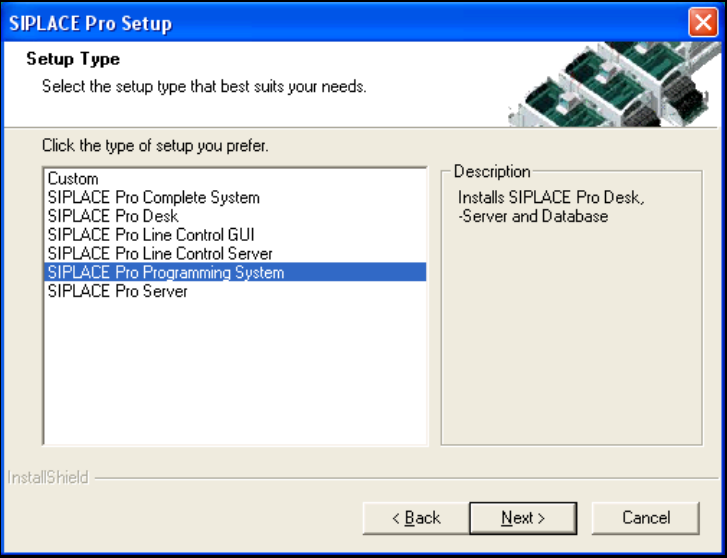
Fig. 7.2 - 3 Installing SIPLACE Pro - Selecting the setup type
When the License Manager is opened, import your license key via the "File" - "Import License
Key" menu item. For this you need the following password:
User ID: Administrator
Password: Siplace.1
7
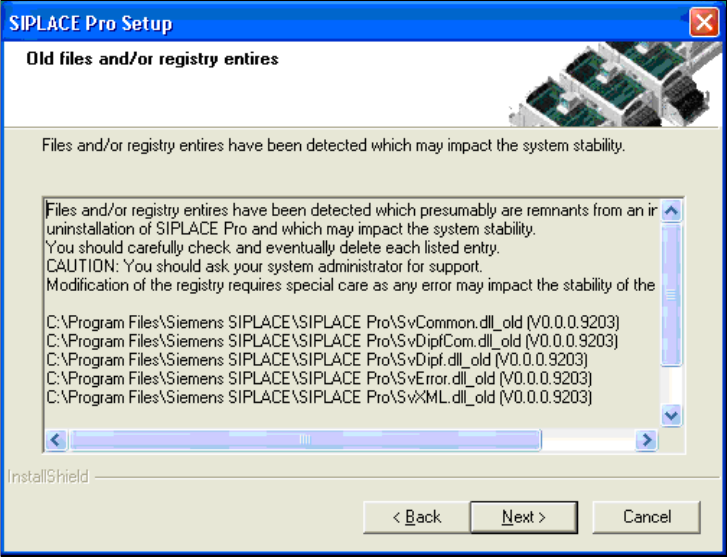
Click Next to ignore the following message about remaining old files.
7 Software Vision Teach Station User Manual
7.2 Software upgrade 10/2015 Edition
148
Click Yes to confirm the prompt that appears.
7
Fig. 7.2 - 4 Message about old files from the previous installation is ignored
Restart the computer after installation.
7.2.4.3 Installing the "SIPLACE Pro Languages" CD
Installation of the language package is optional. If you want to install it, you must do this before
you install the Vision Teach Station software.
Follow the instructions in the LanguagePack_ReadMe.txt files on the CD.
7.2.4.4 Installing the "Software Vision Teach Station" CD
Run the "InstallAll.bat" script file. Follow the instructions. Restart the computer at the end of the
installation.
Vision Teach Station User Manual 7 Software
10/2015 Edition 7.3 Installing for the first time
149
The script installs the following components:
Component Directory
CAN drivers \SvTeachStation\CAN\Setup.exe
SIPLACE Vision .\SvTeachStation\SiplaceVision\SiplaceVision.msi
SIPLACE Vision Teach
Station
.\SvTeachStation\SvTeachStation\Setup.exe
Tab. 7.2 - 3 Script components of theVisionTeachStation software CD
7
7.3 Installing for the first time
If the computer requires a complete reinstallation, follow the steps described under 7.2.4 to rein-
stall the Windows operating system.
7.3.1 Installing with "Software WIN XP-SPx..", item no. 00376350-xx
Until the end of 2010 the "Software WIN XP-SPx.." package, item no. 00376350-xx was enclosed
with the computer. 7
Use the "Windows unattended Setup SP3" operating system CD supplied with the PC and
follow the installation instructions provided.
Select the "Siplace Pro Server" option.
Configure the network parameters using the table below:
IP address
Workgroup
Name
Host name
Default
Gateway
Subnet
Mask
SN no. or
comment
172.22.172.187 SIPLACE PLK1395A empty 255.255.0.0 VTS1
Tab. 7.3 - 4 Network parameters for the initial installation
7