ISM_INM.pdf - 第3页
JOIN BUTTON FUNCTIO N Join button fu nction rev_00 E dition 11/2015 – Reproduction forb idden Page 3 INTRODUCTI ON This function allows add new productions to the sessions already started: the software will consider the …

JOIN BUTTON FUNCTION
Join button function rev_00 Edition 11/2015 – Reproduction forbidden
Page 2
NOTE: No part of this publication may be reproduced, changed, transcribed, or
translated into any language without the written consent of ESSEGI
SYSTEM SERVICE S.r.l.
JOIN BUTTON FUNCTION
Join button function rev_00 Edition 11/2015 – Reproduction forbidden
Page 3
INTRODUCTION
This function allows add new productions to the sessions already started: the
software will consider the available components already present on lines ad it will
supply only the missing components.
Example
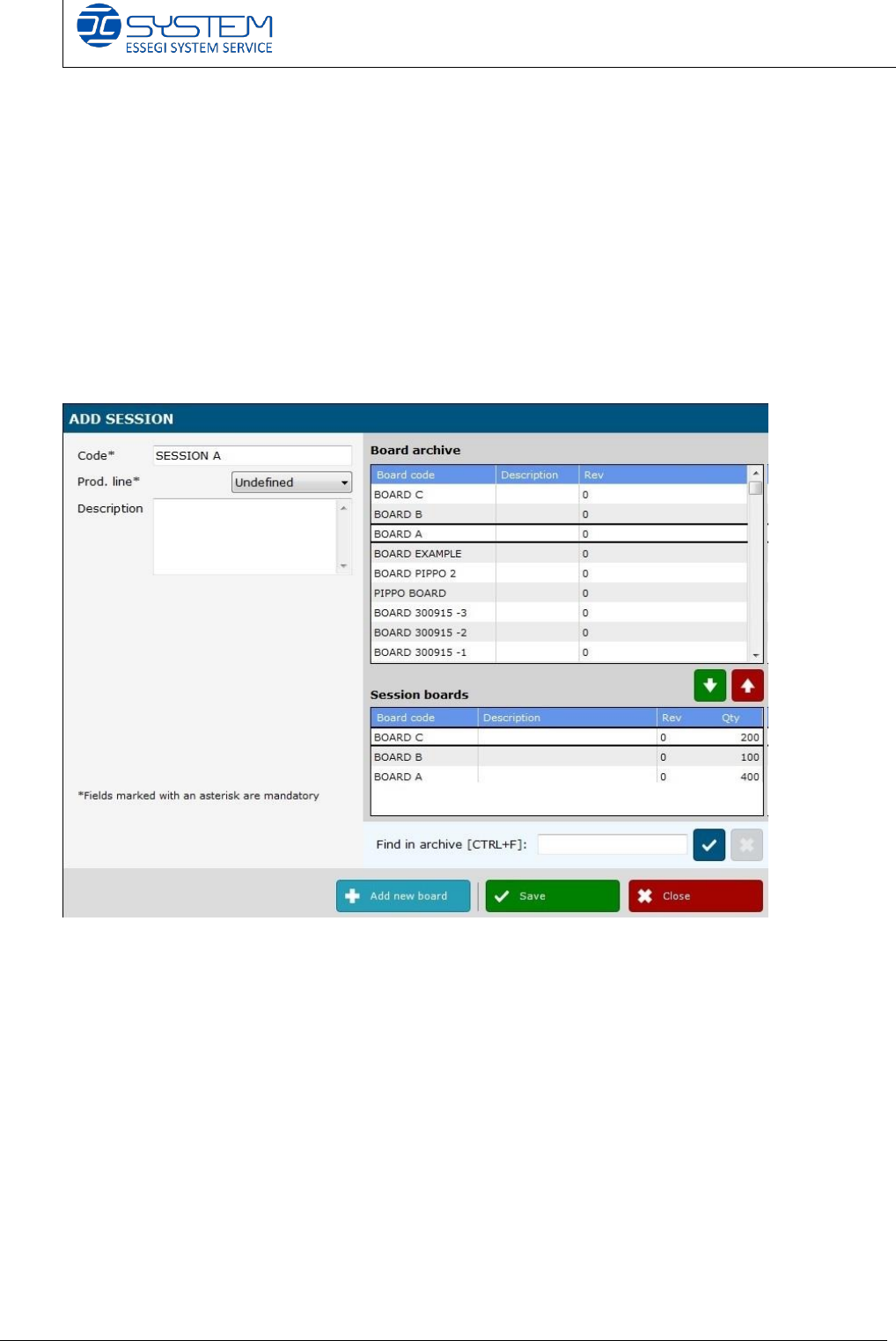
I create a new session called “Session A”. It is composed by 3 boards:
- Board C: 200 pcbs type C
- Board B: 100 pcbs type B
- Board A: 400 pcbs type A
JOIN BUTTON FUNCTION
Join button function rev_00 Edition 11/2015 – Reproduction forbidden
Page 4
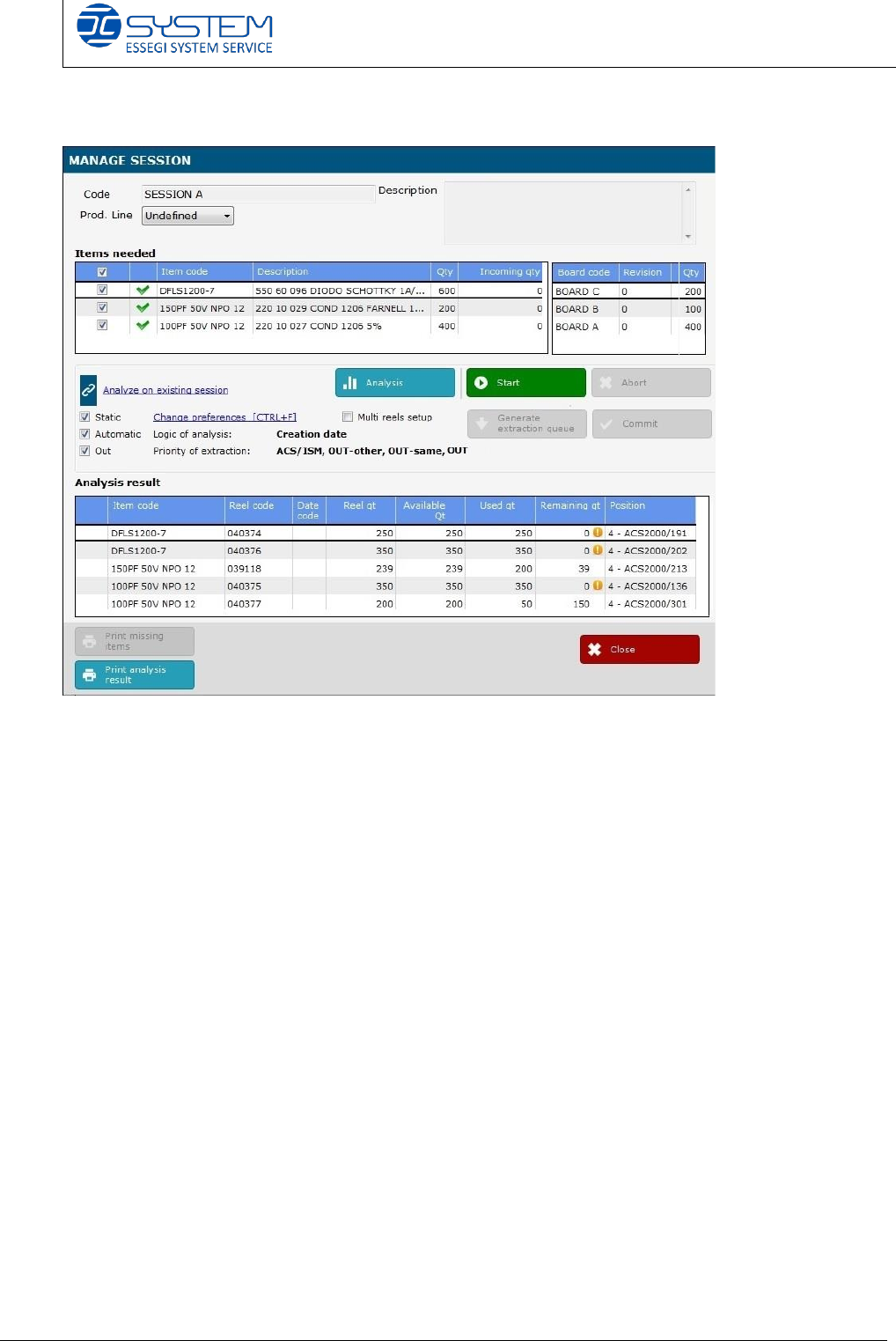
If we make an analysis, we can see there is all components required.
Clicking the “Start” button and then “Generate extraction queue”, the software
gives us the following reels:
- About item code DFLS1200-7, reel 040374 and then reel n. 040376
- About item code 150PF 50V NPO 12, only the reel 039118
- About item code 100PF 50V NPO 12,040375 and then reel n. 040377