OM-1646-001_w.pdf - 第32页
13 OM-1646 10. CONVEYOR CONVEYOR F13 1005-001 10. CONVEYOR Graphic Development
12
OM-1646
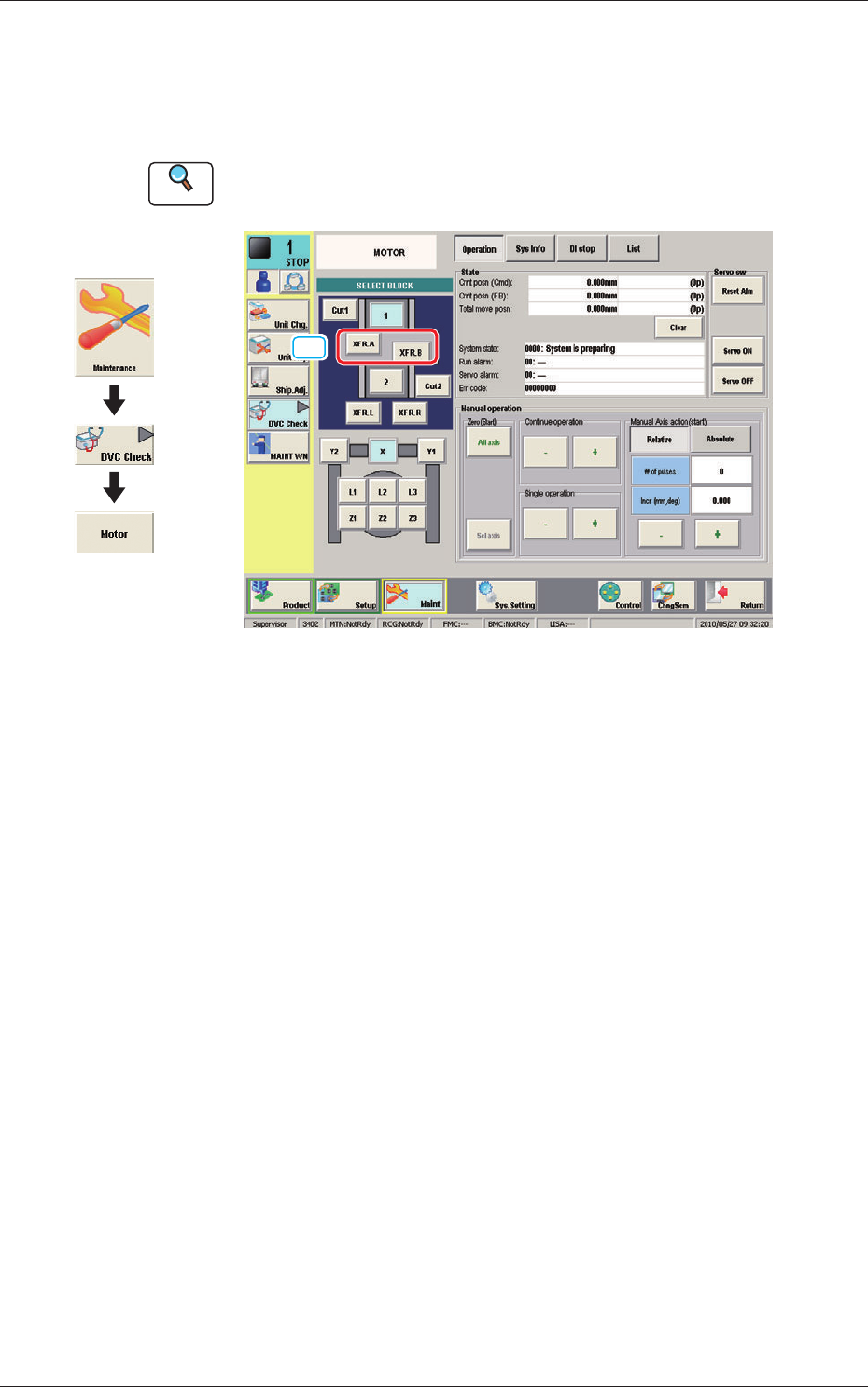
9. "MOTOR" Window
This window enables you to perform a manual operation (inching) of each
unit and view the current system information.
Reference
Refer to the Instruction Manual of the SIGMA-G5 for the information
except for dual transfer.
[1]
MOTOR F12
[1] [XFR. A, B] Button
When pressed, the conrmation of the transfer unit for each corresponding
transfer lane, is available.
Graphic
Development
1005-001
9. "MOTOR" Window
13
OM-1646
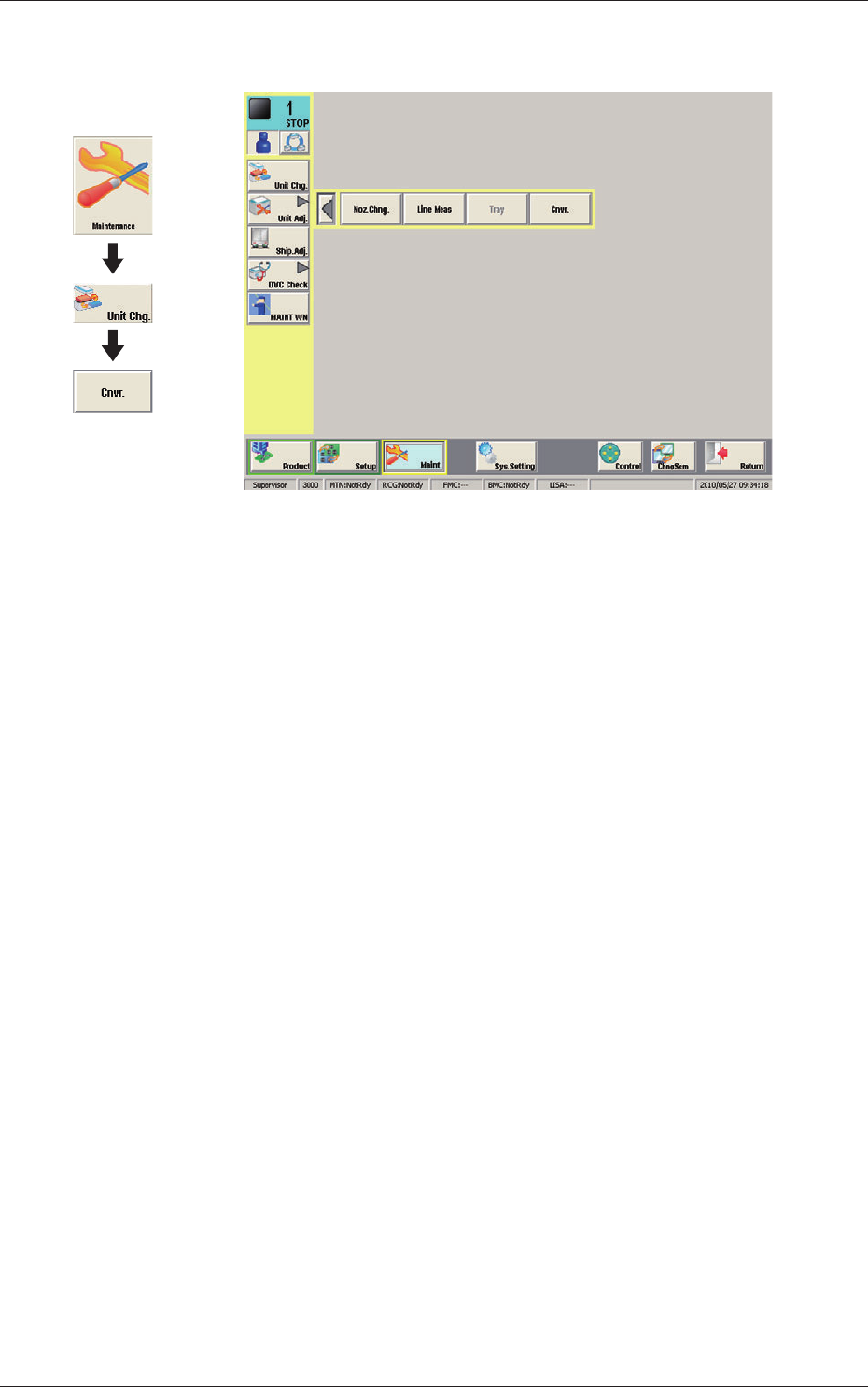
10. CONVEYOR
CONVEYOR F13
1005-001
10. CONVEYOR
Graphic
Development
14
OM-1646
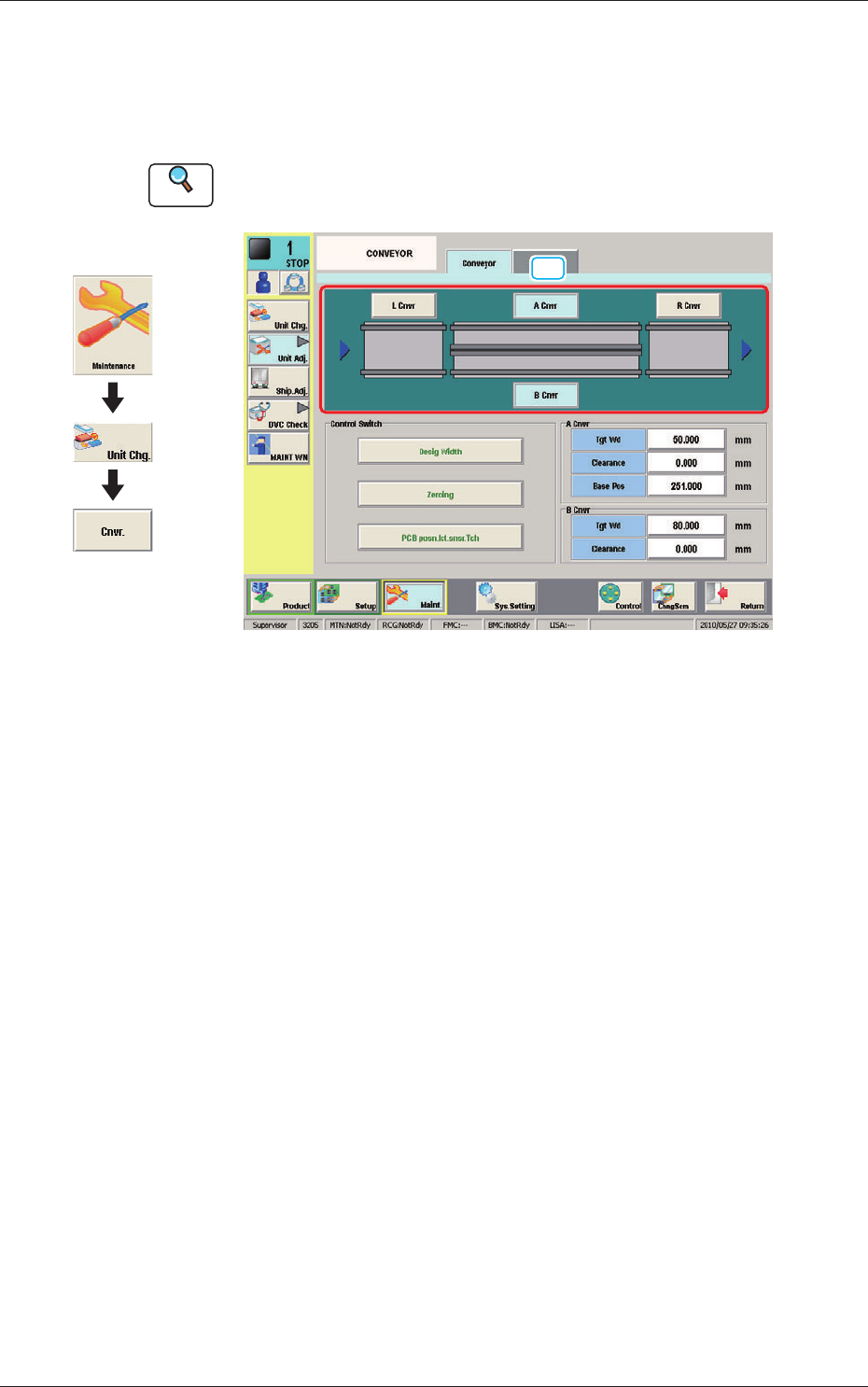
10.1 "Conveyor" Tab Sheet
This window enables the operator to adjust the overall setup or manual setup
for the conveyor width in each lane.
Reference
Refer to the Instruction Manual of the SIGMA-G5 for the information
except for dual transfer.
[1]
Conveyor F14
[1] Conveyor selection Button
Using these buttons, the target position movement, reference position
adjustment or conveyor section (Conveyor L, Conveyor A, Conveyor B or
Conveyor R) is selected.
1005-001
10.1 "Conveyor" Tab Sheet
Graphic
Development