Micron Maintenance Manual.pdf - 第77页
3 VACUUM FILTRATION UNITS 3.1 FILTER REPLACEMENT MAINTENANCE MANUAL MICRON 11/2017 77 5. The back of the carbon filter unit is secured beneath a filter securing bracket. To remove the filter, lift the front and pull the …
3 VACUUM FILTRATION UNITS
3.1 FILTER REPLACEMENT
76 MAINTENANCE MANUAL MICRON 11/2017
3.1.2 Vf35i Vacuum Filtration Unit
MANDATORY
TOXIC CHEMICALS MAY BE PRESENT. SAFETY GLOVES MUST BE WORN.
MANDATORY
TOXIC CHEMICALS MAY BE PRESENT. EYE PROTECTION MUST BE WORN.
To replace any of the filters in the vacuum filtration unit, carry out the following:
Note
Numbers in brackets e.g. (1), refer to the numbers in the graphics in the procedure.
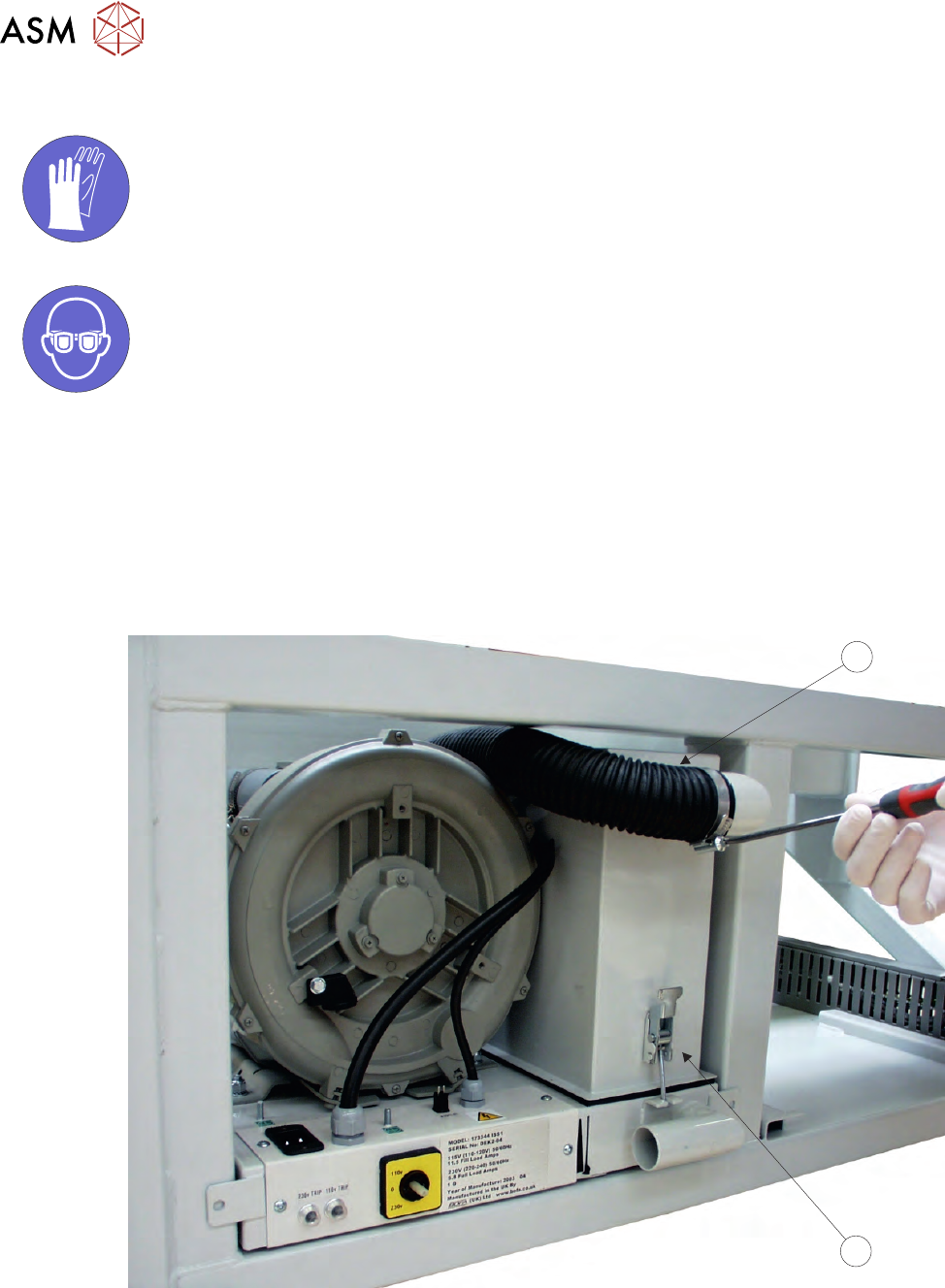
1. Ensure the printer is switched OFF.
2. Remove the printer front cover.
3. Remove the air duct (1) from the carbon filter unit (2) using a screwdriver or box spanner to
release the securing clip.
1
2
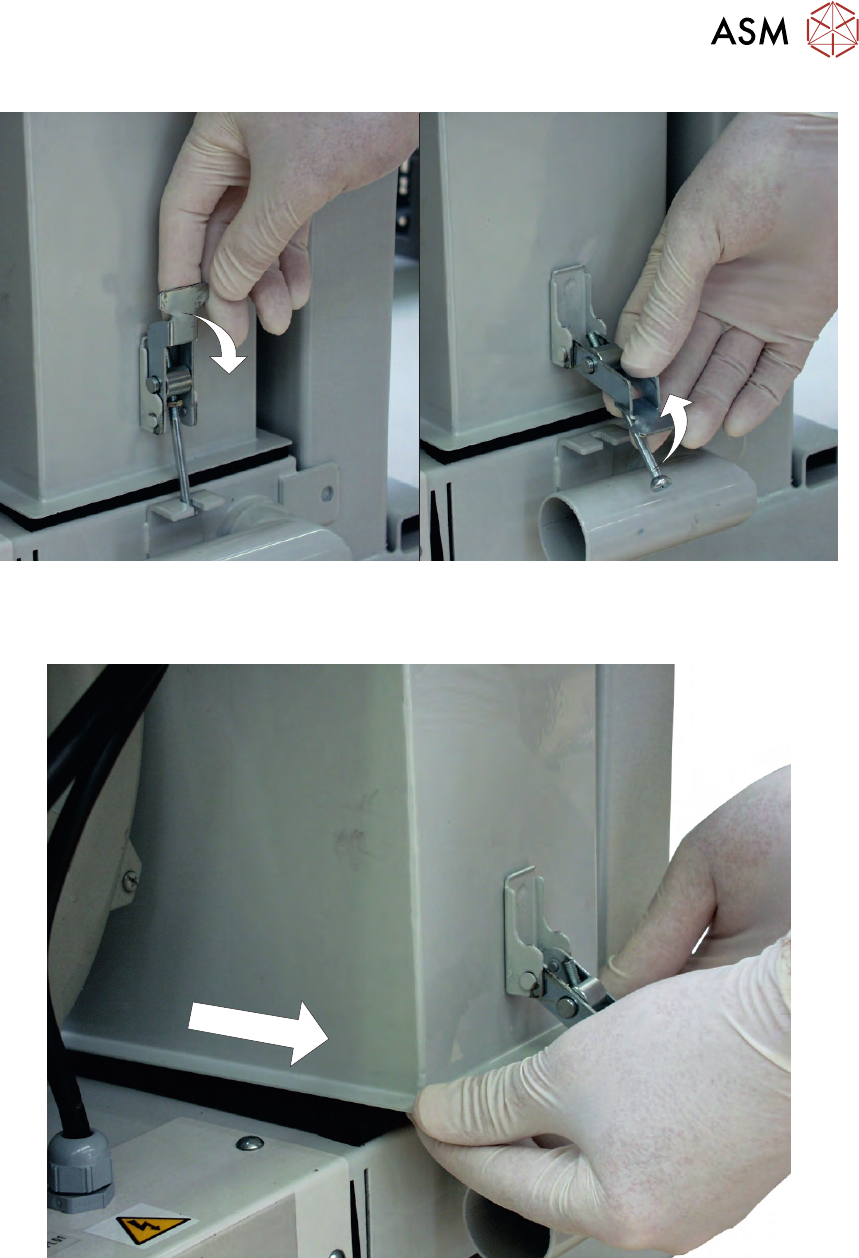
4. Release the filter retaining clip to detach the filters from the base unit.
3 VACUUM FILTRATION UNITS
3.1 FILTER REPLACEMENT
MAINTENANCE MANUAL MICRON 11/2017 77
5. The back of the carbon filter unit is secured beneath a filter securing bracket. To remove the
filter, lift the front and pull the filter out of the printer.
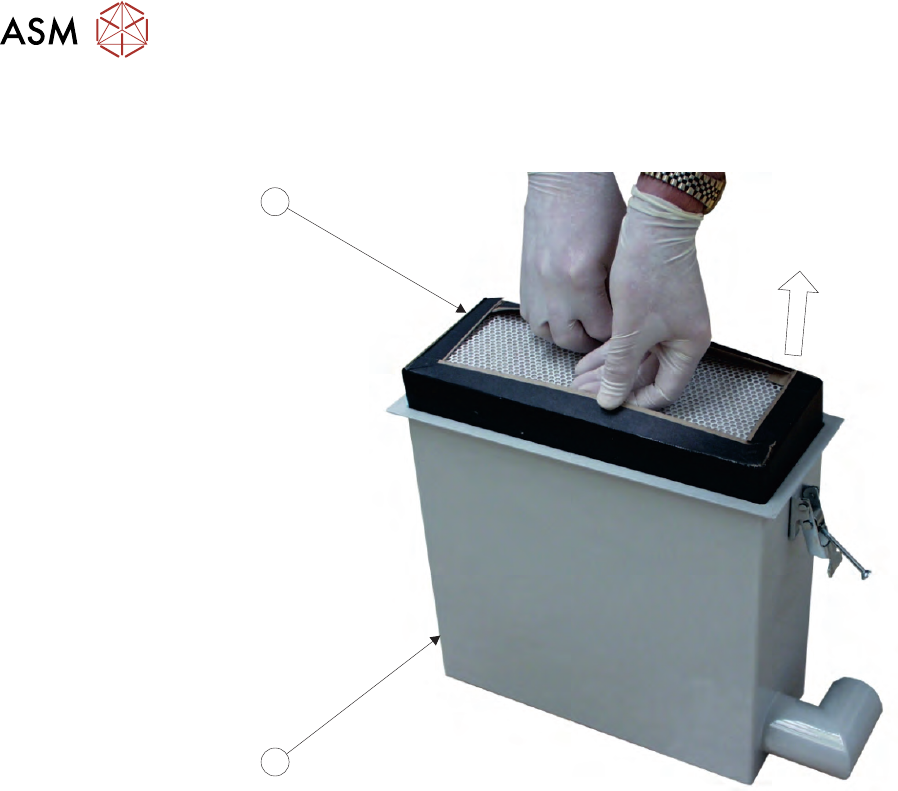
6. Turn the filter unit upside down.
3 VACUUM FILTRATION UNITS
3.1 FILTER REPLACEMENT
78 MAINTENANCE MANUAL MICRON 11/2017
7. To separate the pre-filter unit, (3) from the carbon filter unit (4), pull the pre-filter upwards us-
ing the pre-filter frame.
3
4
8. Replace the carbon\pre-filter as required and refit the pre-filter into the carbon filter unit.