系统软件安装程序-.pdf - 第16页
SMT Software Engineering Group IM Opera tions YAMAHA M OTOR CO., LTD. MDOC-SOFT5011 1 The Pro cedure o f Sys tem S oftware I nstall Y AMAHA EN GLISH . 16/16 6. Appendix 6.1 How to recog nize a S ystem Boa rd (YS Series )…
SMT Software Engineering Group
IM Operations
YAMAHA MOTOR CO., LTD.
MDOC-SOFT50111 The Procedure of System Software Install YAMAHA ENGLISH. 14/16
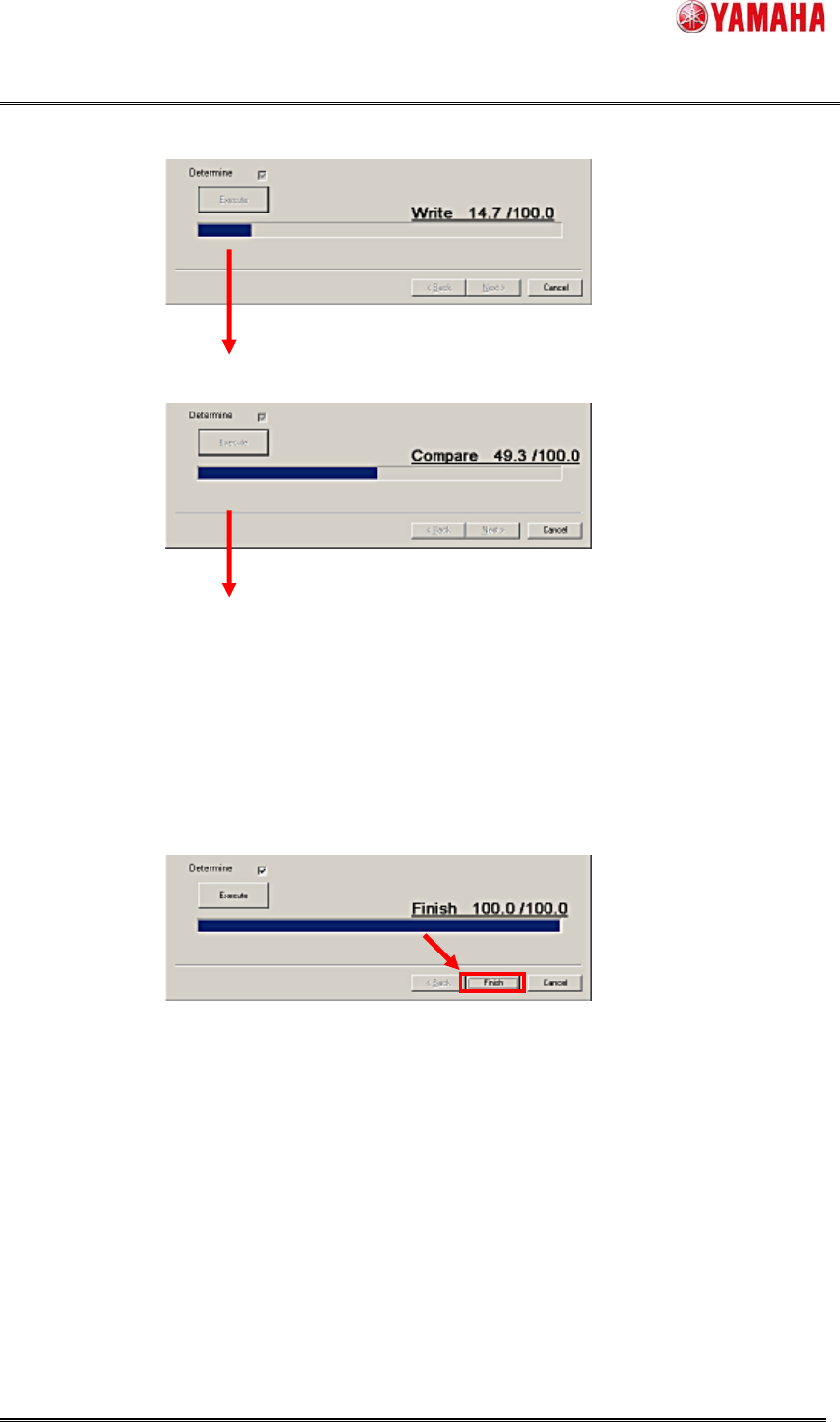
Figure 3.11 “Write”
Figure 3.12 “Compare”
8) Complete
When the “Compare” is finished, the System Software Installation is completed.
Figure 3.13 Finish the Installation
Finally, click the [Finish] button and complete.
SMT Software Engineering Group
IM Operations
YAMAHA MOTOR CO., LTD.
MDOC-SOFT50111 The Procedure of System Software Install YAMAHA ENGLISH. 15/16
4. Errors
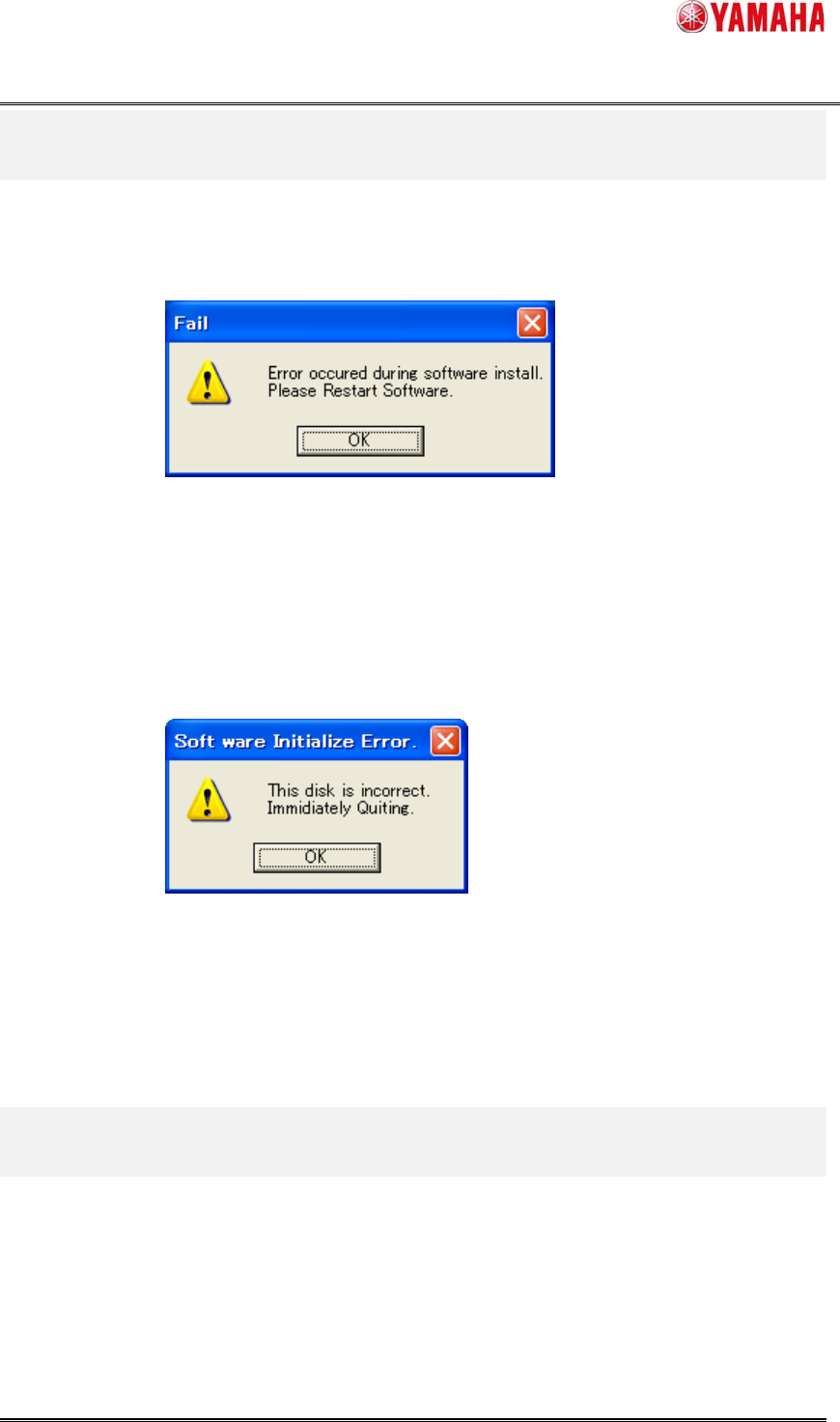
When error occurs during the installation, the following message appears.
Figure 4.1 the Error during installation.
Check the connection of the FLASH DISK, and execute the installation from the first step.
When error occurs at the beginning, the following message appears.
Figure 4.2 the Error at beginning.
It is possible that the System Install Disk is collapsed.
Try installation again, if NG, exchange the system install disk.
5. Restrictions
There is no restriction.
SMT Software Engineering Group
IM Operations
YAMAHA MOTOR CO., LTD.
MDOC-SOFT50111 The Procedure of System Software Install YAMAHA ENGLISH. 16/16
6. Appendix
6.1 How to recognize a System Board (YS Series)
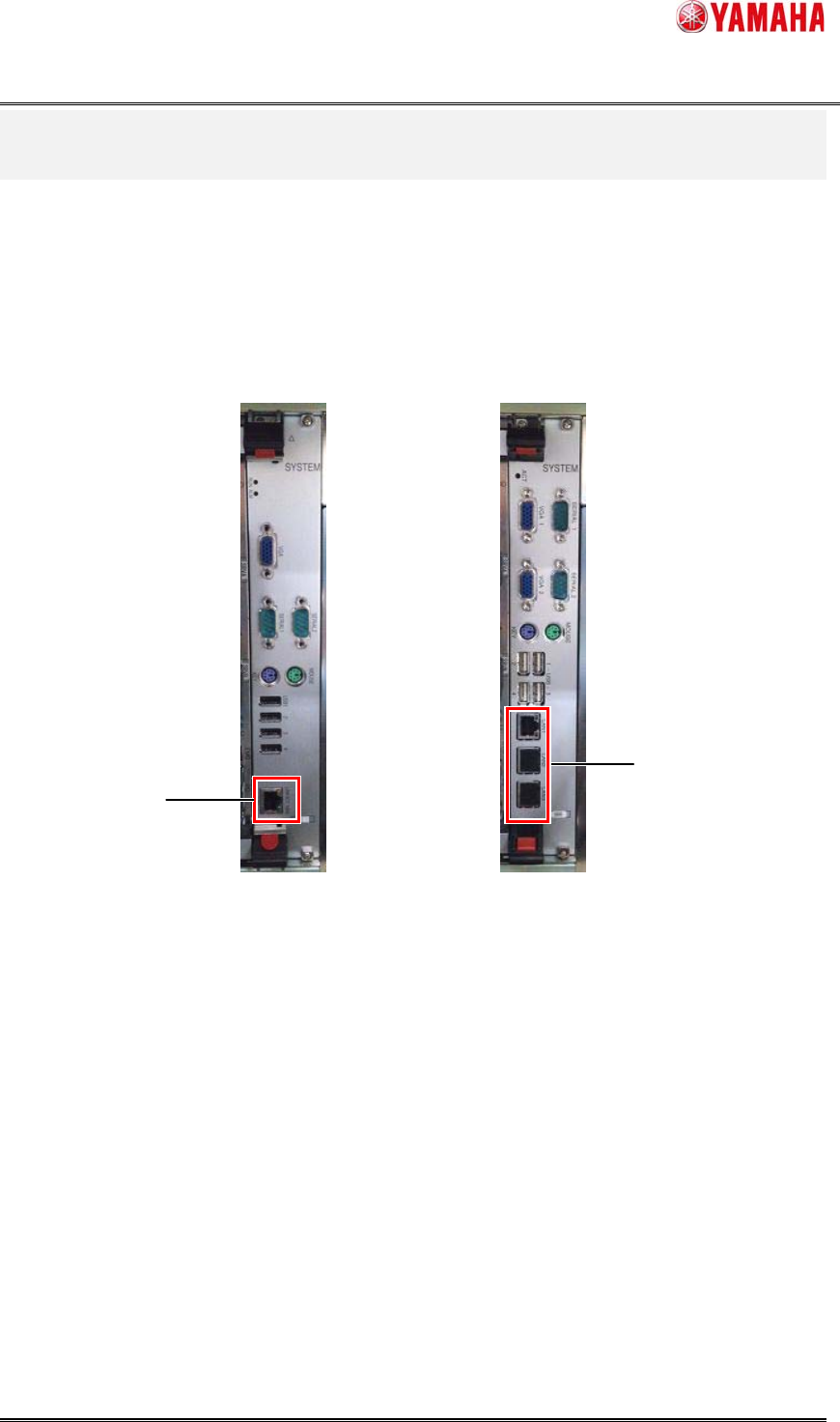
The part number of a system board can be recognized by the difference in the plug talkative of a
LAN cable.
YSP20 uses the system board of “KLA-M4209-00x”.
Except for YSP20, the system board of “KHL-M4209-00x” is usually used.
But, There is a possibility of using the system board of “KLA-M4209-00x”, at the time of the
following option use.
・ IT Option
・ Smart Recognition Option
KHL-M4209-00x
LAN Cable
Plu
g
mouth:1
LAN Cable
Plug mouth:3
KLA-M4209-00x