User-Manual-NeoDen9-PNP-machine.pdf - 第2页
2 Zhejiang Neoden T echnol ogy Co., Ltd Figure A : the trapez oid screw on the trac k’ s le ft and right ; Figure B : the line r ails of moving lo ad-carry ing on the y-ax is’ s lef t and r ightY ; Figure C : the line ra…
1
Zhejiang Neoden Technology Co., Ltd
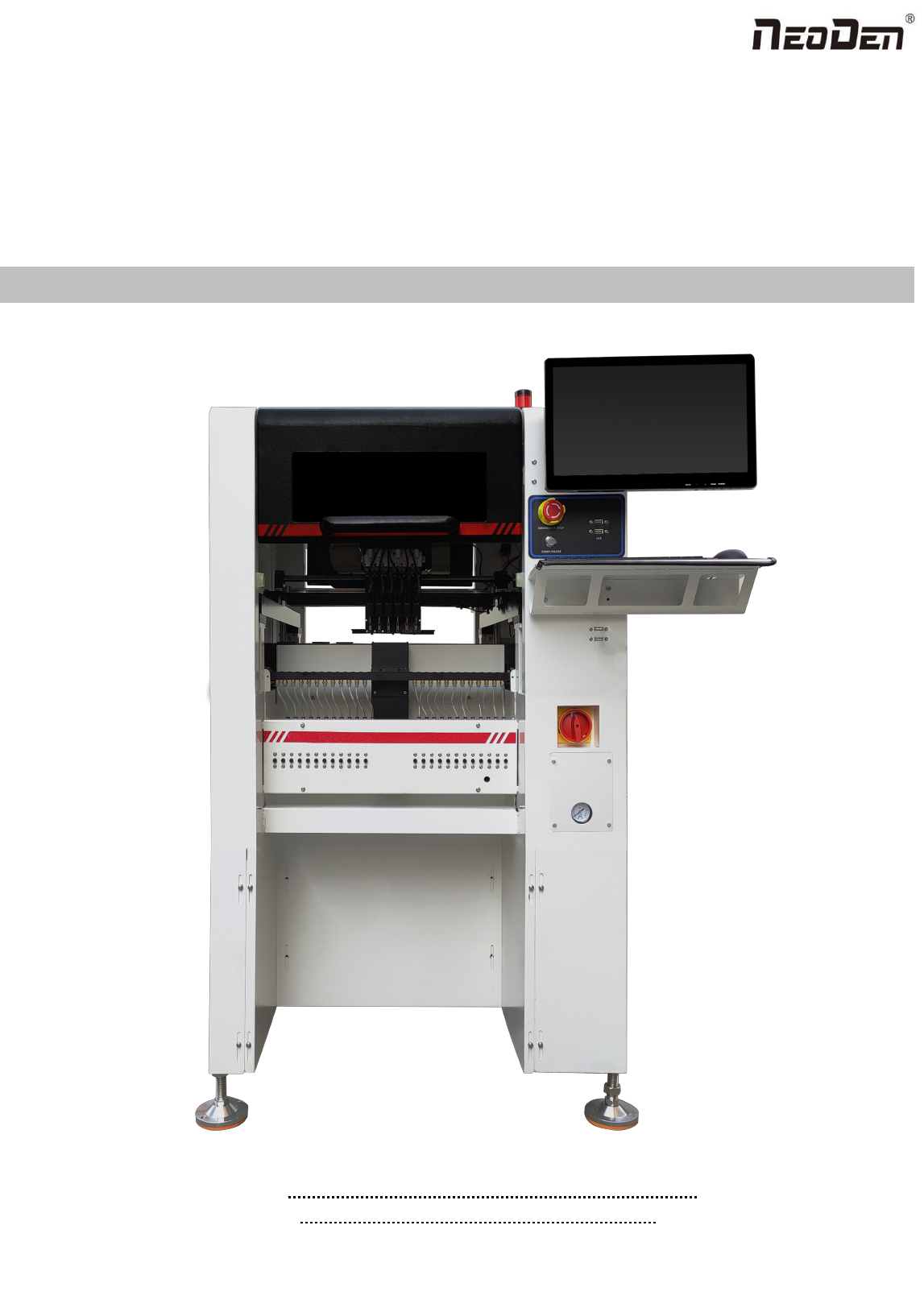
NeoDen9
High Speed Pick and Place Machine
User Manual
Model: Neoden9 High Speed Pick and Place Machine
Version: V1.0
2
Zhejiang Neoden Technology Co., Ltd
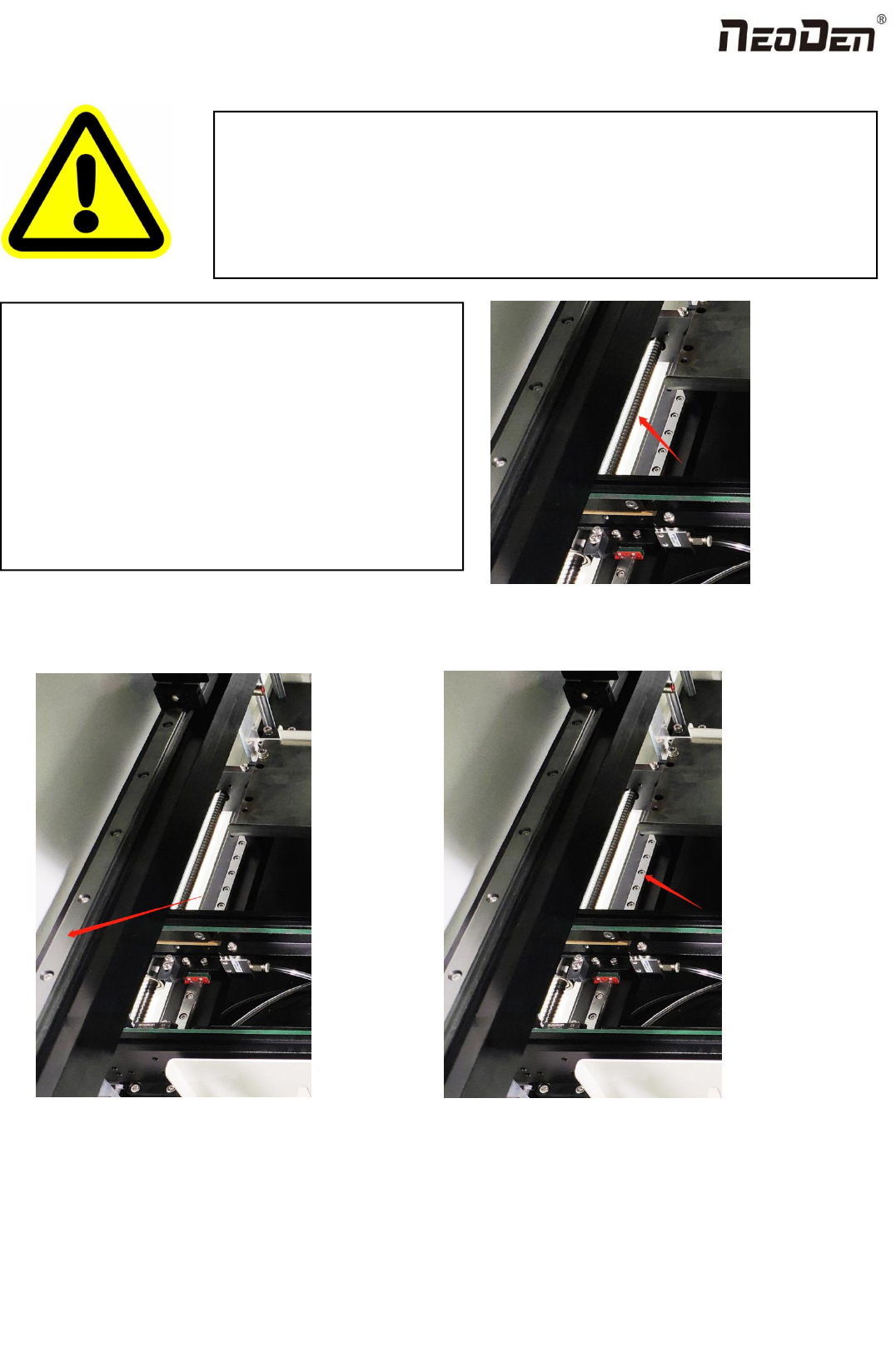
Figure A:the trapezoid screw on the track’s left and right;
Figure B:the line rails of moving load-carrying on the y-axis’s left and rightY;
Figure C:the line rails of moving load-carrying on the track’s left and right;
DEAR USERS:
PLEASE READ THIS USER MANUAL COMPLETELY BEFORE
OPERATING. THIS UNIT AND RETAIN THIS BOOKLET
FOR FUTURE REFERENCE.
Removal of antirust protective film
In order to prevent the equipment from rusting due to
environmental impact during transportation, we pasted a
protective film on the following parts of the machine as
protection. This protective film needs to be removed
manually before the equipment is powered on. If there is
any omission, there will be hidden danger of poor
operation and the possibility of damage;
Figure A
Figure C
Figure B

3
Zhejiang Neoden Technology Co., Ltd
1. Equipment installation and precautions....................................................................................................................................4
1.1 Machine Dimension........................................................................................................................................................4
1.2 Structure of Neoden9......................................................................................................................................................5
1.3 Working Area Structure.................................................................................................................................................. 6
1.4 Important Notice.............................................................................................................................................................8
1.5 Operation flow chart.......................................................................................................................................................9
1.6 Flow chart of making a programming file....................................................................................................................10
2.PCB Editing............................................................................................................................................................................. 11
2.1 PCB information...........................................................................................................................................................12
2.1.2 Backward................................................................................................................................................................... 12
3.Panelized Board Information...................................................................................................................................................13
3.1 SMD 1 Position Setting................................................................................................................................................ 13
4. Coordinate information...........................................................................................................................................................17
4.1 PCB Mark setting......................................................................................................................................................... 17
1.PCB Mark Point...............................................................................................................................................................17
2. Mark point alignment..................................................................................................................................................... 18
3.Mark Point information................................................................................................................................................... 18
4.2 Component list setting..................................................................................................................................................19
5.Feeder Information Setup........................................................................................................................................................ 26
5.1 Function of Feeder Information....................................................................................................................................26
5.2 Feeder setting................................................................................................................................................................27
6. Nozzle Information.................................................................................................................................................................31
7. Assembly Interface................................................................................................................................................................. 31
8. Manual Test............................................................................................................................................................................ 34
9. System Setup...........................................................................................................................................................................36
9.1 Feeder Position Config................................................................................................................................................. 37
9.2 Component Positions Setup..........................................................................................................................................38
10. First trial and test.................................................................................................................................................................. 43
10.1 Program first dry run.................................................................................................................................................. 43
10.2 First production test.................................................................................................................................................... 43
10.3 Component Inspection................................................................................................................................................43
10.4 Continuous SMT production...................................................................................................................................... 44
11. Structure and maintenance instruction................................................................................................................................. 44
11.1 Feeder Brief Introduction........................................................................................................................................... 44
11.2 Installing tape and reel components........................................................................................................................... 46
11.3 Incorrect installation Samples:................................................................................................................................ 47
12.Maintenance...........................................................................................................................................................................49
12.1 Take effective measures to reduce /avoid malfunction.............................................................................................. 49
12.2 Maintenance................................................................................................................................................................50
12.3 Related issues during solder paste printing process...................................................................................................51