TSR2000-Series-Hardware-User-Guide-V1.pdf - 第2页
2 Congratulations on the purchase of a T echcon Systems Automated Dispensin g Robot. If you have not done so, see the installation guide provided with your system for installation instructions. Now that your dispensing s…
1
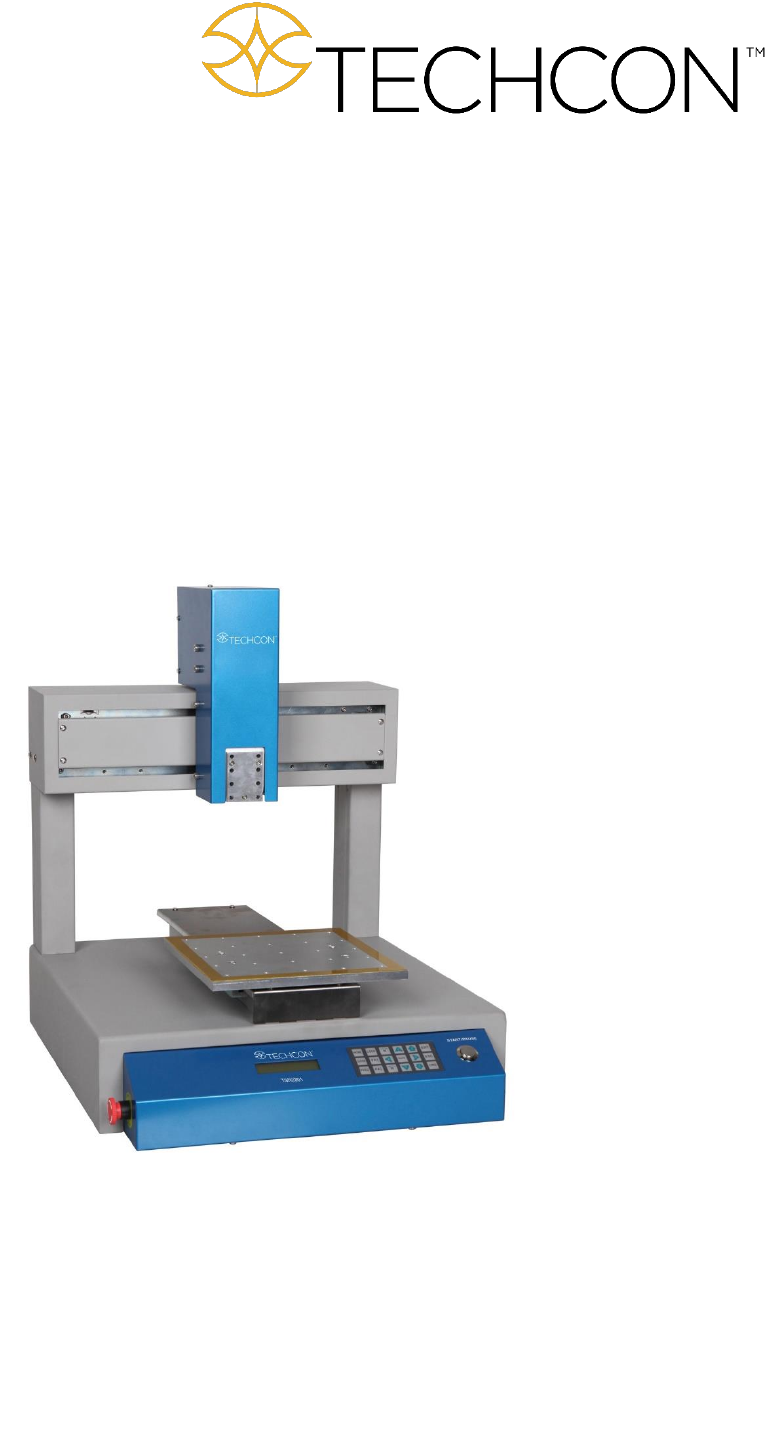
TSR2000 Series
3 Axis Dispensing Robot
Hardware Instruction Manual
Version 1.4

2
Congratulations on the purchase of a Techcon Systems Automated Dispensing Robot. If you have not done
so, see the installation guide provided with your system for installation instructions.
Now that your dispensing system is ready to use, take a few moments to get to know the parts of your
dispensing system and software. This manual is designed to help you use the robot as quickly as possible.
We, here at Techcon Systems, hope you find this product beneficial. If you have any questions, please
contact us at the details listed below:
For Sales and Support:
Techcon Systems Corporate Headquarters,
10800 Valley View Street, Cypress, California, 90630, USA.
Tel: 1-714-230-2398, Fax: 1-714-828-2001
E-mail: oemorders@okinternational.com
Techcon Systems European Corporate Office,
Eagle Close, Chandler’s Ford Industrial Estate,
Eastleigh, Hampshire, SO53 4NF, UK.
Tel: +44 2380 489 100, Fax: +44 2380 489 109
E-mail: europe-orders@okinternational.com
Or visit www.techcon.com
This manual is designed to provide information about Techcon Systems robot hardware. Every effort has
been made to make this manual as complete and accurate as possible. There is no implied or expressed
warranty as to the purpose, suitability or fitness of the information. The information is provided on as as-
is basis. Techcon Systems reserves the right to improve and revise its products. This manual specifies and
describes the product as it existed at the time of publication. As with any new programming software, a
basic understanding of the vocabulary is necessary.

3
Table of Contents
1. Safety Instruction……………………………………………………………………..…….
2. Summary………………………………………………………………………………..…..
2.1 Features………………………………………………………………………………
2.2 Specifications…………………………………………………………………………
2.3 Unpacking and Inspection………………………………………………………………………….
2.4 Instructions about the Keypad………………………………………………….…….
2.5 Course of the File Processing…………………………………………………….………
3. Setup and Connection………………………………………………………………………
3.1 Setup…………………………………………………………………………………
3.1.1 How to Connect a Syringe Dispenser with Interface Cable…………………….
3.1.2 How to Connect a Valve Controller with Interface Cable……………………
3.1.3 How to Connect a Jet Valve Controller with Interface Cable ……..…………………
3.1.4 Testing the Interface Connections …………………………..………………..
3.2 I/O Socket Instruction…………………………………………………………………
3.2.1 Circuit Diagram of I/O Socket…………………………………………………
3.2.2 Four Pin Socket “Pin Out”……………………………….………………….…
3.2.3 Five Pin Socket “Pin Out”…………………………………………………….
3.2.4 Seven Pin Socket “Pin Out”……………………….…………………………..
3.3 Instructions For DB37 Socket…………………………………………………………
3.3.1 Pin Instruction of DB37……………………………………………………….
3.3.2 Circuit Diagram of DB37………………………………………………………
3.4 Instruction of Input & Output………….…………………………………………….
3.4.1 IO Function Definition………………………………………………….………
3.4.2 IO Function Instruction………………………………………………………….
3.5 Operation For First Time………………………………………………………………..
4. Off-Line Operation Interface………………………………………………………….…….
4.1 Off-Line Initialization…………………………………………………………………
4.2 Off- Line File Processing Interface…………………………………………….……..
4.2.1 Select Processing File……………………………………………………………
4.2.2 File Process……………………………………………………………….……..
4.2.3 Stop the File Processing………………………………………………………
4.2.4 File Processing Count & State…………………………………………………..
4.3 Off-Line Origin Calibration Interface…………………………………………….…..
4.4 Off-Line Loop-Work Parameter Setting Interface…………………………………....
4.5 Off-Line Testing Interface…………………………………………………….………..
4.6 Times of Nozzle Interface………………………………………………………………
5. Mounting and Bracketry………………………………………………………………...….….
5.1 Tool Plate - Valve Mounting Bracket……………………………………….…………..
5.2 Base Plate - Product Mounting Plate…………………………………………………….
5.3 Syringe Mounting Bracket - Attachment.........………………………………………
6. Trouble Shooting…………………………………………………………………….…….
7. Warranty……………………………………………………………………………………..
8. Manufacturer’s Declaration of Incorporation………………………………………...……………
9. Manufacturer’s Declaration of Conformity…………………………………………..………….
4
5-9
5
6
7
8
9
9-20
9
10
10
10
11
12-13
12
13
13
13
14-16
14
15-16
16-20
17-18
18-20
20
21-23
21
21
21
22
22
22
22
23
23
23
24
24
24
25
26
26
27
28