TM1649_Change explanation of schedule specification.pdf - 第2页
SMT Software Engineering Group IMOperationsYAMAHAMOTORCO.,LTD. MDOC-SOF T50036-001 2/4 Cont ent s 1. Introduction ........ ........ ........ .......... ...... ........ ................. ......... .....…

SMT Software Engineering Group
IMOperationsYAMAHAMOTORCO.,LTD.
MDOC-SOFT50036-001 1/4
Changes of schedule specification (spec) setting

SMT Software Engineering Group
IMOperationsYAMAHAMOTORCO.,LTD.
MDOC-SOFT50036-001 2/4
Contents
1. Introduction ..................................................................................................................... 3
2. Summary ........................................................................................................................ 3
3. How to Set the Schedule Specification................................................................................ 3
4. Limitations....................................................................................................................... 4
Revision No. Update Changes
000 2010/01/21 Create
SMT Software Engineering Group
IMOperationsYAMAHAMOTORCO.,LTD.
MDOC-SOFT50036-001 3/4
1. Introduction
The target model and version are as follows.
Table1 Target model and version
Item Object Remarks
TargetModel YSSeries
Targetversion VGOSV3.10STDR1.000andlater
2. Summary
The setting that the schedule specification (spec) execution can be changed as “Use” / “Not Use” has
been added when a board data is changed during production (Until now, the schedule specification is
necessarily executed when a board data is changed).
When [Executive Condition] of the schedule specification is "Lot Start+Auto Running", the schedule
spec is executed when a board data is changed.
When [Executive Condition] of the schedule specification is "Only Auto Running", the schedule spec
is not executed.
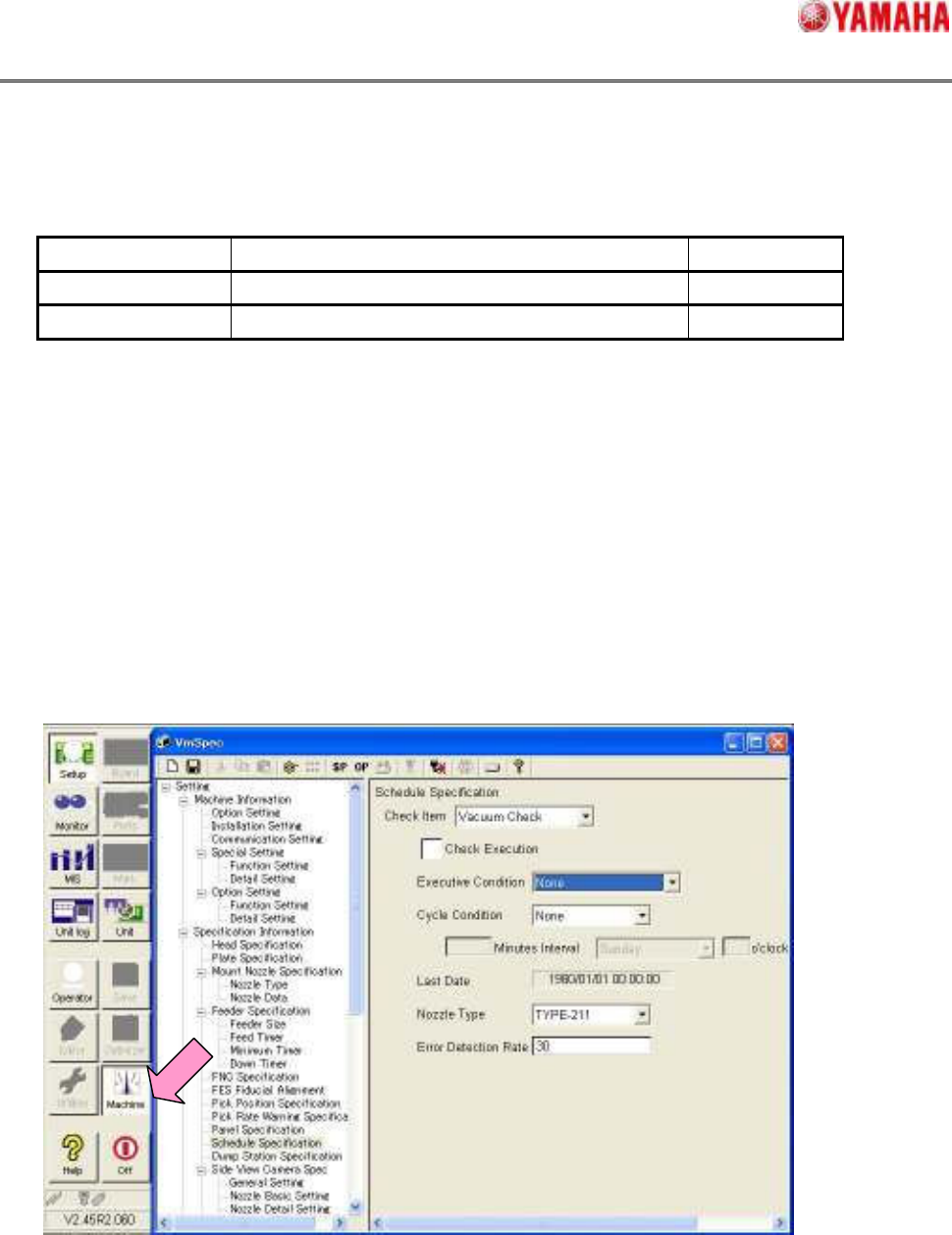
3. How to Set the Schedule Specification
Tap [Machine] button, and open [Setting] - [Specification Information] - [Schedule Specification].