00197973-10_SM_MaterialTower.pdf - 第190页
Portal 00197 973 - 10 / 02 , 2016 8- 26 © ASM SIPLACE Mat. Tower St ora ge Ser vice Manu al The red bar of the barcode rea der must be flush to the gripper cla mp (see picture)
00197973-10 / 02 , 2016 Portal
SIPLACE Mat. Tower Storage Service Manual © ASM 8-25
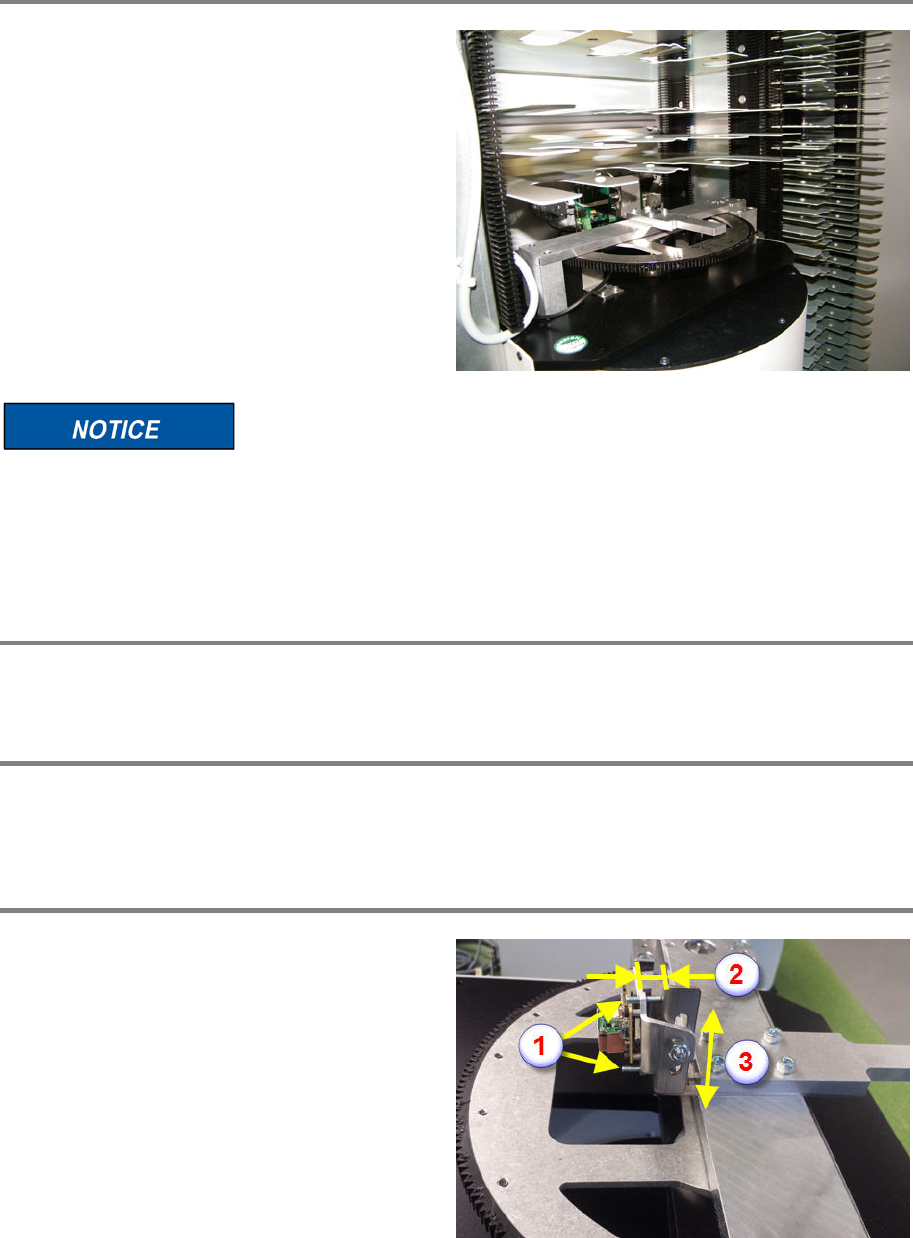
Refit shelves and items
Refi
t all the removed shelves and items to
exactly their original positions.
If the refit of shelves and items does not meet the original positions, the machine crashes
and can be damaged.
It is recommended to re
-calibrate the stack.
Finalize exchange steps
Remove all tools, attach all previously removed covers and close the doors of the machine.
Switch on the machine
Connect the system to the power supply system. Unlock the main switch and power up the
machine by switching on the main switch.
Adjust the barcode reader
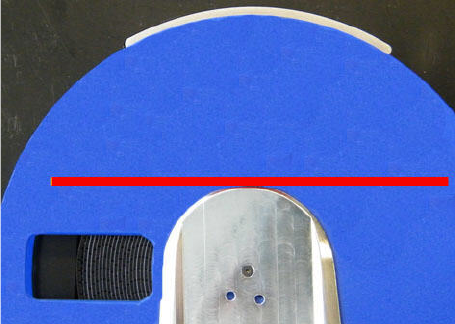
By means of the two grub screws (1), adjust the
position of the barcode reader. The gap
between the support and the rocker (upper side)
has to be 6 mm (2) or 4 mm (lower side).
Before tightening the fixing screw, make sure
the rocker is ro
ughly in the middle of the slotted
hole (3).
Portal 00197973-10 / 02 , 2016
8-26 © ASM SIPLACE Mat. Tower Storage Service Manual
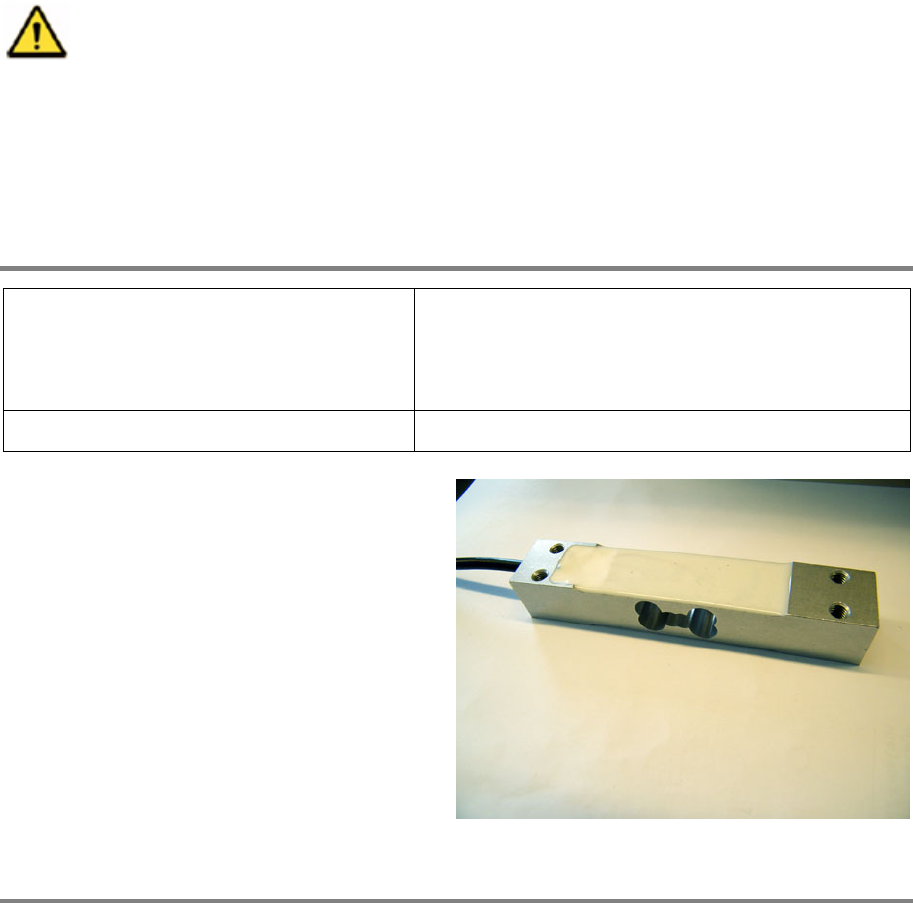
The red bar of the barcode reader must be flush
to the gripper clamp (see picture)
00197973-10 / 02 , 2016 Portal
SIPLACE Mat. Tower Storage Service Manual © ASM 8-27
8.6 Load Cell 10 kg
8.6.1 Introduction
This modification instruction describes how to exchange the load cell 10 kg on SIPLACE Material
Tower.
Spare part number: 03124544-01
Before starting the maintenance, read the Safety instructions carefully.
8.6.2 Tools, Material and Scheduling
For an effective and efficient maintenance, the following resources have to be provided:
Required Tools / Auxiliary Material / Spare parts
Tools: Allen key nr. 2.5 and 3
Side cutter
Ruler
Auxiliary Material: Cable ties
Spare parts:
03124544
-01 Load Cell
Time needed
Schedule around 20 minutes for this task.