OM-1241-005_w.pdf - 第103页
2-39 AIX-ML T-ID 0806-001 3.4 T eaching Operation [3] Operation Buttons [Dt Pos Move & Mnl Align] Button When pressed, this button performs a teaching operation on the pickup position. When the [ST AR T] button on th…
2-38
AIX-MLT-ID
0806-001
3.4 Teaching Operation
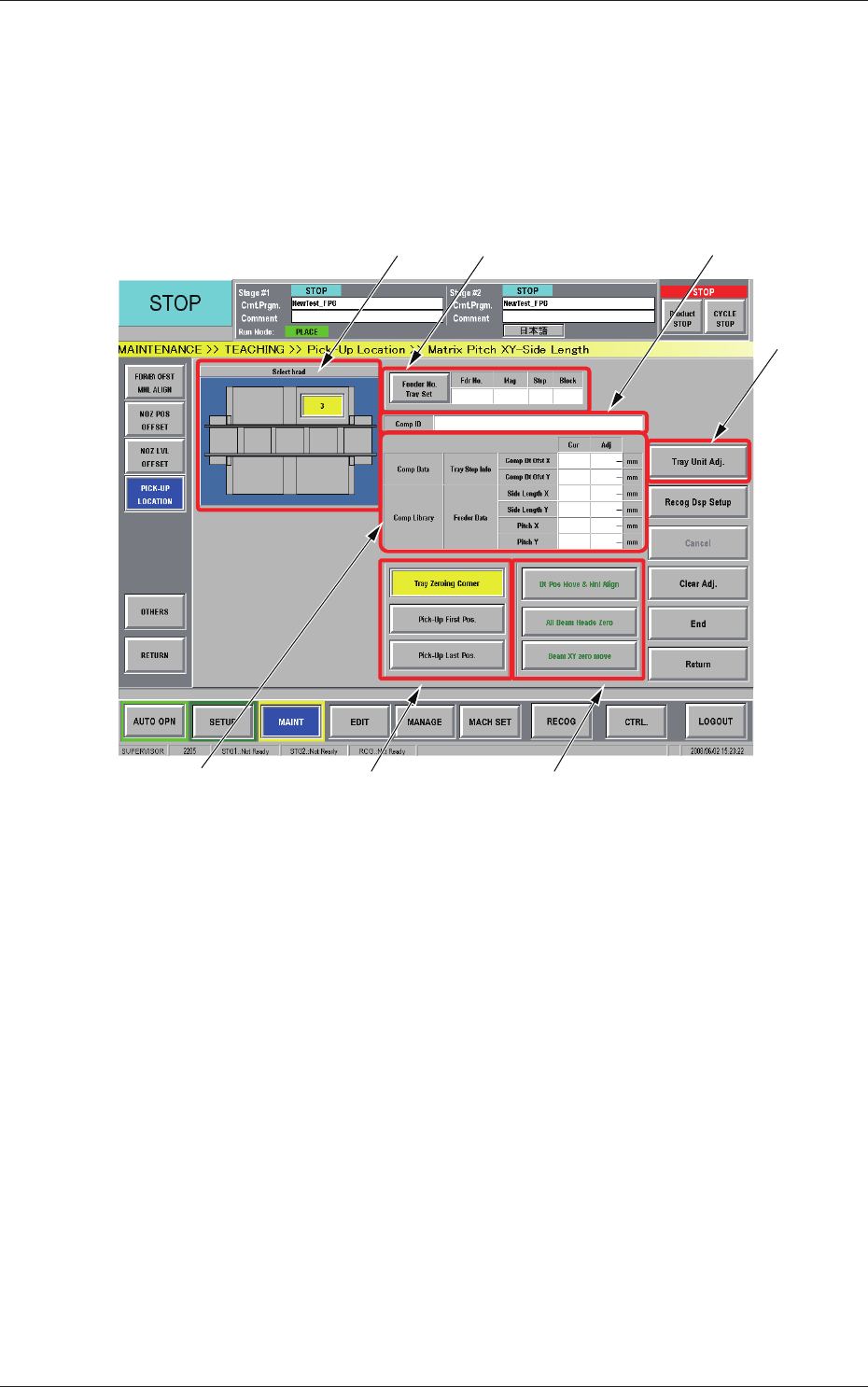
3.4.4 "Matrix Pitch XY-Side Length" Window
This window can be used to teach the tray position offsets, the side length,
and the pitch and create try component library data.
When the [Matrix Pitch XY-Side Length] button is pressed in the "Pick-Up
Location" window, the "Matrix Pitch XY-Side Length" window appears.
[5] [6]
[1]
[4]
[7] [3][2]
Fig. B31 "Matrix Pitch XY-Side Length" Window
[1] Head Selection Buttons
Each head in the graphic image of the machine is provided with a
button function.
The installed multi-layer tray feeders are displayed, making it possible
for the operator to select one of the feeders.
[2]
Pickup Position Correction
Displayed are the current values that indicate the current positional
offsets, side lengths, and pitches of the selected tray. After a teaching
operation is performed, the results appear in the text boxes entitled
"Adj".
Cur :
Values before Teaching Operation
Adj :
Results of Teaching Operation
2-39
AIX-MLT-ID
0806-001
3.4 Teaching Operation
[3] Operation Buttons
[Dt Pos Move & Mnl Align] Button
When pressed, this button performs a teaching operation on the pickup
position.
When the [START] button on the operation panel is pressed in 10
seconds after this button, the "Manual Alignment Operation Guide"
window appears.
[All Beam Heads Zero] Button
When pressed, this button zeroes the stage on which a teaching
operation is performed.
[Beam XY zero move] Button
When pressed, this button returns the beams to their X and Y origins.
[4]
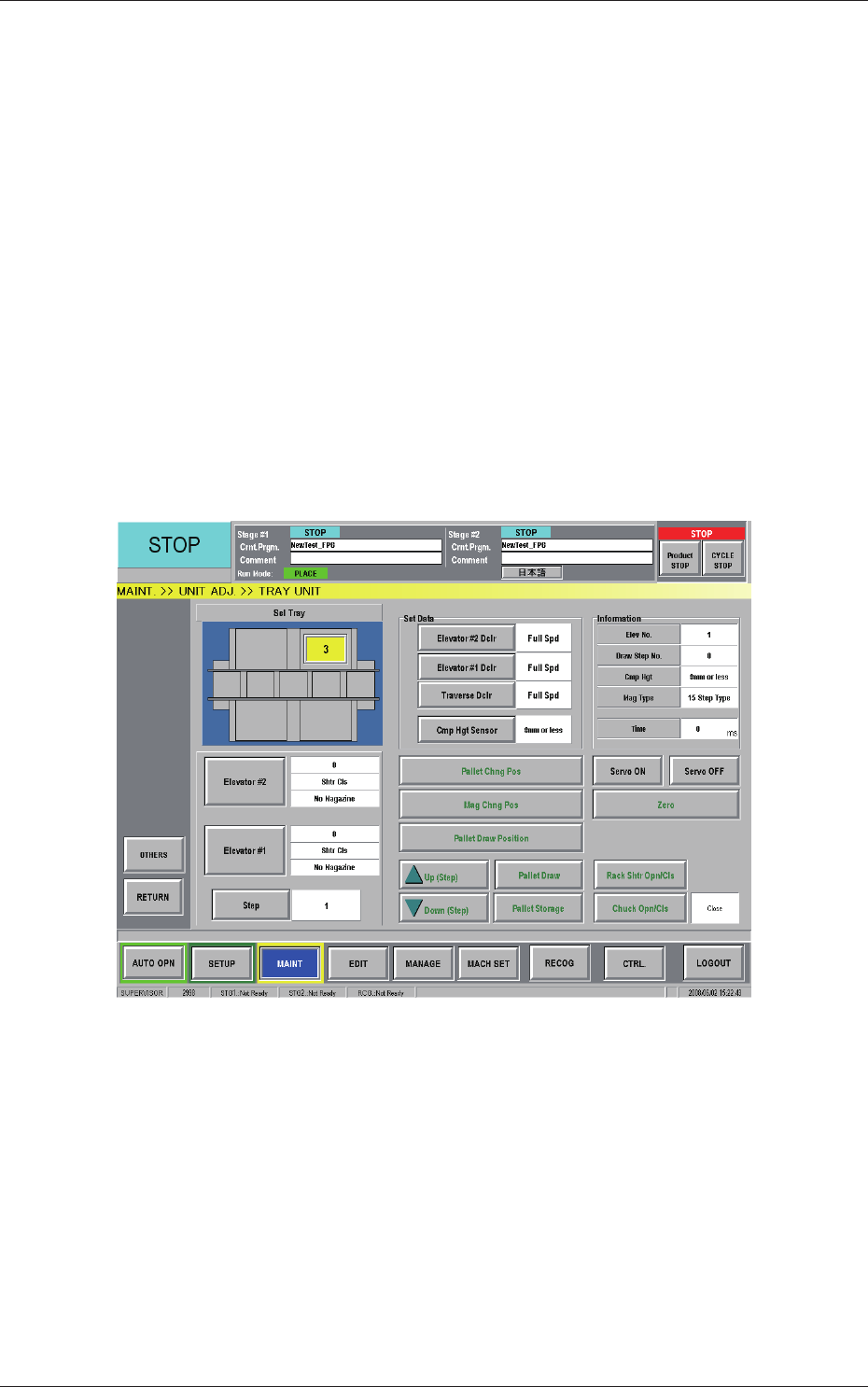
[Tray Unit Adj.] Button
When pressed, this button opens the "TRAY UNIT" window.
Fig. B32 "TRAY UNIT" Window
·
Procedure for T
eaching Operation
(1) Select the feeder base for which the teaching operation should be
performed.
(2) Press the [Fdr No.] button and enter the required feed
er No.
(3) Press the [All Beam Heads Zero] button to zero the stage on the
teaching side.
2-40
AIX-MLT-ID
0806-001
3.4 Teaching Operation
(4) When the [Dt Pos Move & Mnl Align] button is pressed, the "Manual
Alignment Operation Guide" window appears.
Fig. B33 "Manual Alignment Operation Guide" Window
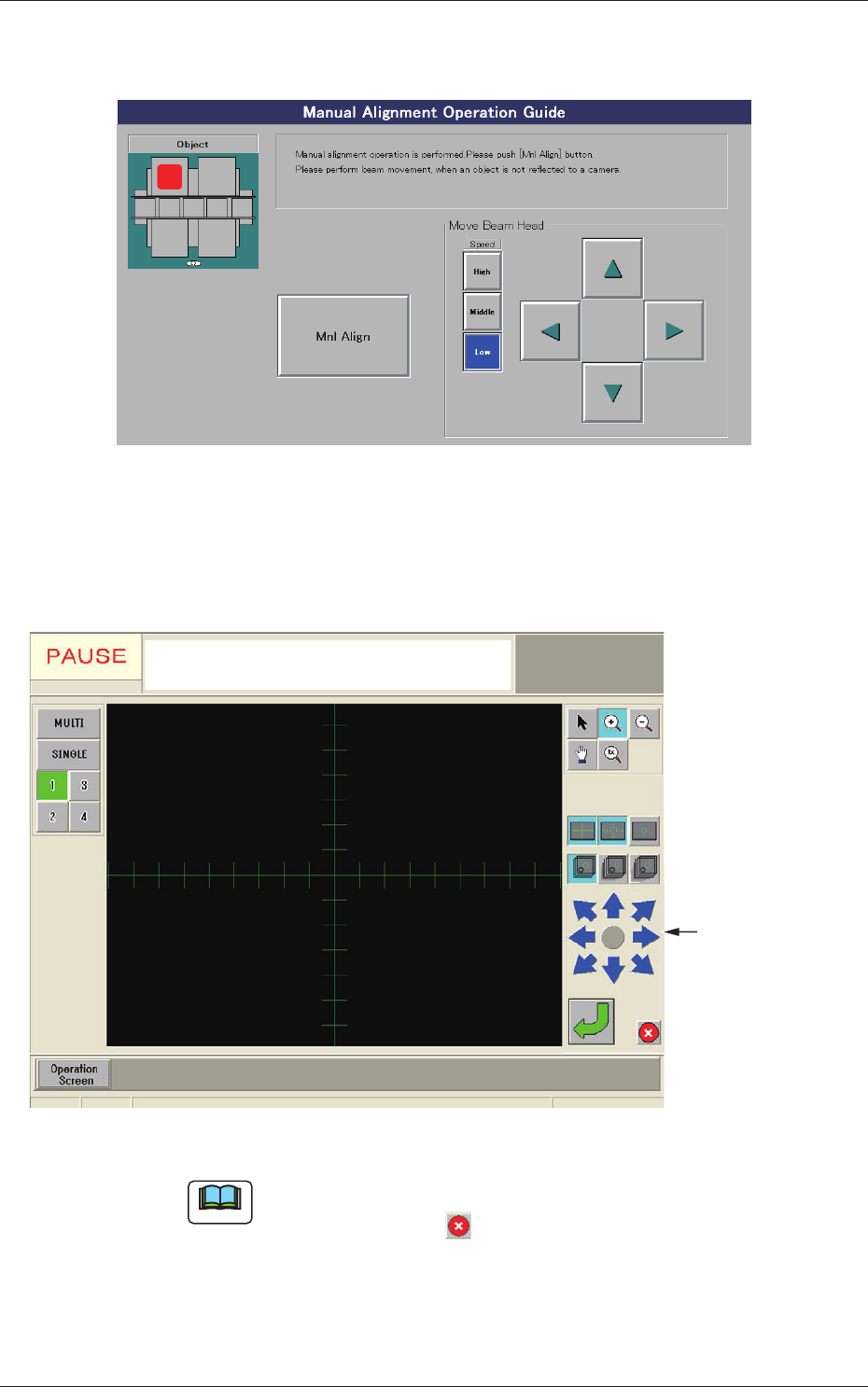
(5) When the [Mnl Align] button is pressed, a recognition window
appears, making it possible to perform the manual alignment
operation.
Image Movement
Buttons
Fig. B34 Recognition Window
Note
When an image of the object for the manual alignment cannot be captured
by the camera, press the button in the recognition window. The "Manual
Alignment Operation Guide" window resumes. Perform a beam movement
operation for the adjustment.