00194576_Install_WinXP_unattended.pdf - 第24页
Installation Manual for Windows XP (unattended setup) 11/2007 US+DE Installationsanleitung für Windows XP (unattended setup) 6.11 T ouch screen type selection If you selected the installation for the SIPLACE Produc t “st…
Installation Manual for Windows XP (unattended setup) 11/2007 US+DE
Installationsanleitung für Windows XP (unattended setup)
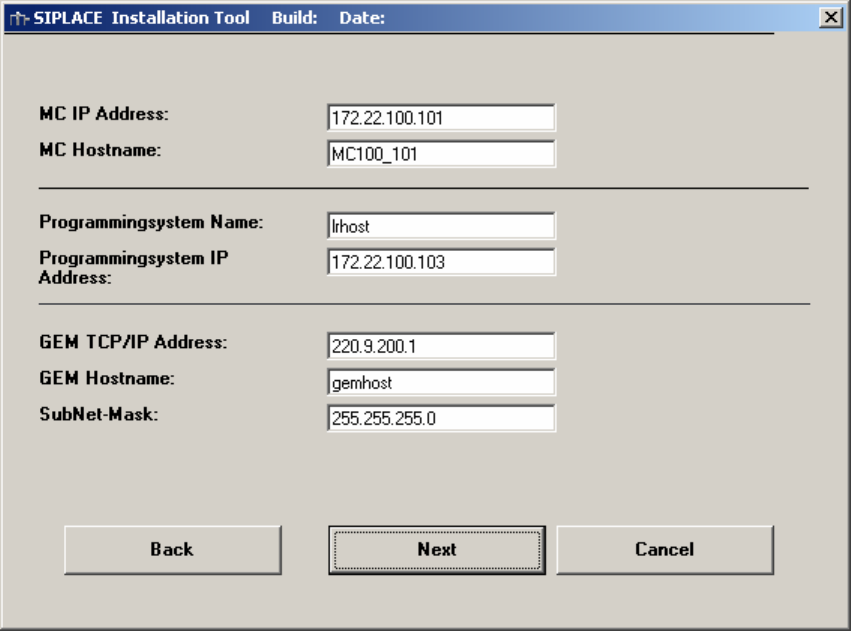
6.10 Network settings for communication partners
Here the communication partners of the station computer will be detected. You have to enter the following
data:
• MC Host name: mchost
• MC TCP/IP address: not fixed
Please use an address from the same network segment as the station computer.
• Programming system name (SIPLACE C Pro): Sipro01s01
• SIPLACE C Pro TCP/IP address: not fixed
Please use an address from the same network segment as the station computer.
• GEM Host name: gemhost
• GEM TCP/IP address: not fixed
Don’t change the default data if no GEM option installed
• GEM Sub net mask: not fixed
Don’t change the default data if no GEM option installed
Fig. 6-10: Network settings
→ Please enter the data.
→ Click the Next button.
23 / 58
Installation Manual for Windows XP (unattended setup) 11/2007 US+DE
Installationsanleitung für Windows XP (unattended setup)
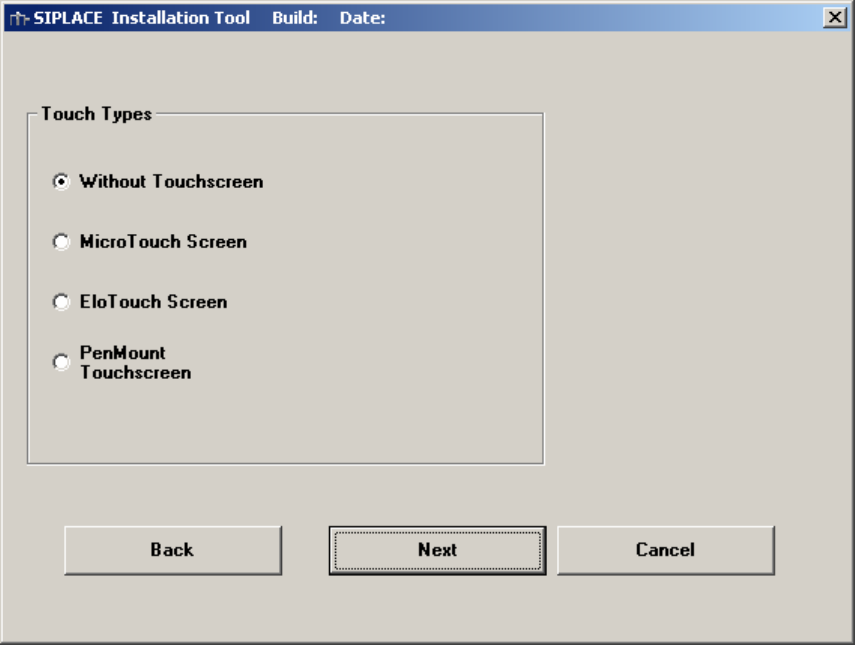
6.11 Touch screen type selection
If you selected the installation for the SIPLACE Product “station computer” you have to configure the Touch
Screen.
Fig. 6-11: Touch screen types
→ Select the correct Type.
→ Click the Next button.
24 / 58
Installation Manual for Windows XP (unattended setup) 11/2007 US+DE
Installationsanleitung für Windows XP (unattended setup)
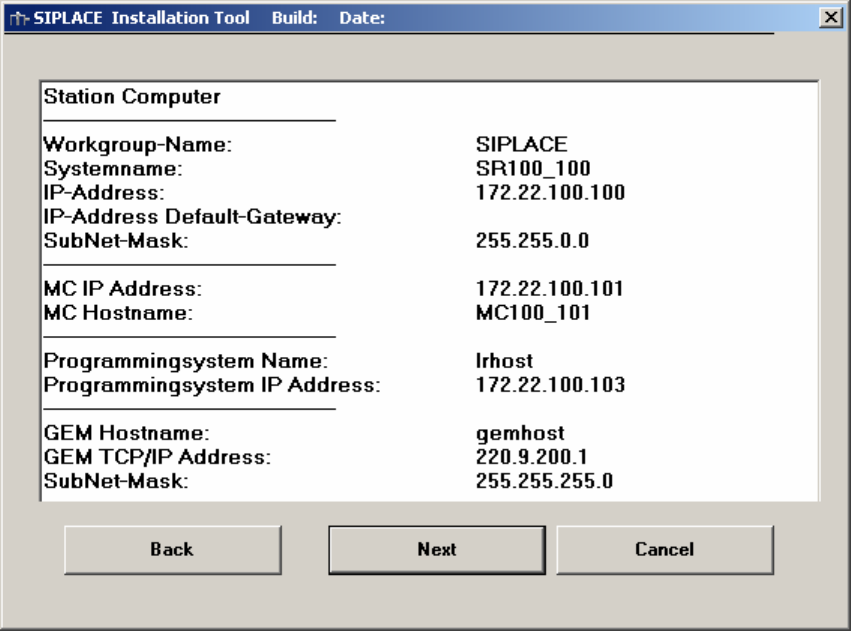
6.12 Display of the configured information
Here you will find a display with all configured network parameters (check display). You can change the
data if necessary.
Fig. 6-12: Configurations
→ Check the information.
→ Click the Next button.
25 / 58