Printer 710_810 v8 Networking.pdf - 第2页
NETWO RKING INTRODUCTION 32.2 Technical Reference Manual Chapter Iss ue 6 Oct 06 T o change the domain name, use the followi ng procedure: 1. On the desktop , right mouse clic k My Computer . 2. Select Properti es . 3. S…

NETWORKING
INTRODUCTION
Chapter Issue 6 Oct 06 Technical Reference Manual 32.1
CHAPTER 32 NETWORKING
INTRODUCTION
Scope This chapter describes the basic procedures for networking a DEK printing
machine. It does not contain any in-depth information about installing equip-
ment onto a network or fault analysis. Additionally, it does not cover subject
matter such as server topologies, IP Addressing and network classifications. If
it is necessary to obtain further information please contact DEK Customer
Support.
Anti-Virus
Checking
The DEK machine is virus checked before leaving the factory and it is the
customers’ responsibility to ensure the machine is kept virus free. Once the
DEK machine is connected to another computer or a network, it is at risk from
viruses. When connected to a network, ensure that the network virus check
includes the DEK machine in its schedule.
NOTE
There is no virus checking software loaded on to the DEK machine.
Establishing a
Network
Connection
The four items that need to be set up to establish a network connection are listed
below:
Protocol Generally, the protocol used is TCP/IP (Transmission Control Protocol/Internet
Protocol) where communications between computers is divided into packets
with headers (electronic address labels) that identify the IP address. Every IP
Address is divided into the network ID portion (Net id) and a client ID portion
(Host id).
NOTE
DEK can support any protocol that customer has, only TCP/IP needs the
information provided in this chapter, other protocols provide automatic address-
ing techniques.
Physical Establish the cable type, examples are shown.
• 10 Base T (Thin Ethernet)
NOTE
DEK only provide support for the 10 Base T cable types. The plug is an RJ45
type and it is recommended that a CAT 5 twisted pair arrangement is used
(details later in this chapter).
Once this is known the location of the network socket must be assessed and an
assessment made of the suitability of the system for the application.
NOTE
If a customer has a different arrangement to the above, it may be possible to
convert to this arrangement using a different connector. Contact DEK Customer
Support for details.
Registration on the
Server Domain
DEK only support networking on Microsoft Windows Server/Client based arche-
tecture.
The printing machine needs to be registered on the correct domain, this
information is obtained from the network administrator and there may be a
requirement to have a user account set up and a password given.

NETWORKING
INTRODUCTION
32.2 Technical Reference Manual Chapter Issue 6 Oct 06
To change the domain name, use the following procedure:
1. On the desktop, right mouse click My Computer.
2. Select Properties.
3. Select the Network Identification tab.
4. Select the Properties button.
5. Enter the domain name as supplied by the network administrator.
6. Select OK - Apply - OK.
NOTE
The network administrator is the only person who can supply the information
above. No attempt to make network connection should be made without the
administrators permission to do so.
Files When communications are established the user can transfer information to and
from folders that reside on the network, the network administrator may wish to
impose restrictions on who can access these files. Sharing and security
information is obtained and set by right clicking on the required folder in
Windows Explorer, select Sharing. Once sharing has been enabled, permis-
sions and security can be set.
NOTE
It is not a good practice to set a complete drive in the shared mode as
information is easily deleted or altered accidentally
Shared folders and files should be created for specific DEK applications eg,
READINGS.DAT, see your application manual for details.
NETWORKING
COMMS PROTOCOL OPTIONS
Chapter Issue 6 Oct 06 Technical Reference Manual 32.3
COMMS PROTOCOL OPTIONS
These are the only options currently offered by DEK Printing Machines Limited.
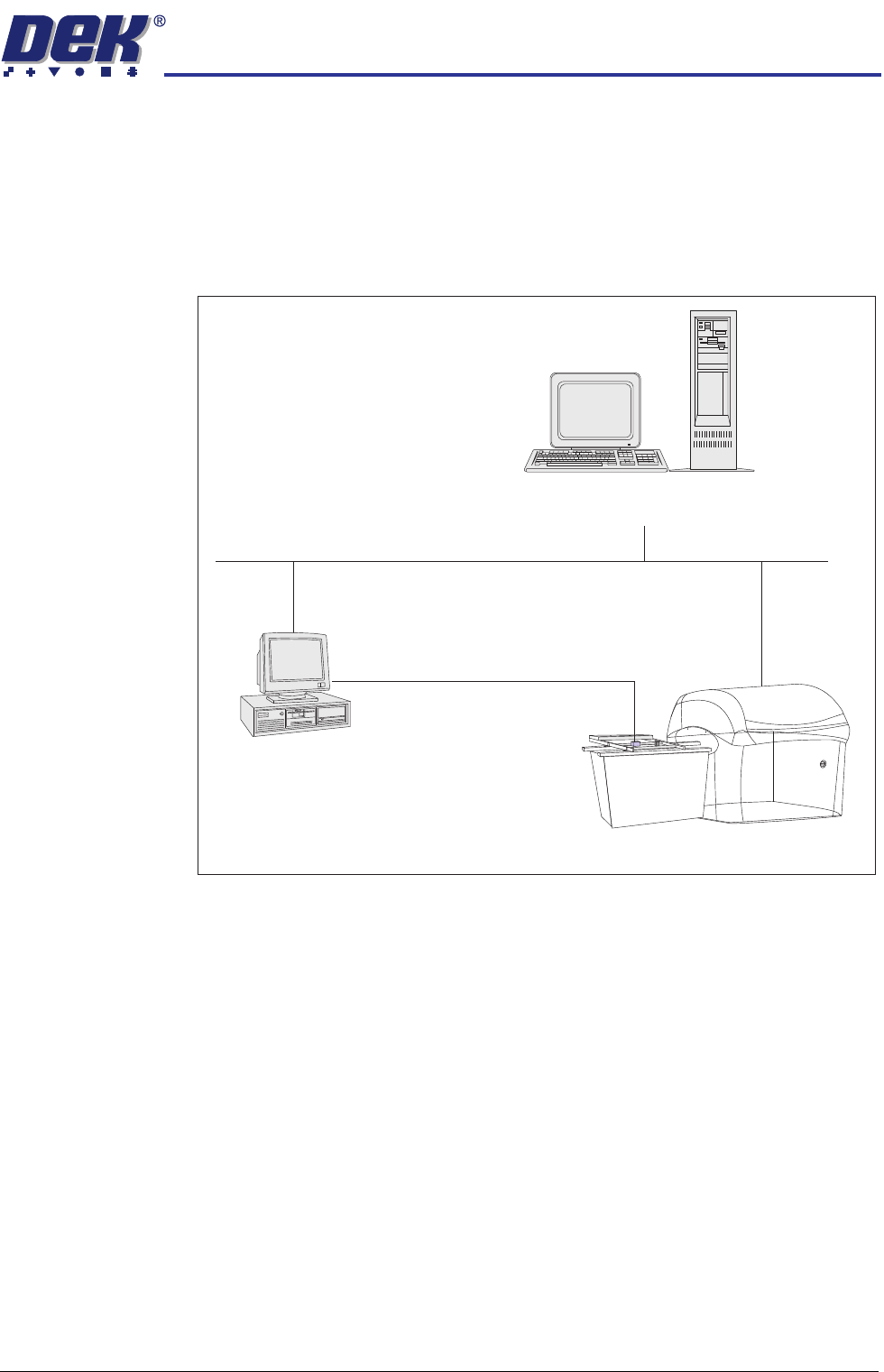
GEM If the Host is a PC, host control or DEK’s Remote Product Changeover (RPC)
package can be used to modify product files or to control machine operations
remotely. The flexibility of the GEM interface allows data collection to meet the
users requirements.
Figure 32-1 Network GEM - Typical Configuration
IP Address The IP Address of the printer must be set up in the DekSECSII.cfg file. To set
up the IP Address edit the configuration file D:\Program Files\DEK\Machine
Control\Printer\DekSECSII.cfg using a text editor. Set the passive IP Address
to the printers ‘IP Address’. If there is more than one printer communicating
with GEM Host, the DEVICEID is set different for each printer. DEVICEID
values can be set within the range 0x0000 - 0x7FFF (0 to 32767).
Server
Network
Input Conveyor and Printing Machine
Host PC
The system is hosted by a standalone PC
connected to the DEK printer using networked
GEM or Net_Files. A typical system may
interface external components such as a
Barcode Reader which uses serial RS 232.
Bar Code Reader
Serial RS232 Comms