TM6049.PickupMACS.pdf - 第22页
SMT Software Engineering Group IM Ope ration s Y A MAHA MOTOR CO ., L TD. MDOC-SOFT50 177 22 /28 (6) Above n umber is i nput, the follo wing mes sage is dis played , and pres s the [Y es] but ton. If this m essage appe…
SMT Software Engineering Group
IM Operations YAMAHA MOTOR CO., LTD.
MDOC-SOFT50177
21/28
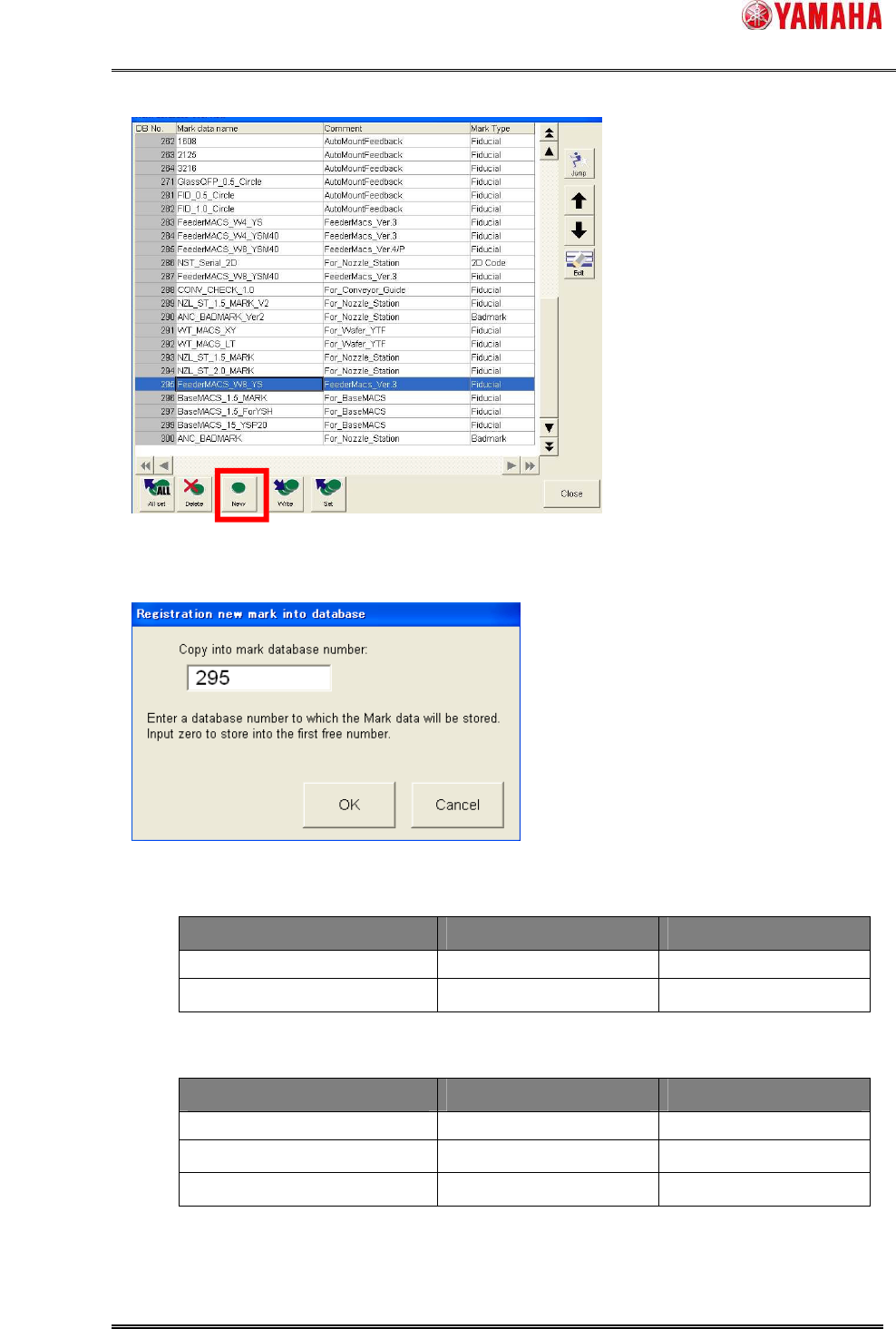
(4) [Mark database overview] dialog opens. Press the [New] button.
(5) The [Registration new mark into database] dialog opens.
Input a mark database number, then press [OK].
Database number is as below.
■ YS
Mark Name Mark Comment Database Number
FeederMACS_W8_YS FeederMACS_Ver.* 295
FeederMACS_W4_YS FeederMACS_Ver.* 283
■ YSM40
Mark Name Mark Comment Database Number
FeederMACS_W8_YSM40 FeederMACS_Ver.* 287
FeederMACS_W4_YSM40 FeederMACS_Ver.* 284
FeederMACS_W4_YSM40 FeederMACS_Ver.*/P 285
*4
SMT Software Engineering Group
IM Operations YAMAHA MOTOR CO., LTD.
MDOC-SOFT50177
22/28
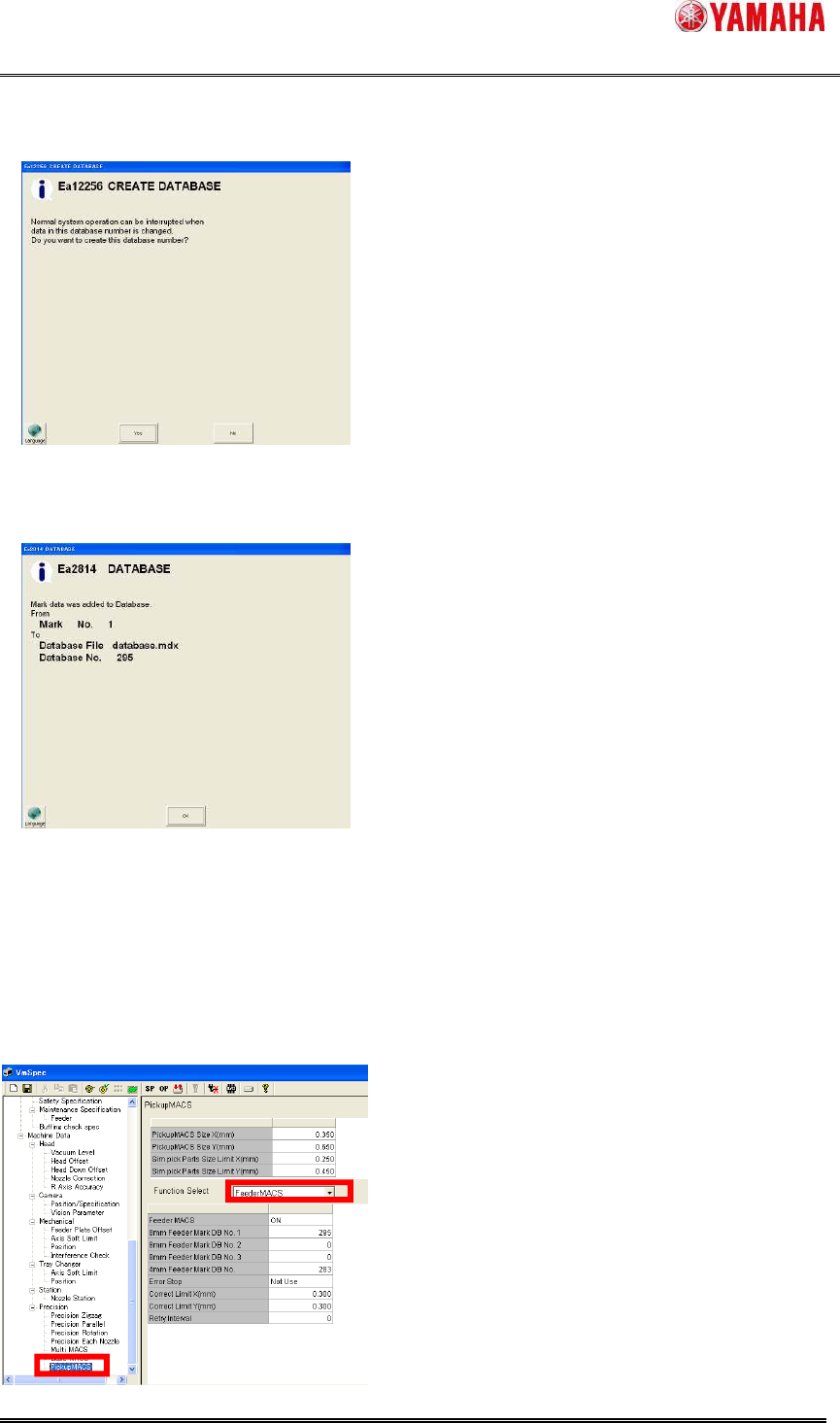
(6) Above number is input, the following message is displayed, and press the [Yes] button.
If this message appears when you select other than 295, please change the number.
(7) Dialog showing the data registration completed. Press the [OK] button.
(8) Check that the mark data exists on [Mark database overview]. If yes, the registration to
the mark database is completed.
(9) Next, reflect the registered mark database to the setting of Feeder MACS. Press the
[Machine] button and open the machine setup dialog.
(10) Select [Machine] - [Setting] - [Machine Data] - [Precision] - [Pickup MACS]. Select
“Feeder MACS” from the combo box.
SMT Software Engineering Group
IM Operations YAMAHA MOTOR CO., LTD.
MDOC-SOFT50177
23/28
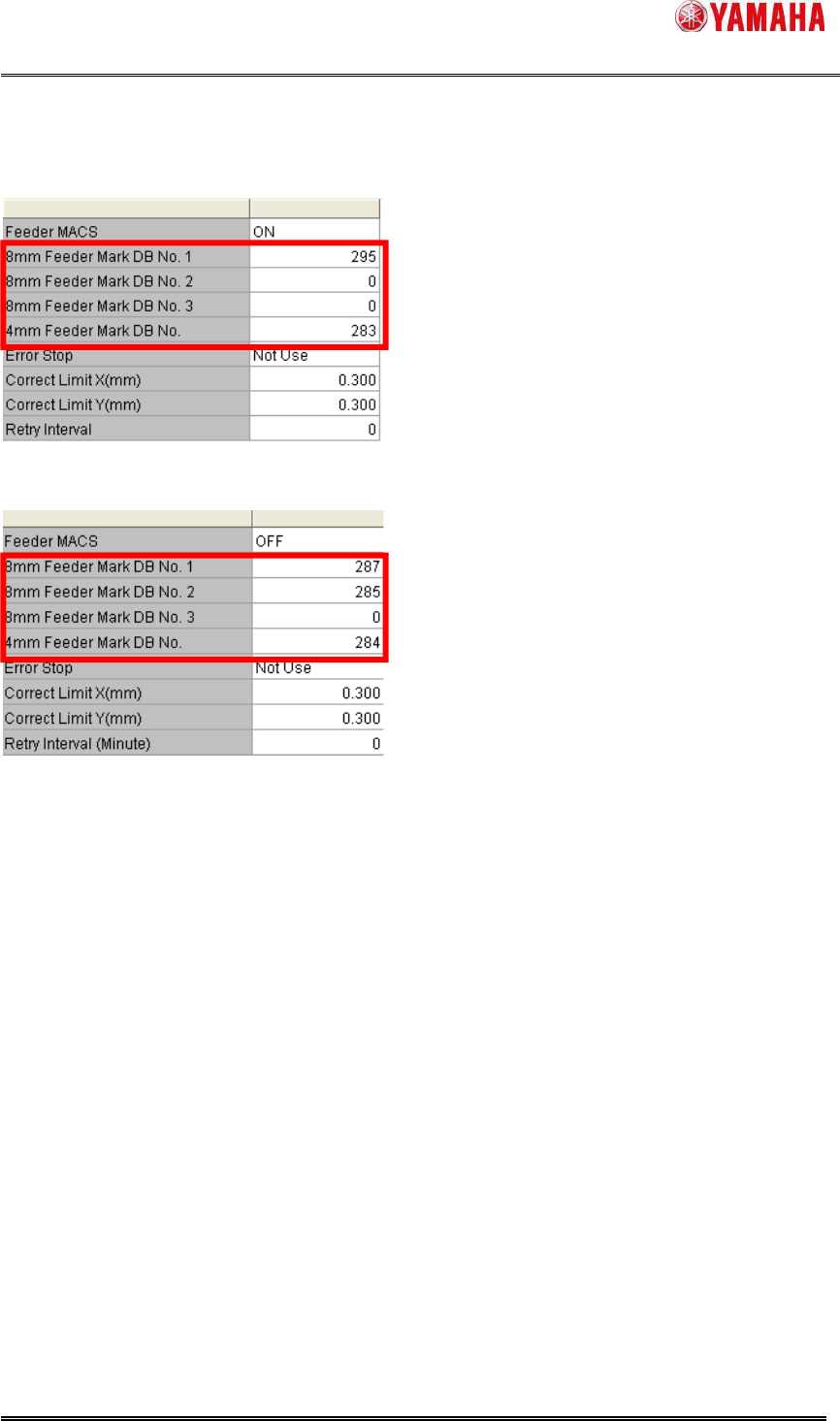
(11) Input the number you registered in database into [8mm Feeder Mark DB No. 1-3] or
[4mm Feeder Mark DB No.].
/ YS
/ YSM40
(12) Save and read a board data again.