00197443-01_IM_707_0_DE_EN.pdf - 第27页
Station S oftware 70 7.0 / Ins tallation Man ual Ausgabe 10/2013 E dition 27 5.3 Performing B IOS U pdate/ S etti ngs on the M achine C omputer and Visi on C omputer The im age files f or the BIOS updat e/BIOS sett ings …
Station Software 707.0 / Installation Manual Ausgabe 10/2013 Edition
26
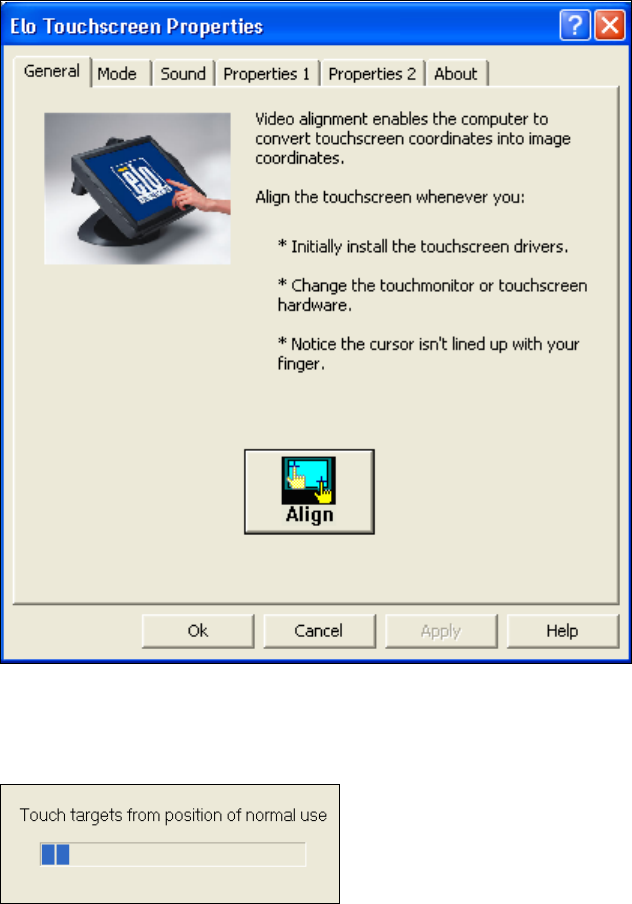
5.2.3 Calibrating the Touchscreen
► Select Start
Settings
Control Panel
Elo to go to EloTouchscreen Properties:
Figure 5-3: Elo Touchscreen properties
► Click the Align button.
The following message then appears:
Figure 5-4: Instruction for the screen to be calibrated
► Follow the instructions on the screen.
Station Software 707.0 / Installation Manual Ausgabe 10/2013 Edition
27
5.3 Performing BIOS Update/Settings on the Machine Computer and
Vision Computer
The image files for the BIOS update/BIOS settings and the corresponding installation instruction
(readme file) are available on the V1.0 BIOS CD that can be ordered via the service technician or
downloaded from the SIPLACE Download Center.
Station Software 707.0 / Installation Manual Ausgabe 10/2013 Edition
28
5.4 Installing the SIPLACE Software (Station Software 707.0)
NOTICE
The installation requires approx. 80 minutes.
► Switch on the SIPLACE placement machine.
► Change to the service desktop.
► Open Windows Task Manager.
► Select Logoff in the Users tab.
► Log in as Administrator (under Windows XP) or as ASM_Admin (under Windows 7).
► Insert the installation DVD in the drive.
► Open the Explorer and start setup.exe under drive E: by double clicking it.
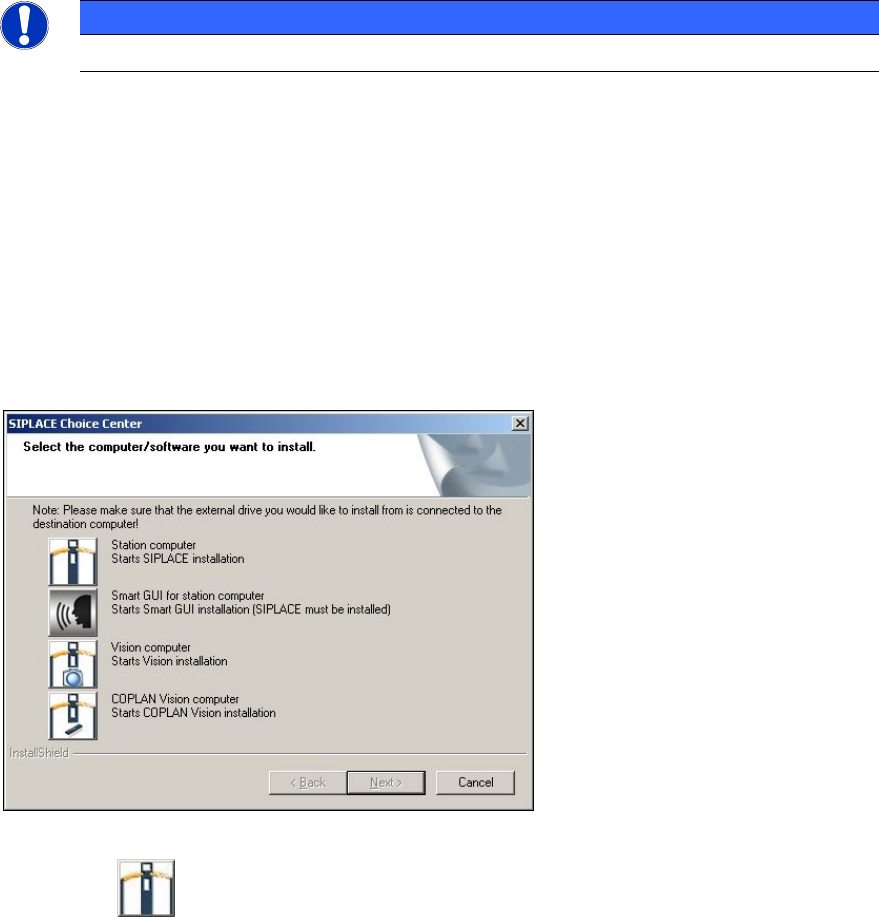
The SIPLACE Choice Center dialog box is opened.
Figure 5-5: "SIPLACE Choice Center" dialog box
► Click the Station computer button.