00197207-01_IM_BoardGateKeeper_1.0_EN.pdf - 第12页
Installation 12 Installation Manual SIPLACE BoardGateKeeper 1.0 ► Read the license agreement. If you agree with the conditions, click on I Agree , otherwise click on I Do Not Agree . If you select I Do Not A gree , the i…
Installation
Installation Manual SIPLACE BoardGateKeeper 1.0 11
4 Installation
NOTICE
Administrator
You must be logged as Administrator
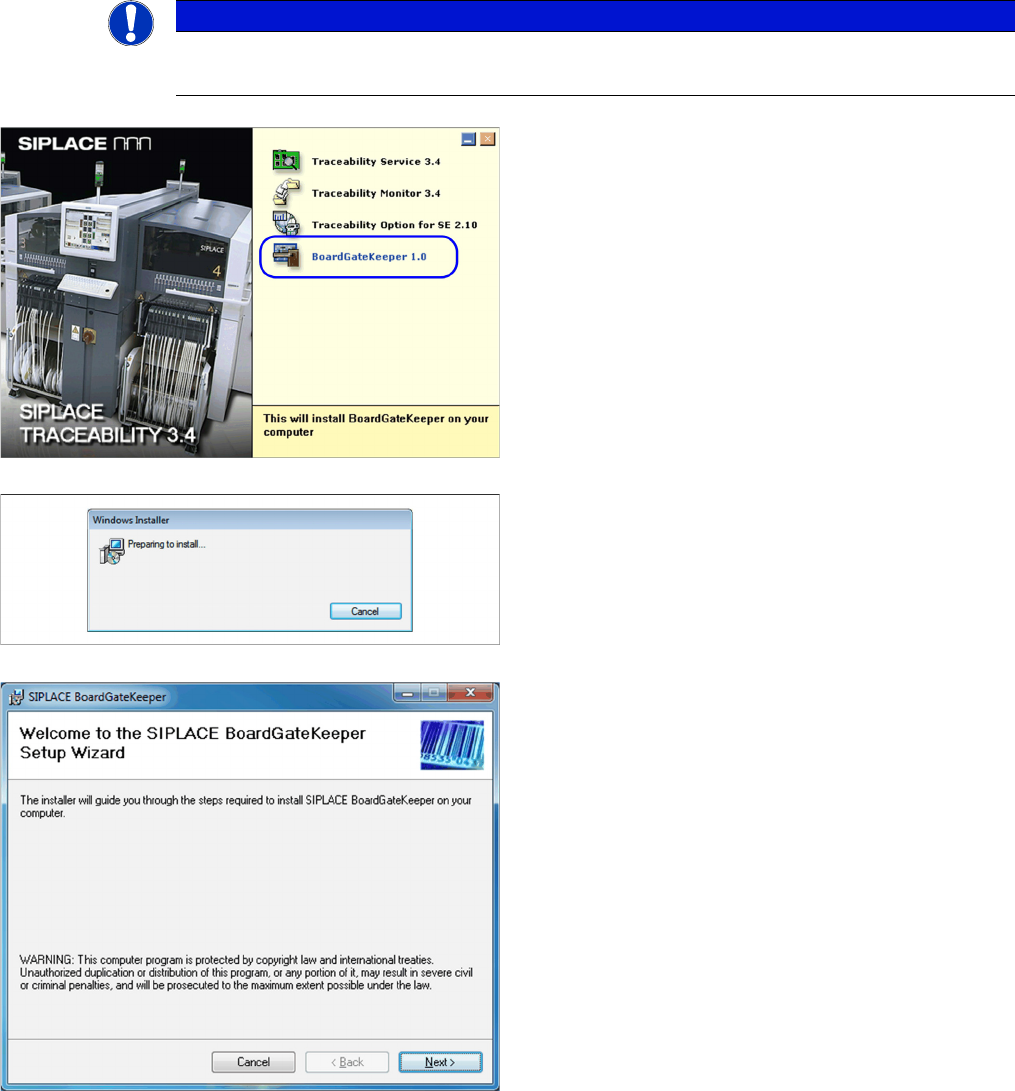
► Place the SIPLACE Traceability CD into the CD-ROM
drive of your SIPLACE Pro computer. You will see the
start screen.
► Select BoardGateKeeper 1.0. You will be guided
through the installation procedure.
The dialog boxes shown below will be displayed during
the installation procedure.
The Welcome dialog will appear.
► Click on Next to continue the installation procedure.
Installation
12 Installation Manual SIPLACE BoardGateKeeper 1.0
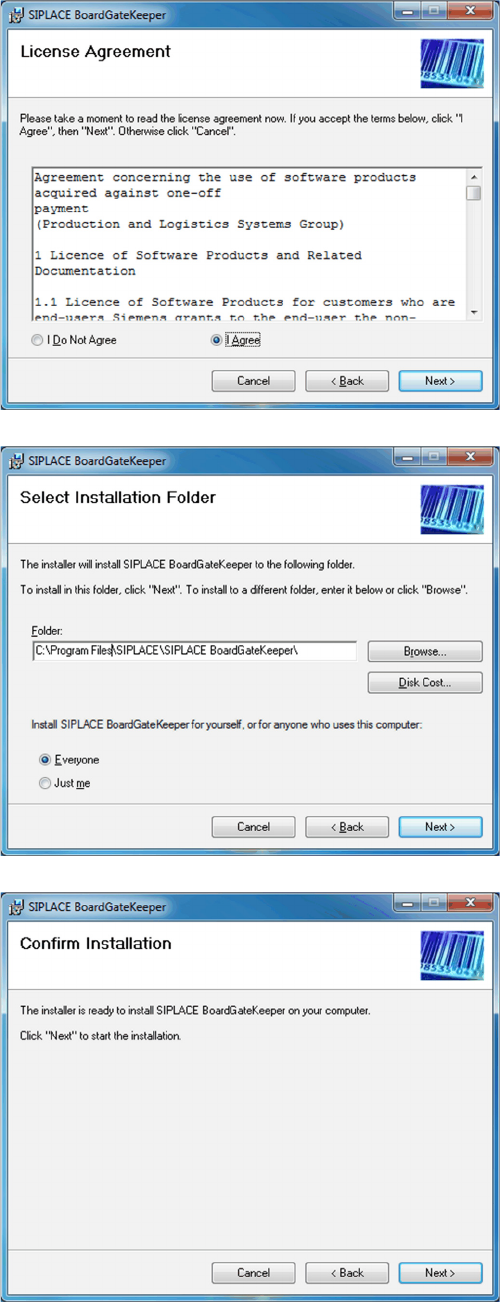
► Read the license agreement. If you agree with the
conditions, click on I Agree, otherwise click on I Do
Not Agree. If you select I Do Not Agree, the installa-
tion procedure will be terminated.
► Click on Next to continue the installation procedure.
► Now specify the folder in which you wish to install the
application. The default folder is C:\Program
Files\SIPLACE\SIPLACE BoardGateKeeper.
You can alter the default installation folder by using
the Browse… button.
► Confirm the installation by clicking on Next.
Installation
Installation Manual SIPLACE BoardGateKeeper 1.0 13
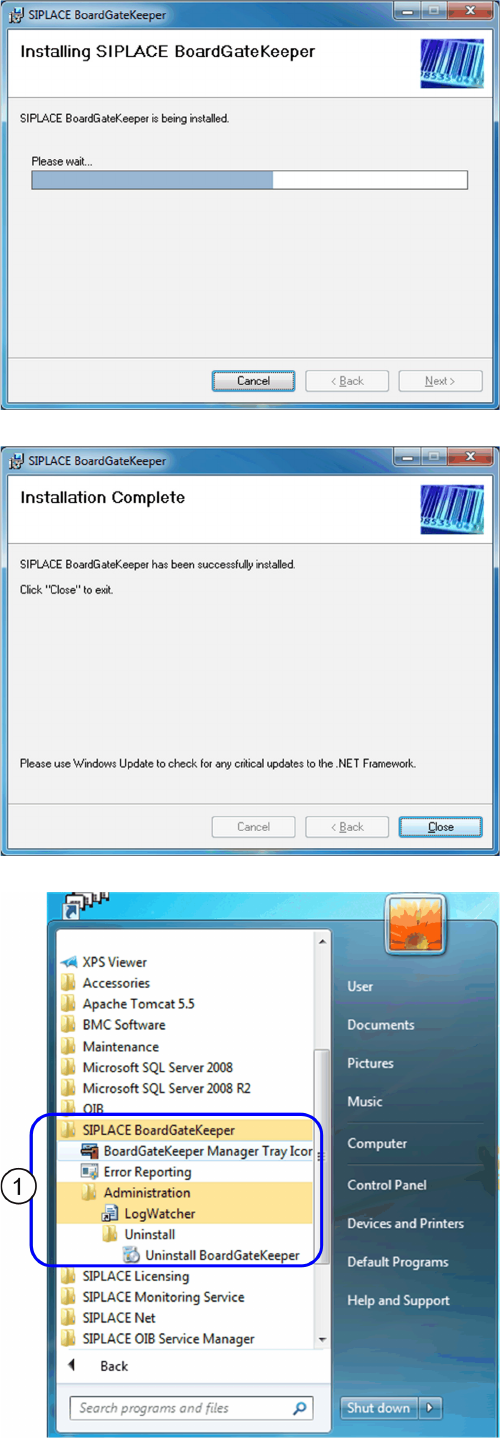
► The installation of BoardGateKeeper will begin.
► The installation is successfully finished. Click Close
to exit.
The SIPLACE BoardGateKeeper program group with the
programs and shortcuts was added to the Windows Start
menu (1):
▪ SIPLACE BoardGateKeeper
– BoardGateKeeper Manager Tray Icon
– Error Reporting
– LogWatcher
– Uninstall BoardGateKeeper