Release-R17-1-CS_Reporting_en.pdf - 第13页
SIPLA CE Pro - Ease of Use 2.1: Updating an existing Setup 8/8/2017 ASM Assembly Systems Page 13 2. Copy Feeders and Nozzles - Select the target setup and click the right mouse button „ Copy Feeders and Nozzles from …“ (…
SIPLACE Pro - Ease of Use 2.1: Updating an existing Setup
8/8/2017 ASM Assembly Systems Page 12
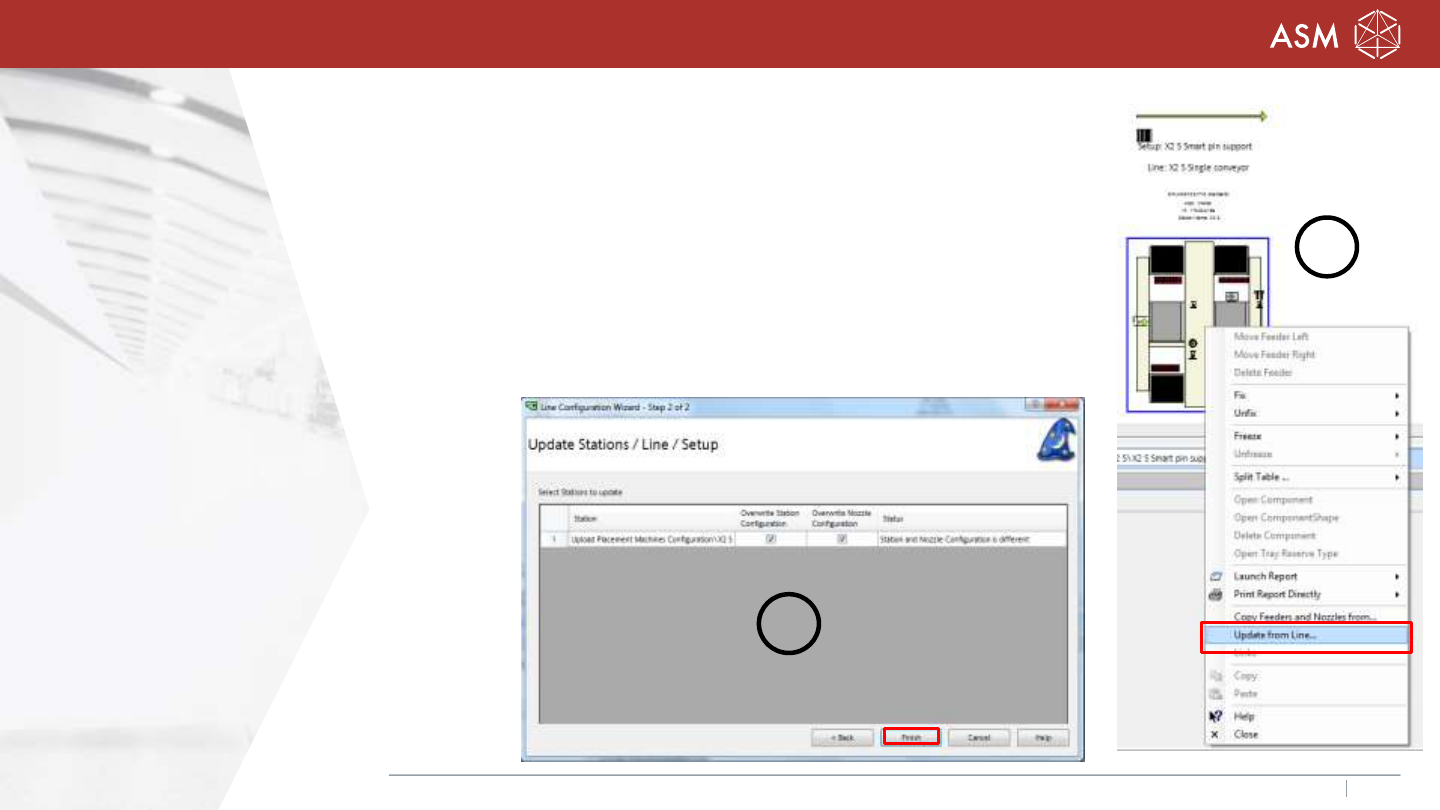
1. Upload machine configuration
- Create the new station / new line / new default setup
in SIPLACE Pro Desk.
- Click on the machine with the right mouse button
„Update from Line…“ (1).
- Choose the option „overwrite station configuration
and/or overwrite nozzle configuration (2).
- „Finish“
2
1
SIPLACE Pro - Ease of Use 2.1: Updating an existing Setup
8/8/2017 ASM Assembly Systems Page 13
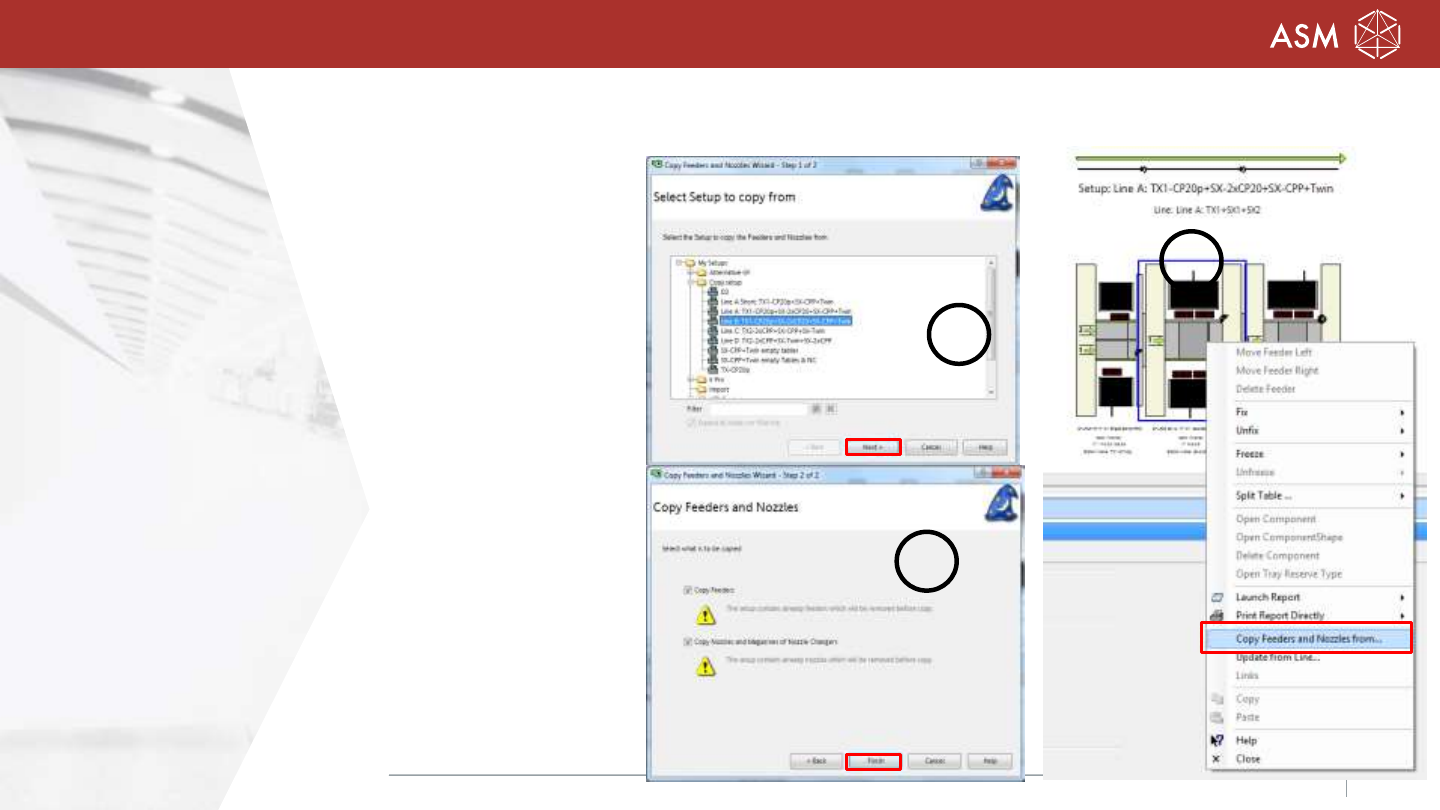
2. Copy Feeders and Nozzles
- Select the target setup and click the right mouse
button „Copy Feeders and Nozzles from…“(1).
- Desk open a dialog (2) to select the source setup.
- „Next“
- Desk checks, if the nozzle configuration can be
copied and if the feeder setup can be copied.
- Select Copy feeders and/or nozzles and magazines.
- “Finish” (3)
Note: Please note the restriction in the
Online Help of SIPLACE Pro!
2
1
3
SIPLACE On board PCB inspection (M270 selective sales release, only)
8/8/2017 ASM Assembly Systems Page 14
License:
SIPLACE PCB Inspection – Machine Connection (Floating- license)
Three new types of inspections can be performed when a board is produced:
- Solder paste (SP),
- Before placement (BPL)
- After placement (APL).
The inspection areas are coupled to placement positions which will be inspected with the board camera.
Solder paste inspections are performed at the first station in the line.
Precondition for Hotlink machine SX-series is the PCB camera 03075363-02
All machine with Gig E camera are able to measure the solder paste.
Note: A feature description will be created for this!