00197692-03_IM_EDM_3.2_EN.pdf - 第9页
EDM 3.2 / Installat ion Manual 11/2015 Edition 9 4 Install ing the SIPLACE EDM Software This chapter des cribes the steps to be f ollowed to inst all the SIPLACE EDM sy stem component s. NOTICE If you are migrating f rom…

EDM 3.2 / Installation Manual 11/2015 Edition
8
With some effort, it is possible to change the configuration server location (see EDM User Manual).
CAUTION
Though feasible, it is not recommended to run more than one configuration server in an
organizational unit, e.g. within a plant or on line computers connected to the same EDM
Master server (except during an upgrade scenario, see chapter 5
). Otherwise, there is a
high risk to get an inconsistent EDM environment and a poor overview over the EDM
components.
EDM 3.2 / Installation Manual 11/2015 Edition
9
4 Installing the SIPLACE EDM Software
This chapter describes the steps to be followed to install the SIPLACE EDM system components.
NOTICE
If you are migrating from an earlier version of EDM to EDM 3.x, please refer to chapter 6
for details on the installation procedure.
4.1 Starting the Installation
► Run the Setup.exe program on the installation media.
► Click on the Next button of the dialog box that appears.
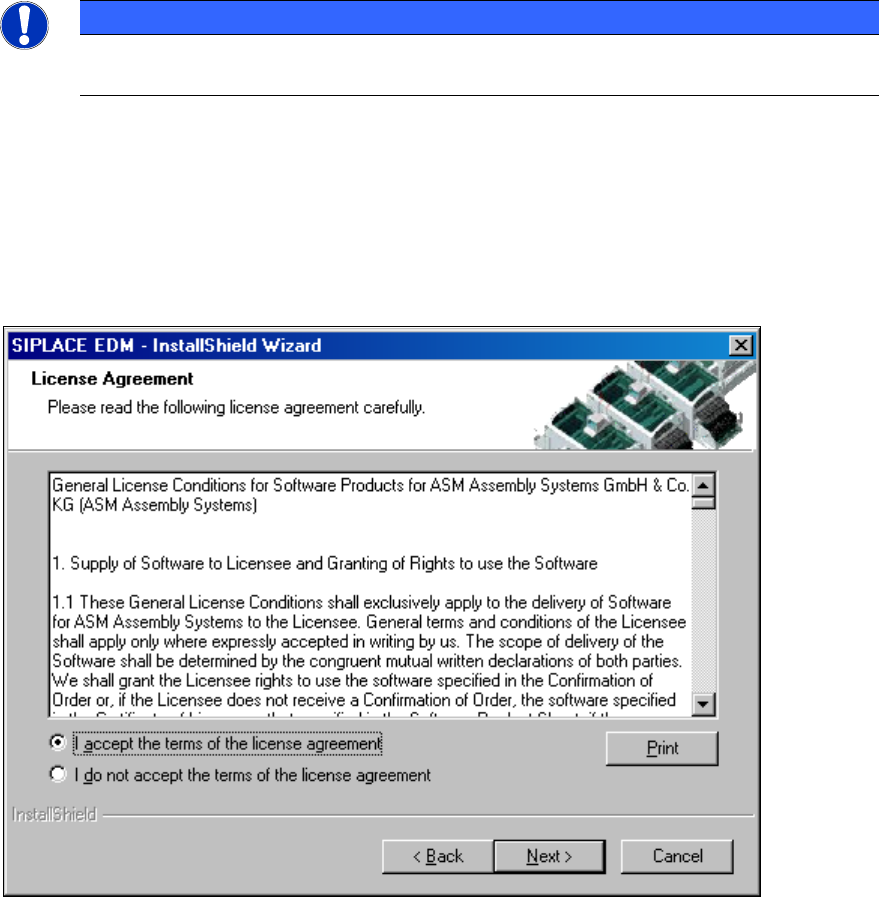
► Read and accept the License Agreement.
Figure 4-1: License agreement
► Click the Next button.
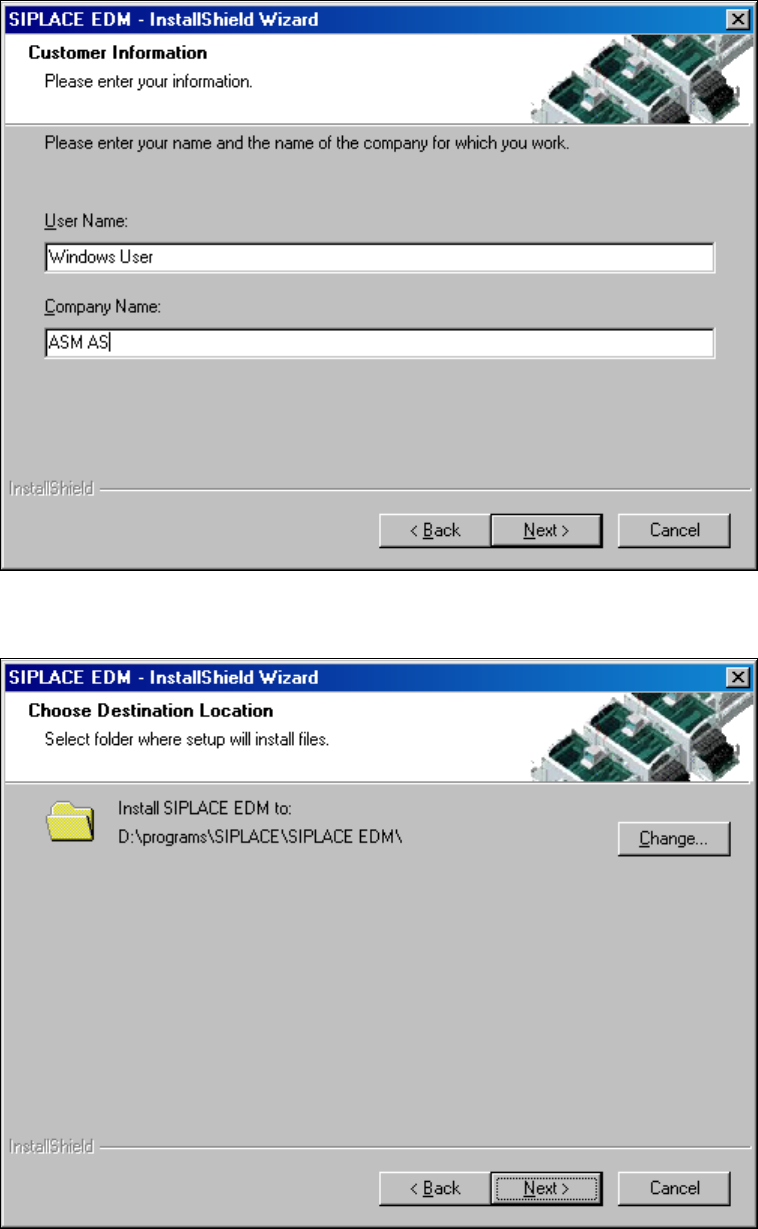
The following dialog box asks you to enter your contact information.
► Enter this information and click the Next button.
EDM 3.2 / Installation Manual 11/2015 Edition
10
Figure 4-2: Contact information
► Select the target folder for the SIPLACE EDM installation.
Figure 4-3: Target folder for installation
Since SIPLACE EDM comprises several applications whose installation procedure depends on the
role of the workstation, you must select the type of installation you want to perform.