cp45电脑部分判断.pdf - 第5页
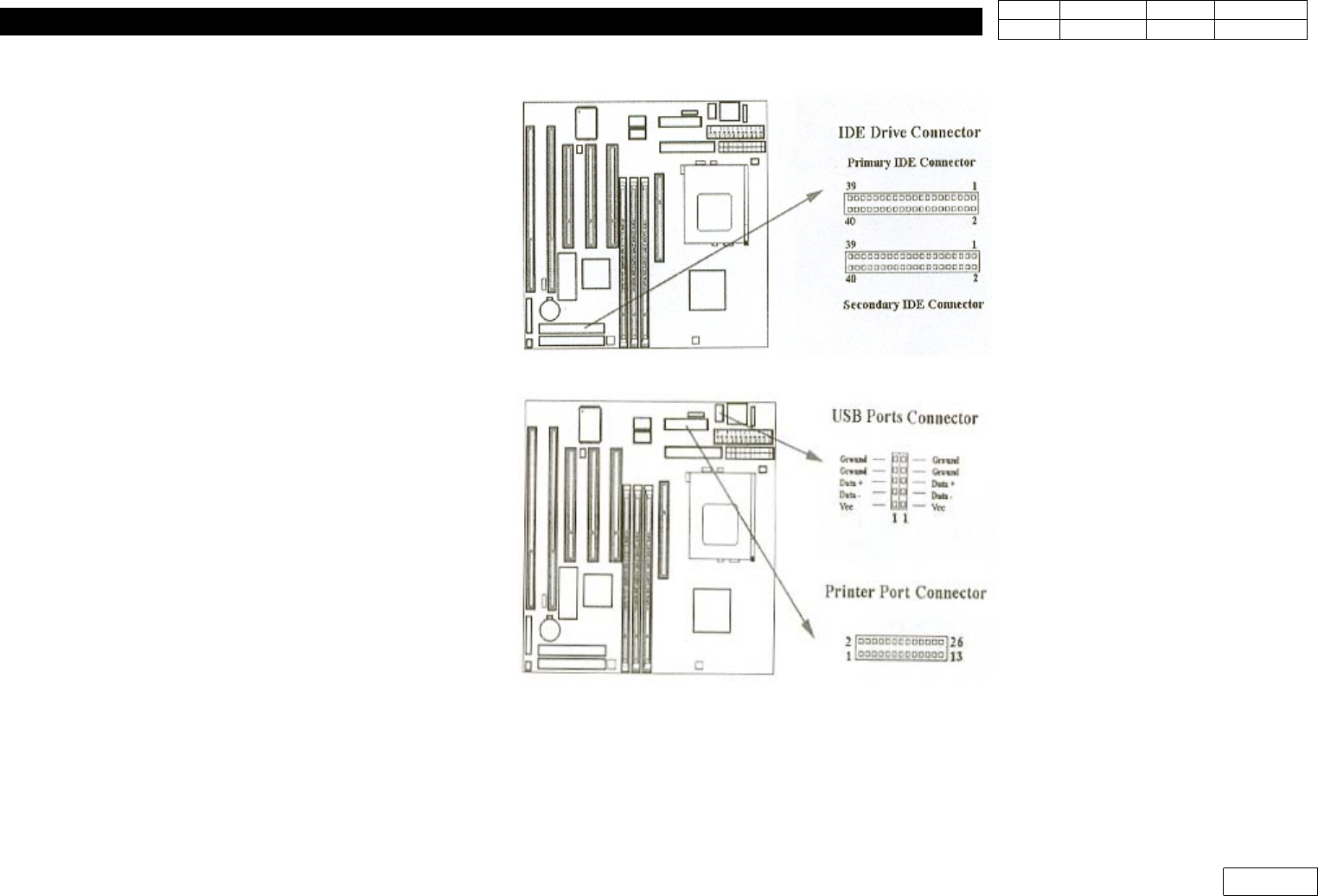
6. PC Ver. Date CP45 CP45NEO 00 2004/11 O O 6-1 1-8) Primary/Secondary IDE connection (40pin) 1-9) USB Connector (5pin)
6. PC
Ver. Date CP45
CP45NEO
00 2004/11 O O
6-1
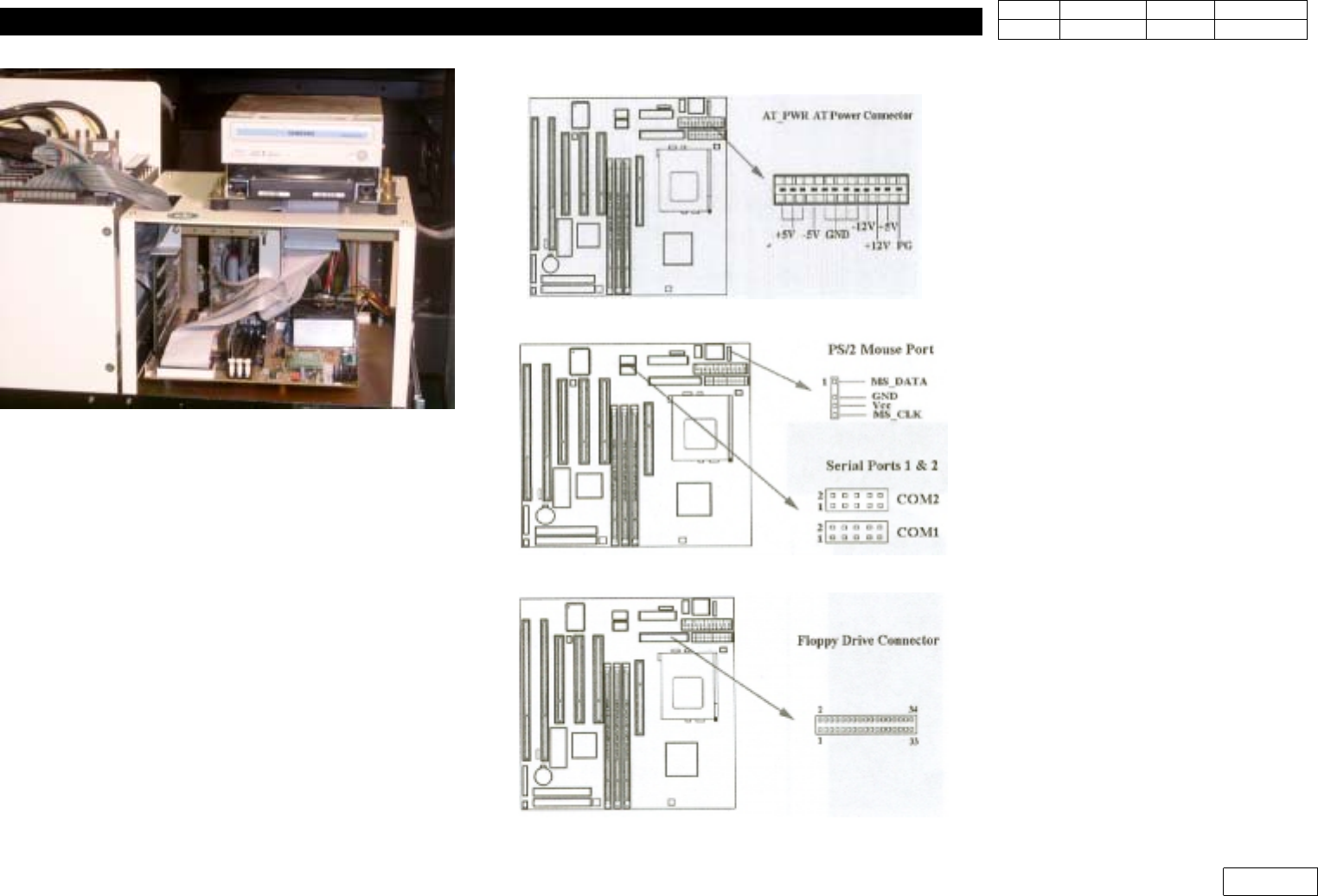
1-5) AT Power Connection(12 pin AT_PWR)
1-6) PS/2 mouse port & Serial port(10pin)
1-7) Floppy Disk Driver(12 p in)
Fig.6-1-1-1 General P C
6. PC
Ver. Date CP45
CP45NEO
00 2004/11 O O
6-1
1-8) Primary/Secondary IDE connection (40pin)
1-9) USB Connector (5pin)
6. PC
Ver. Date CP45
CP45NEO
00 2004/11 O O
6-1
6-1-2) HDD Replacement Procedure
Preparation : HDD, Windows 98 Setup CD,
DAO.exe file, MMI Setup File(CP45NEO:USB Memory,CP45:CD-ROM)
6-1-2-1) Install Formatted HDD in Equipment, and Connect Power Cable and Data Cable
6-1-2-2) Insert Windows98 Setup CD in CD-Driver, and Turn On the Power of Equipment to Install
Windows98
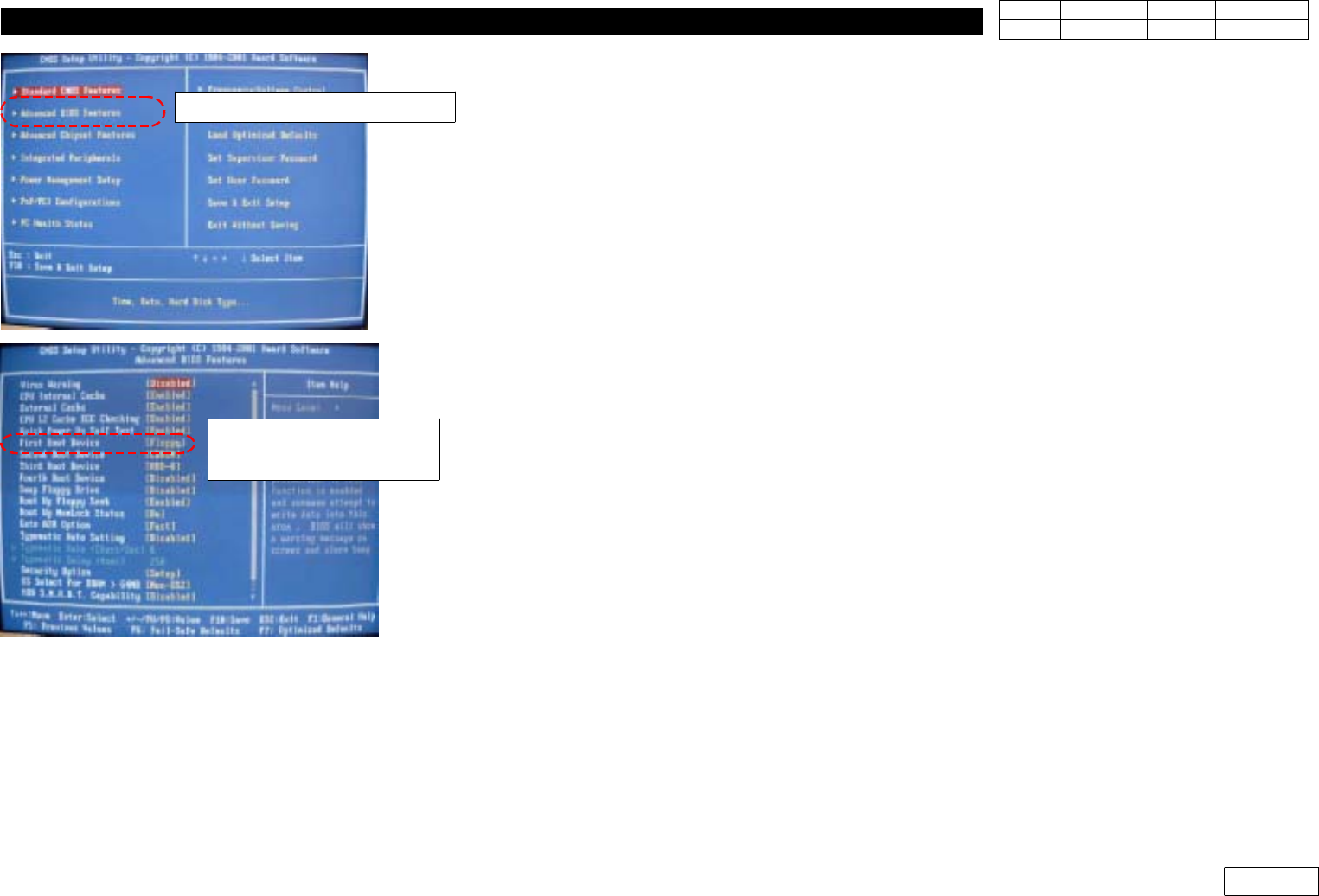
(Note : CDROM Should be Selected in 'Advanced BIOS Features' => 'First Boot Device' of
PC C-MOS Setup (Ref. Fig 6-1-2-1)
6-1-2-3) Install DAO
- DAO Software can be Downloaded from SGSS(www.samsungtechwin.com)
- Find the Path to DAO.exe with Windows Explorer and Click to Unzip
- Click Setup.exe and Start Installation
- Installation is Completed Safely when the Message that DAO Successfully Installed Pops Up.
6-1-2-4) Install MMI
-SaveMMISetupFileinUSBMemoryStick(CP45NEO) or CD(CP45) to Use
- If the Name of Setup File is 'CP-45MMI_V2470.exe' for Example, V2.470 Means Version
- Open Windows Explorer, Move to CP45 Setup.exe and Double-click
- Select Installation Language(Korean/English)
- Input User Name and Company Name
- Set Installation Path (C:\Mark3)
- Select Installation Type
MMI Only : Only Install CP45 Software
MMI + TSG : CP45 + 3D trouble Shooting Image
OPTION (IT) : CP45 + Intelligent SW.
- Select Yes(Y) if Installing Program in Real Equipment
- Re-check if Installation Information is Right and Click Next(N)
- Completed
Advanced BIOS Features
First Boot Device
=> CDROM
Fig.6-1-2-1 CMOS setting for CDROM booting.