Setup Center Patch and Extensions.pdf - 第8页
1 Installation manual SetupCenter Patch and Extensions (00169117) SIPLACE 05/2006 Edition 8 : In this window you select “Activ ate track ” and click on "Next". 1 1 : Now select the lines for which you want to p…
SIPLACE 1 Installation manual SetupCenter Patch and Extensions (00169117)
05/2006 Edition
7
1.5 Functionality
1.5.1 Activation with Barcode
You can know activate Tracks using a Barcode for reactivating a Track after a track errror. After
scanning the “Activate Track” Barcode you will have to scan the Track Barcode and the Unique ID
of the reel. 1
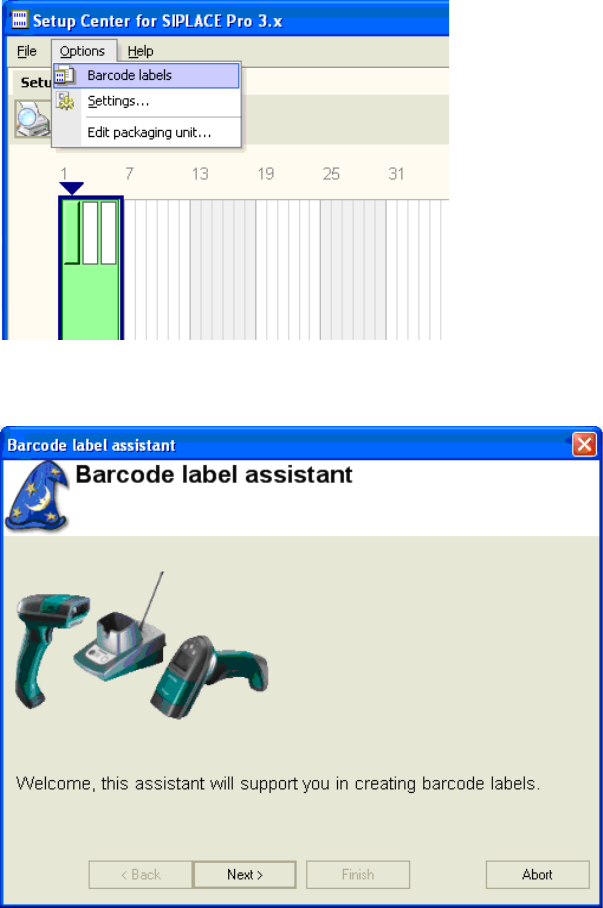
You can print the Activate Track Barcode by using the Barcode label assistant. 1
: Click on "Options" -> "Barcode labels".
1
: Click on" Next".
1
1 Installation manual SetupCenter Patch and Extensions (00169117) SIPLACE
05/2006 Edition
8
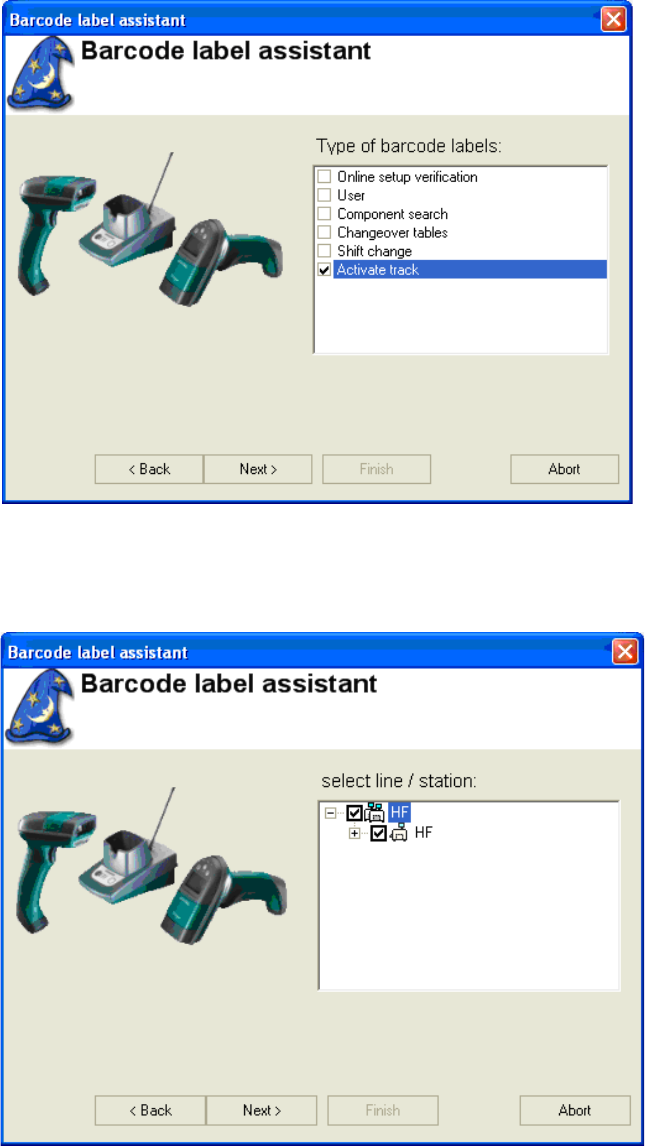
: In this window you select “Activate track” and click on "Next".
1
1
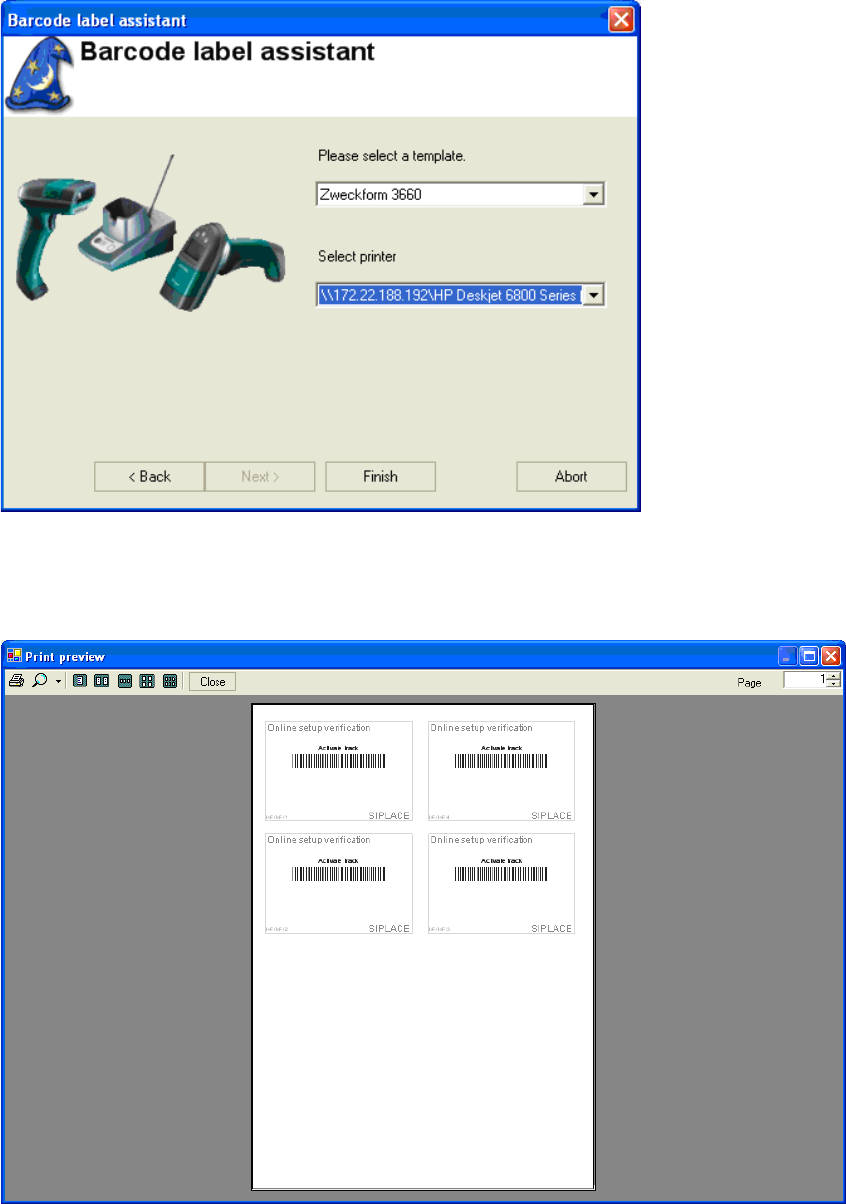
: Now select the lines for which you want to pint the “Activate track” Barcode and click on "Next".
1
1
SIPLACE 1 Installation manual SetupCenter Patch and Extensions (00169117)
05/2006 Edition
9
: Select a template and a printer and click on "Finish".
1
The Print preview window opens showing the selected Barcodes. 1
You can now pint this Barcodes by clicking on the printer symbol in the upper left corner. 1
1