SiplaceX4_en.pdf - 第497页
1 - 29 S tudent Guide SIPLACE X Edition 09/2005 10 Modular conveyor 29 10.2.1 1.2 Adjust the velocity of the lif ting tables Please Note: This is at the moment a Service job for a Siemens T echnican. Use the same Hardwar…
1 - 28
Student Guide SIPLACE X
10 Modular conveyor Edition 09/2005
28
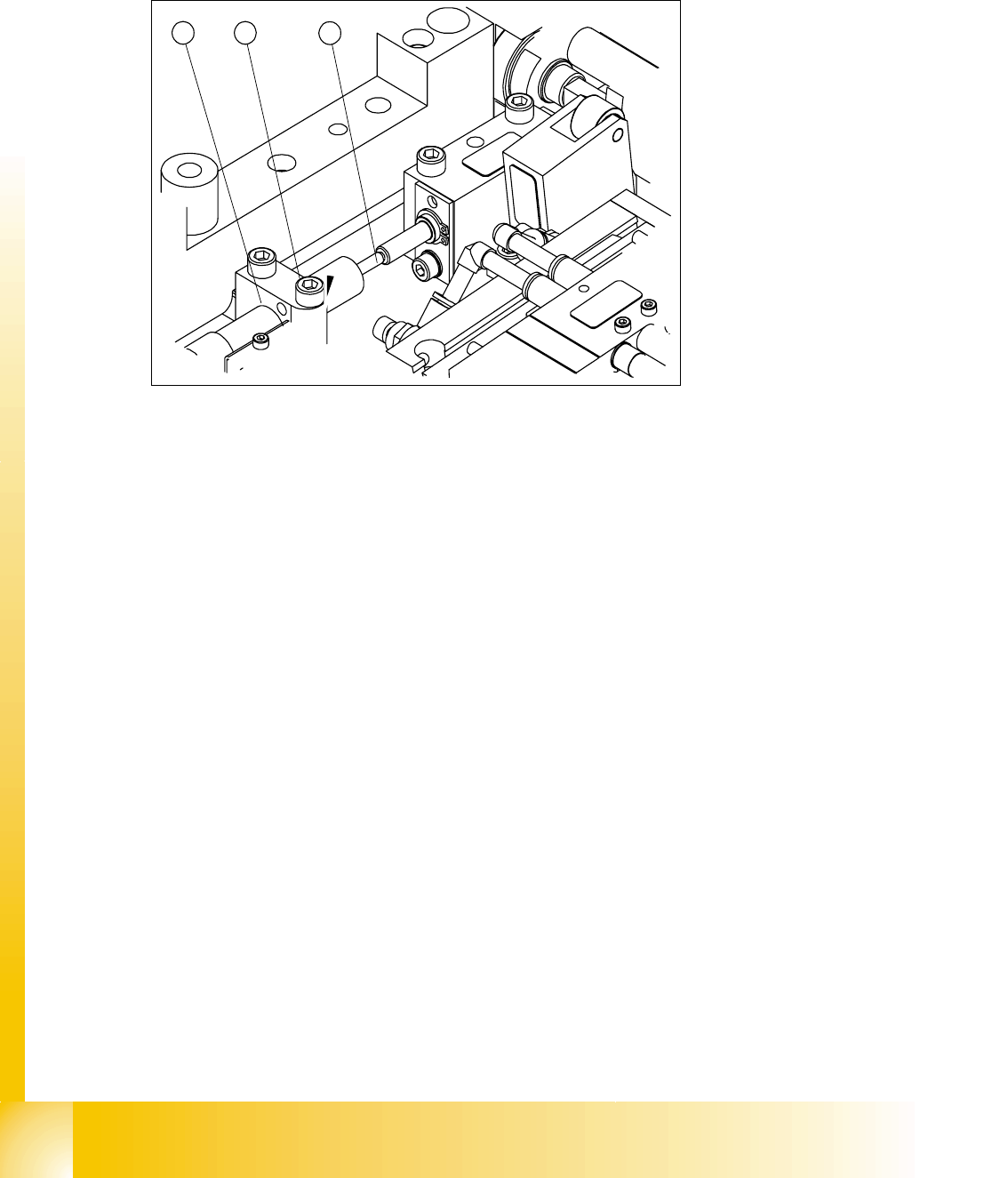
10.2.11.1 Setting the lifting table damping unit
The damping unit allows the lifting table to move gently upwards. When the PCB is clamped, it
also prevents excessive bounce by the PCB.
Fig. 10.2 - 19 Setting the damping unit
Legend
Setting: 10
➠ Check whether the damping unit is fixed in the fixing block with the lock nut and that the damp-
ing unit is lying gently against the actuator. In this default setting, the lifting table should move
up gently.
➠ If this is not the case, loosen the lock nuts and screw the damping unit further into the fixing
block by approximately one turn.
➠ Start SITEST and move the lifting table up.
➠ The lifting table must move up gently.
The PCB clamping should not engage audibly and there should be no PCB clamping error
message.
➠ Check the speed of the lifting table cylinder and correct if necessary (see section 10.2.11.2)
(1) Damping unit (cylinder) (2) Plunger and actuator
(3) Bearing block and lock nut
1 2
3
1 - 29
Student Guide SIPLACE X
Edition 09/2005 10 Modular conveyor
29
10.2.11.2 Adjust the velocity of the lifting tables
Please Note:
This is at the moment a Service job for a Siemens Technican.
Use the same Hardware components as if you use the CanTerminal Software.(Kvaser Card).
For these settings you need the Transport SW (Order No. 00322132-01).
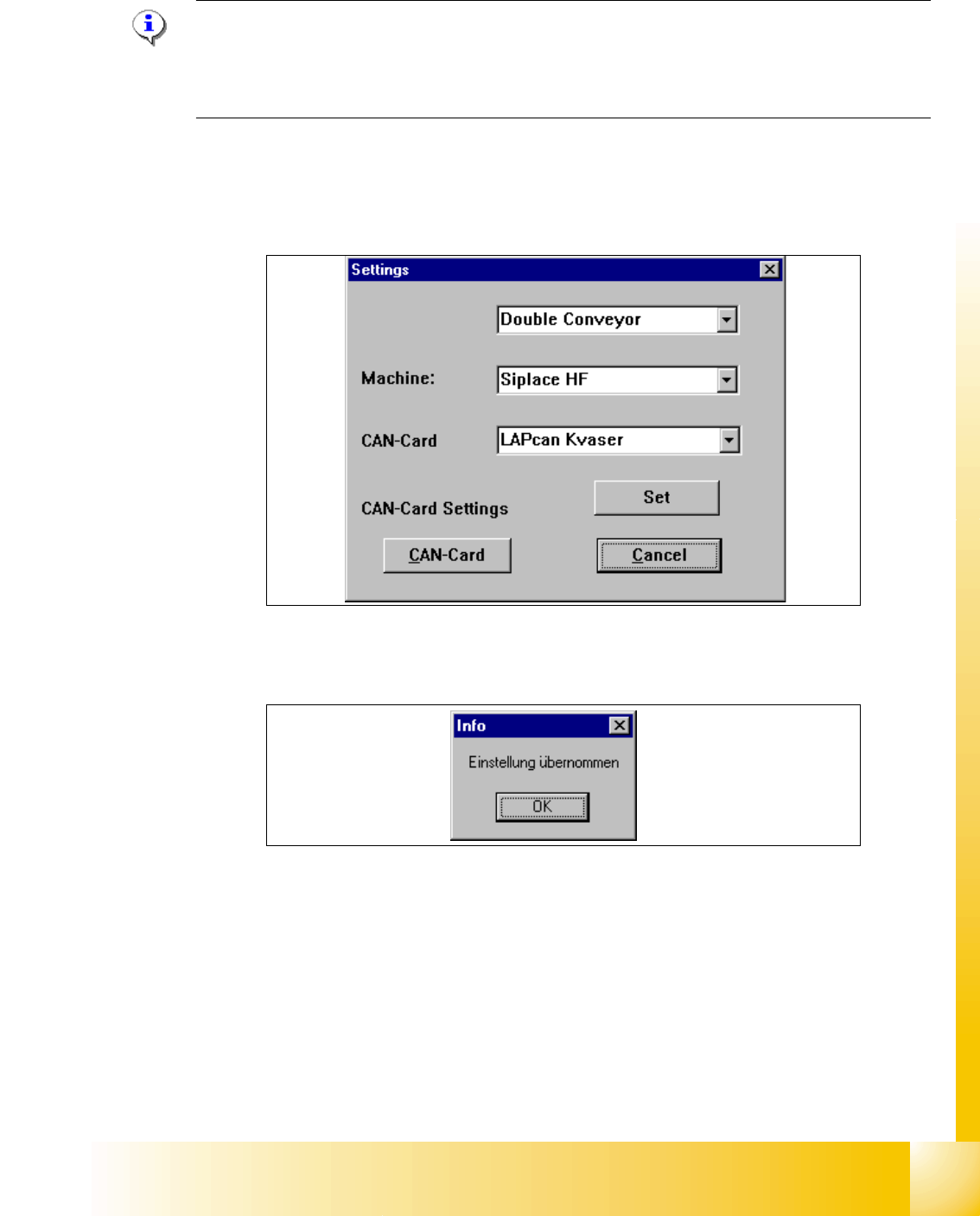
➠ Connect the service computer to the CAN Bus Interface of the conveyor control board.
➠ Open the program LP_TSPMenu.exe.
➠ Define the conveyor type, machine type (HS 60,S27 HM, HF, X) under "Settings".
➠ Confirm this settings with "Set".
➠ Following Message appears "Settings undertaken" .
➠ Click "OK".
➠ Click the button "Can Card settings"
➠ Following windows appears.
1 - 30
Student Guide SIPLACE X
10 Modular conveyor Edition 09/2005
30
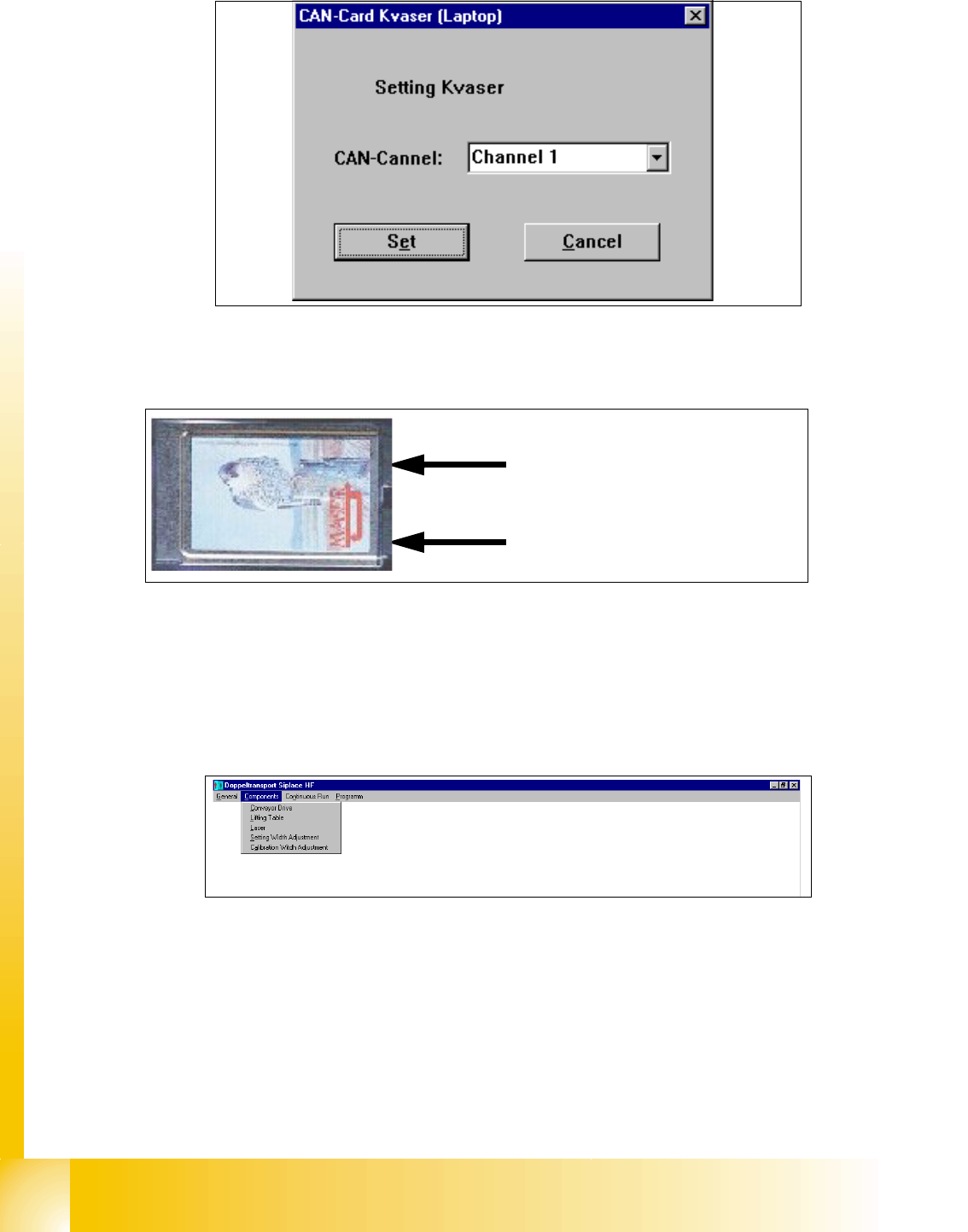
➠ Select the cannel which you use on the Kvaser card (Cannel 1 or 2)
Fig. 10.2 - 20 Connections of the Kvaser Card
➠ Confirm this settings with "Set".
➠ Following Message appears "Settings undertaken" .
➠ Click "OK".
➠ Select in the upper menue "Components" the lifting table
➠ Following Windows appears
Precondition: 10
– Machine is switch on
– Cover closed
–Control ON
Cannel 2
Cannel 1