TM2901.Scanner Command Enhanced.pdf - 第3页
SMT Software Eng ineering Group IM Ope ra tions Y AMAHA MOT OR CO.,L TD. MDOC-SOFT50117 3/3 ※ Attent ion: blanks are also r egarded as con trol comm ands. 2.3. Method of confirming the operation control command Execute t…
SMT Software Engineering Group
IM Operations YAMAHA MOTOR CO.,LTD.
MDOC-SOFT50117
1/3
Scanner Command Enhanced
Contents
Scanner Command Enhanced
................................................................................ 1
1. Introduction ............................................................................................................................................ 1
2. Explanation of function......................................................................................................................... 2
2.1. Detail of function ............................................................................................................................ 2
2.2. Control command setting of fixed mount scanner .................................................................... 2
2.3. Method of confirming the operation control command............................................................. 3
3. Limitations.............................................................................................................................................. 3
Revision No.
Upgrade Changes
000 2011/7/4 Create
1. Introduction
The target model and the version are as follows.
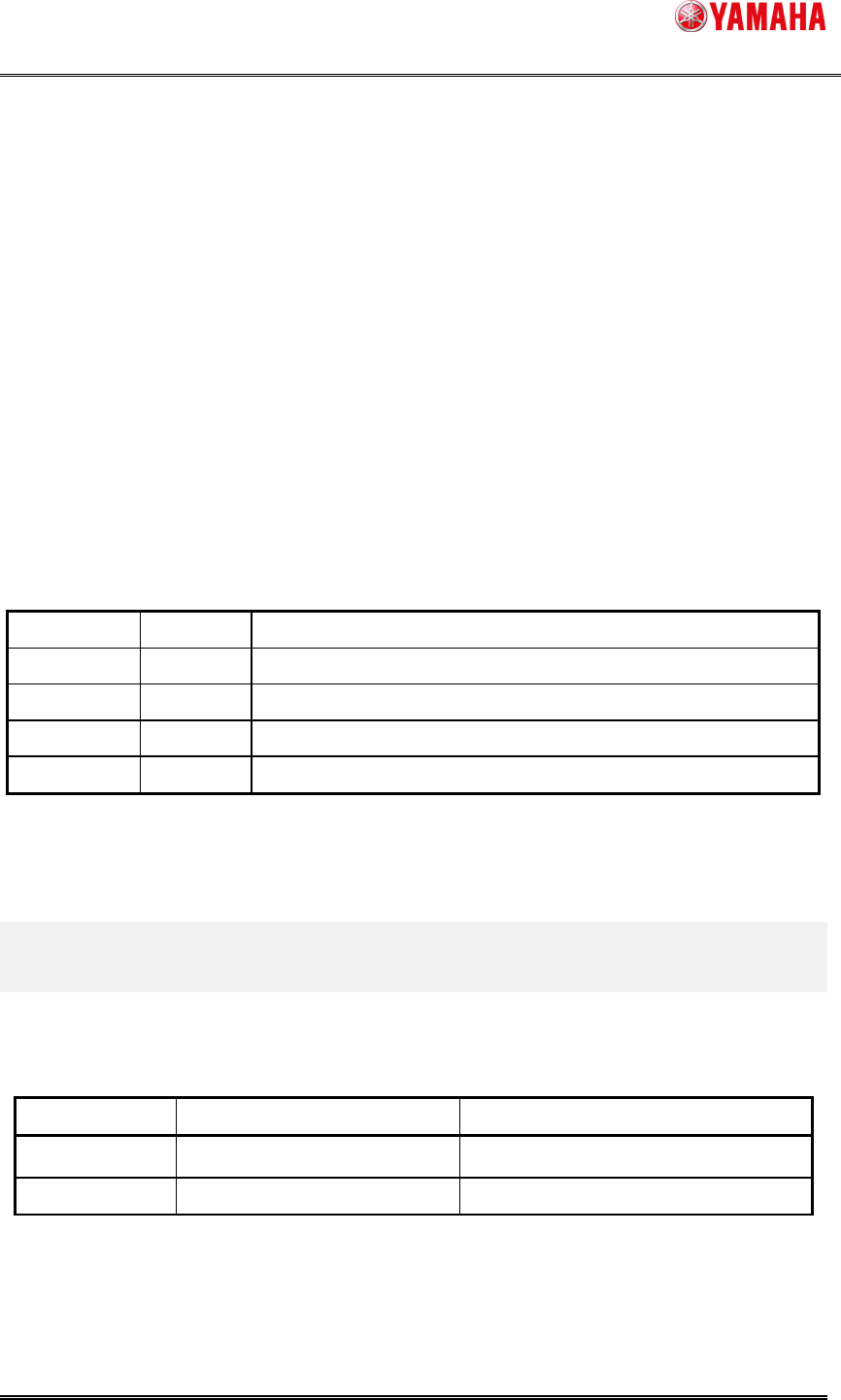
Table.1.1 Target model and version
Item Object Remarks
Target model YS Series, YG300, YG12
Target version V3.26STD R1.000 ore later
SMT Software Engineering Group
IM Operations YAMAHA MOTOR CO.,LTD.
MDOC-SOFT50117
2/3
2. Explanation of function
In this version, a function has been added that you can use a general barcode reader with our
Barcode Reader for Auto Plan.
To read barcodes with a general barcode reader, please set the scanning control command on
Machine.
2.1. Detail of function
Previously, our barcode reader used to scan a barcode by receiving texts, “LON” and “LOFF”
on the scanning control command from the mounter.
Every barcode reader has its own scanning control command. Therefore, setting the common
scanning control command, it becomes possible to use any barcode reader.
From this version, you are free to choose letters and numbers as scanning control command.
Please set the scanning control command of your own barcode reader on the mounter, and you
can use it.
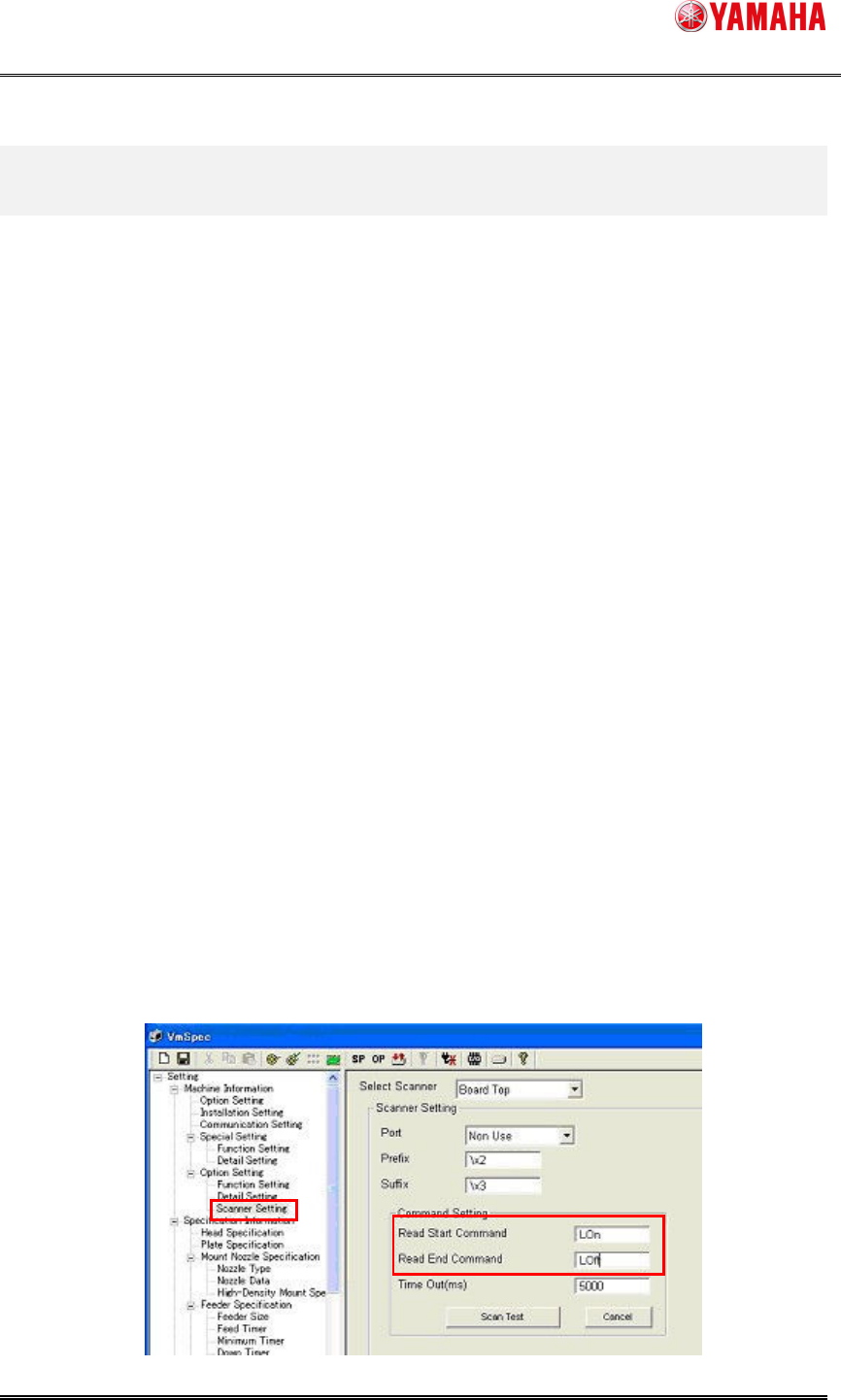
2.2. Control command setting of fixed mount scanner
First, you need to know its scanning control command to set on the mounter.
Please find an chapter about ”Control Command”, “Read start command, Read end command”
or ”Reading standby, Reading possible control command” on the manual of your barcode reader.
And set the “Read start command, Read end command” to [Machine Setting].
Refer to the following example.

SMT Software Engineering Group
IM Operations YAMAHA MOTOR CO.,LTD.
MDOC-SOFT50117
3/3
※Attention: blanks are also regarded as control commands.
2.3. Method of confirming the operation control command
Execute the following procedure to confirm the operation after setting.
1. Open the VmSpec screen by clicking the [Machine Setting] button.
2. Click [Setting] - [Machine Information] - [Option Setting] - [Scanner Setting] - [Command
Setting] - [Scan Test] button.
Displayed [*** Test Start ***] on the bottom of the frame, means succeeded.
(Please confirm the laser to read from the fixed mount scanner.)
3. If [*** Command Transmission Failure!! ***] is displayed, the setting of [Setting] - [Machine
Information] - [Communication Setting] and the setting of [Scanner Setting] - [Scanner
Setting] - [Port] might be wrong. Please try step 2 again after correcting it and saving the
data.
Please confirm the below after [*** Test Start ***] is displayed.
1) Read a bar code, and the value of the bar code is displayed.
2) Press the [Cancel] button, and [*** Test Cancel ***] is displayed.
3) When [Time Out(ms)] passes, [*** Time Out Error!! ***] is displayed.
3. Limitations
There is no limitation.
No
Control Command Example of Setting [Machine Setting]
1 Character strings such as
“START”、”LON”
“START”、”LON” and description as it is.
2 Values such as
“0x04, 0xE4, 0x14”
Input x04 xE4 x14.
Use the format [ x + value] without anything
between the value.