00198051-01_IM_SetupCenter_8.0_EN.pdf - 第108页
Uninstalling Optional: Uninstalling the SIE MultiThread API SIECA 132 Softwa re Package 11.3.1 Uninstalling SQL Server Expr ess Installations 108 Installation Manual SIPLACE Setup Center 8.0
Uninstalling
11.3.1 Uninstalling SQL Server Express Installations Uninstalling Forced Setup Verification
Installation Manual SIPLACE Setup Center 8.0 107
11.4
11.4 Uninstalling Forced Setup Verification
Uninstalling Forced Setup Verification
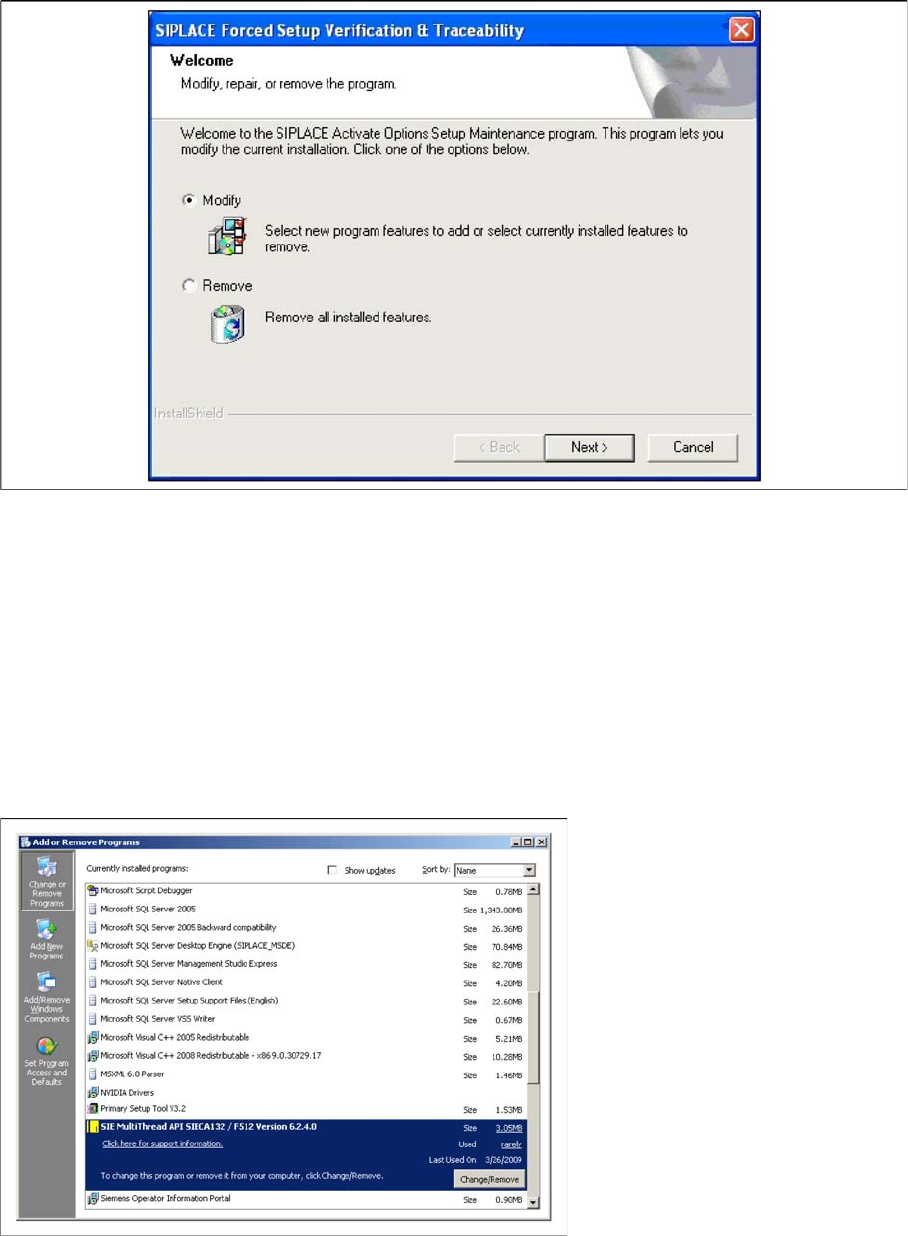
If the Setup at the software CD "SIPLACE Setup Center 3.0" is called up at the SIPLACE station again,
the following dialog appears.
► If Remove is selected, the option Forced Setup Verification and Traceability will be deactivated.
11.5
11.5 Optional: Uninstalling the SIE MultiThread API SIECA 132 Software Package
Optional: Uninstalling the SIE MultiThread API SIECA 132 Soft
-
ware Package
► Click Start in the Windows start menu.
► Click Settings.
► Click Control Panel.
► Double-click Add / Remove Programs.
A list appears with the names of the software packages installed on the computer.
► Select SIE MultiThread API SIECA 132.
► Click the Remove button.
► Confirm the deletion of the application.
Uninstalling
Optional: Uninstalling the SIE MultiThread API SIECA 132 Software Package 11.3.1 Uninstalling SQL Server Express Installations
108 Installation Manual SIPLACE Setup Center 8.0
Troubleshooting
Relevant Files to Analyze Installation Problems
Installation Manual SIPLACE Setup Center 8.0 109
12
12 Troubleshooting
Troubleshooting
If it is not possible to solve a problem during installation of SIPLACE Setup Center, please send the file
SIPLACESetupCenterSetupLog.html and all similar "log" named files to the SIPLACE Service.
12.1
12.1 Relevant Files to Analyze Installation Problems
Relevant Files to Analyze Installation Problems
Error description
Whenever problems arise during setup, please inspect the file SIPLACESetupCenterSetupLog.html,
which is written during each installation.
Cause
Setup problems.
Solution
The log file is found either in C:\ (prior to the "move data phase") or in the selected program folder.
Old versions of the log file are located in the program folder. A timestamp is added to the filename. Dialog
boxes appear during the file copying phase of installation which only contain
► Yes and No options.
Hint
► If you need SIPLACE support regarding installation problems, please provide all installation log files.
12.2
12.2 Conflicting old SIPLACE Setup Center Installations
Conflicting old SIPLACE Setup Center Installations
Error Description:
InstallShield reports a conflicting old installation of SIPLACE Setup Center.
Cause:
The new SIPLACE Setup Center installation conflicts with old SIPLACE Setup Center installations.
Solution:
If SIPLACE Setup Center setup detects old installations and if you are absolutely sure you have unin
-
stalled the old version of SIPLACE Setup Center, please proceed as follow:
Make sure that you have manually removed any remnants of this old installation from the program folder
except for the database.