TM1649_Change explanation of schedule specification.pdf - 第3页
SMT Software Engineering Group IMOperationsYAMAHAMOTORCO.,LTD. MDOC-SOF T50036-001 3/4 1. Introduction The target m odel and version are as follo ws. T able1 T arget mo del and v ersion Item Object R…
SMT Software Engineering Group
IMOperationsYAMAHAMOTORCO.,LTD.
MDOC-SOFT50036-001 2/4
Contents
1. Introduction ..................................................................................................................... 3
2. Summary ........................................................................................................................ 3
3. How to Set the Schedule Specification................................................................................ 3
4. Limitations....................................................................................................................... 4
Revision No. Update Changes
000 2010/01/21 Create
SMT Software Engineering Group
IMOperationsYAMAHAMOTORCO.,LTD.
MDOC-SOFT50036-001 3/4
1. Introduction
The target model and version are as follows.
Table1 Target model and version
Item Object Remarks
TargetModel YSSeries
Targetversion VGOSV3.10STDR1.000andlater
2. Summary
The setting that the schedule specification (spec) execution can be changed as “Use” / “Not Use” has
been added when a board data is changed during production (Until now, the schedule specification is
necessarily executed when a board data is changed).
When [Executive Condition] of the schedule specification is "Lot Start+Auto Running", the schedule
spec is executed when a board data is changed.
When [Executive Condition] of the schedule specification is "Only Auto Running", the schedule spec
is not executed.
3. How to Set the Schedule Specification
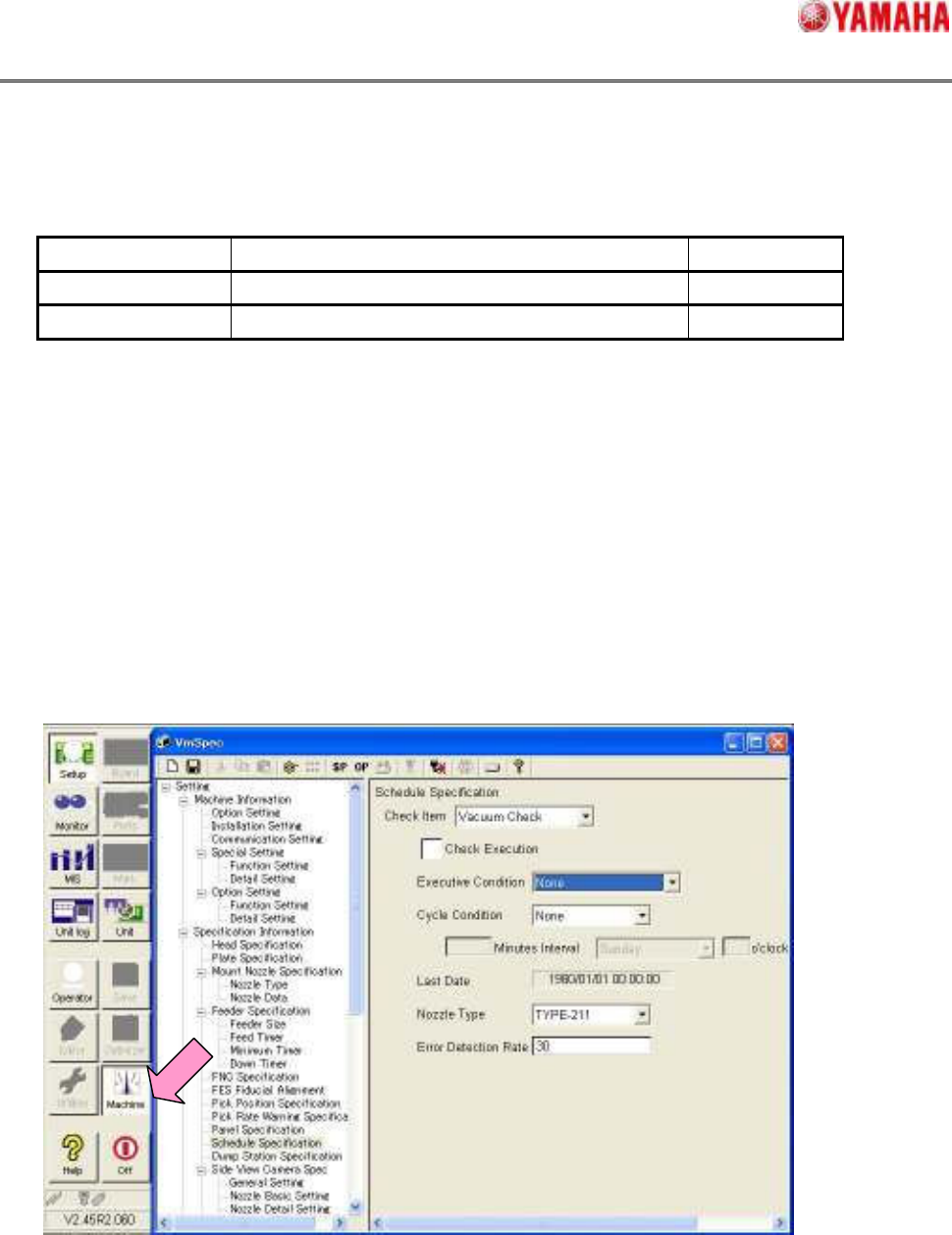
Tap [Machine] button, and open [Setting] - [Specification Information] - [Schedule Specification].
SMT Software Engineering Group
IMOperationsYAMAHAMOTORCO.,LTD.
MDOC-SOFT50036-001 4/4
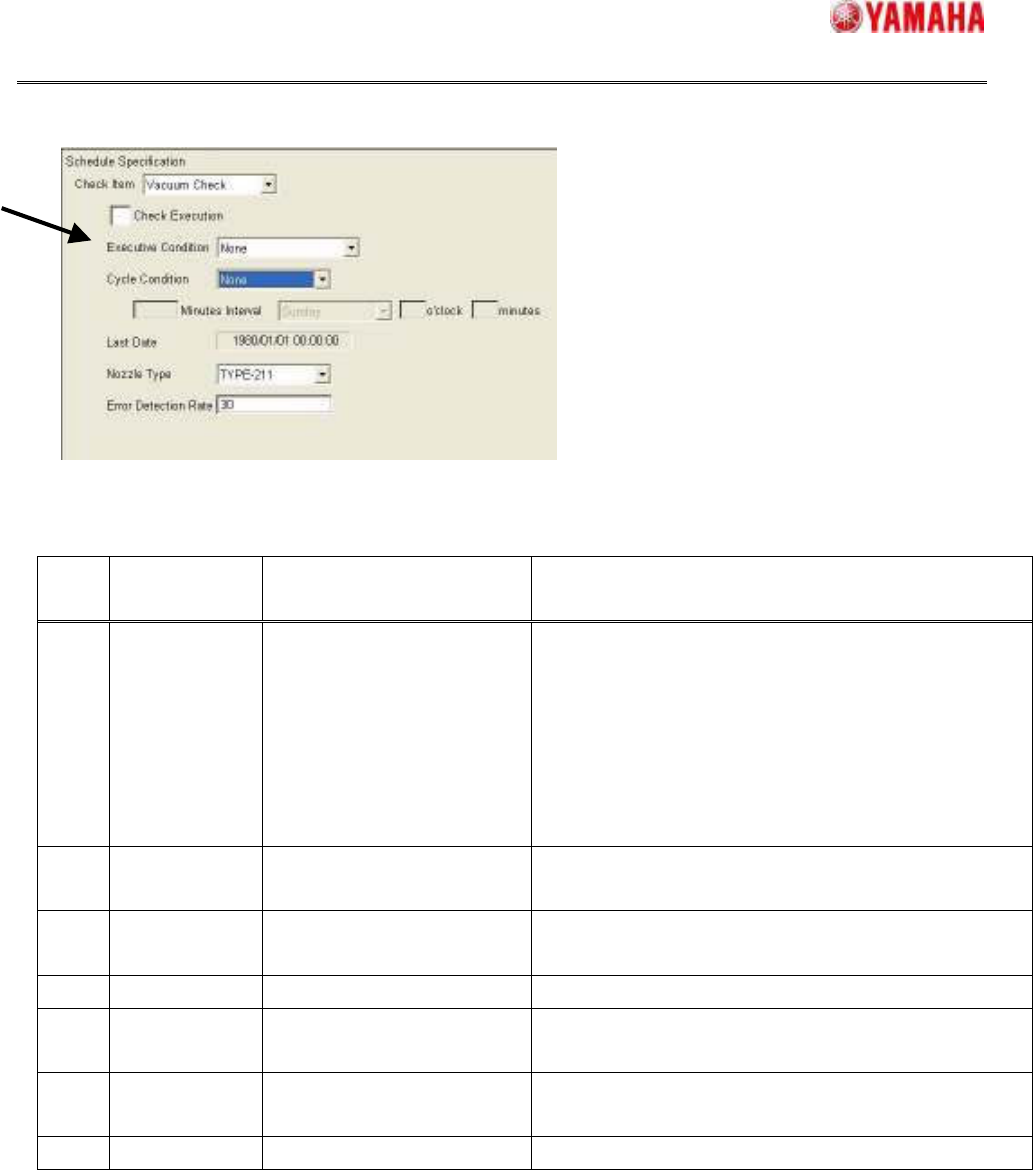
Set the executive conditions of the schedule specification.
A. Executive Conditions
The executive timing of the schedule spec for each items are as follows.
Note:
When “Auto Running” was selected in the
V3.10STD R1.000
or earlier version, the name of “Auto
Running” changes into ”Lot Start+Auto Running” after the version up to
V3.11STD R1.000
or later
version is executed.
4. Limitations
There are no limitations.
No Select Item Function
Change or No Change
Executive timing of Schedule Specification
1 Lot Start+
Auto Running
It is the same as “Only Auto
Running” of V3.10STD R1.000
or earlier. (The name is only
changed.)
The “schedule specification” is executed according to the
following three kinds of timing.
1) After the machine is turned on, when the first
auto-running starts.
2) When the board data is changed.
3) When the board is carried out, the time of [Cycle
Condition] passes.
2 Only
Auto Running
New function of V3.11STD
R1.000 and later.
When the board is carried out, the time of [Cycle
Condition] passes.
3 Power ON No change. After the machine is turned on, and the first return-to-origin
is just finished.
4 Power OFF No change. Just after tapping [Off] button on the main screen.
5 Reset No change. Just after pressing [RESET] button on the operational
panel.
6 Start Run No change. Just after pressing [START] button on the operational
panel.
7 None No change. Not execute the Schedule Specification.
A