00194674-02.pdf - 第5页
Navigation Guide for the installation procedure of SIPLACE Pro Installation Manual 1 Overview → The following overview shows you all the compo nents and leads you throug h the installation manuals necessary for a running…
Installation Manual Navigation Guide for the installation procedure of SIPLACE Pro
4
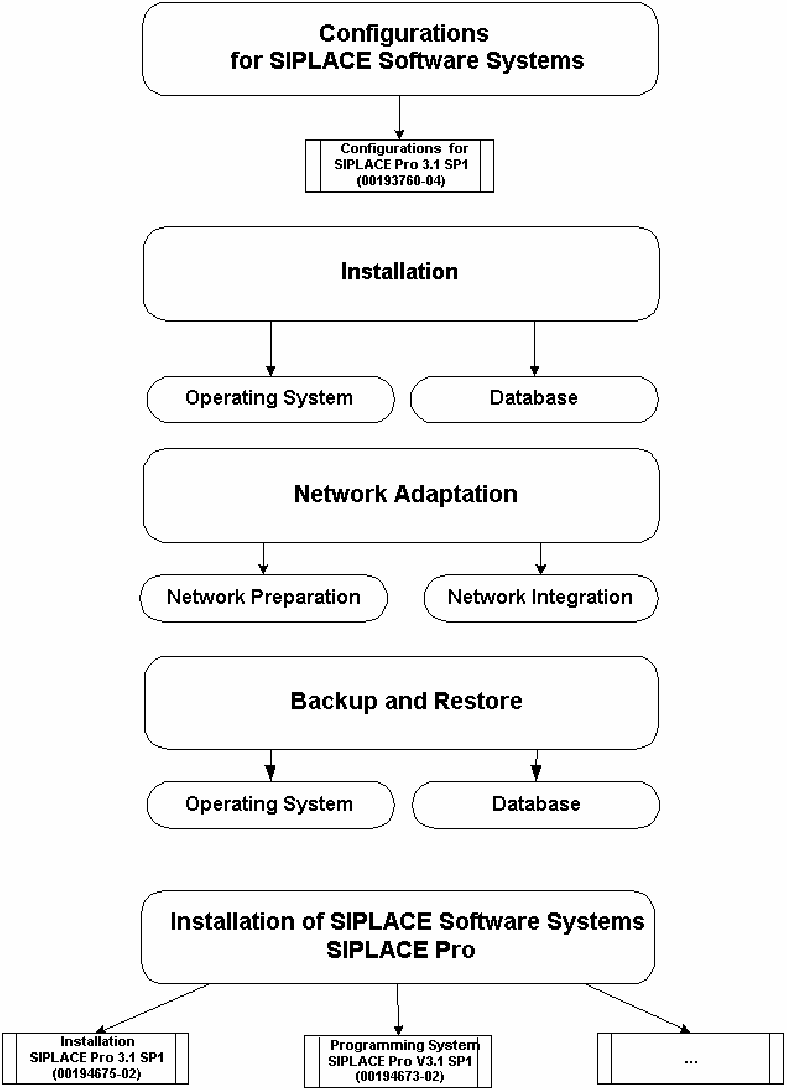
Navigation Guide for the installation procedure of SIPLACE Pro Installation Manual
1 Overview
→ The following overview shows you all the components and leads you through the installation manuals
necessary for a running SIPLACE software system “SIPLACE Pro”.
5
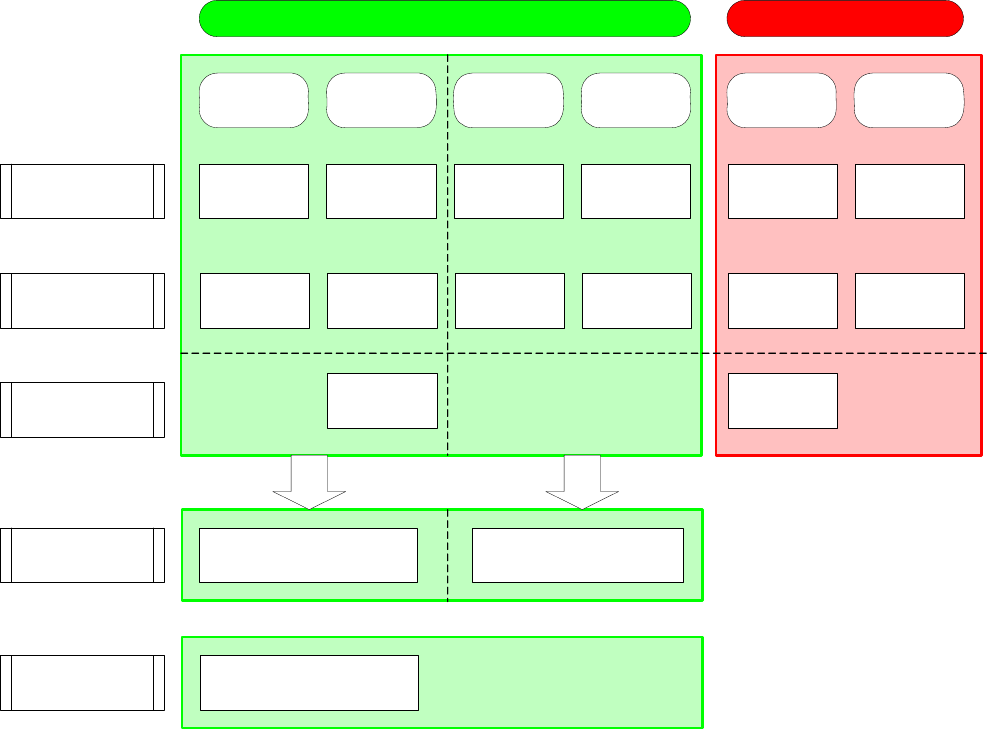
Navigation Guide for the installation procedure of SIPLACE Pro Installation Manual
2 Operating Systems and Database Installation
→ Please use the following documents to lead you through the operating systems and database installation
procedure for SIPLACE software system!
Windows 2000
Server
(00193907-02)
Windows 2000
Professional
Windows XP
Professional
Windows 2000
Server
Windows 2003
Server
Windows 2000
Professional
Windows 2000
Professional
Windows 2000
Professional
(00193908-02)
Windows XP
SP2
(00193872-04)
Windows 2003
Server
(00194477-02)
Windows XP
SP2
(00193872-04)
Windows 2000
Professional
(00193908-02)
MSDE (Microsoft Desktop Engine)
(00193896-04)
SQL 2000 (manual setup)
(00193910-04)
Server Applications Client Applications
Operating System
Installation
"manual"
Operating System
Installation
of Service Packs
Operating System
Installation
"unattended"
Upgrade to Win
XP SP2
(00194575-01)
Database
Installation
Windows 2000
Server
(00194601-02)
Windows 2000
Professional
(00193906-04)
Windows 2003
Server
(00194678-01)
Windows XP
Version 2.03
(00194576-02)
Windows XP
Version 2.03
(00194576-02)
Windows 2000
Professional
(00193906-04)
OR
AND
AND
Migration from MSDE
to SQL 2000
AND
Upgrade to Win
XP SP2
(00194575-01)
Migrate MSDE Database to
SQL 2000 Standard Version
(00193911-04)
NOTE:
Our SIPLACE setup engineer takes care of a stand-alone solution. In case of a local network integration
at customer site, SIPLACE recommends to set up an integration project.
6